
HP DesignJet T210
4.4Editor score
24-inch roll media support
HP Click workflow integration
Wi-Fi and Ethernet connectivity
Large format plotter printers are built for drawings, maps, posters, signage, renders, and other output that conventional desktop printers cannot handle. A strong model combines accurate line quality, crisp text, dependable media handling, convenient file submission, and a workflow that fits architecture, engineering, construction, education, or creative practices.
We compared the ten models using the supplied specifications, focusing on maximum media width, sheet and roll support, output speed, connectivity, software, scanning or copying capability, memory, included accessories, warranty coverage, and user ratings. The list covers single-function and multifunction plotters from HP and Canon, with particular attention to models using a 24-inch roll format.
Each review explains the product's strongest use case, practical advantages, and trade-offs. The top selections highlight different priorities: accessible pricing, advanced productivity, and premium fine-art performance. Product availability, bundled accessories, warranty terms, and market conditions can change, so verify the current listing before making a final purchasing decision.
4.4Editor score

5.0Editor score

4.8Editor score
As an Amazon Associate we earn from qualifying purchases.
The comparison below organizes all ten plotters by format, media handling, workflow features, and included support. It makes the differences between basic single-function models, productivity-focused systems, multifunction devices, and fine-art printers easier to see.


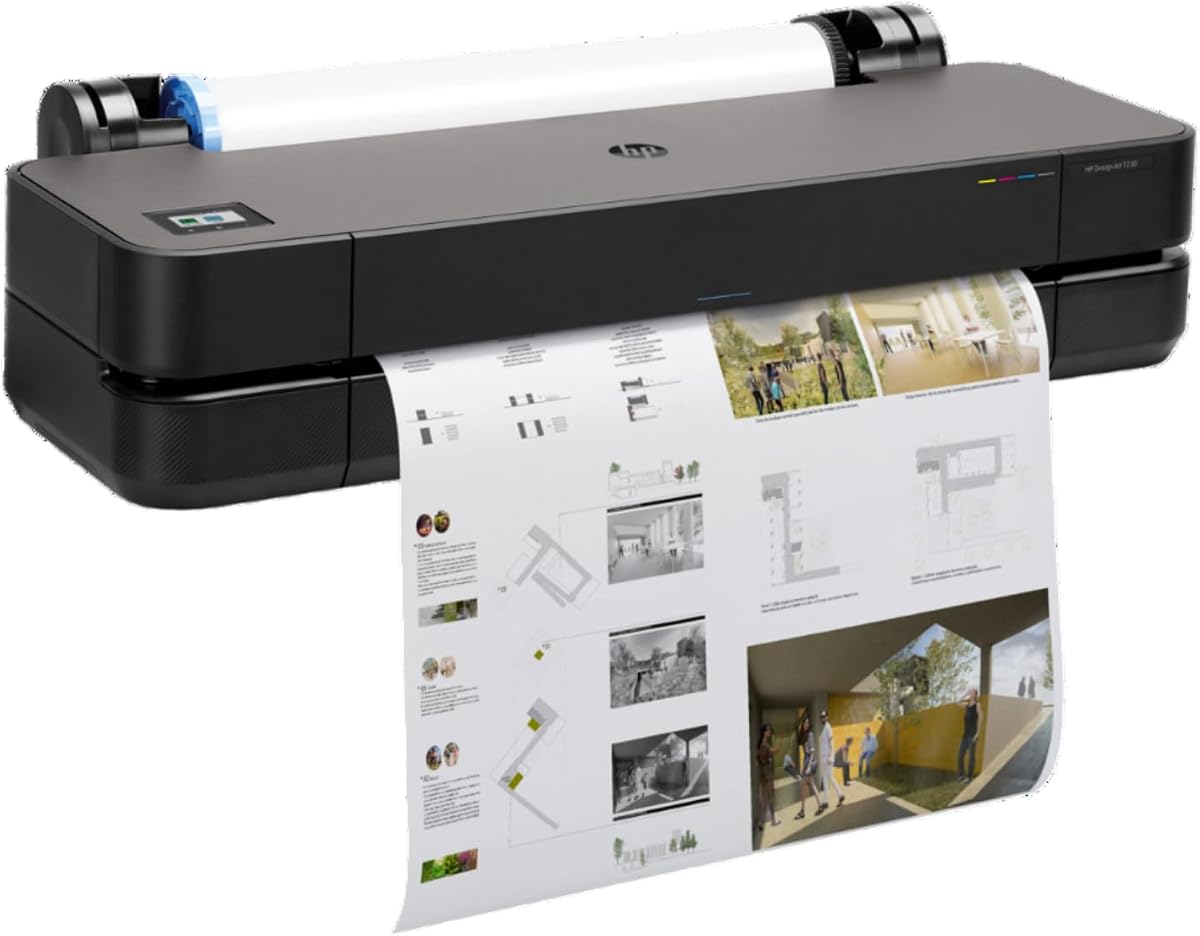


The HP DesignJet T210 is a straightforward 24-inch large format plotter for technical drawings, posters, maps, renders, and professional sewing patterns. Its 4.4 rating reflects a generally favorable balance of accuracy, ease of use, and productivity. The printer is especially appealing to users who need dependable CAD output without moving into a larger, more complex machine.
We may earn a commission when you buy through this link, at no additional cost to you.
Its key strength lies in the combination of precise line quality, crisp text, and a simple print workflow. HP Click provides PDF error checking, alerts, automatic nesting, saved print settings, and support for PDF, JPEG, TIFF, DWF, HP-GL/2, and PNG files. Gigabit Ethernet, USB 2.0, and Wi-Fi add flexible connection options, while the HP Smart app supports remote job management.
The T210 handles both roll and sheet media, includes an automatic horizontal cutter, and can automatically move between different media sizes. It produces up to 59 A1/D-size prints per hour, with a listed time of up to 45 seconds per A1/D page. The main limitation is that its automatic sheet feeder is an optional accessory, and its productivity sits below the T650, T870, and T830.
This model makes the most sense for architects, engineers, construction professionals, educators, and design studios that regularly need 24-inch technical output. It is a particularly practical choice when reliable linework, useful file support, and straightforward operation matter more than multifunction copying or maximum throughput. For those priorities, the T210 is the strongest value-oriented recommendation in this guide.
HP Click reduces the friction involved in preparing and submitting technical files. Automatic nesting, error checking, and drag-and-drop printing help prevent avoidable waste and make multi-file project sets more convenient.
Roll feeding, sheet feeding, and automatic horizontal cutting support a flexible production mix. Buyers who frequently use smaller sheets should consider adding the optional automatic sheet feeder.
We may earn a commission when you buy through this link, at no additional cost to you.
The HP DesignJet T650 is a 24-inch plotter positioned for architecture, engineering, construction, and other teams that need fast, high-quality large format output. It carries a perfect 5.0 listing rating and stands out through its combination of 82 A1/D prints per hour, automatic media switching, 1GB of memory, and two years of onsite and phone support.
We may earn a commission when you buy through this link, at no additional cost to you.
The included automatic sheet feeder and media bin make this model especially useful for mixed-format workflows. It can feed rolls and sheets, switch between them automatically, and use a horizontal cutter to finish roll output. The extra throughput and 1GB memory give it an advantage over the T210 and T230 when a busy office regularly submits multi-size projects.
HP Click again provides PDF error checking, alerts, auto-nesting, saved settings, and support for common CAD and design formats. The printer can also be managed through the HP Smart app and connected by Gigabit Ethernet, USB 2.0, or Wi-Fi. Its trade-off is that it remains a single-function printer, so users needing integrated scanning and copying must look elsewhere.
Choose the T650 when uptime, fast output, and reduced media-change overhead are central priorities. The two-year onsite support arrangement is particularly valuable for organizations that cannot afford extended downtime. It may be more than a small studio needs, but for a professional office handling substantial CAD and design demand, this is the most balanced high-productivity choice.
A listed output of 82 A1/D prints per hour makes the T650 suitable for teams with recurring drawing, map, and rendering workloads. The higher memory also supports more demanding job handling than the entry-level T200-series models.
Two years of onsite and phone support reduce the operational risk associated with a shared office printer. Combined with automatic media handling, it targets users who value uptime as much as output quality.
We may earn a commission when you buy through this link, at no additional cost to you.
The HP DesignJet T630 is a 24-inch large format plotter for technical line drawings, renders, posters, maps, and professional output. Its 4.0 rating indicates a generally positive reception, while the included sheet feeder, media bin, and stand provide a more complete installation than basic roll-focused configurations.
We may earn a commission when you buy through this link, at no additional cost to you.
Its defining advantage is media flexibility. The automatic sheet feeder accepts media up to 13 by 19 inches, while roll media extends to 24 inches wide. Automatic sheet-to-roll switching, a media bin, and an automatic horizontal cutter make it easier to alternate between project drawings, posters, maps, and presentation output without frequent manual intervention.
HP Click adds PDF error checking, alerts, automatic nesting, saved settings, and broad file-format compatibility. Connectivity includes Gigabit Ethernet, USB 2.0, and Wi-Fi, while HP Smart and HP-GL/2 support help connect the device to established design workflows. The supplied information does not list a specific print speed or memory capacity, which makes direct comparison with the T650 less precise.
The T630 is best for professionals who work with a mixture of 24-inch rolls and smaller sheets and want the feeder and media bin included. It suits architecture, engineering, and construction offices that value automatic switching and organized output handling. It is less compelling than the T650 for buyers focused strictly on stated throughput or the newest support package.
Automatic switching and the included feeder make this model useful for teams that alternate between technical roll drawings and smaller sheet-based deliverables. The media bin provides an organized destination for completed output.
Built-in nesting, error checking, and drag-and-drop file handling streamline common CAD tasks. The printer can also integrate directly with many design and CAD applications.
We may earn a commission when you buy through this link, at no additional cost to you.
The HP DesignJet T210 Care Pack configuration pairs the T210's proven 24-inch plotting capabilities with two years of onsite support. Its 4.5 rating is slightly stronger than the standard T210 listing, making this bundle a notable option for buyers who want extra service coverage without moving to a higher-tier model.
We may earn a commission when you buy through this link, at no additional cost to you.
Core capabilities remain centered on accurate line drawings, crisp text, posters, maps, sewing patterns, and other professional output. The printer supports 24-inch rolls, optional 13-by-19-inch sheet feeding, roll and sheet input, an automatic horizontal cutter, and automatic multi-size media switching. HP Click helps manage project sets through error checking, alerts, and auto-nesting.
The listed performance reaches up to 45 seconds per A1/D page and 59 A1/D prints per hour, backed by 500MB of memory. Its main drawback is that the sheet feeder is optional. The included support is valuable, but buyers should account for the possibility that they will need to add a feeder later if smaller sheets are a routine part of their workflow.
This configuration is ideal for small architecture and engineering practices, construction offices, and educators who need professional plotter output and value onsite assistance. It balances the approachable T210 platform with a longer support period. Compared with the standard T210, it may be the smarter choice when downtime would affect active client or construction work.
The included Care Pack is particularly relevant where a printer failure could delay a project review or field handoff. It extends support beyond the basic one-year coverage associated with the standard configuration.
Automatic media switching, automatic cutting, and HP Click reduce routine operator effort. The result is a practical package for teams that need consistent CAD output without a complex submission process.
We may earn a commission when you buy through this link, at no additional cost to you.
The HP DesignJet T230 is a 24-inch large format plotter aimed at technical drawings, blueprints, posters, signage, maps, and sewing patterns. Its 3.7 rating is the lowest numeric score among the rated models, so buyers should investigate current owner feedback carefully, although the included two-year Care Pack adds meaningful support value.
We may earn a commission when you buy through this link, at no additional cost to you.
The printer supports 24-inch roll media, optional 13-by-19-inch sheets, sheet and roll feeding, and an automatic horizontal cutter. Automatic media-source switching is highlighted as a way to reduce manual intervention, while the product data also notes potential ink-efficiency benefits during routine maintenance compared with competing plotters.
Compared with the T650, T630, and T870, the supplied information gives fewer details about connectivity, memory, and print speed. That makes the T230 harder to position as a productivity leader from specifications alone. Its clearest advantage is the included two-year Care Pack, which may compensate for the absence of more extensive performance data in practical office use.
This model is best considered by users who prioritize a conventional 24-inch format, automatic cutting, and onsite support over multifunction features or maximum stated throughput. Before purchasing, compare current user comments, ink and media compatibility, and the included support terms against the T210 Care Pack and T630, which have more clearly documented productivity features.
The two-year Care Pack is the T230's most important differentiator in the supplied specifications. It can be a deciding factor for offices where equipment downtime has a direct effect on project delivery.
Roll feeding, optional sheet input, automatic cutting, and source switching cover the core needs of architects, engineers, and construction teams. The model focuses on practical document production rather than scanning or copying.
We may earn a commission when you buy through this link, at no additional cost to you.
The HP DesignJet T850 is the widest-format model in this guide, supporting roll media up to 36 inches wide. It targets AEC, GIS, and MCAD professionals who need large maps, technical drawings, posters, and renders. Its 3.0 rating is the lowest among the numerically rated products, making independent review of owner feedback especially important.
We may earn a commission when you buy through this link, at no additional cost to you.
Its defining advantage is format scale. The 36-inch roll width can reduce the need to tile large drawings or maps, while the integrated 50-sheet input tray allows half-size jobs to be printed without manually changing the media source. A media bin and automatic horizontal cutter support the physical handling of finished work.
HP Click is used to reduce submission steps, preview prints, avoid reprints, and manage ink maintenance. The listed ink-efficiency and scheduled power features are intended to reduce waste in busy offices. Compatibility with bond, coated, and heavyweight paper rolls broadens its use for technical, presentation, and display work.
Two years of onsite and phone support add confidence for a substantial piece of equipment. The T850 is best for users whose documents exceed 24 inches or who want a single-device alternative to tiled output. Its large media capacity comes with a larger physical footprint, and the lower user rating means buyers should weigh current feedback, media support, and workflow fit very carefully.
A 36-inch roll can accommodate large drawings and maps without as much tiling. This is valuable for site plans, oversized maps, presentation graphics, and technical packages that would be cumbersome to assemble from smaller sheets.
The 50-sheet tray allows smaller jobs without constant roll-to-sheet changes. Combined with the media bin, automatic cutter, and HP Click previews, it supports a more varied daily workload.
We may earn a commission when you buy through this link, at no additional cost to you.
The HP DesignJet T870 is a 24-inch large format plotter built for speed, secure multi-size printing, and professional technical output. No numeric rating is currently supplied, so its stated specifications should guide initial evaluation. Those specifications include an output rate of up to 120 A1/D prints per hour, making it the fastest model listed here.
We may earn a commission when you buy through this link, at no additional cost to you.
The included automatic sheet feeder, media bin, roll feed, sheet feed, and automatic horizontal cutter give users a broad production setup. Compatible media includes banner, photo, film, glossy, self-adhesive, coated, and bond materials. Automatic source switching and 1GB of memory support demanding project schedules and varied job types.
HP Click provides PDF error checking, alerts, automatic nesting, saved settings, and direct integration with common CAD and design applications. Gigabit Ethernet and Wi-Fi provide network access, while HP Smart and HP-GL/2 support broaden remote and compatibility options. Two years of onsite support add service assurance for professional teams.
The T870 is most appropriate for busy architecture, engineering, construction, and education offices that need high throughput across multiple media types. It is a strong productivity choice, but buyers should seek current user feedback because the supplied listing lacks a numeric rating. It is best for print-only workflows that do not require integrated scanning or copying.
At up to 120 A1/D prints per hour, the T870 offers substantial headroom for high-volume CAD and design work. It is aimed at users who regularly move between technical drawings, signage, maps, and presentation prints.
Support for coated, bond, glossy, photo, film, banner, and self-adhesive media expands the machine beyond conventional drafting paper. This variety is valuable for agencies and offices serving several client industries.
We may earn a commission when you buy through this link, at no additional cost to you.
The Canon imagePROGRAF TC-21M is a 24-inch multifunction plotter designed to combine printing with flatbed scanning and copying. Its 4.4 rating places it among the stronger-reviewed products in this guide, while the integrated scanner gives it a functional advantage over the HP single-function models.
We may earn a commission when you buy through this link, at no additional cost to you.
The included letter-size flatbed scanner allows smaller originals to be enlarged directly on the printer. A tiltable 2.7-inch touchscreen LCD provides local control, and the automatic sheet feeder can hold up to 100 letter-size sheets or 50 sheets of 11-by-17-inch paper. This makes it useful for offices that reproduce both large and standard documents.
Cloud printing and scanning add useful flexibility for distributed workflows, while the USB flash drive port allows direct local file access without a computer. The machine therefore serves users who want a compact all-in-one document device rather than a dedicated plotter that only prints. Its multifunction design is less suitable for organizations that need maximum CAD throughput and do not need scanning or copying.
Choose the TC-21M for architecture studios, construction offices, and educational institutions that regularly scan technical sheets, copy existing documents, and print at large format. It is particularly compelling when desk space and equipment consolidation matter. For dedicated high-volume CAD output, the T870 or T850 may offer more suitable performance characteristics.
The integrated flatbed removes the need for a separate large format scanner. Enlarging smaller originals and converting paper documentation into digital files can streamline everyday office work.
USB flash drive support provides a direct route for moving large files, while cloud printing and scanning suit teams that work across offices or use shared storage. The touchscreen helps make these workflows accessible to everyday users.
We may earn a commission when you buy through this link, at no additional cost to you.
The Canon PRO 2100 is a 24-inch wide-format fine art printer that stands apart from the CAD-focused models in this guide. Its 4.8 rating is the second-highest numeric score, and the product's stated specialization makes it a compelling premium recommendation for photographers, designers, studios, and fine art output.
We may earn a commission when you buy through this link, at no additional cost to you.
The listing is concise, confirming the 24-inch wide format, fine art positioning, Canon Platinum reseller status, and one year of onsite Canon warranty coverage. That reseller relationship may be valuable for buyers who want specialized guidance, installation assistance, and direct access to professional manufacturer support rather than a generic retail purchase.
The limited supplied specification data prevents a detailed comparison of ink technology, print speed, connectivity, media handling, and memory. As a result, the PRO 2100 is best evaluated as a specialized product rather than a general office plotter. It may be less relevant for a construction team primarily producing CAD drawings and maps, while it may be ideal for a studio producing photographs, illustrations, or exhibition-quality prints.
For buyers whose priority is refined 24-inch fine art output and professional Canon support, the PRO 2100 is the premium choice in this group. Confirm the full technical specification, supported media, connectivity, and workflow compatibility with the seller before purchase. Its high rating and specialist positioning make it worthy of close consideration, particularly for creative rather than purely technical users.
A dedicated fine art printer is designed around image presentation rather than the high-volume linework and mixed-media handling priorities of a CAD plotter. This focus can be valuable for studios seeking a dedicated creative output device.
The Canon Platinum reseller relationship and one-year onsite warranty provide a more specialized purchasing channel. These benefits are especially relevant to buyers who want guidance on media, ink, and print settings.
We may earn a commission when you buy through this link, at no additional cost to you.
The HP DesignJet T830 is a 24-inch wireless multifunction plotter created for architecture studios and construction offices that want printing, scanning, and copying in a relatively compact footprint. Its 4.0 rating and extensive workflow features make it a practical all-in-one option for technical document-heavy organizations.
We may earn a commission when you buy through this link, at no additional cost to you.
The T830 supports sheets from 8.3 to 24 inches wide and rolls from 11 to 24 inches. Sheet feed, roll feed, an input tray, media bin, and automatic cutter provide versatile handling. Its stated output reaches up to 26 seconds per A1/D page and 81 A1/D prints per hour, placing it among the faster 24-inch models in the guide.
Wi-Fi and Gigabit Ethernet support flexible networking. Mobile printing is available through direct mobile app printing for iOS, Android, and Chrome OS, HP ePrint email printing, and the HP Smart app. HP Click and HP DesignJet Utility for Mac and Windows support project-set and PDF workflows, while the integrated scanner and copier reduce the need for separate equipment.
One potential concern is the dynamic security enabled printer, whose cartridge-chip restrictions can affect compatibility. The one-year limited warranty is also shorter than the two-year support packages offered with several newer choices. Nevertheless, the T830 is a compelling option for a compact office needing fast CAD output, convenient scanning, mobile access, and technical copying in one device.
Integrated print, scan, and copy functions allow architects and construction teams to update partners quickly from drawings and other project documents. Consolidating these tasks can reduce clutter and improve communication.
The stated 81-per-hour A1/D rate supports busy workflows, while Wi-Fi, Ethernet, email printing, and mobile app access provide several submission routes. HP Click adds project-set and PDF conveniences for design teams.
We may earn a commission when you buy through this link, at no additional cost to you.
The right plotter depends on output type, document size, workload, operating space, software environment, and support needs. Reviewing these factors before buying helps prevent an expensive mismatch between the machine and the way your team actually works.
Choose the width that matches the largest deliverable you routinely produce, not merely the largest possible project. Consider both roll diameter and sheet dimensions, and verify that your usual media is compatible with the printer's feed path and cutting system.
Estimate output using several representative jobs, including a mix of line drawings, filled renders, maps, and posters. Prioritize predictable queue time and automatic media handling over a headline speed if your workflow frequently changes formats.
If every job is a full roll, sheet capacity matters less. If revisions and smaller deliverables are routine, prioritize an included feeder, automatic source switching, a media bin, and convenient sheet handling.
Review sample output, supported file types, color modes, and compatible media whenever possible. Technical work should be judged primarily for line accuracy and text clarity, while photographic work deserves attention to tonal quality and color consistency.
Choose a multifunction device only when scanning or copying is frequent enough to justify the added complexity. For print-only offices, a dedicated plotter may deliver a simpler and more focused workflow.
Check driver compatibility, file formats, network configuration, and mobile or cloud support before buying. A convenient software workflow can prevent more delays than a modest difference in raw print speed.
Review the warranty with the current listing because bundled plans and regional terms can change. Match coverage to the cost of interruption rather than choosing the longest plan automatically.
Confirm the complete ink set, printhead, media dimensions, and cutter compatibility before installation. A printer is only useful when the consumables and media needed for your actual output are readily available.
Begin by unpacking the printer carefully, installing the roll holder or sheet feeder as applicable, and confirming that the media is compatible with the stated width and diameter. Load the roll in the recommended direction, engage the media, and set the appropriate paper type in the driver or printer utility. Before submitting a production job, print a small test or use the software preview to verify scale, margins, line weights, text, color, and crop settings.
For routine use, prefer the printer's automatic source switching when mixing sheets and rolls, and use the automatic cutter for clean roll lengths. Keep the media path clear and avoid forcing media that has been creased, folded, or exposed to moisture. Allow large jobs enough uninterrupted processing time, and use HP Click or the applicable software to check PDFs, detect errors, nest pages, and confirm plot scaling before production. For the Canon TC-21M, users can also submit files through a USB flash drive or cloud workflow and can use the tiltable touchscreen for local operation.
Care for the machine by following the manufacturer instructions for cleaning, ink maintenance, printhead servicing, and cutter or carriage maintenance. Use the automatic maintenance routines and avoid interrupting them. Keep the printer in a stable environment with appropriate ventilation, and protect printed output from direct moisture, prolonged sunlight, and handling along fresh ink or toner. Review the included warranty and support options, keep supplies compatible with the model, and schedule preventive maintenance around periods of heavy project use.
A 24-inch plotter handles media up to 24 inches wide, while a 36-inch model supports larger rolls and sheets. The 36-inch format is useful for oversized site plans, maps, and wide graphics that would otherwise require tiling or scaling. A 24-inch machine usually takes less space and is sufficient for many standard architectural drawings, posters, and engineering documents. Choose based on the largest deliverable you routinely need rather than the largest project you might produce once.
It depends on how often you print smaller sheets alongside rolls. Roll-fed models are excellent for continuous drawings and posters, but an automatic feeder makes short documents and mixed-size production more convenient. The T630, T650, and T870 include feeders, whereas the T210 and T230 list theirs as optional. If revisions, proofs, or presentation sheets are routine, an included feeder can save regular operator time.
A multifunction model is better when scanning and copying are frequent requirements. The Canon imagePROGRAF TC-21M and HP DesignJet T830 can digitize and reproduce technical documents without separate equipment, which helps communication and document control. A print-only plotter may be simpler and more focused for teams that only need drawings, maps, posters, or fine art prints. The best choice depends on actual workflow frequency rather than the number of functions alone.
HP Click is a major advantage for the listed HP plotters because it supports common design files, error checking, automatic nesting, saved settings, and direct submission from many CAD applications. The T830 also includes HP DesignJet Utility for Mac and Windows. Before installation, confirm that your preferred application can export a supported file type and that the printer driver recognizes your workstation. Printing a small scaled proof remains an effective final check.
Yes, but output quality depends on the model's intended use and compatible media. The T850 and T870 support various coated, bond, heavyweight, glossy, photo, film, banner, and self-adhesive media, while the Canon PRO 2100 is specifically oriented toward 24-inch fine art printing. For posters, confirm color mode, paper profile, drying behavior, and finishing requirements. For photographs, evaluate sample output rather than relying only on line-drawing specifications.
Onsite support can reduce the disruption caused by a printer that cannot be repaired through remote guidance alone. It is particularly relevant to architecture, engineering, construction, and education offices where a stopped plotter can delay project communication. Several listings include two years of onsite or phone support, while the standard T210 and Canon PRO 2100 list one-year coverage. Confirm the current terms, geographic coverage, response process, and what is included in the plan.
For a mixed workload, automatic media handling can deliver greater practical productivity than raw print speed. A printer that automatically switches between sheets and rolls, cuts roll media, and organizes finished output saves operator attention throughout the day. A faster model is more valuable when long queues and high daily page counts are the main problem. Consider both stated speed and the number of manual interventions required by your typical jobs.
Use the printer's file-checking and preview tools before submitting a full production run. Confirm the drawing scale, sheet or roll size, margins, plot area, color settings, and media profile, then print a small test section when possible. Keep the source file's dimensions and units consistent, and avoid scaling an already scaled PDF unnecessarily. For tiled or multipage jobs, confirm page order and overlap before committing the entire set.
The HP DesignJet T210 is the most approachable choice for 24-inch technical output, offering reliable linework, HP Click integration, flexible connectivity, and automatic multi-size switching. The T650 stands out for faster stated throughput, 1GB of memory, an included sheet feeder, and two years of onsite support. The Canon PRO 2100 leads the premium fine art category with its specialist format and strong user rating, while the Canon imagePROGRAF TC-21M serves users who need printing, scanning, and copying in one device.
Prioritize the features your team will use every week. Choose automatic media handling for mixed jobs, maximum speed for heavy queues, a multifunction design for regular scanning and copying, and a 36-inch format for oversized deliverables. Also confirm software compatibility, consumable availability, supported media, physical footprint, and current warranty terms. Those details often influence long-term satisfaction more than a single headline specification.
Product configurations and commercial terms can change, so review the current retailer listing before purchasing. Verify the exact model number, included feeder or stand, media accessories, support period, ink and printhead compatibility, and return conditions. Taking those final steps ensures that the selected large format plotter aligns with your documents, software, workflow, and operating space.