
Astropad Rock Paper Pencil v4.0
4.7Editor score
Reusable adhesive-free protector
Four interchangeable Pencil tips
Removable matte paper texture
A paper screen protector can make an iPad Pro feel more natural for handwriting, sketching, note-taking, and reading, especially when paired with Apple Pencil. The right protector should balance convincing paper texture, low glare, reliable touch response, scratch protection, and a precise fit for the exact iPad Pro model.
We compared ten paper-feel and matte screen protectors based on the supplied product information, focusing on device compatibility, writing feel, Apple Pencil responsiveness, anti-glare performance, surface treatment, protection, and installation. The list includes options for current and older iPad Pro generations, along with products designed for several compatible models.
Each review explains the strongest reasons to consider a protector, as well as its limitations and ideal user. The top recommendations range from a feature-rich premium kit to practical choices for older models, while current listings and prices can change, so shoppers should confirm compatibility and availability before purchasing.
4.7Editor score

4.6Editor score
4.4Editor score
As an Amazon Associate we earn from qualifying purchases.
The comparison below places all ten options side by side, highlighting their supported iPad Pro sizes, surface approach, stylus features, and main protective qualities so readers can quickly narrow the field by model and use case.


The OMOTON PAPERSENSE Paper Screen Protector for iPad Pro 11 M4/M5 combines a 9H-rated matte glass surface with a deliberately textured writing layer. Its 4.6 rating reflects a strong balance between natural Apple Pencil feedback, glare reduction, and everyday screen protection, making it a leading choice for current 11-inch iPad Pro owners.
We may earn a commission when you buy through this link, at no additional cost to you.
The defining benefit is the paper-like texture. It gives Apple Pencil strokes greater resistance and control than a bare glossy display, helping reduce the slippery feeling that can appear during fine handwriting, technical sketches, or detailed illustrations. The thin design is optimized for accessory guidelines and immediate stylus responsiveness, while the frosted surface is designed to reduce reflections, eye strain, and visible fingerprints.
Installation is unusually well supported for a protector in this category. OMOTON includes an alignment tray, cleaning supplies, and a video guide intended to simplify dust removal and alignment. The package also contains two protectors, allowing one to be used immediately and the other kept as a replacement. That combination of accessories and redundancy adds convenience for frequent Apple Pencil users.
This is the strongest general recommendation for someone with an 11-inch M4 or M5 iPad Pro who writes, sketches, studies, or reads outdoors. The main compromises are model specificity and the inherent visual softening of a matte surface. Even so, the natural pencil response, 9H protection, glare control, and installation package make it the most complete option in this guide for its supported devices.
The textured matte layer adds just enough resistance to make Apple Pencil strokes feel more deliberate and paper-like. That makes the protector especially useful for handwritten notes, sketching, and creative work where predictable movement matters.
The frosted finish suppresses harsh reflections and light refraction while helping oils and fingerprints wipe away. It is a practical choice for commuting, classrooms, and other environments where glare can make a glossy tablet screen difficult to view.
We may earn a commission when you buy through this link, at no additional cost to you.
This OMOTON PAPERSENSE model is designed specifically for the 13-inch iPad Pro M4 and M5, and its 4.6 rating reflects a well-rounded combination of natural writing response, 9H hardness, and glare control. The product listing is unusually explicit about compatibility, which is helpful because similar-sized iPad Air models are not supported.
We may earn a commission when you buy through this link, at no additional cost to you.
Its fine matte texture softens reflections and gives writing and drawing a more realistic paper sensation. The protector is formulated to respond promptly to Apple Pencil, and the anti-glare treatment is intended to reduce light refraction when drawing outside or working beneath strong indoor lighting. A hydrophobic, oleophobic surface also helps limit the buildup of oil, smudges, and fingerprints.
Protection is a significant strength. The ultra-high 9H hardness layer is intended to resist scratches and everyday impacts while preserving the paper-like experience. Buyers also receive a full installation toolkit and video guidance, with the alignment process designed to make dust and bubble removal easier for first-time users.
This protector is ideal for artists, students, and professionals using the largest supported iPad Pro as a digital drafting or note-taking canvas. Its limitations are straightforward: it will not fit the 13-inch iPad Air, even if the dimensions appear similar, and the surface naturally trades some color intensity for reduced glare. For its exact supported models, it is one of the most complete premium paper-feel choices.
The 13-inch format provides ample room for sketching, handwritten notes, and document annotation. The frosted finish reduces distracting reflections, helping the display remain comfortable in bright or variable lighting.
The 9H material supplies scratch resistance while the textured layer maintains controlled Apple Pencil movement. That balance is valuable for users who need a durable working surface rather than a simple viewing film.
We may earn a commission when you buy through this link, at no additional cost to you.
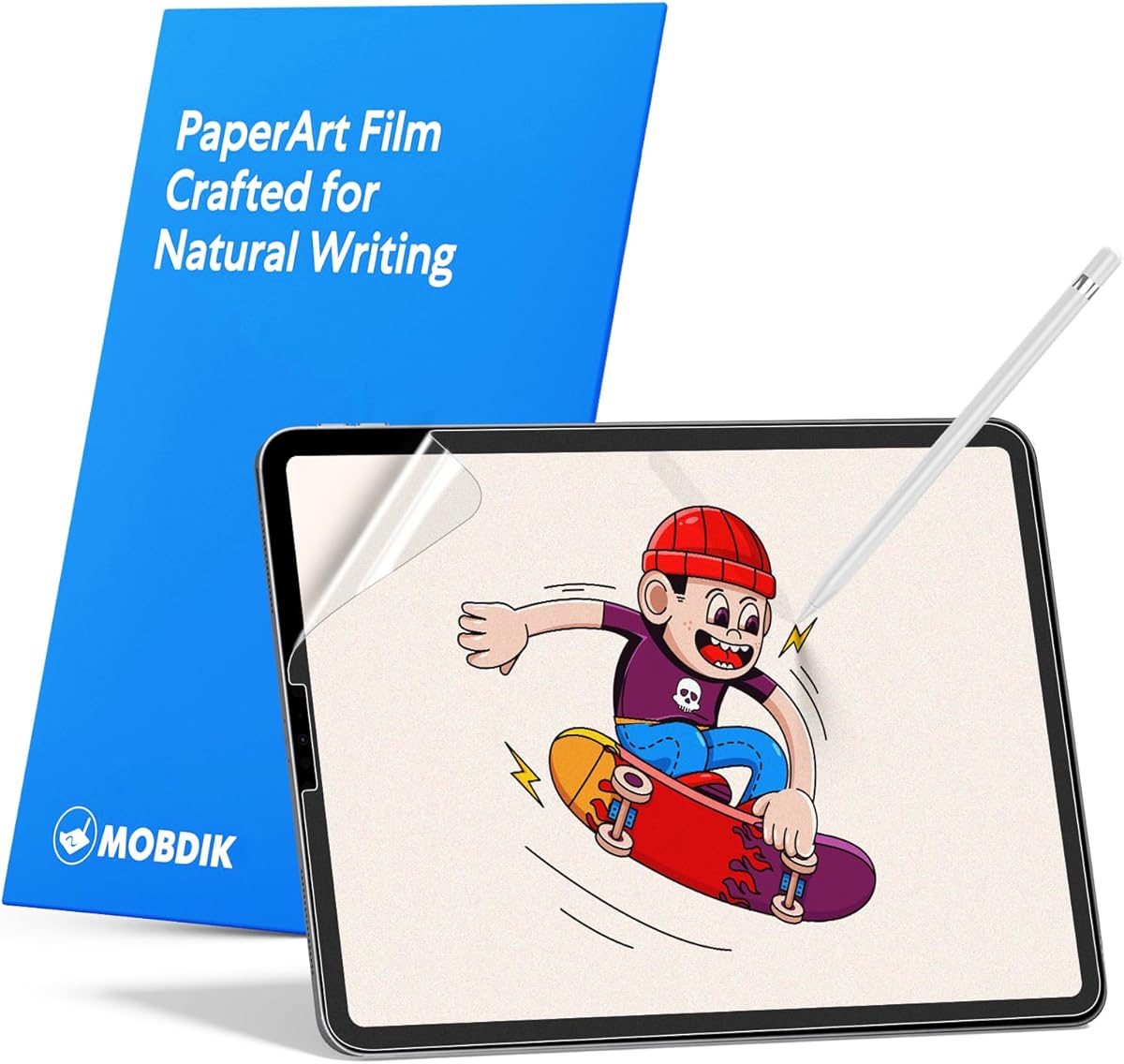
The MOBDIK Paperfeel Screen Protector is an economical choice for owners of older 11-inch iPad Pro models and compatible iPad Air versions. Its 4.4 rating indicates a solid practical balance of writing texture, touch sensitivity, and glare resistance, although it does not support every generation commonly associated with the 11-inch name.
We may earn a commission when you buy through this link, at no additional cost to you.
The surface uses a non-slip treatment intended to create a smoother, more continuous writing experience and improved control when drawing. At 0.17mm, it is thin enough to preserve the native feel of the touchscreen and support fast interaction with apps, menus, and media controls. A hydrophobic and oleophobic coating helps reduce grease and fingerprint residue.
Its anti-glare layer is designed to make long sessions and outdoor work more comfortable. While this thin film does not provide the same 9H protection offered by glass-based competitors, it can still provide a practical sacrificial surface for owners who prioritize stylus feel and affordability over maximum impact resistance.
MOBDIK is best for users of the 2020, 2021, or 2022 11-inch iPad Pro, as well as the listed fourth- and fifth-generation iPad Air models. It is explicitly not compatible with the 2024 or 2025 11-inch iPad Pro, newer 11-inch iPad Air, iPad 10, or 2025 11-inch iPad A16. Checking the model number before ordering is essential.
The 0.17mm construction keeps touch interaction close to the original screen. It is a practical option for users who want paper-like Apple Pencil control without the thicker sensation associated with some rigid glass protectors.
The oleophobic coating helps manage the oils and fingerprints left by everyday handling. Routine wiping becomes simpler, which is especially helpful for shared study devices and frequently handled creative tablets.
We may earn a commission when you buy through this link, at no additional cost to you.
The bersem 2 Pack Paperfeel Screen Protector targets 12.9-inch iPad Pro generations three through six, covering several years of large iPad models. With a 4.4 rating, it stands out for combining a paper-like touch, a thin profile, glare reduction, and the convenience of receiving two protectors.
We may earn a commission when you buy through this link, at no additional cost to you.
The imported Japanese material is described as providing the resistance and texture of paper without excessive slippage. This is especially relevant when drawing with Apple Pencil because added friction can improve stroke control. The 0.17mm thickness preserves touchscreen sensitivity, and the product states that it maintains the original display color for a realistic viewing experience.
An anti-glare layer reduces natural and artificial light reflections, while a hydrophobic and oleophobic coating helps resist sweat, oils, and other contaminants. Installation relies on automatic adsorption and an exhaust system intended to reduce trapped bubbles and dust. Instructions and instructional videos are also included to support a careful first installation.
This is a strong option for owners of a supported 12.9-inch iPad Pro who want two paper-feel films. It is not compatible with the 2015 or 2017 first- and second-generation 12.9-inch models, and users must remember to peel off the printed protective layer before installation. Within its specified range, it delivers a useful combination of texture, clarity, and replacement value.
The protector covers third- through sixth-generation 12.9-inch iPad Pro models and includes Apple Pencil compatibility. That makes it a practical choice for users who want a textured surface without replacing their tablet with a newer device.
The textured finish adds useful resistance to Apple Pencil strokes, while the anti-glare treatment makes the large display easier to use in bright conditions. These features work together well for drawing and prolonged note-taking.
We may earn a commission when you buy through this link, at no additional cost to you.
OMOTON PAPERSENSE for the 12.9-inch iPad Pro generations three through six delivers a 9H glass-based paper surface with a 4.6 rating. It is a strong middle ground for users of older large-screen models who want more scratch resistance than a basic film but also need a natural Apple Pencil writing experience.
We may earn a commission when you buy through this link, at no additional cost to you.
The high-density frosted texture is designed to reduce glare and light refraction without creating a harsh surface. It gives strokes enough resistance to feel controlled, while upgraded materials support prompt Apple Pencil response. The result is positioned for writing, reading, and drawing rather than only passive screen protection.
Its 9H construction is a major advantage over thinner PET-style alternatives, offering resistance to scratches and impacts. The listing also emphasizes oil and fingerprint reduction, which helps preserve a clean appearance during long work sessions. Owners receive an installation toolkit and video guide intended to simplify alignment and reduce dust or bubbles.
This protector makes the most sense for a 12.9-inch iPad Pro released between 2018 and 2022. Buyers seeking the newest M4 or M5 13-inch model should choose a more recent OMOTON option instead. For supported older devices, this product delivers a durable, paper-like experience with stronger material protection than many competing films.
The glass-based construction offers meaningful scratch and impact resistance for a device that may regularly travel to classes, meetings, or studios. It is a reassuring option for owners who also use their iPad as a drawing surface.
The dense frosted finish reduces harsh reflections and softens the display appearance. While some users may prefer the brilliance of a glossy screen, the matte treatment is often more comfortable for extended reading and handwriting.
We may earn a commission when you buy through this link, at no additional cost to you.
The OMOTON PAPERSENSE 2 Pack is a notably thin 0.09mm PET alternative for 12.9-inch iPad Pro generations three through six. Its 4.5 rating reflects a strong combination of realistic paper texture, visual clarity, scratch resistance, and a low-profile feel that may appeal to sensitive stylus users.
We may earn a commission when you buy through this link, at no additional cost to you.
The matte PET surface is designed to provide optimal friction, helping Apple Pencil strokes feel smooth and natural while reducing the slippery lag that can occur on a bare display. It is also intended to protect Pencil tips from excessive wear. Unlike a thick glass sheet, the very thin construction preserves the smooth feel of the iPad display.
Visual fidelity is another priority. The material is designed to preserve vivid colors and sharp details, offering a near-original appearance for photographs, video, and text. Its matte coating also reduces glare under sunlight and indoor lighting, while scratch-resistant construction helps protect against daily scrapes and contact with keys or other objects.
A dust-free alignment tray and an installation video make the included two protectors easier to apply correctly. This is a good option for owners of supported older 12.9-inch models who value thinness more than the maximum protection of 9H glass. It is not suitable for the 13-inch M4 or M5 iPad Pro.
At 0.09mm, the film adds very little thickness while still supplying friction for Apple Pencil. That makes it a sensible choice for users sensitive to the bulkier feel of rigid glass protectors.
The premium matte material is designed to retain the vivid colors and sharp detail of the iPad display. It is well suited to users who alternate between creative work, media viewing, and ordinary reading.
We may earn a commission when you buy through this link, at no additional cost to you.
Astropad Rock Paper Pencil v4.0 is the highest-rated product in this guide at 4.7, combining a textured matte iPad protector with four replacement Apple Pencil tips. Unlike a standard disposable screen film, it uses NanoCling static-cling technology for a flat, adhesive-free, reusable, and residue-free fit.
We may earn a commission when you buy through this link, at no additional cost to you.
The most distinctive feature is the ability to tune the Apple Pencil experience. The included two ballpoint and two graphite tips allow users to vary glide and tactile feedback, while the protector's textured surface adds controlled resistance for writing and sketching. Compatible tips cover first-generation Apple Pencil, second-generation Apple Pencil, and Pencil Pro.
The static-cling design bonds without adhesive, allowing the film to be removed and reapplied. Its border is described as 40% thinner than magnetic alternatives, creating a flatter bezel for uninterrupted viewing. The matte finish can also be peeled away when the user wants to return to the iPad's original crisp display.
This is the premium recommendation for compatible owners who want a paper-like setup they can remove rather than leave permanently attached. Compatibility covers 13-inch iPad Pro M4 and M5 and 13-inch iPad Air M2, M3, and M4. It does not cover the wider range of older iPad Pro models, and its premium feature set places it above basic paper films.
NanoCling uses static attraction rather than permanent adhesive, so the protector can be removed cleanly and reused. This makes it convenient for users who alternate between a textured drawing surface and a pristine display.
The four included tips allow users to move between smoother ballpoint feedback and more textured graphite response. Combined with the matte surface, they provide a more adaptable setup than a single-tip package.
We may earn a commission when you buy through this link, at no additional cost to you.
KCT's 2 Pack Paperfeel Screen Protector focuses on a detailed, finely ground surface intended to reproduce the damping and resistance of writing on paper. It holds a 4.4 rating and supports older 11-inch iPad Pro models plus the fourth- and fifth-generation 10.9-inch iPad Air.
We may earn a commission when you buy through this link, at no additional cost to you.
The upgraded texture gives Apple Pencil strokes a more natural, controlled response. The product is specifically positioned for handwriting, and the enhanced clarity is intended to keep colors and displayed content comfortable while writing or drawing. A frosted, oleophobic surface also reduces oil, smudges, fingerprints, and reflections.
Installation is supported by KCT's installation method and instructional video, helping buyers align the film and avoid bubbles. The two-pack format provides a spare protector, which is useful because thin paper-feel films can show wear after extended use and may be replaced more frequently than rigid glass.
Compatibility is the decisive issue. The product is not compatible with the 2024 or 2025 11-inch iPad Pro, 2024 or 2025 11-inch iPad Air, or iPad 10 and 11 models listed for 2022 and 2025. Within the supported older-model range, it is a solid choice for writers who value texture, Apple Pencil control, and glare reduction.
Detailed grinding and processing create a surface intended to provide realistic damping. That added resistance can make fine strokes feel more deliberate and reduce abrupt sliding under an Apple Pencil.
Including two protectors makes it easier to continue using a paper texture after the first film becomes visibly worn. It also reduces the need to purchase another fitting for a minor installation mistake.
We may earn a commission when you buy through this link, at no additional cost to you.
ZAGG Fusion Canvas for the 11-inch iPad Pro M4 and M5 provides a friction-enhanced matte surface, flexible impact protection, and stylus-focused features. Its 3.5 rating is the lowest in this comparison, so buyers should weigh the stated protective design and current-model fit against a less emphatic customer rating.
We may earn a commission when you buy through this link, at no additional cost to you.
The simulated-paper texture increases friction and stroke resistance, which can help prevent an Apple Pencil from sliding across the display. This is particularly relevant for digital art, detailed notes, and handwriting where consistent line placement matters. The flexible polymer is also described as absorbing shock and resisting impacts and scratches.
Its matte surface reduces glare, making the protector usable in bright indoor settings or outdoors. Installation uses EZ Apply tabs and an included tray, which is intended to help align the film and avoid trapped bubbles. The supplied information does not claim a 9H hardness rating, so users seeking a specifically hardened glass surface should look elsewhere.
The clearest reason to choose Fusion Canvas is its support for current 11-inch M4 and M5 iPad Pro models combined with impact-absorbing construction. It is most appropriate for artists and stylus users who value friction and shock absorption over a hard-glass specification. Checking recent customer feedback is advisable because its 3.5 rating suggests experiences may vary.
The deliberately textured surface increases resistance so Apple Pencil strokes feel less slippery. That makes the protector a practical fit for illustration, lettering, and precision handwritten notes.
The polymer construction is designed to absorb shock rather than merely resist scratches. For owners who frequently carry their iPad Pro, that flexibility can be reassuring during bumps and everyday handling.
We may earn a commission when you buy through this link, at no additional cost to you.
ZAGG GlassFusion+ Canvas is a hybrid polymer screen protector designed for the 11-inch fourth-generation iPad Pro and iPad Air 5. Its 4.2 rating reflects a practical combination of simulated-paper texture, stylus control, glare reduction, and impact dispersion, plus a limited lifetime warranty.
We may earn a commission when you buy through this link, at no additional cost to you.
The matte surface creates friction and stroke resistance so an Apple Pencil is less likely to slip across the display. This makes the protector relevant for handwritten notes and drawing rather than only basic screen coverage. The hybrid polymer is designed to absorb shock and disperse impact while also resisting everyday scratches.
Glare reduction improves visibility under strong lighting, while the paper-like finish can provide a more natural writing environment than a glossy screen. Its construction offers a middle ground between the minimal feel of a thin film and the rigidity of a hard glass protector, although the supplied information does not specify a 9H rating.
This is a sensible choice for a fourth-generation 11-inch iPad Pro owner who wants stylus grip and basic hybrid protection. It is not the right fit for the latest M4 or M5 iPad Pro, despite the similar 11-inch dimensions. The limited lifetime warranty adds a useful assurance, but model verification remains essential before installation.
The polymer layer is designed to absorb and disperse impact rather than concentrating force on the display. It offers practical everyday protection for a tablet used in school, at work, or while traveling.
A matte simulated-paper surface improves Apple Pencil control while reducing distracting reflections. It is a balanced option for users who want a working surface without an especially thick protector.
We may earn a commission when you buy through this link, at no additional cost to you.
Choosing a paper screen protector for iPad Pro involves balancing exact device compatibility with writing texture, stylus response, optical clarity, protection, and installation convenience. The most important first step is identifying the precise iPad generation and screen size before comparing surface features.
iPad Pro model names can be misleading because screen size and generation do not always correspond in the way buyers expect. The model number on the back of the device provides the most reliable basis for checking a protector's supported list. A protector for the 13-inch iPad Pro is not necessarily compatible with the similarly sized 13-inch iPad Air, and an older 11-inch protector will not fit the M4 or M5 versions merely because all three are marketed as 11-inch devices.
Check the generation, display size, and model number before buying, and do not rely on the product's short marketplace title alone. A protector intended for the 2022 11-inch iPad Pro may explicitly exclude the 2024 and 2025 versions, while large-screen options may support only generations three through six.
Shortcut: Verify the model number and the complete compatibility list before checkout.
A useful paper-feel surface should add controlled friction without making handwriting feel excessively rough. Fine matte textures are generally suited to notes and everyday drawing, while a more deliberate canvas texture may be preferable for illustration. The goal is to reduce slippery Pencil movement while preserving smooth strokes and quick app interaction.
Consider how the protector is described: matte, frosted, high-density texture, simulated paper, or friction-enhanced canvas. A strongly textured surface can improve control but may feel different from actual paper, so buyers should look for descriptions that emphasize both realism and smooth Apple Pencil responsiveness.
Shortcut: Choose fine texture for realism or stronger texture for maximum drawing control.
A paper surface can feel convincing but still create unwanted latency if it interferes with the display or Pencil detection. Favor protectors specifically optimized for Apple Pencil or explicitly described as providing instant responsiveness. Compatibility with the Apple Pencil generation used most often is also important, particularly for kits that include replacement tips.
For frequently used accessories, look for a low-profile design and stable fit that does not shift when the Pencil is applied at an angle. A protector that is too thick, uneven, or poorly adhered can produce inconsistent control even when the underlying material is capable.
Shortcut: Confirm Pencil responsiveness, generation support, and a low-profile fit.
Tempered glass with a stated 9H hardness rating offers strong scratch resistance, while flexible PET or hybrid polymer films can provide a thinner feel and better impact absorption. The right choice depends on whether the iPad spends more time stationary at a desk or travels in a bag. Pencil users should also consider whether the protector is designed to reduce tip wear.
No scratch-resistance claim is universal across all materials, so compare the supplied specifications rather than assuming every matte film offers equal protection. A 9H rating concerns surface hardness, while shock absorption, edge coverage, and installation quality also influence how well a protector guards the actual display.
Shortcut: Choose 9H glass for hard-surface scratch defense or polymer for flexibility.
Matte and frosted surfaces reduce reflections, fingerprints, and visual distraction under bright lighting. This is valuable for outdoor sketching, commuting, bright classrooms, and long reading sessions. The trade-off is that matte textures can slightly reduce perceived color intensity and black-screen depth compared with an uncovered glossy display.
Look for a balance between a dense matte finish and good color retention. Products that explicitly mention preservation of vivid colors and sharp details may be especially appealing to users who also watch video or edit photographs. Users who depend on dark color accuracy should be more cautious about heavily diffused textures.
Shortcut: Favor matte glare control while checking for color-retention claims.
A paper texture magnifies the visibility of dust, bubbles, fingerprints, and misalignment, so installation support matters. Alignment trays, cleaning kits, video guides, and dust-free frames can make a significant difference. Adhesive-free static-cling systems are easier to reposition and remove, which can be convenient for people who alternate between matte and glossy viewing.
Reusable systems may be particularly useful for removable setups, while adhesive films generally remain fixed once installed. Check whether the package includes multiple protectors and whether the product requires removal of an additional printed layer. Follow the supplied instructions carefully and install in a clean, dust-free environment.
Shortcut: Prefer a tray, cleaning kit, video guide, or reusable static-cling design.
Replacement Apple Pencil tips can add real value to a paper-feel setup because the surface creates friction that wears tips gradually. Kits offering both ballpoint and graphite tips allow users to adjust glide and tactile response. A two-protector package is also useful for preserving a spare when the first film becomes scratched.
Accessories should support the core task rather than add unnecessary complexity. For basic reading, a simple protector and alignment tray may be sufficient. For artists, Pencil tips, an installation tray, and a highly controllable texture are more useful than extra general-purpose accessories.
Shortcut: Include spare tips or films when regular drawing is the priority.
Begin with the correct iPad model, a clean hands-free workspace, and the included installation accessories. If the protector uses a peel-off printed layer, remove it only at the instructed stage. Follow the product's video guide if available, and avoid touching the exposed adhesive or textured surface with bare fingers.
Clean the iPad screen before applying the protector, removing dust, oil, and residue from both the glass and the installation tray. Align the protector using the frame, lower it slowly, and work from one edge toward the other. If using a static-cling film, attach it gradually while checking alignment before applying full pressure.
For daily care, use a soft microfiber cloth and avoid harsh cleaners or abrasive materials. Keep the Apple Pencil tip from digging into the surface and replace worn tips when strokes become uneven. Remove reusable matte films when not needed, and store them flat and clean to prevent creases or trapped particles.
Yes, paper-feel protectors are specifically designed to give Apple Pencil strokes more resistance and control than a glossy display. They can reduce sliding, create a more natural writing texture, and help protect Pencil tips from rapid wear. The best results come from a protector explicitly optimized for stylus responsiveness and fitted evenly without bubbles.
A well-designed, thin protector should preserve responsive Pencil input while adding a controlled textured feel. Poorly fitted films, excessive thickness, trapped bubbles, and contaminants can interfere with performance. Users should follow the installation instructions carefully and confirm that the protector is compatible with both their iPad and Pencil generation.
Usually not, even when the nominal screen sizes are similar. Cutouts, dimensions, edge layouts, and model generations can differ, and several listings explicitly exclude other iPad models. Check the model number on the back of the tablet and compare it with the protector's full compatibility list before ordering.
A matte texture can slightly reduce perceived brightness, contrast, and color intensity because it diffuses reflected light. Many modern paper-feel films are designed to preserve sharpness and vivid colors, but individual results vary. Users who work with color-critical content should review the protector's clarity specifications and consider a more translucent surface.
Both can benefit from a paper-like surface, although preferences differ. Writers often want fine texture and controlled resistance for neat strokes, while artists may prefer stronger friction to prevent long diagonal lines from sliding. Fine-grain matte films suit general note-taking, whereas canvas-style textures are often more useful for illustration.
That depends on the design. Static-cling systems such as the Astropad Rock Paper Pencil v4.0 are explicitly designed for removal and reuse without adhesive residue. Most conventional adhesive films are intended for permanent installation, and repeatedly lifting them can damage the adhesive or leave residue.
Work in a clean, dust-free area and wash or wipe your hands before handling the film. Use the supplied cleaning kit to remove oils from the iPad screen, align the protector within the tray, and lower it slowly rather than dropping it into place. Smoothing from the center toward the edges can help push trapped air outward.
Replacement frequency depends on writing pressure, tip material, and the surface used. Paper-feel protectors create more friction and can wear tips faster than bare glossy screens, so inspect the tip for flattening, roughness, or uneven glide. A smooth, consistent stroke is a better guide than a fixed replacement schedule.
The OMOTON PAPERSENSE 11-inch M4/M5 protector is the most complete general recommendation, combining a convincing writing surface, 9H glass, glare reduction, and a two-protector installation package. The 13-inch M4/M5 OMOTON option is equally strong for large-screen users, while the Astropad Rock Paper Pencil v4.0 stands apart as the premium, reusable choice with interchangeable Pencil tips.
Priority should begin with model compatibility, followed by the type of writing and drawing you do. Older iPad Pro owners can consider the MOBDIK, bersem, or KCT options if they use the correct generation. For current devices, a 9H matte glass protector is attractive for scratch protection, while an ultrathin PET or reusable static-cling design better serves users who value low thickness or easy removal.
Before purchasing, compare the listed model numbers and read the latest availability and customer feedback. Paper-feel surfaces differ in texture strength, visual clarity, installation method, and durability, so the most suitable choice depends on your stylus habits and display size. Current prices and listings may change, making a final compatibility check essential.