
Lenovo V15 Business Laptop
4.4Editor score
Gigabit RJ-45 Ethernet
Fifteen-inch anti-glare display
Windows 11 Pro
A laptop with an Ethernet port gives you a dependable wired connection for offices, home networks, conference rooms, and other places where Wi-Fi may be crowded or inconsistent. The right model also balances processing power, memory, storage, display quality, portability, security, and practical connectivity without overlooking the features needed for daily productivity.
This guide compares ten business-oriented laptops that include or are explicitly listed with RJ-45 Ethernet connectivity. We evaluated the supplied processor, memory, storage, display, operating system, security, port, and wireless specifications, paying particular attention to the usefulness of each configuration rather than treating one design as suitable for every type of buyer.
Each pick highlights a different reason to consider a wired-capable laptop, from a straightforward everyday machine to a more premium workstation. Ratings and availability can change over time, and retailer listings frequently update their specifications, so readers should confirm the exact configuration, port layout, included accessories, and current terms before making a purchase.
4.4Editor score

4.3Editor score

5.0Editor score
As an Amazon Associate we earn from qualifying purchases.
The comparison below places all ten candidates side by side, emphasizing processor class, memory, storage, screen size, operating system, and wired-network support. It provides a quick way to narrow the field before reading the detailed reviews.


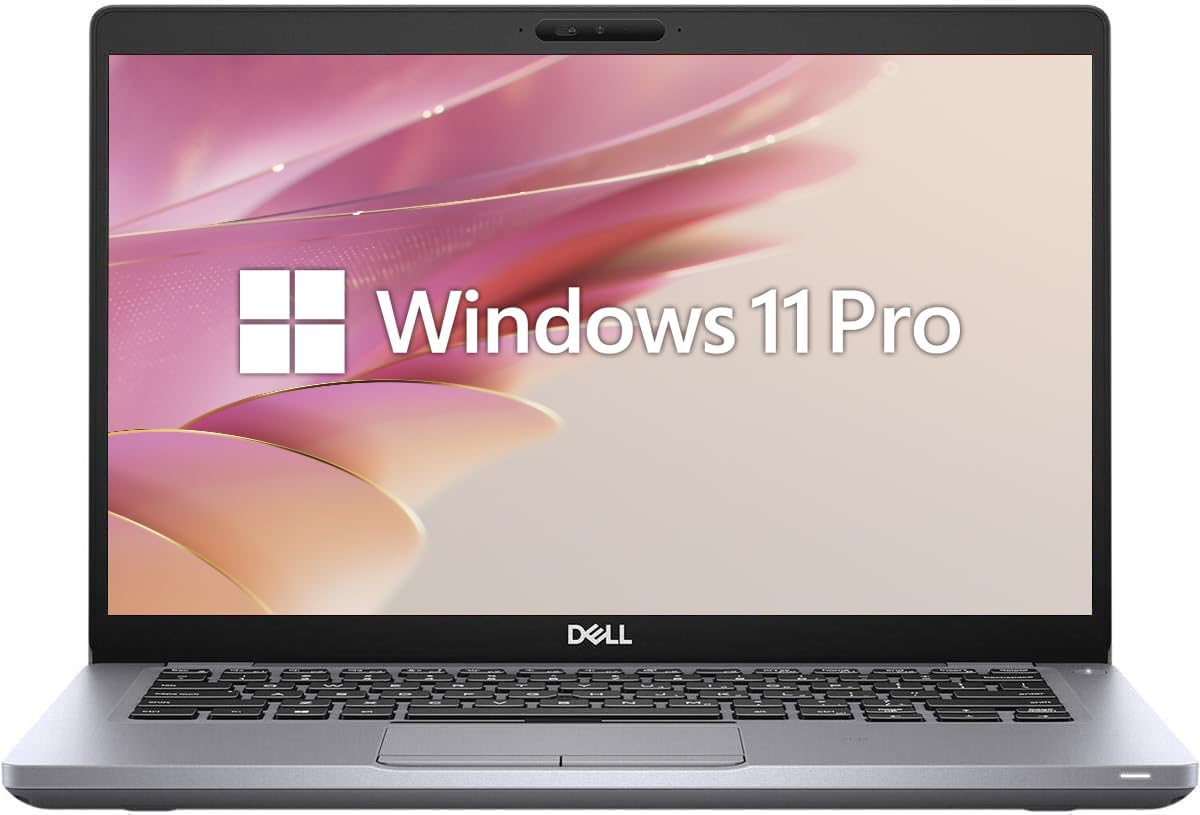


The Lenovo V15 Business Laptop ranks first because it combines a straightforward Intel N150 platform with several features often associated with larger business notebooks. Its 4.4 rating reflects a generally favorable customer response, while the supplied configuration includes 8GB of DDR5 memory, a 128GB PCIe SSD, Windows 11 Pro, Wi-Fi 6, and a built-in Gigabit Ethernet RJ-45 port.
We may earn a commission when you buy through this link, at no additional cost to you.
The N150 processor has four cores and speeds up to 3.6GHz, making this laptop most appropriate for browsing, office applications, online classes, document work, and routine communication. The 15.6-inch Full HD anti-glare display produces 1920 by 1080 resolution at 250 nits, a sensible combination for prolonged productivity. A full-size keyboard with numeric keypad adds convenience for spreadsheets, while Dolby Audio, an HD webcam, and a privacy shutter support everyday media tasks.
Its most important advantage for this roundup is the native Gigabit Ethernet connection. Buyers can connect directly to a home router, office switch, conference-room network, or compatible travel adapter without depending entirely on Wi-Fi. USB-C with Power Delivery and DisplayPort, USB-A 3.2, HDMI, Wi-Fi 6, and Bluetooth 5.2 round out a practical port selection. The main trade-offs are the entry-level 8GB memory and 128GB storage, which may feel constrained once several demanding applications or large project folders are involved.
This Lenovo V15 is a strong recommendation for students, home-office users, and budget-conscious professionals who need wired networking without moving to a premium workstation. It offers a balanced package for everyday office productivity, and its memory may be configurable according to the listing details. Buyers should verify the final memory, storage, and operating-system configuration on the listing because configurations can change.
Gigabit Ethernet gives this notebook a dependable route to a local network, while Wi-Fi 6 and Bluetooth 5.2 keep it useful when a cable is unavailable. Having both options means users can choose the connection that best fits their environment.
Windows 11 Pro, firmware TPM 2.0, a webcam privacy shutter, and a numeric keyboard make the system more practical for office and study routines. Online Microsoft 365 access provides browser-based productivity tools without changing the underlying hardware configuration.
We may earn a commission when you buy through this link, at no additional cost to you.
This Lenovo V15 Gen 4 configuration stands out for pairing the Ryzen 3 7320U with 16GB of LPDDR5 memory and 512GB of storage. Its 4.4 rating indicates a well-received product overall, and the built-in RJ-45 100/1000M Ethernet port directly addresses the needs of buyers who want a stable wired connection for business or study.
We may earn a commission when you buy through this link, at no additional cost to you.
The four-core, eight-thread Ryzen 3 7320U can boost to 4.1GHz and is positioned for browsing, office applications, and routine multitasking. The larger memory allocation is especially useful for keeping many browser tabs, documents, and communication tools open at once. Its 15.6-inch Full HD anti-glare display is suitable for extended work, and the numeric keypad supports data entry. Wi-Fi 6 and Bluetooth 5.3 provide modern wireless connectivity when an Ethernet cable is inconvenient.
The port layout is notably complete: one USB-C port, two USB-A ports, Gigabit Ethernet, a combined headphone and microphone jack, and HDMI 1.4b. The system also includes firmware TPM 2.0, Windows 11 Pro security features, a webcam privacy shutter, and MIL-STD-810H-tested construction. These details make it more compelling for organizational use than a basic home laptop. The limitations are its entry-level processor tier and the use of onboard LPDDR5 memory, which may not be user-upgradeable.
Choose this model if 16GB of memory and ample storage matter more than benchmark power. It is a good fit for administrative work, finance, education, remote collaboration, and everyday office multitasking. The combination of Windows 11 Pro, a privacy shutter, TPM 2.0, and a native Gigabit port makes it particularly sensible for hybrid work environments where a dock is not always available.
The 16GB allocation provides more breathing room for document-heavy work, browser-heavy research, and several communication applications. It is a meaningful improvement over a basic 4GB or 8GB configuration when the laptop must remain responsive throughout a full workday.
Firmware TPM 2.0, Windows 11 Pro, and the physical webcam shutter support privacy and device-management priorities. MIL-STD-810H testing also gives this model a more rugged-oriented foundation for frequent travel.
We may earn a commission when you buy through this link, at no additional cost to you.
The renewed Dell Latitude 3420 is a compact business notebook with a useful balance of portability and connectivity. It carries no published customer rating in the supplied data, but its specification sheet clearly identifies an RJ-45 Ethernet port alongside Type-C and HDMI. A 14-inch anti-glare display, 16GB of DDR4 memory, and a 256GB M.2 PCIe NVMe drive make it a practical professional option.
We may earn a commission when you buy through this link, at no additional cost to you.
Its Intel Core i5-1135G7 is a four-core processor capable of boosting to 4.2GHz. The supplied listing positions it for daily office work, browsing, content creation, programming, and multitasking. The NVMe storage should provide more responsive boot and file access than a conventional hard drive, while 16GB of memory is well suited to multitasking. Display output and peripheral connections are also practical, with Type-C, HDMI, and wired Ethernet available.
Windows 11 Pro adds BitLocker, Remote Desktop, and domain-joining capabilities, which can be useful for managed business environments. The principal caveat is the renewed designation. Refurbished or renewed hardware can provide strong value and business functionality, but buyers should examine the listing for its condition details, included warranty, battery expectations, and return provisions. The 256GB storage capacity may also require an upgrade or external drive for media-heavy workloads.
This Latitude is a sensible choice for mobile professionals who want a smaller chassis but do not want to sacrifice Ethernet, memory, or Windows 11 Pro. It is particularly attractive for office work, remote access, and managed-device environments. Confirming the exact physical condition and current configuration remains important before purchase.
The 14-inch anti-glare panel provides a more compact footprint than the 15.6-inch and 17.3-inch alternatives in this guide. At 250 nits, it also offers a straightforward brightness level for ordinary office and commuting environments.
BitLocker, Remote Desktop, and domain joining are particularly relevant for organizations that rely on centralized access and device policies. These software features make the renewed Latitude more compelling for business users than its condition might initially suggest.
We may earn a commission when you buy through this link, at no additional cost to you.
The renewed Dell Latitude 5410 targets straightforward business productivity with a Core i5-10310U, 16GB of RAM, a 512GB SSD, and a 14-inch Full HD display. Its 3.7 rating is lower than the leading models in the roundup, so buyers should evaluate the listing carefully, but the presence of Ethernet and Windows 11 Pro remains useful for office environments.
We may earn a commission when you buy through this link, at no additional cost to you.
The four-core processor reaches up to 4.4GHz and is listed for professional, student, and remote-worker tasks. The SSD supports fast startup and application access, while 16GB of memory gives users room for multiple applications. USB-A, USB-C, HDMI, Ethernet, and a combined headphone and microphone jack cover the major connection needs, and integrated Wi-Fi and Bluetooth allow the computer to operate away from a wired network.
The principal trade-offs come from the renewed status and the older generation of the Core i5 processor. A previous-owner laptop may show cosmetic wear, and battery life can vary with the age and condition of its cells. Performance is intended for routine productivity rather than demanding creative workloads. However, 512GB of storage and 16GB of memory create a more accommodating configuration for files and applications than many entry-level systems.
The Latitude 5410 is most appropriate for value-conscious students, home-office users, and organizations seeking a functional renewed business laptop. Check the seller's condition description, warranty terms, and return policy before buying. If those details are satisfactory, its wired networking, useful port selection, and familiar business design make it a workable everyday machine.
The 512GB SSD is a practical advantage for users who keep documents, presentations, large browser libraries, and multiple applications on the machine. Fast storage also helps offset the age of the processor in routine office workflows.
Ethernet provides a stable option for fixed workspaces, while USB-A, USB-C, HDMI, and integrated wireless connectivity cover common accessories. The layout reduces the need for a permanent adapter when moving between desk and home.
We may earn a commission when you buy through this link, at no additional cost to you.
The Lenovo V15 G6 combines a lightweight 15.6-inch chassis with Gigabit Ethernet, modern wireless connectivity, and a 4.4 rating. Its listed Intel N100 processor, 8GB of DDR5 memory, and 256GB PCIe 4.0 NVMe SSD target business applications, browsing, document editing, and routine multitasking rather than intensive computing.
We may earn a commission when you buy through this link, at no additional cost to you.
The display offers 1920 by 1080 resolution, 250 nits, an anti-glare coating, and an 87% screen-to-body ratio. At 3.33 pounds and 0.78 inches thick, the laptop is designed to move more easily between locations than many larger business systems. Connectivity is comprehensive, with Gigabit RJ-45, Wi-Fi 6, Bluetooth 5.2, two USB-C ports, two USB-A ports, HDMI, and an audio jack.
Security and durability details are a meaningful strength. The machine includes firmware TPM 2.0, a camera privacy shutter, a Kensington Nano Security Slot, and MIL-STD-810H testing. It also carries Low Blue Light certification and other environmental and compliance claims. The compromises are the modest 8GB memory, 256GB storage, and non-backlit keyboard, which may matter for heavy multitaskers or people who often work in dim conditions.
This V15 G6 works well for mobile business users who want wired connectivity in a relatively light design. It is a compelling option for office work, remote collaboration, browsing, and education. Users with demanding workloads should look for more memory, while those traveling frequently can benefit from the combination of Ethernet, wireless networking, and physical security features.
At 3.33 pounds, the notebook is relatively easy to carry between offices, classrooms, and home workspaces. The anti-glare Full HD panel helps preserve usability under varied indoor lighting conditions.
A camera privacy shutter and Kensington Nano slot address two practical concerns in shared or semi-public environments. TPM 2.0 adds a hardware-rooted element to Windows-based security workflows.
We may earn a commission when you buy through this link, at no additional cost to you.
This 256GB version of the Lenovo V15 Gen 4 shares the Ryzen 3 7320U and 16GB LPDDR5 memory of the 512GB model, but it is listed with less storage. It still earns a place in this guide because it includes RJ-45 100/1000M Ethernet, Windows 11 Pro, Wi-Fi 6, Bluetooth 5.3, and a useful business-oriented port array.
We may earn a commission when you buy through this link, at no additional cost to you.
The four-core, eight-thread processor boosts to 4.1GHz, offering sufficient power for browsing, office software, online learning, and everyday multitasking. The 16GB memory is the configuration's most important strength, helping multiple applications run more responsively. A 15.6-inch anti-glare Full HD display, numeric keypad, and precise multi-touch touchpad support regular productivity work.
Its one USB-C port, two USB-A ports, Gigabit Ethernet, HDMI 1.4b, and audio jack provide a balanced set of connections. Windows 11 Pro, firmware TPM 2.0, malware detection, a privacy shutter, and MIL-SPEC-tested construction add value for business users. The main limitation is storage: 256GB can be consumed quickly by large files, applications, and system updates, especially when the laptop cannot be upgraded with additional drives.
Choose this model over the 512GB sibling if memory matters more than storage and you plan to use cloud storage, an external drive, or modest local files. It is a strong option for administrators, students, and office professionals who need a 15.6-inch work computer with dependable Ethernet and 16GB of memory.
With 16GB of LPDDR5 memory, the laptop has useful capacity for browser-heavy workflows and several open office applications. This makes it a more comfortable daily multitasker than models limited to 4GB or 8GB.
Gigabit Ethernet supports high-speed local network access, while Wi-Fi 6 and Bluetooth 5.3 provide contemporary wireless options. The combination reduces the need to choose permanently between a desk connection and mobility.
We may earn a commission when you buy through this link, at no additional cost to you.
The Lenovo ThinkPad P14s is the most advanced and premium-focused option in this roundup. It has a 5.0 rating and pairs the AMD Ryzen AI 7 PRO 450 with 32GB of memory and 1TB of storage. Unlike the entry-level N-series systems, this model is positioned for demanding professional workflows that benefit from stronger processing, specialized security, and a color-accurate display.
We may earn a commission when you buy through this link, at no additional cost to you.
Its processor operates from a 2.0GHz base speed up to 5.10GHz and includes a built-in AMD XDNA 2 NPU for local AI workflows. ISV-certified compatibility for applications including SOLIDWORKS, AutoCAD, Revit, and AVID makes the configuration more relevant to CAD, BIM, engineering, architecture, and media professionals. The 14-inch FHD+ IPS display at 1920 by 1200 and 100% sRGB is well suited to detailed project work.
ThinkShield security, AMD PRO and Pluton safeguards, a fingerprint reader, webcam privacy shutter, and an optional IR camera with human-presence detection form a layered protection package. The chassis is MIL-STD-810H tested, while Wi-Fi 7 and Bluetooth 5.4 support modern hybrid workspaces. A Thunderbolt 4 port, USB-A, HDMI, Gigabit Ethernet RJ45, and an audio jack provide extensive native connectivity. Its main limitation is naturally the premium price, while the integrated graphics focus is productivity rather than gaming.
This is the best choice in the guide for engineers, architects, designers, IT professionals, and organizations that need the strongest platform and security package. The combination of 32GB memory, 1TB storage, Ethernet, professional validation, and a precise display makes it a compelling premium workstation for demanding users.
The 100% sRGB 1920 by 1200 IPS panel provides a more specialized workspace than a standard business display. ISV validation adds confidence for teams using major design, engineering, and media applications.
ThinkShield, AMD PRO, Pluton, a fingerprint reader, and a privacy shutter support layered protection. MIL-STD-810H testing and responsible-material certifications make the system especially relevant to managed deployments.
We may earn a commission when you buy through this link, at no additional cost to you.
The HP 14-inch N150 is included as a useful lightweight baseline, although its supplied specification does not identify a built-in Ethernet port. Its 4.1 rating suggests reasonable customer satisfaction, and the overall design targets students, home users, and professionals who need a straightforward laptop for web-based and office tasks.
We may earn a commission when you buy through this link, at no additional cost to you.
The Intel N150 has four cores, four threads, a boost clock up to 3.6GHz, and 6MB of cache. With 4GB of DDR4 memory and 128GB of UFS storage, it is best suited to browsing, document editing, online classes, video calls, and streaming rather than heavy multitasking. The 14-inch 1366 by 768 anti-glare LED display provides 250 nits and a micro-edge design, though its resolution is lower than the Full HD options elsewhere in the guide.
Connectivity includes USB-C 3.1, two USB-A 3.0 ports, HDMI, a headphone and microphone jack, an SD card reader, Wi-Fi, and Bluetooth. Because Ethernet is not stated in the supplied port list, buyers who require a native RJ-45 connection should not assume it is present. An external USB or USB-C Ethernet adapter may be necessary, depending on the available adapters and the user's network requirements.
This HP is best for students, casual users, and anyone seeking a compact, inexpensive general-purpose machine. The one-year Office 365 inclusion and included PLUSERA earphones add convenience. It is not the strongest recommendation for this particular keyword, but it serves as a reminder that a computer advertised for business use should be checked carefully for a physical Ethernet port rather than merely reliable wireless networking.
The supplied specifications list USB, HDMI, audio, and card-reader connections but do not mention RJ-45 Ethernet. If a native wired port is essential, verify the current product images and listing details before purchasing.
The N150 is an efficient processor for basic online work, but 4GB of RAM and 128GB of storage impose clear limits. Lightweight applications and cloud-based workflows will suit this system better than large creative projects.
We may earn a commission when you buy through this link, at no additional cost to you.
The Lenovo V15 Gen 4 i5 earns the Editor's Choice designation because it offers a notably stronger processor than the N-series alternatives while retaining a 15.6-inch Full HD display, 16GB of memory, 512GB of storage, and a native RJ45 port. Its 4.3 rating places it firmly among the well-regarded options in this list.
We may earn a commission when you buy through this link, at no additional cost to you.
The Core i5-13420H is an eight-core, 12-thread processor with a 1.5GHz base speed, 12MB Intel Smart Cache, and up to 4.6GHz turbo. It should handle office applications, extensive browser use, communication, and more demanding multitasking considerably better than the N100 and N150-based picks. The title configuration pairs it with 16GB of RAM and a 512GB SSD, creating a versatile foundation for business and study.
Its ports include one USB 3.0 Type-A, one USB 2.0 Type-A, USB-C, HDMI, RJ45, and a headphone and microphone combo. A numeric keypad, webcam, Wi-Fi, and Bluetooth complete the everyday feature set. One detail requires attention: the product's bullet list refers to 4GB RAM and a 128GB SSD, while its official title states 16GB RAM and 512GB SSD. Buyers should confirm which configuration they will actually receive.
This laptop is a strong all-around recommendation for professionals, students, and home-office users who want more processing power than an entry-level N-series system. Its wired networking, roomy memory, generous storage, and comfortable screen size cover the major needs of a productive general-purpose machine. Verification of the final configuration is essential because of the conflicting details in the listing.
Eight cores and 12 threads provide a substantial step up from the quad-core N100 and N150 platforms. That difference is most valuable when running several applications, navigating busy browser sessions, or handling more demanding office workflows.
The title and bullet points describe different memory and storage capacities. Checking the final listing, package contents, and seller information can prevent a mismatch between the advertised i5 configuration and the hardware actually delivered.
We may earn a commission when you buy through this link, at no additional cost to you.
The HP 17 Business Laptop is built around a large 17.3-inch Full HD anti-glare display and an AMD 7000-series Ryzen 5 processor. It has no published customer rating in the supplied data, but its 16GB of RAM, 512GB SSD, native Ethernet RJ-45, and Windows 11 make it a compelling large-screen business option.
We may earn a commission when you buy through this link, at no additional cost to you.
The six-core, 12-thread Ryzen 5 processor boosts to 4.3GHz and uses integrated Radeon graphics for smooth everyday multitasking and reliable productivity. The large anti-glare display is useful for side-by-side documents, spreadsheets, browser windows, and presentations. A full-size keyboard with a 10-key number pad supports extended data entry, while a 720p Wide Vision camera and digital microphones suit video calls.
The 17.3-inch footprint is the main tradeoff. Although the listing describes the machine as slim and lightweight, a large display generally means more bulk than a 14-inch notebook. The system also includes Wi-Fi 6, Bluetooth 5.3, HDMI, Ethernet, a privacy shutter, stereo speakers, an enlarged clickpad, HP Fast Charge, and a WOWPC recovery USB. Windows 11 and a dedicated Copilot key provide an up-to-date software environment.
This HP makes the most sense for users who spend much of the day at one desk and value screen area, comfortable full-size input, and built-in Ethernet. It is a good option for call-center work, data entry, finance, education, and general office productivity. Buyers who need a more travel-friendly computer should consider one of the 14-inch alternatives instead.
A 17.3-inch Full HD panel gives spreadsheets, documents, and browser windows more room than a compact laptop. The anti-glare finish also helps limit reflections during extended indoor use.
The full-size keyboard and 10-key pad make this system appealing for frequent number entry. Fast charging and an included recovery USB add convenience for users who regard the notebook as a semi-permanent desk computer.
We may earn a commission when you buy through this link, at no additional cost to you.
Choosing the right Ethernet-equipped laptop requires balancing wired connectivity with processor performance, memory, storage, screen size, portability, operating system, and security. The following factors help identify which specifications matter for your normal working environment.
Choose a native port when you expect regular use with office networks, home routers, conference rooms, or secure institutional systems. It avoids carrying an adapter and reduces the chance of a loose USB connection interrupting a wired session. If your workflow is almost entirely wireless, Ethernet may be less important, but having it remains valuable for troubleshooting, large file transfers, and environments with unreliable Wi-Fi.
Prioritize stronger processing when several demanding programs, large spreadsheets, virtual meetings, and browser tabs may run at once. For simple tasks, an N-series chip can be sufficient and may improve efficiency. For CAD, engineering, media, or other professional applications, prioritize platform support and system memory as well as processor class, and verify the required software against the manufacturer's compatibility information.
Choose 8GB when the computer will mainly handle web browsing, writing, email, and video calls. Opt for 16GB or more for sustained office productivity, larger files, and professional applications. Treat upgradeability as a separate consideration from current capacity: a well-equipped 8GB laptop that can be expanded may serve a buyer longer than a comparable machine with fixed memory.
For most active business users, 256GB is a practical minimum and 512GB is preferable. The ThinkPad's 1TB drive is especially relevant to large project files and professional applications. Also check whether the drive can be replaced, since a constrained internal capacity can be easier to manage when the laptop accepts a larger or second drive.
Choose a 14-inch screen for frequent travel and compact workspaces, a 15.6-inch display for general business use, or a 17.3-inch panel for desk-based productivity. For detailed visual work, the ThinkPad's 1920 by 1200 IPS display with 100% sRGB coverage is the strongest specified option here. Lower-resolution screens can still work well for general browsing and document tasks, but offer less room for dense information.
Review the port arrangement against the accessories you already own. If you regularly connect to external monitors, a dock, wired network, headset, and storage drive, native support can reduce adapter clutter. For travel, a compact adapter may be more convenient than choosing a larger purely for its port count, but a permanently installed RJ-45 jack remains the most straightforward wired option.
Choose Windows 11 Pro when organizational management, encryption, or remote access is important. A webcam shutter is valuable for frequent video calls in shared spaces, and a fingerprint reader can simplify secure sign-in where supported. Individual and managed business systems can receive different security policies, so check compatibility before deploying a new device across a team.
Choose based on how often and where the computer will be used. Frequent travelers should prioritize weight, battery expectations, and screen size, while stationary users can favor a larger panel and full-size keyboard. For organizations, consider warranty coverage, support access, device-management compatibility, and the availability of replacement components alongside the laptop's technical specifications.
To use wired networking, connect a standard Ethernet cable from the laptop's RJ-45 port to a router, switch, wall outlet, or travel adapter. Allow Windows to detect the new network, then select the connection in the system network menu. When the wired link is active, Windows generally prioritizes it over Wi-Fi, although users can change that behavior in network settings when they want simultaneous access to a local device and an internet connection.
Avoid sharply bending or twisting the Ethernet cable near the connector, and keep the port free from dust and lint. A soft, dry cloth is appropriate for exterior cleaning. Do not use compressed air forcefully around the port, because debris can be driven farther inside. If connection speeds seem unstable, test another known-good cable or network port before assuming the laptop's Ethernet interface has a fault.
For long-term care, keep software and the operating system updated, maintain sufficient free storage, and use a ventilated surface rather than a thick blanket. Clean the display with a suitable microfiber cloth, and pay attention to battery and heat management. A protective case or sleeve helps during transport, while an optional cable lock can improve physical security in shared offices. Always consult the manufacturer's service and warranty guidance before opening the chassis or changing internal components.
An RJ-45 Ethernet port is the physical connector used to link a laptop to a wired network. It resembles a wide telephone socket and normally works with standard Ethernet cables. A native port provides a direct, stable network connection without requiring a USB-C or USB-A adapter. Some listings use the terms Ethernet, RJ-45, and Gigabit Ethernet to describe the same physical connection, although they can also indicate different supported network speeds.
A wired Ethernet connection can provide a more stable and sometimes faster experience than Wi-Fi, especially on crowded office networks. Actual performance depends on the router, switch, cable, network configuration, and internet service. The Gigabit Ethernet ports specified in this guide support connections up to 1Gbps under suitable conditions. Wi-Fi 6, Wi-Fi 7, Bluetooth, and Ethernet can also be used together on many of the listed systems, allowing a wired local network alongside a wireless internet connection.
No. A business positioning does not guarantee a physical Ethernet connector, particularly on thin modern laptops that favor USB-C expansion. In this guide, most models explicitly list RJ-45 Ethernet, while the HP 14-inch N150's supplied port list does not mention it. Always check the full port specification and current product images rather than assuming a business laptop has a wired connection.
Yes. USB-C and USB-A Ethernet adapters can provide a wired network connection to laptops without a native port. The adapter must support the laptop's port and the operating system, and the system may request permission to install a network driver. For frequent travel or permanent desk use, a laptop with a built-in RJ-45 connector remains simpler because it does not require an extra accessory.
Eight gigabytes is a practical baseline for browsing, email, documents, and video calls, while 16GB provides more comfortable multitasking with many browser tabs and applications. The 32GB ThinkPad configuration is better suited to demanding professional workflows and large project files. If possible, also check whether the memory is upgradeable, since some LPDDR-equipped models have fixed onboard memory.
Windows 11 Pro adds features commonly needed in organizations, including BitLocker encryption, Remote Desktop, and domain joining. It also offers a more complete management and security framework for managed deployments. For basic home browsing and schoolwork, Windows 11 Home may be sufficient, but professionals using company systems or sensitive information should consider Pro and verify their employer's device requirements.
A 14-inch model is easiest to carry and works well for travel or compact workspaces. A 15.6-inch display offers a balanced combination of screen area, keyboard space, and portability. A 17.3-inch model is better for desk-based work, split-screen tasks, spreadsheets, and users who prefer a full-size keyboard with a number pad. The best choice depends more on where and how you work than on size alone.
Compare the title, bullet points, technical specification table, package contents, and current product images. Some listings contain conflicting details, as seen with the memory and storage statements for the Lenovo V15 Gen 4 i5. Also verify the exact processor, screen resolution, operating system, Ethernet speed, included power adapter, warranty, and return policy. If important details remain unclear, contact the seller before ordering.
The Lenovo V15 Business Laptop offers the most straightforward budget-oriented package, combining Gigabit Ethernet, 8GB of DDR5 memory, a Full HD anti-glare display, Wi-Fi 6, and Windows 11 Pro. For stronger everyday performance, the Lenovo V15 Gen 4 i5 is the Editor's Choice, while the ThinkPad P14s is the premium selection for professional, engineering, security, and color-accurate workloads.
When comparing the remaining models, prioritize the processor and memory required by your normal applications, followed by screen size, storage, and portability. The Ryzen-based V15 Gen 4 configurations are well balanced for office multitasking, the Latitude models offer compact business designs, and the HP 17.3-inch model prioritizes a large desk-oriented workspace. Native Ethernet should always be verified directly in the current port list.
Ratings, configuration details, and retailer terms can change, so do not rely on a cached product page alone. Before ordering, check the processor, memory, storage, operating system, wired port, warranty, and return conditions. Comparing those details against the way you actually work will lead to the most suitable Ethernet-equipped laptop, whether it is an affordable daily machine or a premium professional platform.