
CORSAIR Vengeance 16GB DDR5
4.8Editor score
16GB single SODIMM module
Up to 5600MHz data rate
Intel XMP 3.0 profile
Our DDR5 Laptop RAM guide compares 10 leading kits for capacity, speed, latency, compatibility, and everyday performance in demanding notebooks.
DDR5 Laptop RAM gives compatible notebooks more memory for demanding applications, multitasking, gaming, and content creation. A good upgrade should match the laptop’s supported speed, offer a useful memory configuration, and avoid compatibility surprises that can prevent the system from booting normally.
The products in this guide were compared using their stated capacity, module configuration, data rate, latency, voltage, ECC type, rank, and platform support. The list covers matched dual-module kits, single-module upgrades, JEDEC-oriented memory, and enthusiast options designed for Intel XMP 3.0 or AMD EXPO systems.
Each review explains where the memory stands out, what technical limitations remain, and which users should consider it. Product ratings and specifications reflect the supplied listings, while availability and prices change frequently, so readers should verify current details and laptop compatibility before ordering.
4.8Editor score

4.8Editor score

4.5Editor score
This side-by-side comparison organizes the ten kits by capacity, module layout, maximum data rate, timing, and core technical specifications so buyers can quickly identify the most appropriate option for their laptop.




The Crucial 32GB DDR5 RAM Kit is a 4.8-rated, two-module solution that combines 32GB of capacity with support for 5600MHz, 5200MHz, and 4800MHz operating speeds. Its most appealing characteristic is flexibility: the same matched kit can adapt to several supported laptop platforms rather than being limited to one narrow processor family.
We may earn a commission when you buy through this link, at no additional cost to you.
The 2x16GB arrangement is a strong choice for users who want more usable memory than a conventional 16GB laptop configuration. It can give multitasking, browser-heavy work, creative applications, and games more room to operate without relying on a single high-capacity module. Support for Intel XMP 3.0 and AMD EXPO adds flexibility for compatible systems that allow memory profiles to be selected.
The technical specification is 262-pin SODIMM, 1.1V, non-ECC, 1Rx8, and PC5-44800. As with every high-speed memory kit, the advertised top speed depends on the laptop’s CPU, motherboard, firmware, and BIOS settings. The kit may also operate at a lower JEDEC speed when the system does not expose the relevant profile.
This is a compelling recommendation for owners of compatible 12th-generation Intel Core or AMD Ryzen 7000 laptops who need a balanced memory upgrade. Confirm that the notebook has two accessible SODIMM slots and consult its memory specifications before purchase. For those requirements, the Crucial kit delivers a particularly useful combination of capacity, profile support, and compatibility options.
The 32GB total gives demanding applications a larger memory pool than a basic 16GB laptop. A matched two-module layout is especially attractive for users who anticipate editing large files, running many applications together, or keeping games and communication tools active simultaneously.
Intel XMP 3.0 and AMD EXPO support broadens the kit’s appeal. Compatible systems can use the appropriate saved performance profile, while other systems can fall back to a supported standard speed.
We may earn a commission when you buy through this link, at no additional cost to you.
The CORSAIR Vengeance 16GB SODIMM is a 4.8-rated single-module option for laptop owners who need more memory without replacing every installed stick. It supports speeds up to 5600MHz and carries an Intel XMP 3.0 profile, making it particularly relevant to systems that can apply a compatible memory profile.
We may earn a commission when you buy through this link, at no additional cost to you.
A 1x16GB layout can be useful in a laptop with two memory slots. If the notebook already contains a suitable 16GB module, adding this card can create a balanced 32GB two-module arrangement. The listing describes compatibility with popular Intel and AMD gaming and performance laptops, small-form-factor PCs, and Intel NUC kits, although the exact notebook must still be checked.
The CL48 specification is less aggressive than some lower-latency alternatives, and maximum speed depends on the CPU, motherboard, and BIOS. CORSAIR states that maximum speed and performance require overclocking or firmware adjustments, so buyers should not assume every compatible laptop will run the module at its highest advertised data rate.
This module is a sensible budget-conscious choice for extending a compatible system that already has 16GB installed. It is also useful as a straightforward capacity increase for compatible smaller computers. For buyers creating a complete new dual-channel setup, the 32GB matched alternatives offer a more straightforward path to balanced capacity.
Pairing this 16GB card with an existing compatible 16GB module can raise total memory to 32GB while retaining a two-module configuration. It is particularly useful when replacing a smaller stick is unnecessary.
The industry-standard SODIMM format serves a broad range of compatible laptops and compact systems. Installation is generally simple and requires only a screwdriver for most notebooks.
We may earn a commission when you buy through this link, at no additional cost to you.
The TEAMGROUP Elite 32GB SODIMM kit is a 4.6-rated option built around two matched 16GB modules. Its 5600MHz PC5-44800 specification and CL46 timings place it squarely among modern DDR5 laptop kits, while the 1.1V operating requirement aligns with standard DDR5 notebook power characteristics.
We may earn a commission when you buy through this link, at no additional cost to you.
Capacity is the kit’s main strength. Thirty-two gigabytes gives demanding applications a healthier operating margin than a typical 16GB configuration, while the 2x16GB layout can be preferable to using a lone 32GB module in systems that perform better with symmetrical memory configurations. The supplied details also highlight on-die ECC for system stability.
TEAMGROUP does not list explicit Intel XMP 3.0 or AMD EXPO support in the supplied information, so buyers should not assume access to an enthusiast profile. The system may still operate at its standard supported speed, but exact performance depends on laptop firmware and hardware. The kit’s lifetime warranty is another notable ownership benefit.
This kit is best for compatible DDR5 laptop owners who prioritize a complete 32GB upgrade and efficient operation over profile-based tuning. It is a strong fit for general productivity, advanced multitasking, and memory-intensive applications. Buyers should verify maximum supported memory, module type, and installed specifications before making the final decision.
Operating at 1.1V reflects the power-conscious nature of DDR5 laptop memory. That efficiency suits mobile systems where heat management and battery behavior are important considerations.
The listed on-die ECC feature adds a layer of internal error protection for the memory module. It complements, but does not replace, the system-level ECC and platform requirements associated with some workstation-class applications.
We may earn a commission when you buy through this link, at no additional cost to you.
The GIGASTONE 32GB kit is a 4.7-rated matched memory solution designed specifically for DDR5 laptops, notebooks, and all-in-one computers. It combines two 16GB modules with a 5600MHz PC5-44800 data rate and a clearly stated CL46-46-46-90 timing configuration.
We may earn a commission when you buy through this link, at no additional cost to you.
The detailed timing information makes this listing useful to buyers who understand memory specifications. The kit is unbuffered non-ECC, operates at 1.1V, and uses the 262-pin SODIMM form factor required by most modern laptops. Its integrated power management circuit is intended to improve power efficiency, an important attribute in mobile devices.
The product description does not mention Intel XMP 3.0 or AMD EXPO, which makes its behavior more dependent on the laptop’s standard memory support and firmware. Advertised speed can still be constrained by processor and platform capabilities. Users should therefore check both the maximum memory capacity and maximum data rate supported by the target notebook.
This kit is a solid choice for owners of a compatible DDR5 notebook that supports 32GB and 5600MHz. Its matched modules, precise timing disclosure, and power-management emphasis make it straightforward to compare with other kits. Those seeking a standard upgrade with broad everyday utility will find the feature set less demanding than enthusiast-oriented alternatives.
The CL46-46-46-90 sequence presents the primary and secondary timings directly. This transparency helps buyers compare the kit with other 5600MHz SODIMM options instead of relying on a single broad speed label.
The integrated power management circuit is designed to support efficiency, while the 1.1V specification aligns with standard DDR5 laptop power requirements. Actual battery and thermal results still depend on the complete computer.
We may earn a commission when you buy through this link, at no additional cost to you.
The G.SKILL Ripjaws 32GB SO-DIMM kit is a 4.5-rated enthusiast-oriented option that stands out with a CL40-40-40-89 timing specification. It pairs two 16GB modules, supports speeds up to 5600MT/s, and includes both a JEDEC default profile and an Intel XMP 3.0 overclocking profile.
We may earn a commission when you buy through this link, at no additional cost to you.
The lower primary latency of CL40 distinguishes this kit from many 5600-class competitors that use CL46 or CL48. For applications sensitive to memory latency, that difference can be meaningful when the system is configured to run the modules near their advertised specifications. The 1.10V unbuffered non-ECC design also follows standard modern notebook memory conventions.
G.SKILL emphasizes that achieving maximum speed requires overclocking or BIOS adjustments and that results depend on the motherboard and CPU. The kit is designed to boot at its JEDEC default SPD speed with compatible hardware. G.SKILL also warns against mixing memory kits because doing so can cause instability or system failure.
This is the most enthusiast-focused recommendation for compatible performance laptops. It makes the most sense when the notebook supports 32GB, exposes an XMP 3.0 option, and can benefit from tuned memory timing. Buyers should consult the G.SKILL QVL or configurator and should not combine it with an unrelated memory kit.
CL40 is the principal technical advantage over common CL46 and CL48 kits. In a compatible system running the XMP profile, the tighter timing can improve memory-sensitive responsiveness.
G.SKILL treats the two modules as a tested set. Using them together preserves the intended relationship between the memory components and reduces the risk of instability associated with combining unmatched kits.
We may earn a commission when you buy through this link, at no additional cost to you.
The CORSAIR Vengeance 32GB DDR5 SODIMM kit is a 4.7-rated two-module option for compatible gaming and performance laptops. It combines a 2x16GB layout with speeds up to 5600MHz, C48 latency, and support for Intel XMP 3.0, covering the core requirements of many modern notebook upgrades.
We may earn a commission when you buy through this link, at no additional cost to you.
The listing describes compatibility with popular Intel and AMD systems, including laptops, small-form-factor PCs, and Intel NUC kits. That broad positioning makes the kit relevant beyond traditional full-size notebooks. Its matched 32GB configuration offers a larger memory pool for intensive multitasking, games, and applications that exceed the limits of a 16GB system.
As with the 16GB CORSAIR option, the maximum speed depends on the processor, motherboard, and BIOS. Users should also account for C48’s comparatively loose timing. The kit is therefore most compelling when straightforward capacity and broad platform coverage matter more than aggressive latency tuning.
This product is a strong alternative for compatible owners who want 32GB in a single matched purchase. It is particularly useful for small-form-factor systems and performance laptops with two available SODIMM slots. Confirming physical compatibility and the laptop’s supported memory ceiling remains essential before ordering.
A total of 32GB gives modern applications a useful operating margin. The matched pair can support heavier browser sessions, large project files, and background applications with less pressure on a limited 16GB pool.
The standard SODIMM format is also used by many compact PCs and Intel NUC-style systems. Buyers should verify the exact model, memory ceiling, and supported module organization before installation.
We may earn a commission when you buy through this link, at no additional cost to you.
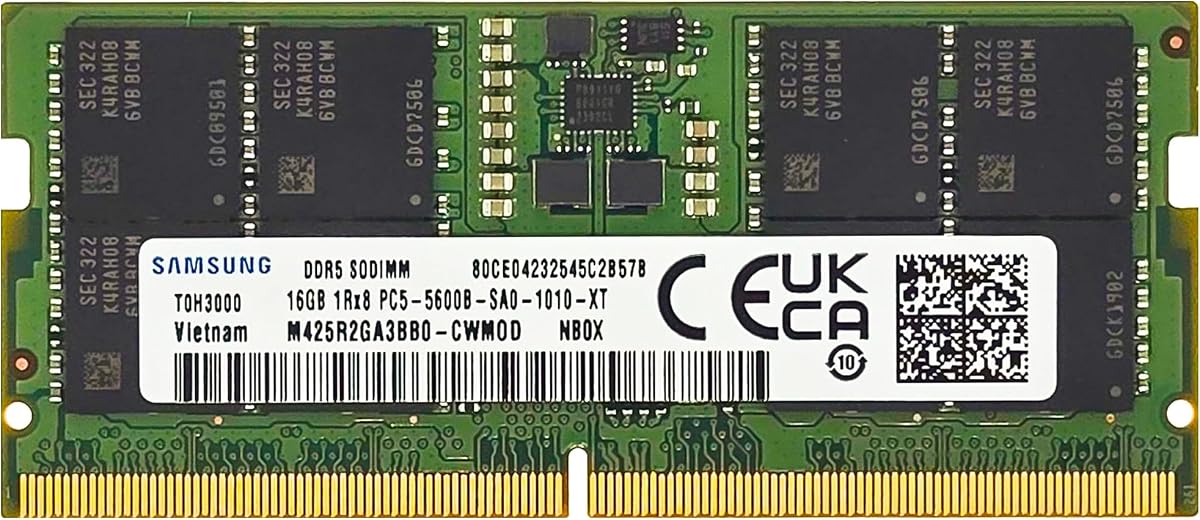
The Samsung M425R2GA3BB0-CWM is a 16GB DDR5 SODIMM for selected laptops and notebooks. Its 4.5 listing rating, 5600MHz speed, PC5-44800 designation, and CL46 timing place it among conventional modern notebook modules, while the 1Rx8 single-rank layout is clearly documented.
We may earn a commission when you buy through this link, at no additional cost to you.
A single 16GB module can be a straightforward way to expand a compatible notebook that has a free memory slot. If the system already carries a matching 16GB module, adding this card can produce a 32GB two-module configuration. The listing describes the part as non-ECC, unbuffered, and operating at the JEDEC DDR5 standard voltage of 1.1V.
The principal restriction is model-specific compatibility. Samsung states that the module is intended for select laptop and notebook computers, and not every DDR5 notebook accepts every 16GB module even when the basic form factor matches. The laptop manufacturer’s supported memory list is the best source for confirmation.
This module is recommended for owners of a compatible notebook who want a clear, single-stick upgrade without paying for a complete matched kit. It is less appropriate when the computer has only one slot, or when a buyer needs the full 32GB immediately and already occupies the second slot with mismatched memory.
The specific part number M425R2GA3BB0-CWM gives buyers a concrete reference for compatibility. Comparing that number with the laptop manufacturer’s supported memory list is more reliable than relying on DDR5 and 5600MHz labels alone.
The module can increase total available memory without requiring a matched pair purchase, provided one slot is free. Its 1.1V operation and standard unbuffered non-ECC configuration suit ordinary modern notebooks.
We may earn a commission when you buy through this link, at no additional cost to you.
The Samsung 32GB dual-module kit offers two 16GB DDR5 SODIMMs operating at 5600MHz with CL46 timing. The supplied listing does not provide a numeric customer rating, so the absence of a score should be considered when comparing the product with established alternatives that have visible feedback.
We may earn a commission when you buy through this link, at no additional cost to you.
Its 2x16GB arrangement provides a substantial memory increase for compatible notebooks, all-in-one systems, and other supported DDR5 machines. Both modules use 262-pin, unbuffered, non-ECC 1.1V configurations with a 1Rx8 single-rank organization. The advertised PC5-44800 designation provides another way to compare it with other 5600MHz kits.
The listing identifies M425R2GA3BB0-CWM and notes that the supplied part may be substituted with M425R2GA3EB0-CWM or M425R2GA3PB0-CWM. These are presented as related Samsung part numbers, but buyers should still verify the exact specification and compatibility for the target system rather than assuming every interchangeable designation is approved for every notebook.
This kit is best for users who trust Samsung’s established memory presence and want a complete 32GB upgrade for a compatible laptop. Its technical profile is conventional, which makes it straightforward to assess. The lack of a visible listing rating adds uncertainty, so checking recent customer feedback and the exact laptop support list is advisable.
Buying both 16GB modules together simplifies the creation of a 32GB setup. A symmetric 2x16GB arrangement is also an attractive option for notebooks designed around dual-channel memory.
Because the listing permits related Samsung part numbers, compatibility should be confirmed through the laptop manufacturer or by checking the physical and technical identifiers. Capacity alone does not guarantee acceptance.
We may earn a commission when you buy through this link, at no additional cost to you.
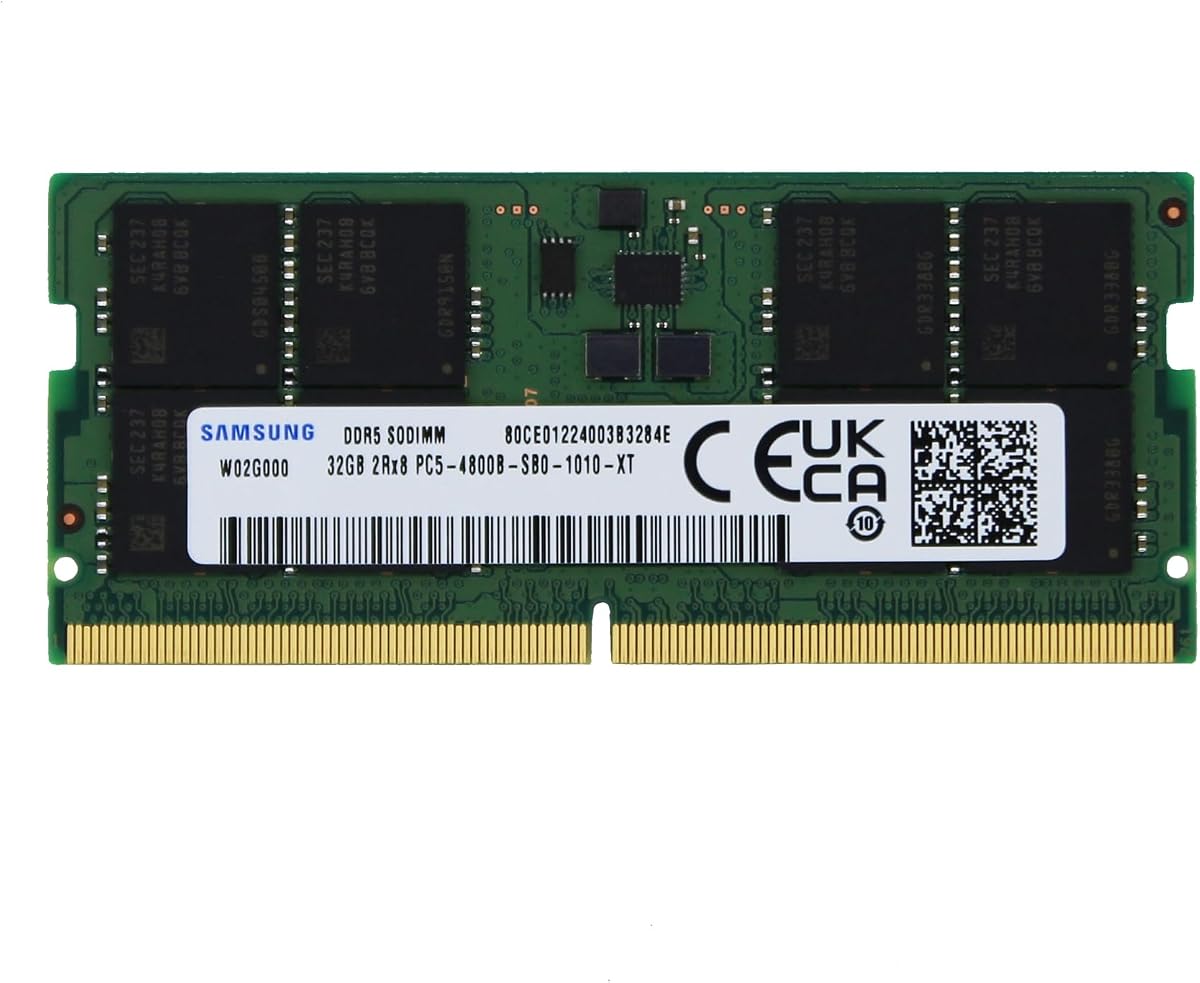
The Samsung M425R4GA3BB0-CQK is an unusual but practical option: one 32GB DDR5 SODIMM with a 4800MHz PC5-38400 data rate. It has a 5.0 supplied rating, CL40 latency, 2Rx8 dual-rank organization, and a standard 1.1V non-ECC unbuffered configuration.
We may earn a commission when you buy through this link, at no additional cost to you.
The single-module format can simplify upgrades in notebooks with limited accessible memory slots. Instead of inserting two separate 32GB cards, the user can obtain 32GB through one module. That convenience must be balanced against the laptop’s own supported memory organization, since some systems are engineered around two smaller modules and may not support a single 32GB stick.
The 4800MHz rate is lower than the 5600MHz advertised by several other picks, but it remains a current DDR5 data rate and may be a standard speed for the intended platform. The CL40 timing is comparatively tight for that transfer rate. Performance in actual use will depend on whether the notebook can exploit the module’s capabilities.
This product is best for a compatible laptop with one free slot and a documented 32GB-per-module limit. It is also attractive for users who value consolidation and potentially dual-rank behavior over the highest possible advertised data rate. Compatibility with the exact Samsung part number should be confirmed before purchase.
A 32GB single module can be highly convenient when a notebook has only one accessible slot. It delivers a large capacity increase while preserving an open socket for a future expansion, if the manufacturer permits one.
The 2Rx8 designation indicates a dual-rank x8 module organization. It is a meaningful technical distinction when comparing this product with single-rank 16GB alternatives, although platform support remains the deciding factor.
We may earn a commission when you buy through this link, at no additional cost to you.
The Samsung 16GB kit consists of two 8GB DDR5 SODIMM modules rather than one larger stick. It supports speeds up to 5600MHz with PC5-44800 bandwidth, CL46 latency, and a 1Rx16 single-rank organization. The supplied listing does not include a numeric rating.
We may earn a commission when you buy through this link, at no additional cost to you.
The 2x8GB layout may suit compatible laptops that favor matched smaller modules. It can also be easier to add to a system than a high-density 32GB module, depending on the manufacturer’s supported configurations. A matched pair offers a conventional alternative when 16GB is the appropriate capacity target.
The 1Rx16 configuration is important because not every laptop supports every chip organization. Buyers should check the manufacturer’s memory compatibility list, particularly for compact systems and all-in-one computers. The listing notes that the product may use M425R1GB4BB0-CWM, M425R1GB4PB0-CWM, or an equivalent Samsung part number with identical specifications and performance.
This kit is most appropriate for a compatible notebook that supports 16GB in a 2x8GB arrangement. It may serve as a straightforward replacement for an existing low-capacity pair, but it is less attractive for users seeking 32GB. The absent rating and broad compatibility language make careful model verification especially important.
Two 8GB modules provide 16GB while preserving a symmetric arrangement. This can be attractive for compatible systems that support matched 8GB modules and are intended for general productivity workloads.
The 1Rx16 designation and possible part-number variations warrant attention. Exact model and memory validation is essential because broad statements such as compatible for select systems do not cover every notebook.
We may earn a commission when you buy through this link, at no additional cost to you.
Choosing laptop memory requires balancing capacity, speed, latency, module organization, and platform support. The most important first step is identifying exactly which memory the notebook accepts and how much it can use.
In short, verify the form factor, generation, maximum capacity, and supported module organization before buying. This compatibility check is more important than choosing a particular brand or decorative specification.
Choose enough memory for your heaviest routine rather than the largest number available. For most upgrade-minded power users, a matched 32GB 2x16GB kit is a practical target, provided both slots and the laptop’s memory specification support it.
Do not choose solely on the largest number. Compare latency, capacity, and supported profiles together, and expect a compatible laptop to run memory at its standard JEDEC speed unless an advertised performance profile is available and enabled.
Treat profile support as a bonus rather than a guarantee of performance. If a laptop has minimal BIOS controls, prioritize capacity, stable JEDEC operation, and manufacturer compatibility over a headline overclocking rate.
Match the configuration to the laptop’s available slots and supported memory layout. A matched pair is generally the cleanest full-system upgrade, while a single module is most attractive when the notebook already contains compatible memory.
Use rank as a verification point rather than a performance ranking. The most attractive specification on paper has no value if the notebook cannot boot with that exact module organization.
Operating at 1.1V is the common baseline here, so capacity and compatibility should carry more weight in the final decision. Do not expect a memory upgrade alone to transform every aspect of battery life or thermal behavior.
For ordinary laptops, the listed non-ECC modules are appropriate. For professional or ECC-dependent systems, follow the exact memory requirements published by the device manufacturer.
Before installing a memory upgrade, shut the laptop down completely, disconnect its charger, and consult the manufacturer’s instructions. Confirm the correct DDR5 SODIMM form factor, supported capacity, and recommended module arrangement. Many laptops require the battery to be disconnected internally, and some compact models use unusual access panels or procedures that should be followed exactly.
After removing the existing module, align the new SODIMM notch with the slot and slide it into position at the correct angle. Apply even pressure to the retaining clips until they lock into place. Do not force the module, bend the contacts, or touch exposed circuitry. Reassemble the laptop, reconnect its power source, and boot it before changing any firmware memory profile.
After installation, confirm the full memory capacity appears in the operating system and run a memory diagnostic to check stability. If the system starts with a reduced speed, that is normal when a high-performance profile is unavailable. Update the laptop firmware when advised, use the manufacturer’s validated memory list where available, and avoid mixing unrelated memory kits unless the manufacturer explicitly supports that configuration.
Sixteen gigabytes remains suitable for typical office work, browsing, video playback, and many mainstream games. Thirty-two gigabytes provides a better margin for heavy browser sessions, creative applications, virtual machines, and multitasking. Users with specialized engineering or professional workloads may need more, subject to the laptop’s supported maximum. Capacity should be balanced against module compatibility and the number of available slots.
No. Laptop DDR5 kits use the smaller 262-pin SODIMM form factor, while desktop DDR5 generally uses long DIMM modules. They are physically and electrically incompatible. Even among laptop memory, the notebook manufacturer’s supported capacity, rank, and module organization should always be checked before purchase.
No. The CPU, memory controller, motherboard, BIOS, and laptop design determine the actual supported speed. A module may boot at its JEDEC default rate when the system cannot access an XMP 3.0 or EXPO profile. Some notebooks also limit memory speed when certain CPUs are installed, so confirm the model-specific specification before ordering.
A matched 2x16GB kit can be preferable in a notebook designed for dual-channel memory and offers an easy path to balanced performance. A single 32GB module can be more convenient when only one slot is accessible, but some laptops do not support 32GB modules or perform differently with high-density configurations. Check the manufacturer’s supported memory layouts rather than assuming either arrangement is universally superior.
You only need to change firmware settings if the laptop supports selecting a memory profile and you want to try the advertised performance setting. Compatible systems may expose XMP 3.0 for Intel platforms or EXPO for AMD platforms. If no such option is available, the memory should run at the standard speed supported by the laptop.
It can work, but it is not recommended without careful verification. Different capacities, timings, ranks, and speeds can reduce performance or create instability, and a matched kit is tested as a set. For predictable operation, use the two modules sold together or follow the laptop manufacturer’s guidance for supported combinations.
The operating system or hardware utility may report the current standard speed rather than the maximum profile advertised by the manufacturer. Laptops often start with conservative JEDEC settings for reliability. Check the BIOS for an appropriate XMP 3.0 or EXPO option, but do not force a profile if the laptop firmware does not support it.
Check the manufacturer’s service manual, product specifications, or support page for the exact model. The documentation may list the maximum memory, permitted module capacities, and whether a single 32GB SODIMM is supported. For business or ultraportable systems, manufacturer-approved configurations are especially important because some chassis use soldered memory or restrict supported module organizations.
The Crucial 32GB kit is the strongest all-around choice because it combines a 2x16GB layout, flexible supported speeds, and both Intel XMP 3.0 and AMD EXPO profiles. The CORSAIR Vengeance 16GB module is the most practical way to expand a compatible laptop that already has a suitable stick, while the G.SKILL Ripjaws kit leads the premium group with a lower CL40 timing specification.
Prioritize exact laptop compatibility, supported capacity, and module layout before considering profile features or headline speed. A 32GB matched 2x16GB kit serves many power users well, but a single module can be more practical where slot access is limited. For the tightest timing among the featured products, the G.SKILL kit is the relevant option, provided its profile is supported and configured correctly.
Product availability and prices change regularly, and compatibility details can vary by laptop revision. Review the current listing, confirm the manufacturer’s supported memory specification, and compare the final module configuration before purchasing. Those checks are essential for getting a laptop upgrade that boots reliably and delivers the intended capacity.