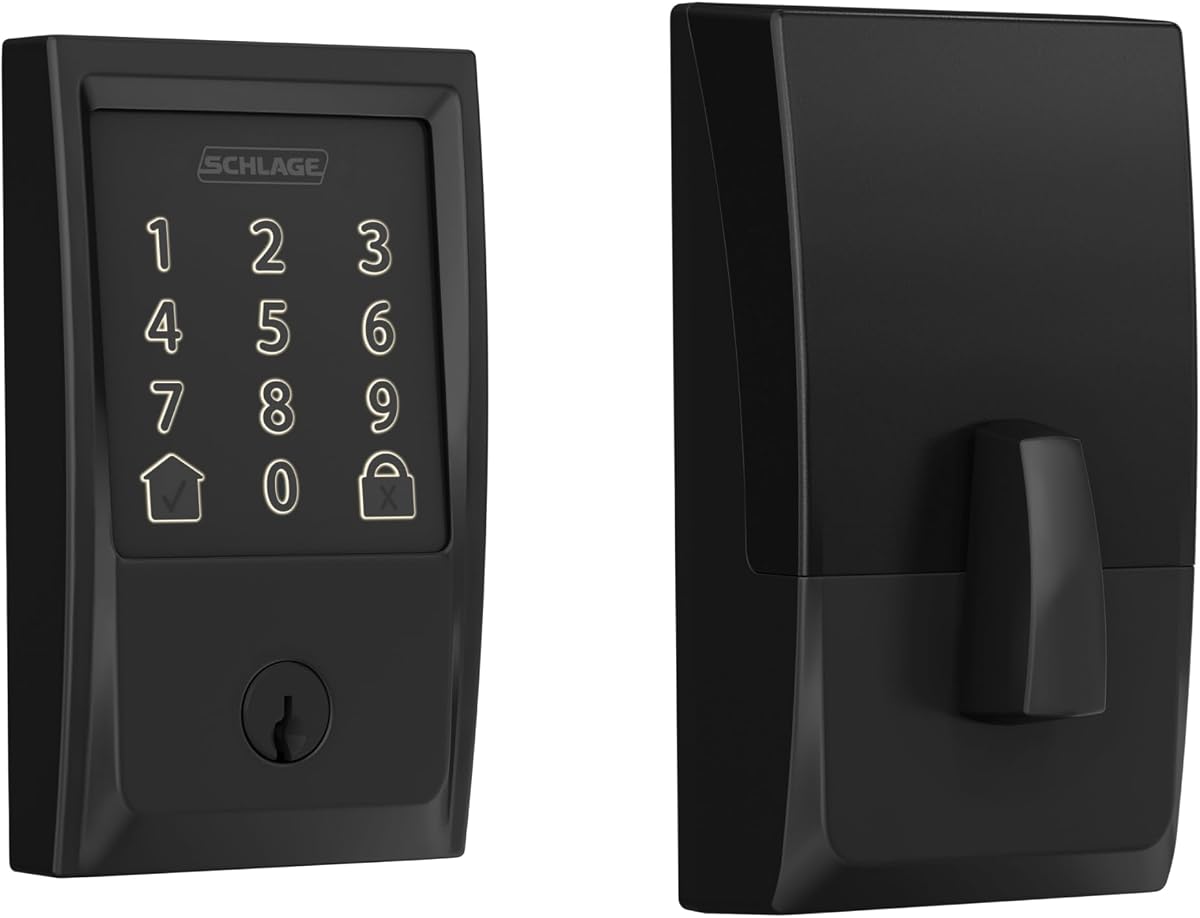
Schlage Encode Smart WiFi Deadbolt
4.2Editor score
Built-in encrypted Wi-Fi
One hundred access codes
Customizable forced-entry alarm
Backup key included
This Digital Door Lock guide compares ten smart deadbolts and keyless entry locks for connectivity, security, access options, installation, battery life, and
A digital door lock can replace a conventional deadbolt with programmable keys, keyless entry, remote access, and a more complete record of who entered the home. The best choice depends on your door, connected-device ecosystem, desired number of access methods, and how much setup complexity you are willing to manage.
This guide compares ten digital door locks and smart deadbolts based on the supplied specifications, including connectivity, supported entry methods, battery expectations, installation requirements, weather resistance, and app-based management. It covers products ranging from straightforward keypad deadbolts to fingerprint models, lever-and-knob locks, and full smart deadbolt sets.
The picks show how digital locks differ for everyday households, renters, landlords, and short-term rental hosts. We also consider important distinctions such as built-in Wi-Fi versus Bluetooth or gateway-dependent remote access, included versus separately sold accessories, and the need to match the hardware to an existing door. Product availability and pricing can change, so verify current details before buying.
4.2Editor score
4.3Editor score

4.3Editor score
The comparison below places all ten locks side by side, focusing on remote connectivity, entry methods, installation format, and practical features for different home-access needs.
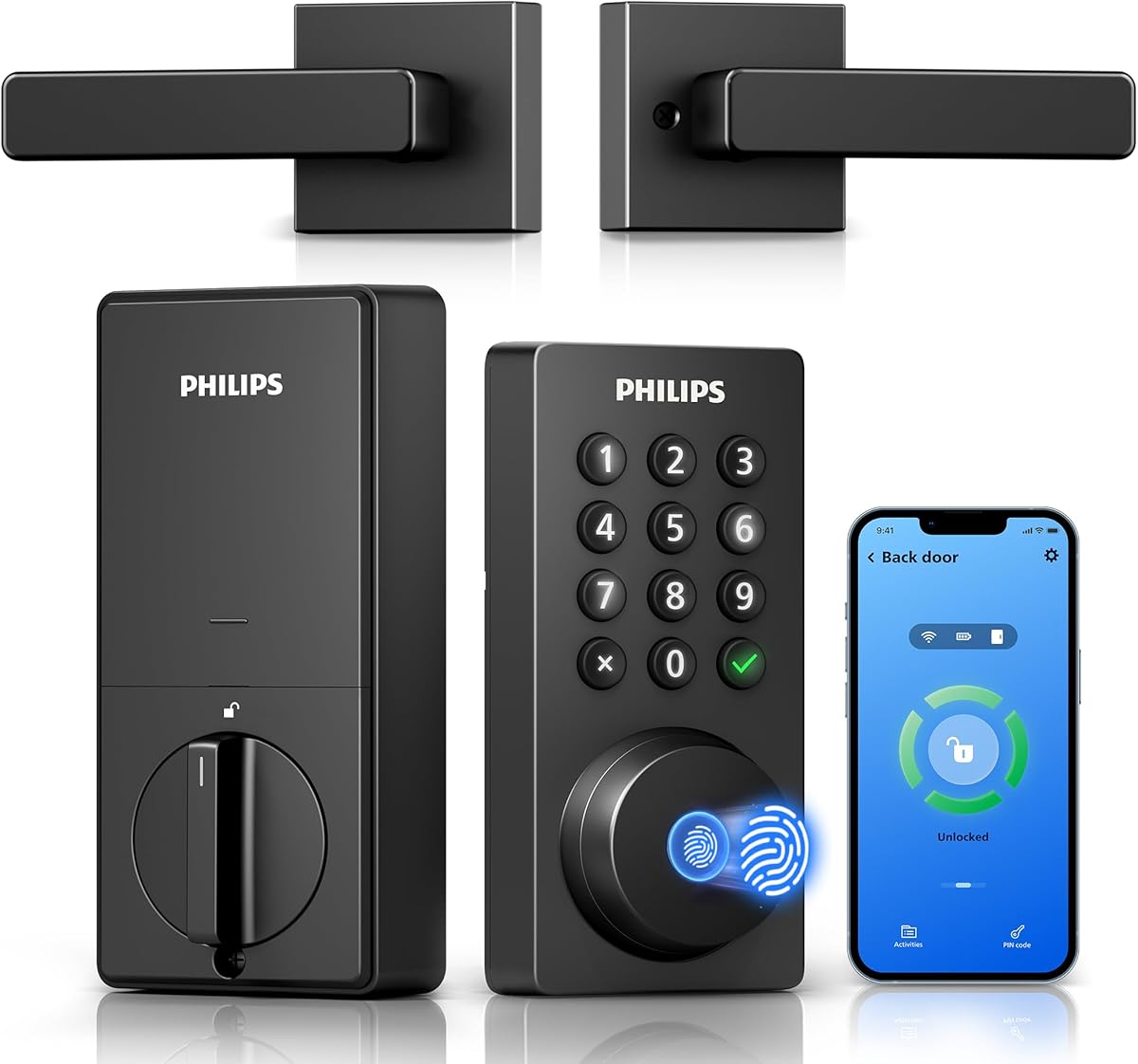




The Philips WiFi Keypad Deadbolt with Handle is a connected lock-and-handle set built for people who want remote control without assembling several separate smart-home components. It has a 4.3 rating and stands out because it combines built-in Wi-Fi, app management, passcodes, fingerprint entry, and a matching exterior handle in one package.
We may earn a commission when you buy through this link, at no additional cost to you.
Its strongest feature is direct connectivity. Once joined to a compatible 2.4GHz home network, the lock can be managed through the Philips Home Access app without an additional bridge. Users can lock or unlock the door, organize codes and fingerprints, review access history, check lock status, and configure automatic locking. The stated fingerprint access time is 0.3 seconds, while passcodes can be permanent, temporary, periodic, or recurring.
There are some practical compromises. The lock must remain within 33 feet of the router for the stated connection conditions, and walls, metal objects, or interference can weaken the signal. Batteries are not supplied, and Philips specifies standard 1.5V alkaline batteries rather than rechargeable or high-power lithium batteries. Auto-lock is also off by default, meaning the desired delay must be enabled manually.
This is a strong choice for a new front-door installation where the existing hardware is also being replaced. The included handle reduces the need to source matching parts separately, while physical customization and app-based access make it useful for families, guests, cleaners, and rental properties. Buyers should confirm door thickness, opening direction, and network placement before installation.
Built-in Wi-Fi keeps the setup simpler than systems that require a separate gateway. It is especially helpful when the goal is remote control and real-time access history rather than merely local keypad entry.
Because a matching handle is included, this option can simplify a complete entryway upgrade. Installation still requires attention to the stated 38–50mm thickness range and correct opening direction.
We may earn a commission when you buy through this link, at no additional cost to you.
The Philips Wi-Fi Smart Deadbolt offers a flexible mix of app, passcode, fingerprint, physical-key, and voice-assistant entry. Its 4.2 rating reflects a well-rounded connected deadbolt, and the extensive access-management options make it relevant to shared households and short-term rentals.
We may earn a commission when you buy through this link, at no additional cost to you.
The app can support up to 100 custom passcodes, including one-time and scheduled credentials for guests, cleaners, or delivery personnel. It also records when the door opens and locks and can send real-time alerts. Away Mode is a useful security layer because it disables all unlock methods except the master code, giving the homeowner a simple way to restrict access while traveling.
The main limitation is that this model does not have a door sensor. It can report lock activity, but it cannot provide the same door-position awareness as a system with a dedicated sensor. It also supports only 2.4GHz Wi-Fi, and the product guidance recommends keeping the router within 65 feet for better remote control. AA alkaline batteries are required but not included.
This deadbolt suits a household that wants several ways to enter without adding a separate handle set. It is well suited to families whose members prefer different access methods and to hosts who frequently issue temporary credentials. The physical key provides a useful fallback, while installation appears manageable with a screwdriver and standard door preparation.
Permanent, scheduled, and one-time passcodes make it easy to separate everyday family access from temporary visitor access. The generous code capacity also suits busy homes and rental properties.
Away Mode reduces the number of ways other users can open the door while the household is away. It is a simple control that adds confidence without requiring a separate security system.
We may earn a commission when you buy through this link, at no additional cost to you.
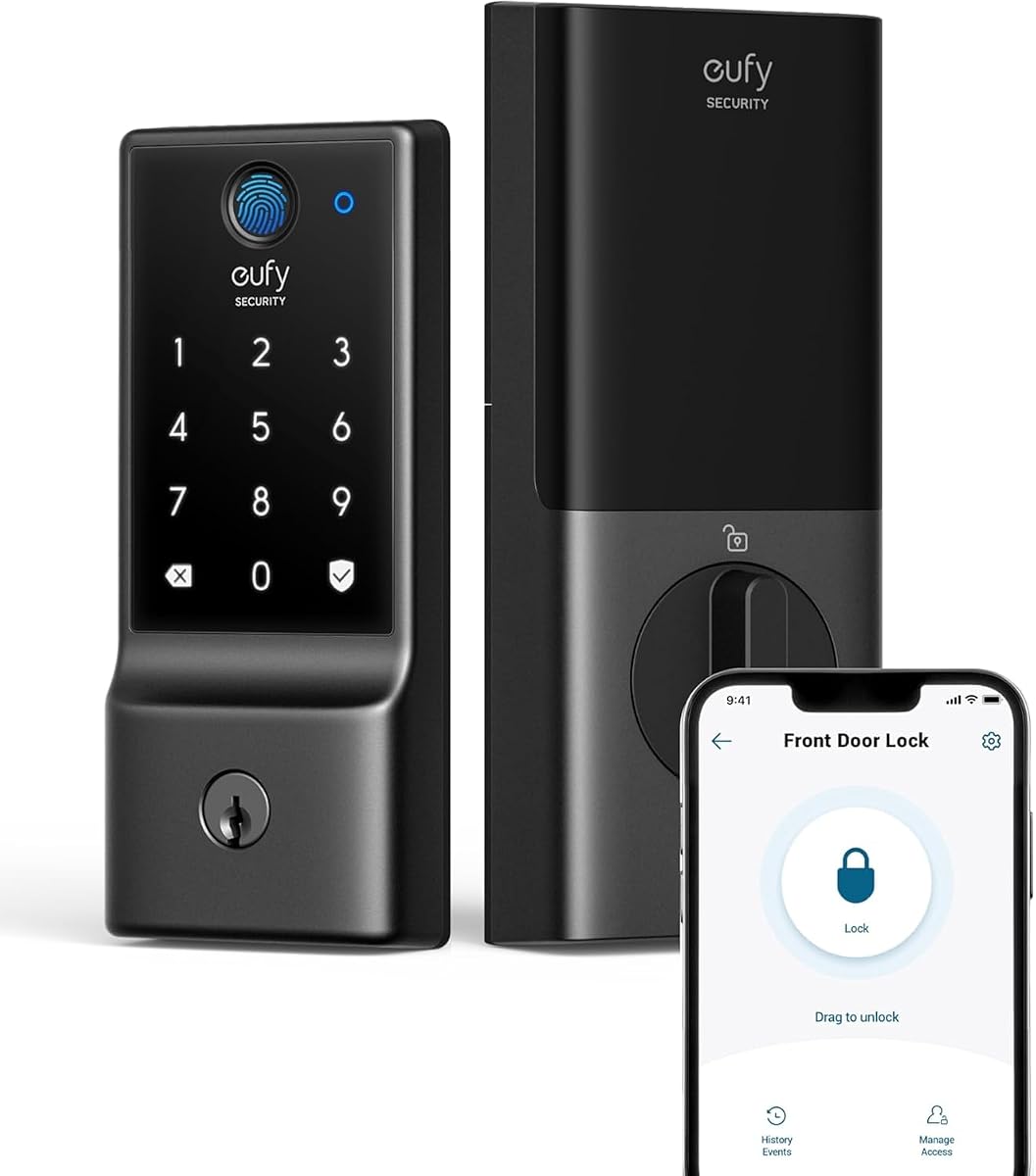
The eufy Security Smart Lock C220 is an adaptable deadbolt with a 4.3 rating and a particularly broad set of entry choices. It supports fingerprint, app, keypad, physical key, Apple Watch, and Alexa or Google Voice Assistant access, making it a strong fit for households in which different people prefer different ways to enter.
We may earn a commission when you buy through this link, at no additional cost to you.
Built-in Wi-Fi allows control through the eufy Security app without a bridge, and the lock can also be incorporated into routines alongside other eufy devices. Its self-learning fingerprint recognition is designed to improve as it recognizes users. With eight AA batteries, the stated battery life is around eight months, although the actual interval depends on how frequently the lock is used.
Durability is another highlight. The lock is BHMA Grade 3 certified after more than 100,000 lock and unlock cycles, operates from minus 22 to 158 degrees Fahrenheit, and carries IP53 water protection. Installation is designed for standard deadbolts, with compatibility for bores under 54mm after removing the spacer and no new drilling required in qualifying doors.
This is a compelling all-around choice for people who want a connected deadbolt without the need to choose only one access method. The Apple Watch option expands convenience, while the physical key provides a familiar backup. Buyers should verify their bore dimensions, door swing, app compatibility, and physical clearance before installation.
Six supported entry methods reduce the likelihood that a household member will feel locked out by an inconvenient system. Fingerprint, key, app, keypad, watch, and voice options can all coexist.
Grade 3 certification, durable construction, and IP53 water protection provide useful reassurance for an exterior door. These specifications make the lock suitable for ordinary residential weather exposure.
We may earn a commission when you buy through this link, at no additional cost to you.
The Schlage Encode Smart WiFi Deadbolt is a security-focused connected deadbolt with a 4.2 rating. Its built-in Wi-Fi, encrypted connection, customizable alarm, fingerprint-resistant touchscreen, and highest residential security, durability, and finish certification distinguish it as a premium option for homeowners who prioritize established lock engineering.
We may earn a commission when you buy through this link, at no additional cost to you.
The Schlage Home app supports remote locking and unlocking, up to 100 access codes, lock history, customizable notifications, and management of multiple locks. Alexa and Google Home can be used for optional voice control after setup. A built-in alarm can react to door movement and forced-entry attempts, giving the lock a more active security role than a basic keypad model.
Installation is designed to take minutes with a screwdriver and no hardwiring. The lock fits standard doors between 1-3/8 and 1-3/4 inches thick and supports the listed standard backsets. It includes four AA batteries and one physical backup key, and both the touchscreen and app provide low-battery notification. Typical battery life is stated as up to six months.
This model is best for a homeowner seeking a more established deadbolt platform without giving up app control or programmable access. It also suits people who want hands-free voice commands and multiple locks under one account. The main consideration is physical fit, so measure the door thickness and backset before purchasing.
The customizable alarm and certified residential security rating create a stronger case for owners who want a conventional deadbolt's physical presence with modern connected monitoring.
The Schlage Home app can manage multiple locks and maintain separate histories. This makes the system practical for larger homes, side entrances, or landlords managing several doors.
We may earn a commission when you buy through this link, at no additional cost to you.
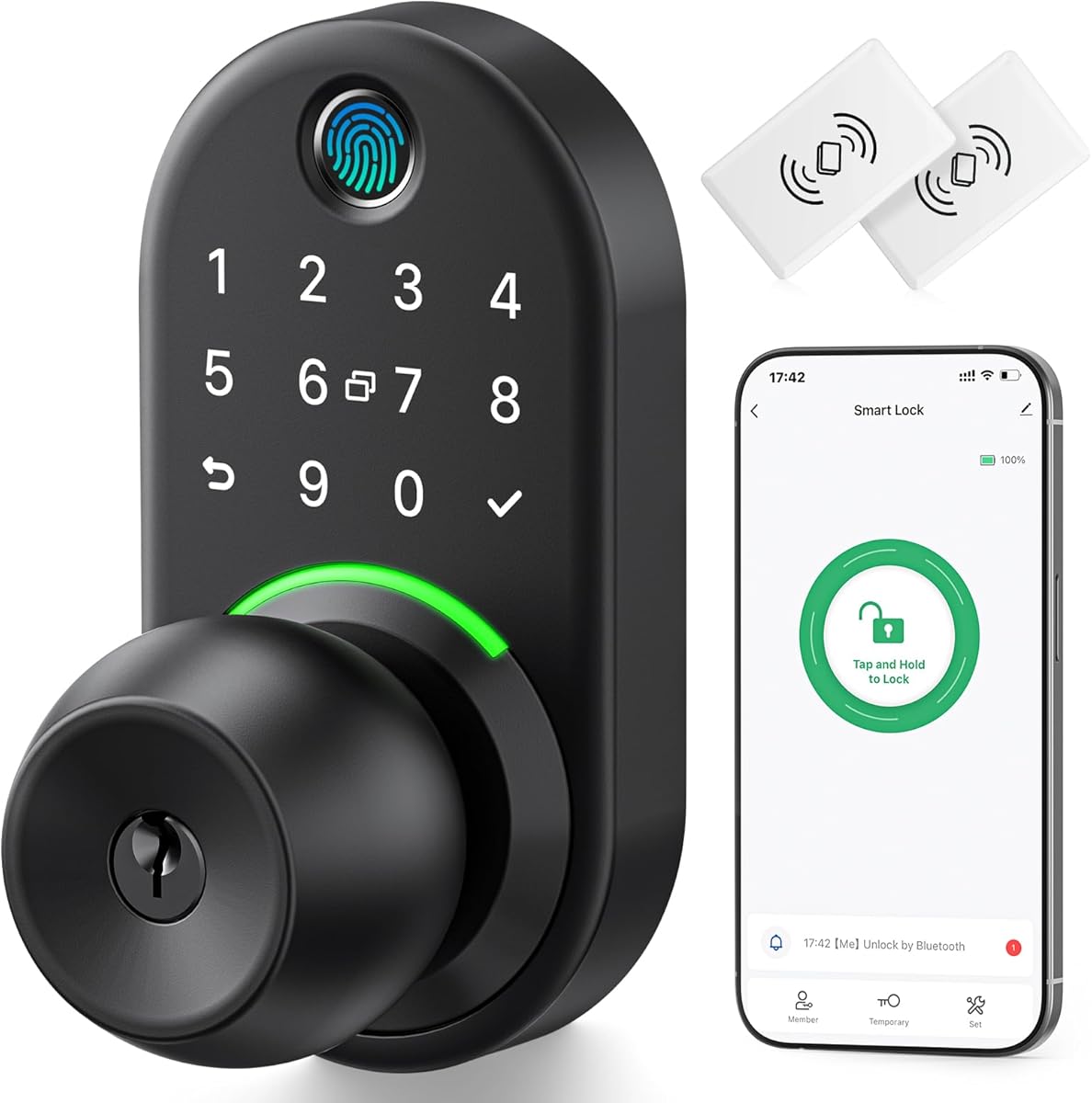
The Yamiry Smart Door Handle Lock is a connected lever-and-knob-style entry option with a 4.3 rating. It is designed for people who want more ways to open the door without replacing their entire entry hardware, combining fingerprint recognition, app control, personalized passcodes, key fobs, a mechanical key, and voice-assistant support.
We may earn a commission when you buy through this link, at no additional cost to you.
Local Bluetooth app management allows users to grant permanent or temporary access, generate visitor codes, and review unlock records. Remote control and Alexa compatibility require a separately sold Wi-Fi gateway, so buyers should decide whether local access is enough or whether they want the additional component. The lock is positioned for landlords, Airbnb hosts, apartment supervisors, and self-housing residents.
Installation is designed to take about ten minutes on most standard American wooden front doors. It replaces an existing handle, knob, or deadbolt with a screwdriver and no additional drilling, while the reversible handle accommodates left- and right-handed doors. The straightforward installation claim does not eliminate the need to confirm measurements and door construction.
This is a useful choice for rental operators and homeowners who need a full lever set with several credential types. The reversible handle reduces some directional concerns, and the mechanical key offers a fallback. Its main limitation is that remote functionality is not fully integrated, making the separate gateway an important part of the ownership experience.
The matching handle format provides a complete entrance solution rather than only a deadbolt. It can be especially useful when an existing knob or lever needs to be replaced with a connected entry set.
App-based code generation and unlock records are valuable for hosts and property managers. The limitation is that fully remote operations depend on purchasing the appropriate Wi-Fi gateway.
We may earn a commission when you buy through this link, at no additional cost to you.
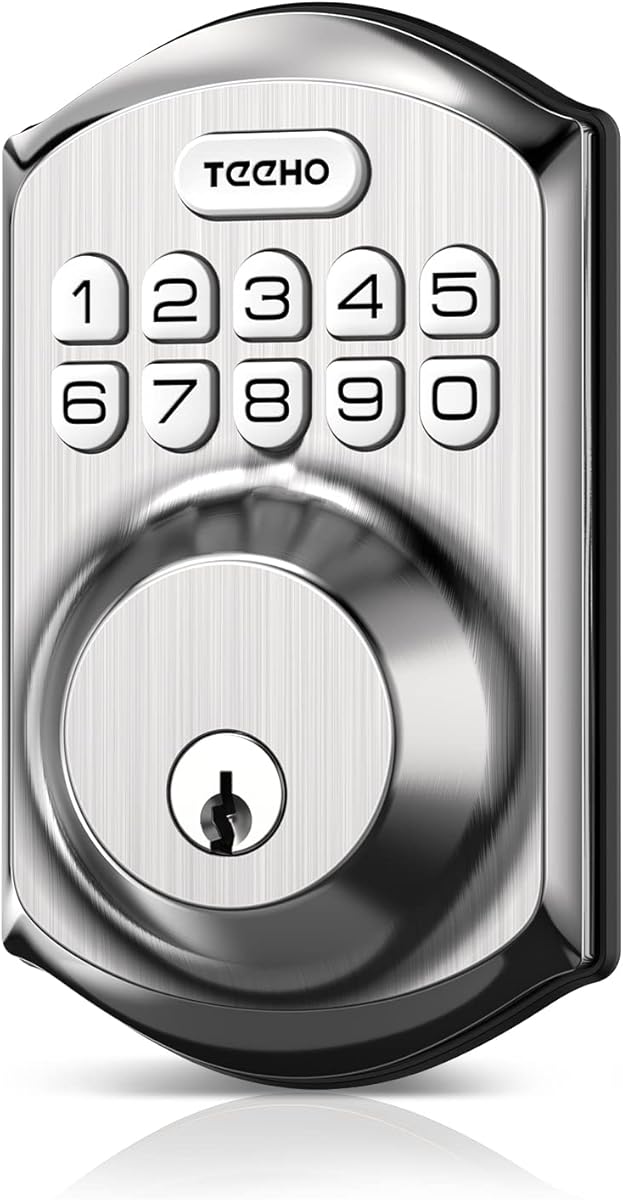
The TEEHO TE001 is a straightforward keypad deadbolt that focuses on local access rather than app connectivity. It carries a 4.5 rating, supports up to 20 family codes plus a temporary one-time code, and is particularly notable for its claimed battery life of up to 365 days.
We may earn a commission when you buy through this link, at no additional cost to you.
Users can set an automatic locking delay from 10 to 99 seconds, although that function is off by default. A one-touch lock control is activated by pressing and holding a keypad key for two seconds. Anti-peeping code protection, a low-battery indicator, aluminum alloy construction, and IP54 weather resistance support everyday exterior-door use.
The primary tradeoff is the absence of built-in Wi-Fi, app access, fingerprint entry, and remote control. It is therefore better for users who want simple programmable keys than for those seeking a full connected-home experience. Installation requires a screwdriver, but the lock fits only a 2-1/8-inch, or 54mm, door hole and is not compatible with 38mm holes.
The TEEHO is a compelling option for landlords, families, and secondary entrances that need dependable code-based access without a connected ecosystem. First-time users must reset the lock so it can detect the door direction, which also helps resolve many common setup issues. TEEHO includes a two-year warranty and ongoing customer support.
The TE001 keeps the experience centered on a backlit keypad. That makes it approachable for guests, children, and anyone who does not want to manage smartphone access.
Its narrow compatibility with a 54mm hole is the most important installation consideration. Measure the existing bore before purchasing rather than assuming it will fit a standard narrow opening.
We may earn a commission when you buy through this link, at no additional cost to you.
The Yamiry Keypad Smart Door Knob combines a keyed handle with a digital keypad and has a 4.4 rating. It offers a middle ground between a standard mechanical knob and a fully connected smart lock, making it useful where simple programmable entry is preferred.
We may earn a commission when you buy through this link, at no additional cost to you.
The lock holds 20 codes for family members and supports a one-time code for guests. A duplicated mechanical key provides a familiar backup. Users can choose an automatic lock delay from five to 99 seconds or disable auto-lock when appropriate, while the backlit keypad and low-battery indicator improve everyday usability.
Constructed from aluminum alloy, the lock also offers anti-prying code protection and IP54 weather resistance. Installation is described as taking less than 15 minutes with a screwdriver. Since it replaces a door knob or handle, buyers should compare spindle, hole spacing, and door dimensions with the included instructions.
This model is a good fit for people who want keyless family entry without maintaining an app or relying on an internet connection. It also works for landlords seeking code-based access for tenants. The lack of remote management and fingerprint recognition makes it less versatile than the connected models, but its straightforward feature set can be an advantage.
The keypad supports multiple programmed codes and a one-time guest credential without requiring a connected account. This keeps access practical for visitors and household members.
The included duplicable key provides a straightforward way to enter if batteries run low or programming becomes inconvenient. It also helps during initial setup.
We may earn a commission when you buy through this link, at no additional cost to you.
The Yamiry Fingerprint Keyless Entry Handle Lock combines a conventional door-knob profile with a fingerprint reader and app-based credential management. Its 4.3 rating reflects a capable local smart lock that supports five unlock methods and stores as many as 50 passwords, fingerprints, and key fobs.
We may earn a commission when you buy through this link, at no additional cost to you.
Users can open the door through the app, a password, a key fob, fingerprint recognition, or a physical key. Locking is available through auto-lock, the app, or a long press of the lock button. Bluetooth connectivity supports local programming and control, while remote operation requires a separately sold Wi-Fi gateway.
The aluminum construction is described as hard and corrosion resistant, and installation is designed for most American standard doors using a screwdriver. Buyers should still check the required bore and spindle measurements, particularly if the current hardware has an unusual profile. The separate gateway requirement may be inconvenient for someone expecting out-of-the-box remote control.
This lock is a good match for a household that values fingerprint entry and a complete handle set but does not need continuous internet-based access. It also offers meaningful credential capacity for family members and regular visitors. For users who require remote operation, budget for the compatible gateway and confirm the app ecosystem before installation.
Adding fingerprint entry to a full knob set makes keyless access feel less like a deadbolt add-on. It is a practical format for doors where a lever or knob is preferred.
Bluetooth handles nearby programming and access, but truly remote control requires the additional Wi-Fi gateway. Check that requirement against the intended use before finalizing the setup.
We may earn a commission when you buy through this link, at no additional cost to you.
The Veise VE017 is a feature-rich fingerprint lock with a 4.3 rating and an unusually broad selection of access methods. It supports fingerprint, app, authorized access, fob card, code, shared code, voice assistant, and mechanical-key entry, while locking can be automatic, fingerprint-based, app-controlled, manual, or mechanical.
We may earn a commission when you buy through this link, at no additional cost to you.
The fingerprint system is described as using on-device AI, a 608DPI sensor, recognition in under 0.2 seconds, and 99.99% accuracy. The manufacturer states that recognition patterns improve through continued use. Users can also create permanent, one-time, duration-based, and recurring passcodes, share them remotely, and track activity through the KK Home app.
Local security features include AES128 encryption of access data stored on the lock, an anti-peeping privacy code, intrusion alarms, temporary lockouts, and an Away Mode. The stated battery life is around twelve months with four AA alkaline batteries, although actual use varies. A low-battery light, USB-C emergency port, and safe mode provide additional contingencies.
The VE017 is an excellent choice for landlords, families, and short-term rental operators who want many credential types without necessarily paying for built-in Wi-Fi. Remote access and Alexa or Google control require the separately sold Veise G1 gateway. Installation is stated at about 15 minutes with a screwdriver, and the lock supports 38mm or 54mm holes.
Four password modes, shareable credentials, user permissions, and activity logs give the VE017 a strong feature set for properties with changing occupants. It is especially relevant to hosts and property managers.
Storing credentials locally with AES128 encryption adds a privacy-focused layer. Buyers should still understand which functions require the separate gateway and how the associated app handles remote services.
We may earn a commission when you buy through this link, at no additional cost to you.
The Veise VE027-K WiFi Smart Deadbolt Set has a 4.5 rating and combines connected deadbolt functions with two matching knobs. Built-in 2.4GHz Wi-Fi removes the need for a separate hub, allowing users to monitor status, receive activity alerts, review access logs, and manage users through an app.
We may earn a commission when you buy through this link, at no additional cost to you.
Eight stated entry methods cover remote app access, fingerprint, IC card, PIN code, physical key, voice control, user authorization, and code sharing. The lock stores up to 100 custom passcodes, supports permanent, scheduled, one-time, and expiring digital keys, and can store up to 20 fingerprints. Its fingerprint system is described as recognizing in 0.2 seconds with 99.99% accuracy.
Automatic locking can be configured from 10 to 180 seconds, while eight AA batteries are stated to provide up to 240 days. The lock has IP65 weather protection and is built to BHMA/ANSI Grade 3 standards. Installation is designed for 1-3/8 to 2-inch doors, with automatic left- or right-hand swing detection and no wiring required.
This set is a strong option for a comprehensive entryway upgrade because it includes two knobs. It is also well suited to families wanting direct Wi-Fi control, extensive digital credentials, and fingerprint entry. Confirm the 2.4GHz network requirement, measure the door, and install only after making sure the latch aligns correctly.
The inclusion of two matching knobs makes this package more comprehensive than a bare deadbolt. It can simplify a coordinated front-door refresh when both interior and exterior hardware are being replaced.
Built-in 2.4GHz Wi-Fi supports remote management without another hub. The wide mix of codes, fingerprints, cards, keys, and authorizations makes it versatile for families and shared properties.
We may earn a commission when you buy through this link, at no additional cost to you.
The right digital door lock depends on door fit, connectivity, security priorities, access patterns, and the amount of setup you want to manage. Comparing these factors before installation can prevent compatibility problems and unnecessary accessory purchases.
Measure door thickness, bore diameter, backset, spindle dimensions, and the distance from the door edge to the center of the bore before choosing a lock. The products in this guide support different ranges: several specify 38–50mm thickness, while the TEEHO TE001 is designed only for a 54mm bore. The Veise VE017 accommodates 38mm and 54mm holes and states compatibility with door thicknesses from 1-3/8 to 2 inches.
Also check the swing direction, strike-plate position, and clearance inside the home. Many locks can be reset for left- or right-opening doors, but the procedure differs by model.
Built-in Wi-Fi is the simplest route to full remote control because it avoids a separate gateway, although it usually requires a compatible 2.4GHz network. Bluetooth models can handle nearby programming and local app control, but remote features may require an additional gateway. Products without connectivity are best for simple keypad access or locations where remote operation is unnecessary.
Consider signal distance as well as router band. The first Philips model advises keeping the lock within 33 feet of the router, while the second suggests 65 feet for better remote control, and walls or metal can reduce reliability.
Keypads are the most broadly understandable digital entry method, while fingerprints are faster for enrolled users. App control is useful for temporary credentials, physical keys provide a reassuring backup, and voice control can be helpful when hands are full. The eufy C220 supports six unlock methods, the Schlage offers app, code, key, and voice options, and the Veise VE027-K lists eight ways to enter.
Choose a lock that matches the household's habits rather than one with the longest feature list. A system nobody uses regularly may be less valuable than a simpler lock that every family member understands.
Look beyond convenience and consider alarm behavior, encrypted communication, local credential storage, anti-peeping codes, forced-entry alerts, and physical certification. The Schlage includes a customizable door-movement and forced-entry alarm, while the Veise VE017 stores local access data using AES128 encryption and offers intrusion alerts and temporary lockouts.
Certification can also help distinguish durable deadbolts. The eufy C220 and Veise VE027-K are associated with BHMA Grade 3 standards, while the Schlage carries the highest residential security, durability, and finish rating cited in its supplied details.
Battery life varies with lock frequency, features, and use, so compare the stated estimates rather than treating them as guarantees. Figures in the guide range from as little as several months for Wi-Fi deadbolts to as much as 365 days for the TEEHO keypad model. Some products include batteries, while the Philips models, TEEHO, and Veise VE017 do not.
Look for low-battery alerts and decide which battery type the manufacturer requires. The first Philips model specifically calls for standard 1.5V alkaline batteries and discourages rechargeable or high-power lithium cells, while several other locks specify AA or LR6 alkaline batteries.
For an exterior entrance, water resistance and operating-temperature specifications matter. The listed products range from IP53 on the eufy C220 to IP54 on the TEEHO and Yamiry keypad models and IP55 or IP65 on the Veise locks. These ratings indicate different levels of protection against dust and water.
Installation quality also affects durability. A properly aligned latch, secure strike plate, correctly positioned wiring, and avoidance of overtightened screws can help prevent problems that are sometimes mistaken for electronic faults.
A family home, Airbnb property, rental unit, and home office may need very different access controls. Frequent guest turnover favors one-time and scheduled codes, multiple authorized users, and detailed logs. A standard household may place more value on fingerprint access, auto-lock timing, and a physical backup key.
The Yamiry handle, Veise VE017, and Veise VE027-K are particularly relevant to landlords and hosts because of their credential controls and activity records. In all cases, choose a system that can be managed consistently and whose app or keypad remains understandable to every legitimate user.
A complete set may include a matching handle, knobs, batteries, or a backup key, while a gateway, fobs, batteries, and other accessories may be sold separately. The Philips keypad deadbolt includes a matching handle, the Schlage includes four batteries and one physical key, and the Veise VE027-K includes two knobs. The Yamiry products and Veise VE017 require separate gateways for remote control.
Confirm the dimensions of included parts, read the installation instructions, and review the stated customer-support coverage. A clear manual and accessible support can be especially valuable when a deadbolt must be configured correctly for door direction.
Begin by confirming that the door is properly aligned and that the existing bore, backset, spindle, and door thickness match the lock. Follow the model's installation video or manual, connect the cables without pinching them, and avoid overtightening the screws. If the lock has a direction-detection function, reset it after installation so the motor can learn whether the door opens left or right.
Restore power with the specified alkaline batteries and complete the app pairing near the router. For a 2.4GHz network, ensure the phone and lock are within effective range and that the lock is associated with the intended 2.4GHz network. Program a master credential, add family fingerprints or codes one at a time, and test every entry method before handing the lock to household members or guests.
For care, follow the app's battery and lock-status alerts, and replace batteries promptly when indicated. Clean the keypad and fingerprint sensor with a soft, dry cloth, keep moisture away from the battery compartment, and inspect the latch and strike plate for looseness. Review temporary and recurring codes regularly, revoke expired access, and update the app and lock firmware when the manufacturer provides a supported update.
It depends on the model. The Philips, eufy C220, Schlage Encode, and Veise VE027-K have built-in Wi-Fi, so they can connect directly to a compatible 2.4GHz network without a separate hub. Bluetooth-based Yamiry models and the Veise VE017 use Bluetooth for local control but require a separately sold gateway for remote access. Check the product's connectivity requirements before purchase.
Often, yes, if the door's dimensions and hardware are compatible. Measure the door thickness, bore diameter, backset, and spindle before buying, and confirm that the latch and strike plate align correctly. Some locks fit common standard deadbolts without drilling, while others require replacing more of the existing handle or knob assembly.
Most digital locks provide a low-battery warning through an indicator, keypad, or app, allowing time for replacement. Some models also include a mechanical key or emergency power option, such as the Veise VE017's USB-C emergency port. The specific backup method varies, so keep the supplied key accessible and check the manual before relying on a particular emergency procedure.
Temporary passcodes can be safer than sharing a permanent key because access can be limited to a date, schedule, or one-time use. Products such as the Philips deadbolts and Veise locks support multiple digital-key types. For frequent turnover, also review the activity log and promptly remove expired users or codes.
Because these locks operate on batteries rather than household electrical power, they generally continue working during a power outage. The main concern is battery depletion rather than an electrical outage. Regular battery checks and use of the manufacturer's specified alkaline cells help maintain reliable operation.
Bluetooth is generally intended for nearby pairing, programming, and local control. Built-in Wi-Fi extends management to the lock over the home network, enabling remote status checks, access logs, and notifications. Built-in Wi-Fi is more convenient for complete remote access, but it still requires a compatible 2.4GHz network and adequate router signal.
Capacity varies considerably. The Schlage and Philips Wi-Fi deadbolt support up to 100 access codes, the Veise VE027-K stores up to 100 custom passcodes, and the eufy C220 supports multiple users and fingerprints. Smaller keypad models generally store 20 codes, while the Veise VE017 can store 50 combined passwords, fingerprints, and key fobs.
Most products in this guide are designed for screwdriver installation and do not require hardwiring. That does not eliminate the need for accurate measurements and careful alignment. If the door has unusual dimensions, existing wiring, a damaged strike plate, or a nonstandard spindle, a qualified installer can help prevent fit and latch problems.
The eufy Security Smart Lock C220 is the most versatile all-around option, combining six entry methods, built-in Wi-Fi, fingerprint recognition, and broad standard-door compatibility. The Schlage Encode Smart WiFi Deadbolt stands out for established security credentials, encrypted connectivity, a custom alarm, and polished deadbolt design, while the Veise VE017 offers a broad access-management feature set and local encryption for buyers who do not require built-in Wi-Fi.
Prioritize door fit first, then choose the connectivity level that matches how you actually use the lock. Simple keypad models are excellent for local family access, Bluetooth products can reduce dependence on home internet, and built-in Wi-Fi is most convenient when remote control and monitoring are central. Check battery type, included hardware, gateway requirements, weather ratings, and installation direction before finalizing a purchase.
Product details, ratings, availability, and pricing can change, so review the current listing and manufacturer instructions before ordering. Taking measurements and comparing the lock against your existing door, network, and household routines will produce a more reliable installation and a better daily experience.