
UGREEN Tablet Stand Holder
4.6Editor score
Adjustable angles from 15 to 100 degrees
Fits devices up to 11 inches
Compact folding design
An iPad stand for the desk can transform a flat tablet into a more practical workspace, whether you are joining video calls, following recipes, reading reference material, drawing, or viewing a portable monitor. A worthwhile model should balance stability, useful adjustment, device compatibility, and a footprint suited to your workspace.
The ten stands in this guide were compared using their stated construction, supported device sizes, adjustment mechanisms, base designs, portability features, and intended uses. The list includes portable folding models, weighted aluminum stands, high-position models, and a commercial-style rotating kiosk, allowing different workstyles to be compared directly.
Each review explains the stand's strongest benefits, practical limitations, and ideal user, while the comparison table makes key differences easier to scan. Ratings and product details reflect the supplied listings, while prices and availability can change, so readers should confirm current information before purchasing.
4.6Editor score

4.8Editor score

4.5Editor score
As an Amazon Associate we earn from qualifying purchases.
The comparison highlights the major differences among all ten stands, including supported sizes, materials, adjustment, rotation, portability, and specialized height or commercial features.


The Lamicall iPad Stand Adjustable Tablet Holder earns the top position with a 4.8 rating and a versatile combination of aluminum construction, angle adjustment, and broad device support. It is designed to hold tablets and phones from 4 to 13 inches, making it useful across nearly every category of iPad user.
We may earn a commission when you buy through this link, at no additional cost to you.
Its most appealing feature is the ability to switch between vertical and horizontal viewing without replacing the stand. That flexibility suits reading, typing, recording, and landscape-oriented media. Aluminum and reinforced alloy steel provide a more substantial construction than many plastic models, while rubber pads and feet help prevent sliding and surface scratches.
Case compatibility requires attention. The holder's hook width is listed at 18 millimeters, so a tablet or case should not exceed that thickness. For a device larger than 12 inches, the listing recommends horizontal placement to improve stability. These are meaningful constraints, but they do not outweigh the broad adjustment range and strong construction for typical desk use.
This is the most well-rounded recommendation for users who want one stand to handle calls, entertainment, typing, and different tablet sizes. Choose it when stable construction, multi-angle use, and broad compatibility matter more than an ultra-compact folding profile.
Vertical and horizontal positioning make the stand practical for documents, video calls, videos, and hands-free reference material. A single adjustable platform can serve several roles without requiring separate holders.
Rubber pads at the contact points and feet reduce unwanted movement. They also help protect the tablet and desktop, which is especially useful during extended typing or touch interaction.
We may earn a commission when you buy through this link, at no additional cost to you.
The COOPER TabHolder combines a weighted metal base, non-slip padding, and a wider holding plate to create a substantial desktop option. Its 4.6 rating reflects a feature-rich stand designed for iPads, compatible tablets, portable monitors, and other devices within its stated capacity.
We may earn a commission when you buy through this link, at no additional cost to you.
A telescoping range of 7 to 10 inches brings compatible devices closer to eye level, while 270-degree tilt adjustment covers many viewing positions. The stand can support devices up to 4.4 pounds and is listed as compatible with 15.6- to 17-inch portable monitors, giving it broader utility than a basic iPad cradle.
Its physical design is more substantial than a pocket-sized folding holder. The broad holding plate and weighted base may require more room than buyers expecting a minimal accessory would appreciate. Even so, the construction directly addresses tipping and grip, two common weaknesses in lightweight stands.
The TabHolder is best for a permanent or semi-permanent setup involving video calls, kitchen reference screens, portable monitors, or extended desktop use. Choose it when stability, adjustability, and a stable elevated viewing position outweigh the need for minimum weight.
The weighted metal base, EVA non-slip padding, and wider plate form a three-part stability approach. This makes the stand more appropriate for larger devices and portable monitors than a simple plastic cradle.
The telescoping arm raises compatible devices toward eye level, and cooling vents help manage heat during demanding work or prolonged use. Multiple tilt positions make orientation changes practical.
We may earn a commission when you buy through this link, at no additional cost to you.
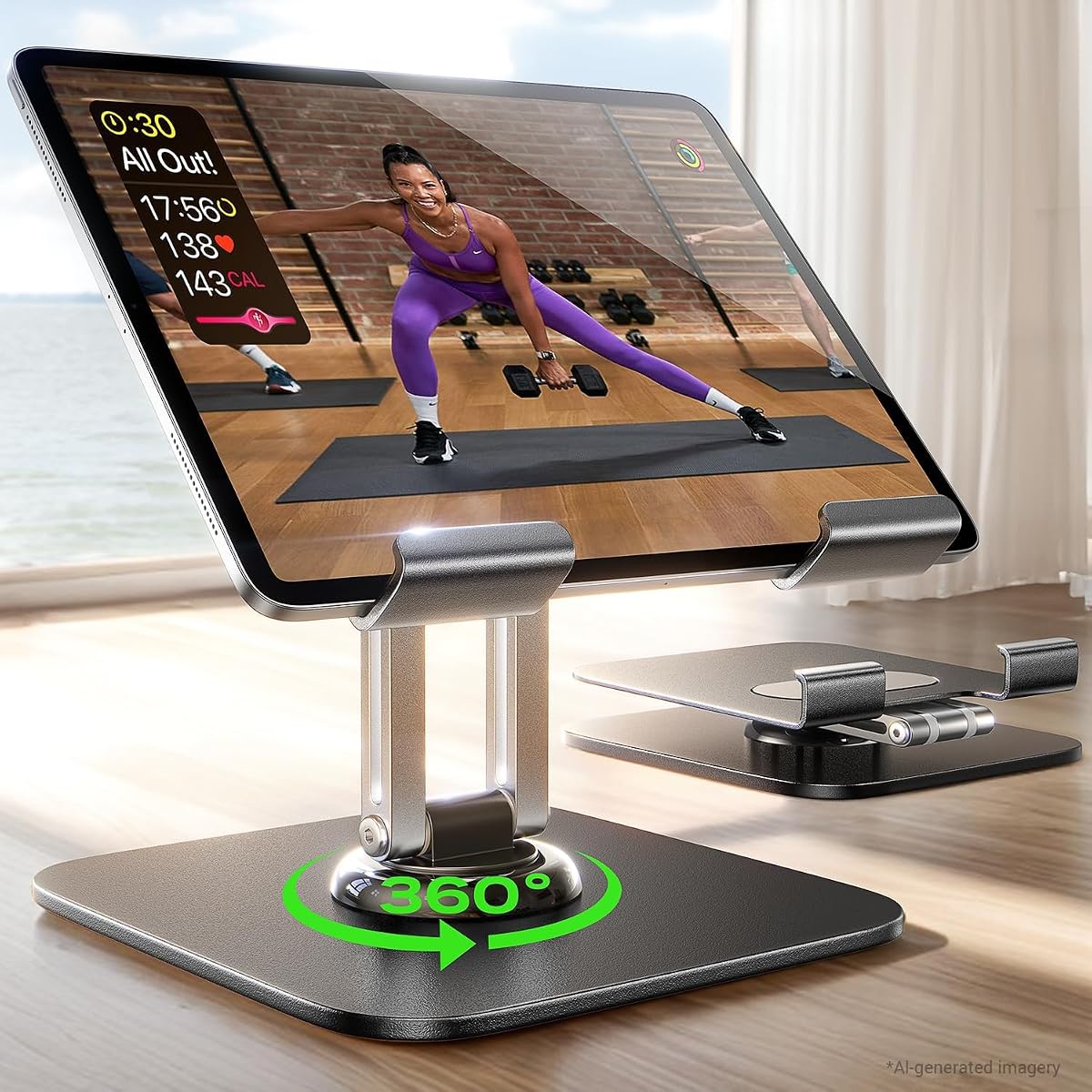
The Lamicall Adjustable iPad Stand for Desk is built around portability, with a folded thickness of just 0.59 inches. It carries a 4.6 rating and combines a slim profile with 360-degree base rotation, two adjustable hinges, and support for devices from 4.7 to 13 inches.
We may earn a commission when you buy through this link, at no additional cost to you.
Its strongest specialty is easy sharing. Rotating the base allows a screen to be turned toward colleagues or clients without relocating the stand itself. Tilt and height can also be adjusted, while the included wrench lets users tune hinge tightness for a particular device and preferred level of resistance.
The high-strength alloy construction and tight hinges improve stability but require firm force when unfolding for the first time. Wider hooks accommodate cases up to 0.75 inches thick, reducing the need to remove a protective cover. The weighted metal base and alloy-steel rod add support without eliminating the excellent packing advantage.
This is an excellent recommendation for commuters, students, and hybrid workers who need a complete stand that can travel in a backpack or carry-on. It also suits collaborative spaces where frequent screen sharing matters, provided the user is comfortable making the initial hinge adjustment.
At 0.59 inches when folded, the stand occupies very little bag space. The hinged structure also makes it straightforward to move between a home desk, office, or temporary workspace.
The rotating base makes orientation changes quick when presenting, sharing a document, or moving a conversation from the screen to a colleague. Adjustable height and tilt then refine the final viewing position.
We may earn a commission when you buy through this link, at no additional cost to you.
The tounee Tablet Holder Stand has a 4.7 rating and an unusually broad supported size range of 4.7 to 16.9 inches. It is intended for iPads, Surface tablets, portable monitors, e-readers, and other compatible devices rather than laptops.
We may earn a commission when you buy through this link, at no additional cost to you.
A locking mechanism controls the height and angle, helping the stand remain in the selected position. The all-metal structure includes a weighted base and strong support elements, while silicone pads at the base and holder improve grip and help protect the device and desktop.
Its maximum listed size is a clear advantage for users who own large tablets or portable monitors. The trade-off is that a stand capable of handling a 16.9-inch device is less convenient to carry than a compact model. It also cannot substitute for a laptop stand despite sharing a similar silhouette.
Buyers should choose this model for a flexible device ecosystem, a permanent desk, and a need to accommodate everything from a small tablet to a large portable monitor. The strong base, locking mechanism, and protective pads make it a confident choice for extended use.
The 16.9-inch upper limit distinguishes this model from stands limited to conventional iPad sizes. That makes it relevant for portable-monitor users who still want tilt and height control.
The locking mechanism is valuable in busy workspaces because it reduces the chance of the screen drifting after adjustment. A weighted all-metal base and silicone contact points further support dependable placement.
We may earn a commission when you buy through this link, at no additional cost to you.
The LISEN iPad Stand Tablet Holder for Desk weighs 15.2 ounces and folds into a pocket-size form. It carries a 4.6 rating and uses a gravity-based support system, meaning the tablet remains held by the back tilt without requiring clips or magnets.
We may earn a commission when you buy through this link, at no additional cost to you.
The stand allows several angles and includes a bridge screw adjustment truss rod to help maintain extension stability. Its locking mechanism can be changed when a joint feels too loose or too tight. A metal panel and anti-slip silicone on the bottom provide a more durable base than all-plastic construction alone.
Compatibility is broad for tablets, covering 4 to 15.9 inches, but heavy-duty cases are excluded and device width must remain under 0.7 inches. Smartphones work only in landscape mode. These limitations make case size and intended orientation important to verify before purchase.
This model suits users who prioritize a small footprint and uncomplicated hands-free support. It is especially practical for travel, remote work, and casual reading when a desk is not immediately available. It is less appropriate for heavy cases or anyone who needs portrait phone support.
The gravity-based design keeps the device supported through the angle of the platform. Avoiding clips and magnets can simplify setup and reduce protruding parts around the tablet.
The folded holder takes little storage space and can move easily between a desk, kitchen, or temporary workspace. It is a straightforward choice for users who travel with their tablet regularly.
We may earn a commission when you buy through this link, at no additional cost to you.
The AboveTEK Retail Kiosk is built for business-oriented environments such as stores, offices, reception areas, restaurants, showrooms, and shared workspaces. It has a 4.5 rating and supports 6- to 13-inch tablets through a rotating bracket and folding arm.
We may earn a commission when you buy through this link, at no additional cost to you.
The base rotates 360 degrees, and the bracket can quickly move between portrait and landscape. A push-button attachment mechanism allows the device to be removed without dismantling the entire stand. A dedicated space for a power cord is a practical detail for a display that remains connected during operation.
The weighted base and rigid arm are intended to withstand frequent interaction and heavier tablets. However, the bracket accommodates cases only under 0.5 inches, and the stand is bulkier than a personal portable holder. The commercial positioning is reflected in both the design and the space it occupies.
Choose the AboveTEK when a tablet functions as a shared display or point-of-sale device that must turn between staff and customers. For ordinary individual reading or video viewing, a lighter personal stand would usually be more convenient.
Fast rotation makes the kiosk practical when a cashier, server, receptionist, or customer needs to view the same display. The folding arm broadens the available viewing positions without rearranging the base.
The quick-release bracket makes device transfer easier, while the dedicated cord space helps keep power routing organized. These details are particularly useful in semi-permanent commercial installations.
We may earn a commission when you buy through this link, at no additional cost to you.
The Urmust Tablet Stand for Desk is a height-and-angle adjustable aluminum stand with a 4.5 rating. It supports devices from 4.7 to 15.6 inches and is intended for viewing movies, gaming, reading, following recipes, and general productivity.
We may earn a commission when you buy through this link, at no additional cost to you.
Its aluminum alloy construction and scientific base design are intended to prevent wobbling. The included wrench can tighten the joint when the device sags or the stand feels loose. Cable clips add organization around the base, and a rotating base with a foldable arm provides additional positioning flexibility.
The listing explicitly limits the stand to flat, stable surfaces such as desks and tables. Despite the product title mentioning bed use, the product information advises against attaching it to a headboard, where wobbling or slipping may occur. The listed support capacity is up to 2.42 pounds.
This is a good option for a fixed tabletop where a user wants frequent height and angle changes, particularly with larger tablets. It is less suitable for reclining bedside use or any surface that cannot provide stable support.
Adjustable joints let the user align the screen with personal posture and the nature of the task. The included wrench makes it possible to restore tension when a joint gradually loosens.
Integrated cable clips help keep charging leads gathered near the stand. This is a useful feature in a permanent desk setup where an unmanaged cable could otherwise distract from the screen.
We may earn a commission when you buy through this link, at no additional cost to you.
The LISEN Aluminum Tablet Stand combines an aluminum alloy base with 360-degree rotation and adjustable height and angle. It has a 4.5 rating and supports devices from 4.7 to 12.9 inches, including common iPad, Galaxy Tab, Surface, Kindle, and drawing-tablet sizes.
We may earn a commission when you buy through this link, at no additional cost to you.
A locking mechanism helps keep the tablet in position, while a bridge screw adjustment truss rod is included to stabilize the extended structure. The base is described as wider and heavier than typical plastic alternatives, with soft silicone underneath to prevent sliding and protect the desktop.
The stand folds into a pocket-size form for remote work and travel, adding portability to an otherwise substantial construction. As with the other LISEN model in this guide, smartphones are supported only in landscape mode. Users should also inspect and tighten the joints periodically if the extended position becomes loose.
This is a strong choice for a home or office setup that needs 360-degree sharing without sacrificing a metal base. It combines a smaller desktop footprint with portability, making it more versatile than the commercial kiosk and more robust than a basic plastic cradle.
The 360-degree mechanism makes it easy to change the screen's audience. It is useful for presentations, shared review sessions, and quick transitions from landscape media to another working angle.
Aluminum alloy construction and a weighted base provide a stable platform, while the folding design makes the stand easier to store. It suits users who want a durable option that can also travel.
We may earn a commission when you buy through this link, at no additional cost to you.
The UGREEN Tablet Stand Holder is a lightweight, foldable desktop stand with a 4.6 rating. Its listed dimensions of 4.7 by 4.2 inches make it easy to carry, and it supports 4- to 11-inch tablets, phones, and e-readers.
We may earn a commission when you buy through this link, at no additional cost to you.
Viewing angles range from 15 to 100 degrees, covering low typing positions through near-upright viewing. ABS construction provides a lightweight structure, and silicone pads on the bottom help stop the device from sliding or scratching the surface. It is a simple option without a mechanical arm or complex locking system.
Compatibility depends on case thickness. Devices with cases must be no thicker than 0.55 inches. The all-plastic design is also less rigid than the aluminum and weighted-base alternatives, making it better suited to light and moderate use than demanding commercial environments.
This is the best budget pick for readers who want a compact, uncomplicated holder for an iPad or phone. It is particularly useful for travel, bedside reading, presentations on the go, and occasional desktop use where full-size portability matters more than heavy-duty construction.
The compact foldable design can slip into a pocket or small bag. It is an easy accessory to carry between locations without adding much bulk to a travel kit.
Adjustment from 15 to 100 degrees supports low-angle typing and upright viewing. That range covers common desk activities without requiring a separate stand for each posture.
We may earn a commission when you buy through this link, at no additional cost to you.
The COOPER TabStand 20-Inch is designed to raise a tablet or portable monitor to eye level. It has a 4.5 rating and offers 20 inches of height adjustment, positioning it as a high-standing option for dual-monitor desks, video calls, and professional workflows.
We may earn a commission when you buy through this link, at no additional cost to you.
The aluminum construction and weighted anti-slip base support devices up to 4.4 pounds, including portable monitors ranging from iPad mini size to 13-inch iPad Pro models and 17-inch portable monitors. A reinforced silicone-padded clamp grips the device, while 360-degree rotation enables quick portrait and landscape changes.
The greater height creates a larger physical footprint than conventional desk stands and makes the product less attractive for users who need an ultra-light accessory. It is also specifically a tablet and monitor support rather than a general laptop stand.
This is a strong recommendation for traders, designers, healthcare workers, and other professionals who benefit from placing a secondary screen closer to eye level. It also suits dual-screen arrangements where a standard low stand would not provide enough height.
The 20-inch adjustment range can lift a compatible display closer to eye level. This may create a more comfortable viewing arrangement for calls, reference work, or a secondary monitor.
A 4.4-pound capacity and compatibility with 17-inch portable monitors make this more than a basic iPad cradle. The weighted base and padded clamp are designed to support those larger loads.
We may earn a commission when you buy through this link, at no additional cost to you.
The right iPad stand depends on device size, viewing position, portability, stability, and the way you use your tablet. These factors help narrow a large selection to a model that fits your actual workspace.
Begin with the supported screen range, then check the case limit. Several stands support large devices but can only hold narrow hooks, while others accommodate substantial cases. Measure the width and thickness of the tablet with its intended cover before choosing. Also confirm whether the device must sit in portrait, landscape, or both.
A stable stand should resist tipping during touch input and remain secure when the tablet is typed on. Weighted metal bases, wider feet, and silicone pads generally provide a more reassuring foundation than small plastic models. The support load should also exceed the weight of the device and any attached accessories.
Height adjustment matters when the screen must sit closer to eye level, while angle control supports different activities. Low angles suit typing and drawing, steeper angles improve video viewing, and rotating bases help with screen sharing. Locking mechanisms are useful for preventing a preferred position from drifting.
Folding stands suit commuters, students, and people who switch between home and office. Compare the folded dimensions with available bag space, and account for the weight of the complete unit. A metal model can still be portable, but a large weighted base may occupy more room than a small ABS cradle.
Rotation is valuable for presentations, shared reviews, and tasks that alternate between portrait documents and landscape media. Clarify whether the product rotates only the base or the entire device platform, and verify whether a smartphone in portrait orientation is supported. A rotating base does not automatically mean every orientation is safe.
Aluminum and steel generally appeal to buyers who want a rigid, long-term desktop accessory, while ABS keeps weight and packing size down. Look for rubber or silicone contact points that protect the device and desk. Adjustable hinges should also be tightenable in case they loosen with repeated use.
A home reader may need only a compact folding stand, while a shared office may benefit from a wider base and quick rotation. Commercial users should consider quick attachment, cable routing, and durability under frequent interaction. Kitchen and bedside placements require stability on smooth or frequently touched surfaces.
Extended video calls, gaming, or creative work can produce heat, making ventilation relevant for heavier use. Cable clips and routing space help keep a permanent charging setup tidy. These features are secondary for occasional viewing but can improve daily usability in a dedicated workstation.
Place the stand on a flat, stable surface and unfold it fully before adding the tablet. Confirm that the base and silicone feet sit flush with the desk. If the product includes a wrench, check the joint tension before inserting a device, particularly on larger tablets or portable monitors.
Adjust the height and viewing angle to suit the task rather than forcing a strained neck position. Use a low angle for touch typing or drawing, a more upright angle for reading and viewing, and a higher position for video calls. For rotating models, turn the device only within the range described in the listing and avoid exceeding the supported load.
Remove the tablet before folding the stand, and never transport a device while it is held in the stand unless the manufacturer explicitly allows it. Clean the frame with a soft dry or lightly damp cloth, keep moisture away from joints, and periodically tighten the locking mechanisms if the angle begins to drift.
Choose a stand whose supported size range includes both your tablet's diagonal measurement and its case dimensions. Larger stands may still have narrow hooks, so screen compatibility alone is not enough. Check the listed width and thickness limits before purchasing, especially for a tablet in a protective cover.
A weighted metal base is generally more stable and rigid, which helps during typing and when supporting a larger portable monitor. A plastic folding stand is often lighter, less expensive, and easier to pack. The best choice depends on whether portability or maximum stability is the higher priority.
It can help by allowing the screen to be positioned closer to eye level and reducing the need to look downward for long periods. The stand cannot correct an unsuitable chair, desk height, or posture on its own. Users should also position the keyboard and mouse comfortably and take regular movement breaks.
No. Some models rotate 360 degrees, while others use fixed landscape orientation or a gravity-based landscape cradle. Several listings specifically limit smartphone support to landscape mode. Check the orientation requirements before buying, particularly if you plan to use reading, drawing, or presentation apps.
First make sure the base is fully opened and sits on a flat surface. Then tighten the relevant joint or locking mechanism, using the included wrench where provided. A device that exceeds the supported size, weight, or case thickness may not be held securely, so compatibility should also be verified.
Many are, provided the stand supports the iPad's size, weight, and case thickness. Some models accommodate 15.6- to 17-inch portable monitors and iPads within the same platform, while others are designed only for smaller screens. A reinforced clamp and weighted base are useful for heavier portable monitors.
Yes, provided the surface is flat and the stand is stable. The COOPER TabHolder is specifically described as useful for kitchen applications, while other models can support recipes or video viewing. Keep the device away from splashes, and make sure the base cannot be pulled or bumped easily.
Keep the hinges clean and check them periodically for looseness. If the product includes a wrench or adjustment screw, tighten the joint gradually rather than forcing it. Avoid leaving a tablet in the stand while folding or carrying it, because this can stress the hinge and attachment points.
The Lamicall Adjustable Tablet Holder is the most well-rounded option, combining a 4.8 rating, metal construction, broad compatibility, and vertical or horizontal viewing. The UGREEN Tablet Stand Holder is the budget-friendly choice for portability, while the COOPER TabStand 20-Inch provides elevated positioning for professional and dual-screen setups.
Before choosing, prioritize the factors that directly affect your work: case thickness, maximum screen size, load capacity, height range, and the required orientation. A compact folding model is ideal for travel, a broad weighted stand handles larger devices, and a rotating or kiosk design becomes especially useful when sharing a screen with others.
Ratings, product configurations, prices, and availability can change over time. Review the current listing and confirm that the stand's dimensions, load rating, and case limits still match your device before making a final purchase.