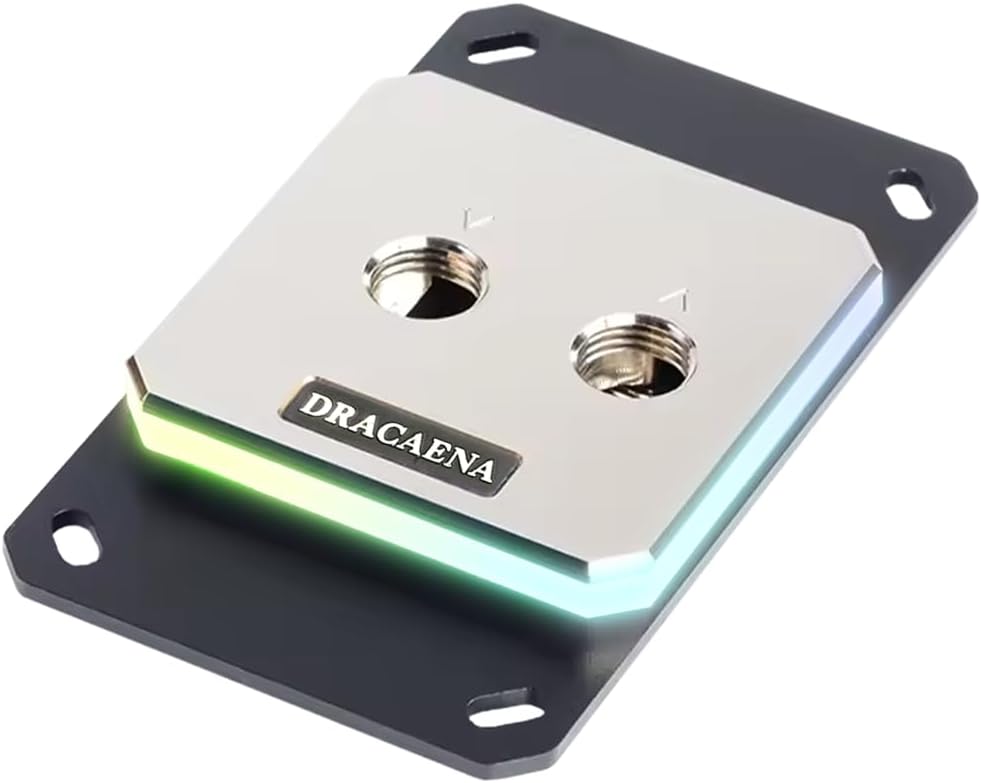
Dracaena.io CPU Water Block
4.6Editor score
Broad legacy AMD compatibility
Full-copper internal water channels
Includes ARGB controller and hardware
CPU water blocks combine a copper cold plate with liquid cooling to move heat away from demanding processors. A strong block should suit your socket, match the rest of your cooling loop, provide dependable mounting hardware, and offer either understated simplicity or the visual features of an enthusiast PC build.
We compared the included blocks by platform compatibility, cold-plate construction, internal cooling design, dimensions, fitting standards, lighting, displays, sensors, and included installation accessories. The guide covers both straightforward custom-loop models and visually elaborate options with RGB controls, LCD screens, or an AMOLED panel.
Each review explains the strongest feature, practical trade-offs, and the type of builder most likely to benefit from that model. Product listings and availability can change, so confirm the current specifications, socket coverage, and package contents with the retailer before making a final selection.
4.6Editor score

4.6Editor score

3.6Editor score
As an Amazon Associate we earn from qualifying purchases.
The comparison highlights meaningful differences in processor support, cold-plate design, display and lighting features, physical size, loop integration, and installation requirements. Each block offers a distinct balance between focused thermal performance, visual customization, legacy platform support, or premium integrated hardware.

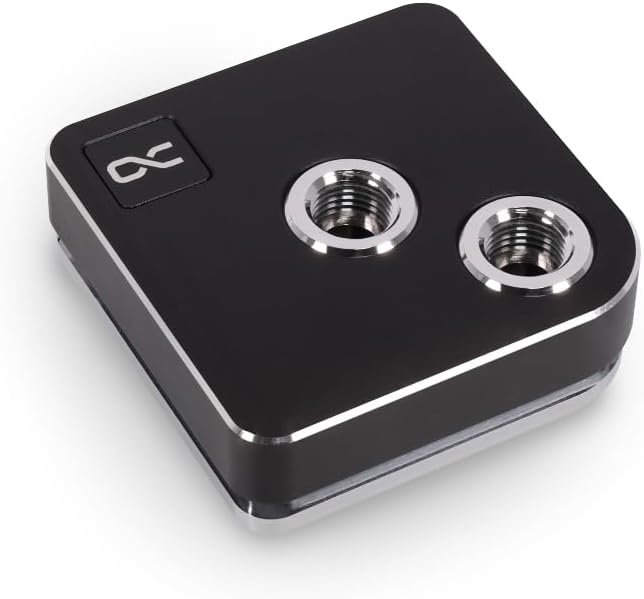



The EKWB EK-Quantum Velocity 3 is a performance-focused CPU water block with a 4.6 rating and support for AMD AM5 plus Intel LGA 1700 and LGA 1851 platforms. Its defining feature is optimized internal geometry intended to improve the movement of coolant across the processor, while precise mounting pressure helps maintain consistent contact between the cold plate and CPU.
We may earn a commission when you buy through this link, at no additional cost to you.
The block uses a nickel-plated copper cold plate, a material combination associated with effective heat transfer and corrosion resistance. According to the supplied information, its internal design delivers an improvement of up to 2 degrees Celsius over the preceding Velocity 2 design, making it a compelling option for creators, gamers, and overclockers who want cooling performance without a distracting display or elaborate lighting system.
Its restrained design is also an advantage. At 69 by 69 by 25.1 millimeters, the block should be easier to accommodate around RAM, motherboard VRM components, and case-mounted tubing than a large screen-equipped alternative. The trade-off is that this is a conventional custom-loop block: it offers no LCD, temperature sensor, or integrated fan, so the complete cooling system requires compatible tubing, fittings, a pump, a reservoir, and suitable radiator capacity.
The Velocity 3 is best for builders who prioritize effective cooling, modern platform support, and a visually restrained loop. It is less suited to someone expecting an integrated information display or plug-and-play RGB control. For those priorities, the CORSAIR XC7 RGB Elite LCD and iCUE Link XC7 RGB Elite offer more visual integration, but the EKWB remains the strongest all-around recommendation in this group.
The nickel-plated copper cold plate and revised internal geometry form the core of the Velocity 3's thermal proposition. The stated comparison with Velocity 2 suggests that flow-related design changes have a measurable effect, which is particularly relevant when coolant moves through the block efficiently under sustained processor load.
Choosing a block without a screen or extensive lighting can reduce visual complexity and make tubing routes easier to plan. This model is better suited to builders who want the cooling hardware to blend into the loop rather than become the centerpiece of the entire system.
We may earn a commission when you buy through this link, at no additional cost to you.
The CORSAIR XC7 RGB Elite LCD combines a 480-by-480 IPS display, 31 individually addressable RGB LEDs, and a 4.1 rating in a block designed for visible-build enthusiasts. The screen can show real-time CPU temperature, animated GIFs, memes, or custom artwork, giving it a role beyond simply displaying a static logo.
We may earn a commission when you buy through this link, at no additional cost to you.
Its thermal design centers on the Hexa-Flow cooling engine, which is intended to reduce laminar flow and distribute cooling more evenly across all CPU cores. The block also uses a nickel-plated copper cold plate with more than 120 micro-cooling fins. These details distinguish it from blocks whose main appeal is only an attractive housing or illuminated logo.
The major trade-off is physical and software complexity. A square LCD and 31 LEDs make this a more substantial centerpiece than the EKWB Velocity 3, and custom content requires compatible software and a USB-C connection. Conversely, that same integration reduces the need for a separate display controller, which is one of the model's most user-friendly features.
Choose this block if a visible CPU status display, animated content, and tightly coordinated lighting matter as much as thermal performance. It is a strong option for showcase systems where the CPU area will be visible. Builders who want a simpler loop or prefer a transparent view of the coolant should compare it with the CORSAIR iCUE Link XC7 RGB Elite and the Alphacool Core 1 LT.
At 480×480 resolution with a 600cd/m² backlight and 30 FPS presentation, the IPS screen can display useful readouts as well as personalized animations. This makes the block useful for builders who want the center of their PC to communicate information rather than merely act as decoration.
Built-in USB-C connectivity and automatic iCUE setup reduce the need for a separate controller unit. That streamlined approach is valuable for first-time custom-loop builders, although compatible software remains necessary for configuration and display customization.
We may earn a commission when you buy through this link, at no additional cost to you.
The Dracaena.io CPU Water Block stands out for broad AMD platform coverage and a 4.6 rating. It supports AM5, AM4, AM3, AM3+, AM2, and AM2+, covering Ryzen 7000 and 3000/5000 processors as well as older AMD platforms, with no adapter required for the listed sockets.
We may earn a commission when you buy through this link, at no additional cost to you.
Its full-copper internal water channels and 0.4-millimeter microfin base plate are designed for strong thermal conductivity and unrestricted contact with the coolant. The block has a compact 63-by-63-millimeter footprint, while aluminum is used for the mounting brackets rather than in the water path. That makes it an interesting option for builders retaining an older AMD processor or upgrading an existing legacy system.
The included accessory list is generous for a first custom-loop project: a 5V ARGB controller, backplate, mounting hardware, and screws are supplied. However, thermal paste is not included, so buyers must apply suitable thermal interface material during assembly. The block also does not support Intel processors according to the supplied specifications.
This is the best budget-oriented pick for an AMD builder who values socket flexibility and a straightforward installation kit. It may also appeal to experienced custom-loop enthusiasts who prefer visible copper internals and a compact design. Intel builders should instead consider the Alphacool Core 1, Alphacool Core 1 LT, or another model with current Intel support.
Support extending from AM2+ through AM5 is the model's defining advantage. It can simplify a platform upgrade or allow a builder to reuse an existing AMD processor without replacing the entire cooling hardware and mounting arrangement.
Keeping aluminum out of the coolant path makes the design easier to appreciate for enthusiasts focused on material choices. The fine copper base and internal channels are intended to improve heat transfer and keep coolant moving through the compact block.
We may earn a commission when you buy through this link, at no additional cost to you.
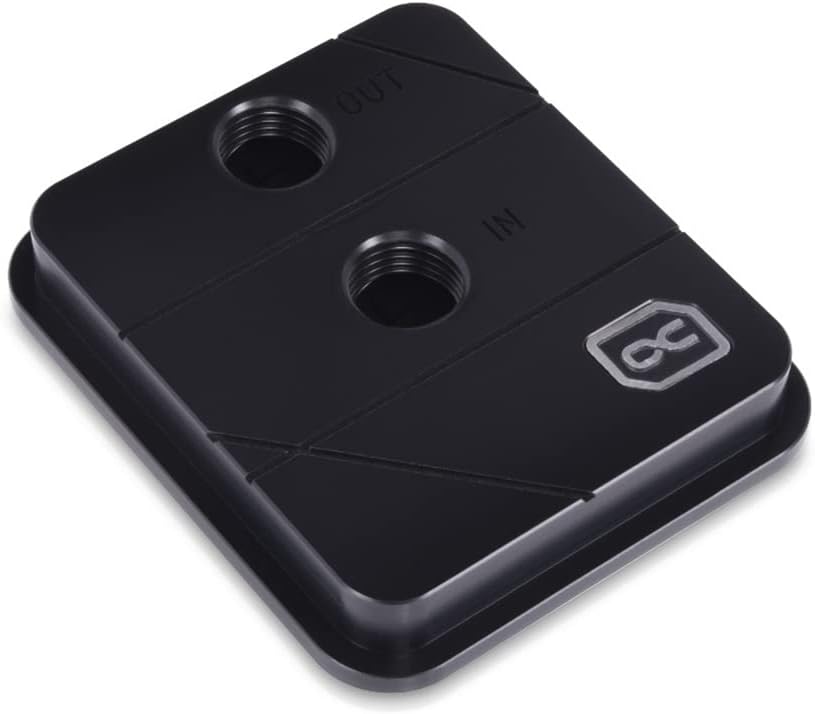
The Alphacool Core 1 is a straightforward black CPU water block with a 4.6 rating, current platform support, and dimensions of 72 by 72 by 26.5 millimeters. It is listed as compatible with Intel LGA 1700 and AMD AM4 and AM5, making it a practical choice for builders assembling a new system around either processor family.
We may earn a commission when you buy through this link, at no additional cost to you.
The supplied information focuses on compatibility, color, and size rather than an elaborate list of internal features. That makes the Core 1 appealing to buyers who prefer a traditional block over a display-equipped centerpiece. Its square dimensions should still be checked against the motherboard layout, especially in compact cases or configurations with tall memory modules.
Compared with the premium EKWB Velocity 3, the Core 1 has a similar rating and a similarly restrained visual character. The provided data does not quantify thermal performance, cold-plate construction, or internal microfin geometry for this model, so those aspects should be verified in the retailer's complete listing before purchase.
The Core 1 is best for an Intel or AMD builder who wants current socket support, a black finish, and a conventional custom-loop block. It is less appropriate for shoppers whose main priority is a built-in display, elaborate RGB synchronization, or a documented high-performance microfin structure.
Compatibility with LGA 1700, AM4, and AM5 makes the Core 1 flexible across major desktop platforms. This broad support can simplify comparisons when the exact processor has not yet been selected.
The black finish is designed to blend into dark components without drawing attention away from the rest of the custom loop. Its 72-millimeter square footprint is compact, but radiator and tubing clearances still deserve careful planning.
We may earn a commission when you buy through this link, at no additional cost to you.
The 50mm Copper Base Cooler is a traditional custom-loop block aimed at older AMD and Intel systems. It carries a 4.2 rating and supports AMD 940, AM2, AM3, and Bulldozer processors along with Intel LGA 775, 1155, 1156, 1366, 1150, and LGA 2011 platforms.
We may earn a commission when you buy through this link, at no additional cost to you.
Its core structure uses a copper base, an internal water channel, and two chrome-plated copper faucets with a 10-millimeter external diameter. The stated five-millimeter copper base height and large water-contact area are intended to help move heat from the processor into the coolant efficiently.
The primary limitation is platform relevance. None of the listed sockets include current AM5 or LGA 1700 and 1851 systems, so this model is not a practical choice for a modern enthusiast build. It also omits modern conveniences such as integrated lighting, a temperature display, sensors, and contemporary mounting features.
This block makes the most sense for restoring or upgrading a compatible older computer, particularly when a simple copper water block is desired and the builder understands the older mounting layout. For current platforms, choose one of the modern blocks in this guide with explicit AM5 or LGA 1700 compatibility.
The long list of supported legacy sockets gives this block value in a niche that newer products rarely address. It may be especially useful for builders preserving an older processor and motherboard while still wanting a custom water-cooled appearance.
A copper base and inner water channel provide a simple route for transferring processor heat into the loop. The supplied four-screw accessory set supports basic assembly, though buyers should verify that all required mounting components are present.
We may earn a commission when you buy through this link, at no additional cost to you.
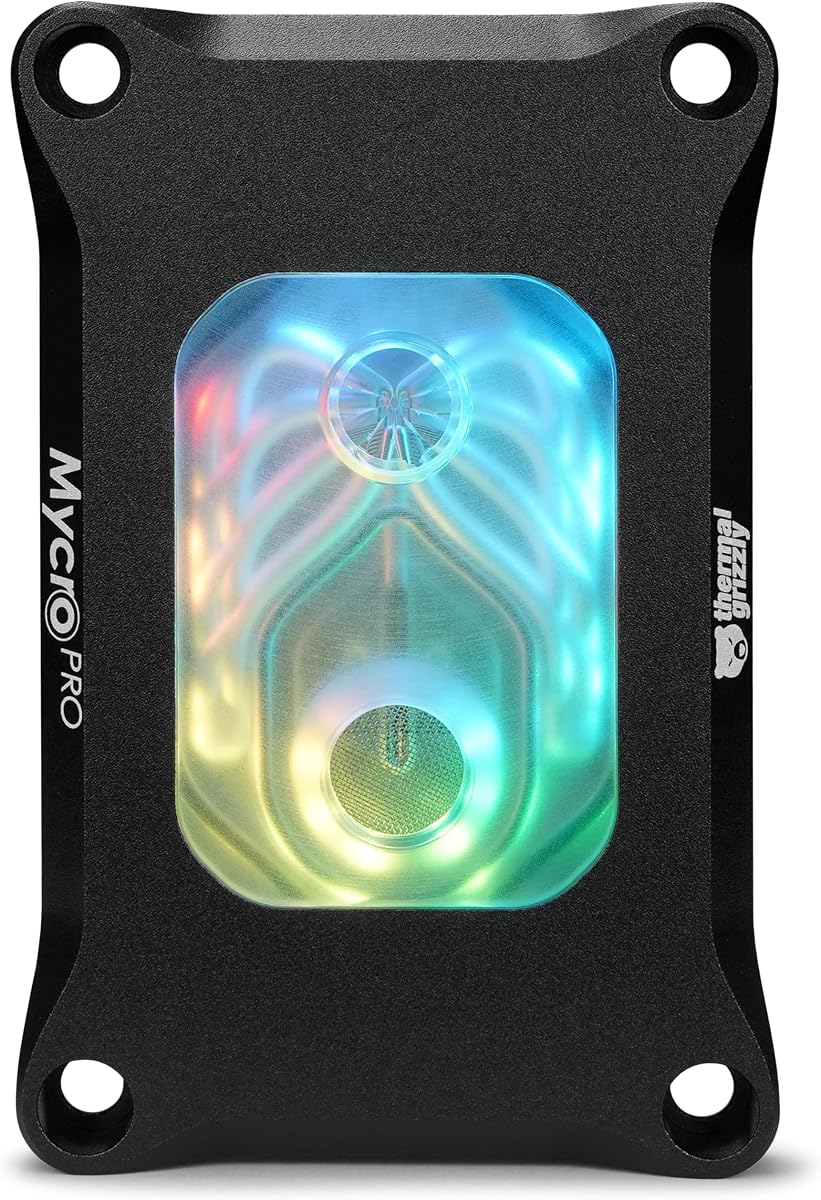
The Thermal Grizzly Mycro Pro RGB is a 4.6-rated block for AMD AM5 and AM4 systems that emphasizes precision machining, very fine internal channels, and clean coolant flow. Its most technically distinctive feature is a cold plate containing 68 microfins with a stated 0.2-millimeter structure.
We may earn a commission when you buy through this link, at no additional cost to you.
The nickel-plated copper cold plate is intended to increase surface area and support heat transfer under sustained load. A fine mesh inlet filter is integrated into the design to help trap particles before they reach the microfins, which is a particularly relevant consideration when extremely narrow internal passages are part of the performance strategy.
Its G1/4 threads and RGB window make it straightforward to incorporate into a compatible custom loop, while acrylic, aluminum, nickel-plated copper, and EPDM O-rings form the broader material package. The trade-off is platform specificity: Intel compatibility is not stated, and the integrated filter means builders must keep the loop clean and account for the added inlet restriction during filling and operation.
Choose the Mycro Pro RGB for an AMD build that values detailed flow engineering, filtration, and visible lighting without a large display. It is an especially compelling option for experienced custom-loop builders, while the Dracaena.io model may be more accessible for broad AMD socket coverage and a more complete installation kit.
The 0.2-millimeter microfins and nickel-plated copper cold plate are the core of the Mycro Pro's high-performance positioning. Such fine structures seek greater surface area and controlled coolant interaction, making careful loop assembly and clean coolant particularly important.
The fine mesh inlet filter helps protect the narrow microfin structure by trapping particles. It is a thoughtful addition for a precision block, although it also gives builders another reason to flush components thoroughly before operation.
We may earn a commission when you buy through this link, at no additional cost to you.
The TRYX Panorama WB is the most visually ambitious block in the guide, pairing a custom-loop CPU water block with a curved 6.67-inch 2K AMOLED display. Its 60Hz refresh rate and 372 PPI density are designed to create vivid, immersive visuals, while the included KANALI software supports GIFs, uploaded images, videos, monitoring information, and split-screen layouts.
We may earn a commission when you buy through this link, at no additional cost to you.
Native GIPHY connectivity allows users to browse GIF content and change the display without downloading and manually importing files. The screen can therefore function as a customizable centerpiece rather than a fixed utility readout. This feature-rich approach is reinforced by a 55.5-by-55.5-millimeter microchannel copper cold plate built on Asetek Gen8 V2 thermal architecture.
The integrated four-pin PWM VRM fan adds another layer of hardware complexity. It can move targeted air toward the motherboard voltage regulators at speeds up to 3300 RPM and 17.4 CFM, with a stated full-load noise level of 22 dB. Brass G1/4 rotary fittings, all-metal mounting frames, thermal paste, broad socket support, and a six-year total coverage period round out the package.
Despite its extensive feature set, the 3.6 rating is the lowest among the ten products, so prospective buyers should examine current customer feedback carefully. The large display also requires careful case planning and can dominate a build. It is best reserved for showcase systems where the visual payoff of a curved AMOLED panel justifies the added complexity.
The 6.67-inch 2K AMOLED panel is much larger and more immersive than a conventional square CPU LCD. Its curved format and high pixel density can give a custom loop the appearance of a display-equipped centerpiece rather than a conventional cooling component.
Direct GIPHY access through KANALI simplifies the process of finding and switching animated content. Support for personal PNG, JPG, GIF, and MP4 files also provides flexibility for builders who want a more customized presentation.
The built-in PWM fan is aimed at the VRM area rather than the CPU itself. Its targeted airflow may be particularly relevant to heavily overclocked systems, where sustained processor loads can also place additional demand on the motherboard power-delivery components.
We may earn a commission when you buy through this link, at no additional cost to you.
The Alphacool Core XP3 is a compact acetal-housed CPU water block with a 4.4 rating. Its listed dimensions of 73 by 63 by 21 millimeters make it relatively short, which can help when routing tubing around tall memory, motherboard heatsinks, and other tightly packed components.
We may earn a commission when you buy through this link, at no additional cost to you.
The cooler supports Intel and AMD processors, uses a nickel-plated copper cold plate, and provides two G1/4-inch threaded ports for standard custom-loop integration. The acetal construction gives the block a traditional appearance that can blend into a restrained loop without the visual footprint of an LCD or AMOLED screen.
A stated maximum working temperature of 60 degrees Celsius is worth considering against the operating conditions of a high-performance CPU. The supplied information also does not list specific sockets, so compatibility should be confirmed for the exact processor and motherboard rather than inferred solely from the broad Intel and AMD description.
The Core XP3 is a solid choice for builders who want a compact, conventional block with standard fittings. It may suit a system that already has a carefully planned custom loop, while the newer Alphacool Core 1 and Core 1 LT provide clearer listings for AM4, AM5, and LGA 1700.
At only 21 millimeters tall, the XP3 may simplify clearance around tall RAM and nearby motherboard hardware. Planning the block height before selecting radiator positions can prevent a promising loop layout from becoming difficult to assemble.
Two G1/4-inch ports are consistent with widely used custom-loop fittings. This standardized approach gives builders flexibility when assembling a loop from separate reservoirs, pumps, radiators, and tubing components.
We may earn a commission when you buy through this link, at no additional cost to you.
The CORSAIR iCUE Link XC7 RGB Elite combines a transparent flow chamber, 24 individually addressable RGB LEDs, and a built-in cold-plate temperature sensor. It carries a 4.1 rating and supports Intel LGA 1700 and AMD AM5 systems, making it a strong choice for a coordinated iCUE-based build.
We may earn a commission when you buy through this link, at no additional cost to you.
The Hexa-Flow cooling engine is designed to mitigate laminar flow and cool all CPU cores more evenly, while the nickel-plated copper cold plate contains more than 120 high-efficiency micro-cooling fins. Together, these features target the kind of sustained, multi-core workloads common in gaming, content creation, and overclocking.
Its iCUE Link ecosystem is a significant consideration. The patented approach uses universal connectors to daisy-chain compatible components and reduce cable clutter, but it requires an iCUE LINK System Hub sold separately. Buyers who already use Link-compatible products may find this ecosystem advantageous; those without it should consider the extra accessory and cable-management requirements.
The Core XP3 is best for builders who want visible RGB effects, a transparent coolant chamber, and sensor-based cooling control without moving up to a larger LCD. It is less suited to minimalist builds or users who want a single-block display solution, making the XC7 RGB Elite LCD the more visually comprehensive CORSAIR option.
The integrated cold-plate sensor allows compatible software to use a more localized temperature reading. That can help users monitor the CPU cooling component directly and coordinate cooling behavior with the rest of the iCUE ecosystem.
Twenty-four individually addressable LEDs support detailed lighting effects, while daisy-chain connectivity can reduce the number of separate control paths. The required system hub is an important part of the overall build plan rather than an incidental accessory.
We may earn a commission when you buy through this link, at no additional cost to you.
The Alphacool Core 1 LT is an acrylic CPU water block with digital RGB lighting and a 4.1 rating. It supports Intel LGA 1700 and AMD AM4 and AM5 platforms, while its 71.8-by-71.8-by-28.05-millimeter dimensions place it in a compact range for a decorative custom-loop block.
We may earn a commission when you buy through this link, at no additional cost to you.
The acrylic housing allows the internal cooling design and coolant movement to become part of the build's appearance. Digital RGB illumination adds another visual layer without the physical bulk of an integrated display. This balance makes the Core 1 LT useful for builders who want color and transparency but do not need temperature graphics, GIFs, or other screen content.
Its supplied specifications are concise and do not describe microfin counts, cold-plate construction, sensor support, or port threading. Buyers should consult the full retailer listing for those installation and compatibility details. RGB configuration may also depend on the user's motherboard lighting system or a compatible controller.
Choose the Core 1 LT for a colorful but display-free custom loop on a modern Intel or AMD platform. It is especially relevant when transparency is a priority. The CORSAIR XC7 RGB Elite LCD offers a more integrated display and lighting experience, while the Alphacool Core 1 provides a similar traditional format in black.
Acrylic construction gives the Core 1 LT a visible internal aesthetic while remaining far less intrusive than a large display-equipped model. It is a practical middle ground for builders who enjoy the look of illuminated coolant hardware.
Explicit support for LGA 1700, AM4, and AM5 covers the principal platforms represented in this guide. That makes the block easier to shortlist for a new build than the older 50mm copper model, whose socket list is limited to legacy platforms.
We may earn a commission when you buy through this link, at no additional cost to you.
The right CPU water block depends on processor support, thermal design, case clearance, loop standards, and the visual role you want the block to play. Compare installation requirements as carefully as the visible features, because a sophisticated display or lighting system can add software, power, and clearance considerations.
Begin with the exact socket used by your processor. Modern builds commonly require AM5 or LGA 1700 and LGA 1851 support, while older systems may use AM4, AM2, LGA 115x, LGA 2011, or other legacy platforms. The difference matters because mounting hardware, bracket locations, and contact patterns vary between socket families even when the overall block shape appears similar.
Choose a block whose listing explicitly names your socket. If it only provides a generic reference to Intel or AMD, verify the full compatibility list before buying.
A nickel-plated copper cold plate is common among performance-focused models because copper provides strong thermal conductivity and the plating helps protect the contact surface. Internal geometry also matters. Fine microfin structures, channels, and flow-engineering claims are intended to increase the effective surface area and distribute coolant across the processor's heat-producing area.
Prioritize blocks that describe both the cold-plate material and the internal design. A visually attractive housing alone does not explain how a block handles sustained heat.
Display-equipped blocks range from compact square LCDs to large curved AMOLED panels. A square display can provide temperatures, GIFs, logos, and basic monitoring, while a curved panel may become the visual centerpiece of the entire build. RGB lighting is less physically demanding but usually depends on motherboard synchronization or dedicated software.
Decide whether the block should remain subtle or become an entertainment and presentation feature. Also account for the extra power, data connection, and software involved.
CPU blocks sit close to RAM, VRM heatsinks, the rear panel, and tubing connections. Check block width, height, fitting orientation, and the space needed to bend tubing without creating sharp bends. Larger displays need additional clearance and may also require support from the surrounding chassis or motherboard area.
Plan the loop in two dimensions rather than focusing only on radiator placement. A block that looks compact on a product page can still be difficult to route inside the case.
G1/4-inch threaded ports are widely used in custom loops and provide flexibility when selecting separate fittings. Some models include angle-adjustable or rotary fittings, which can simplify tubing paths. Other blocks may use proprietary connections that are convenient but can limit replacement and mixing options.
Check whether fittings are included, whether the ports are fixed or adjustable, and what additional hardware the loop requires.
A complete package can include a backplate, mounting screws, an RGB controller, thermal paste, or even rotary fittings. These accessories reduce assembly work, but the exact contents should be confirmed because they vary significantly among products. Thermal interface material and mounting parts are especially important to verify before the CPU is installed.
Make a checklist of every component needed for assembly. Missing paste, screws, or controllers can prevent an otherwise complete custom-loop build from being finished.
Fine internal channels can benefit from filtration because particles may interfere with a restricted flow path. A block-level temperature sensor adds useful monitoring closer to the CPU than a motherboard header, although compatibility with the associated software must be confirmed. These features are useful for advanced builders who want greater control and visibility.
Treat filtration and sensor support as system-level features. Plan for clean coolant, compatible monitoring software, and proper sensor configuration rather than assuming they work automatically.
Most water blocks move coolant silently, but models with integrated fans can add noise near the CPU and VRM area. A dedicated fan may improve airflow around voltage regulators during sustained heavy loads, yet it also introduces another motor, cable, and control method into the build.
For low-noise systems, prioritize blocks without fans. For overclocked systems where VRM cooling is a concern, a targeted auxiliary fan can be valuable if its acoustic level suits the build.
Prepare the CPU and block before installation. Confirm the socket, install the appropriate mounting hardware, apply a thin, even layer of suitable thermal interface material, and tighten the mounting system gradually according to the block instructions. Avoid rotating the block after the cold plate touches the processor, because that can disturb the thermal interface layer and leave an uneven mount.
When assembling the loop, flush compatible components, inspect fittings for debris, and keep the block's internal channels protected from particles where a filter is included. Confirm the direction of any integrated filter and keep tubing routes smooth without kinks. Fill the loop gradually with the manufacturer's recommended coolant, avoiding the use of materials that are incompatible with the chosen tubing and seals.
Before operating the system, check every fitting and ensure the pump is primed and the block contains no trapped air. Run the pump and radiator without the processor under load to purge the loop and catch leaks early. After installation, regularly inspect connections, monitor coolant levels and temperatures, and clean filters or replace coolant according to the loop materials and the block manufacturer's guidance.
No. A water block can provide substantial cooling capacity and a cleaner appearance for overclocked or visually focused systems, but it requires more components and assembly work than a conventional air cooler. An air cooler remains a simpler, reliable option for many mainstream and compact PCs.
Most blocks in this guide are custom-loop components and require a pump, reservoir, radiator, tubing, and compatible fittings. Some all-in-one liquid coolers contain a CPU block and are sold as complete units, whereas the traditional blocks listed here must be integrated into a separate loop.
Check the product listing for explicit socket names such as AM5, AM4, LGA 1700, or LGA 1851. A broad statement such as support for Intel and AMD may not cover every processor generation, so confirm the exact socket and mounting kit before purchasing.
A cold-plate sensor provides a temperature reading from directly beneath the CPU cooling plate. That can help compatible software monitor the cooling component itself and coordinate fan or pump behavior, although software and hardware compatibility must be verified.
Copper generally has higher thermal conductivity than aluminum, which is why many performance blocks use copper or nickel-plated copper. Real cooling results still depend on the complete system, including internal geometry, mounting quality, coolant, pump performance, radiator area, and airflow.
Usually, yes. Display models typically need compatible control software for images, GIFs, monitoring, or animation, while RGB models may use motherboard synchronization software or an included controller. Check the required connections and operating-system support before installation.
Flushing removes debris, residue, and particles that may come from manufacturing or assembly. Those contaminants can lodge in fine microfin structures, obstruct coolant flow, or settle inside sensitive components. Keeping the CPU block attached during flushing may also expose its precision channels to debris, so review the manufacturer's instructions before proceeding.
Allow room for the block itself, its mounting screws, nearby RAM and VRM heatsinks, and the fittings on both sides. Large display models need extra clearance, and tubing needs enough space to curve naturally without sharp bends or stress at the connection points.
The EKWB EK-Quantum Velocity 3 is the most balanced overall selection, combining modern socket support, a nickel-plated copper cold plate, optimized internal geometry, and compact dimensions. The Dracaena.io CPU Water Block is the strongest budget pick for AMD builders because of its broad socket coverage, all-copper water channels, compact footprint, and generous accessory package.
The TRYX Panorama WB represents the premium end of the category with a curved 6.67-inch AMOLED display, native GIPHY access, broad platform support, and an integrated VRM fan. Buyers should prioritize socket coverage and loop compatibility first, then decide whether a temperature display, RGB synchronization, filtration, or auxiliary VRM cooling justifies the additional complexity.
Finally, review the current retailer listing before ordering. Confirm the exact socket, included mounting parts, fitting type, required software, display power requirements, and case clearances, because package contents and product details can change over time.