
Canon PIXMA TS4320
4.0Editor score
Automatic two-sided printing
Compact home-office design
Phone and computer printing
A cheap all-in-one printer should do more than produce pages: it should print cleanly, scan documents, make copies, connect reliably, and fit comfortably into a home or small office. The right model depends on paper volume, document size, wireless needs, photo use, and how often you expect to print.
We compared ten budget-focused models using their listed capabilities, functions, connectivity, paper handling, displays, and customer ratings. The list covers basic home printers, automatic duplex models, units with document feeders, and more advanced all-in-ones for hybrid workers who need greater productivity.
Each pick highlights the feature that best distinguishes it, while honest trade-offs explain where a simpler or more capable model may fit better. Product listings and prices can change, so confirm the current specifications, cartridge format, and availability before purchasing.
4.0Editor score

4.2Editor score

4.3Editor score
As an Amazon Associate we earn from qualifying purchases.
The table below compares all ten models by their most important listed traits, including wireless support, duplex printing, document handling, displays, and core print functions.




The HP DeskJet 2955 is a straightforward home all-in-one rated 3.7 stars, with printing, copying, scanning, wireless access, and a 60-sheet input tray. Its compact construction and icon LCD make it approachable for anyone who mainly prints letters, recipes, to-do lists, financial documents, and occasional color pages.
We may earn a commission when you buy through this link, at no additional cost to you.
Its most useful distinction is HP AI-assisted print formatting, which is designed to remove unwanted web or email content and reduce awkward layouts. Dual-band Wi-Fi can also detect and resolve connection issues, while the HP app provides mobile access for printing, scanning, copying, and faxing from a smartphone.
The principal limitation is the absence of automatic duplex printing and an automatic document feeder. It is therefore better suited to short, single-sided jobs than to large, multipage projects. Its stated speeds reach 7.5 pages per minute in black and 5.5 pages per minute in color, which is adequate for regular home use.
Choose the DeskJet 2955 when simplicity, a small footprint, and straightforward wireless printing matter most. It is a sensible choice for a student, apartment, or occasional home user, although shoppers who regularly handle multipage reports should favor a model with automatic duplex printing.
HP AI helps prepare web pages and emails for paper, reducing clutter and awkward breaks. This makes the printer particularly useful for quick documents that do not require extensive editing before printing.
Dual-band Wi-Fi and the HP app support convenient mobile printing and device management. The printer can also handle basic color output, copying, and scanning in one compact unit.
We may earn a commission when you buy through this link, at no additional cost to you.
The Canon PIXMA TS3720 earns a 4-star rating and targets basic home printing with a streamlined setup, wireless connectivity, and a clear 1.5-inch segment LCD. It combines color printing, copying, and scanning in a simple white enclosure designed for users who want minimal setup effort.
We may earn a commission when you buy through this link, at no additional cost to you.
Canon emphasizes easy cartridge installation and a setup process that can be completed in minutes. Dual-band Wi-Fi supports 2.4GHz and 5GHz networks, while Wi-Fi setup can be completed without a computer. The Canon PRINT app, Apple AirPrint, and Mopria Print Service provide several convenient mobile-printing options.
The important compromise is that this model is limited to single-sided printing. It also lacks an automatic document feeder, making it less attractive for long reports or a batch of multi-page papers. Listed output reaches approximately 7.7 black images per minute and 4 color images per minute.
The TS3720 is a good match for students, occasional home offices, and families needing straightforward documents and photos. Media support includes envelopes, square photo printing, and borderless photos up to 5 by 7 inches, making it more versatile than a strictly monochrome-oriented basic printer.
The two-cartridge system is designed for straightforward replacement, helping users change ink without dealing with a more complicated multi-ink arrangement. Its simple LCD and quick setup process also reduce the learning curve.
Support for square media, envelopes, banners, and borderless photos gives the TS3720 creative flexibility. For schoolwork and everyday records, the single-sided limitation remains the main consideration.
We may earn a commission when you buy through this link, at no additional cost to you.
The Canon PIXMA TS4320 is a 4-star, budget-focused all-in-one for home users and hybrid workers. It combines color printing, copying, and scanning with automatic two-sided printing, a feature that makes it more versatile than the basic models that only handle one side at a time.
We may earn a commission when you buy through this link, at no additional cost to you.
Its two-cartridge hybrid ink system is designed to produce sharp text and vivid color for documents and photos. The printer supports media up to 8.5 by 11 inches, with or without borders, while its compact footprint helps it fit into a home office without occupying an excessive amount of space.
Dual-band Wi-Fi provides connectivity on both 2.4GHz and 5GHz networks. Canon PRINT, Apple AirPrint, and Mopria Print Service support direct printing from compatible phones and tablets. Setup is designed to work smoothly with a smartphone or computer, which helps new owners begin using the device quickly.
Its main limitation is the lack of an automatic document feeder, so multi-page scanning and copying require more manual page placement. Nevertheless, automatic duplexing, broad media support, and a 4-star rating make this one of the strongest options for someone who wants more than a basic printer without moving into a larger office model.
Automatic two-sided printing reduces paper consumption and makes mixed home-office output more efficient. It is a major practical advantage when printing reports, web articles, and reference pages regularly.
Despite its small body, the TS4320 supports letter-size documents, photos, and borderless printing. That balance of size and media flexibility suits compact workspaces and occasional creative projects.
We may earn a commission when you buy through this link, at no additional cost to you.
The HP DeskJet 4355 is a 3.5-star home all-in-one that adds a 35-sheet automatic document feeder to the basic color printing, copying, and scanning package. That feeder is its main advantage over simpler DeskJet models, allowing short batches of documents to be scanned or copied without manually feeding every sheet.
We may earn a commission when you buy through this link, at no additional cost to you.
The 60-sheet input tray and listed black speed of up to 8.5 pages per minute make it a practical choice for routine letters, lists, financial documents, recipes, and schoolwork. Color output is listed at up to 5.5 pages per minute, and an icon LCD provides basic on-device control.
HP AI helps format web pages and emails, while dual-band Wi-Fi and the HP app support wireless and mobile workflows. A three-month Instant Ink trial is included with enrollment, although a monthly service fee applies afterward unless the subscription is canceled. The printer is also made with at least 70% recycled plastics and carries ENERGY STAR and EPEAT certifications.
This model makes sense if a small automatic document feeder matters but duplex printing does not. Its lower rating and lack of two-sided output should be considered for heavier workloads, yet the added feeder makes it more capable than a simple single-sided model for short document batches.
The 35-sheet automatic document feeder supports multipage scanning and copying in a home-focused design. It provides a meaningful productivity boost without moving up to a substantially larger office printer.
With a listed maximum of 8.5 black pages per minute, the 4355 is positioned for common text documents. HP AI formatting and wireless connectivity simplify common household printing tasks.
We may earn a commission when you buy through this link, at no additional cost to you.
The Canon PIXMA TS6520 stands out as the most complete budget-focused model in this group, combining a 4.2-star rating with automatic duplex printing, copying, scanning, and a clear OLED interface. It offers a more polished feature set than basic single-sided printers without expanding into a large office chassis.
We may earn a commission when you buy through this link, at no additional cost to you.
Its 1.42-inch monochrome OLED lets users check ink levels, review printer status, and adjust settings at a glance. Automatic two-sided output reduces paper use and improves the handling of longer reports, while the compact white design suits home offices and smaller work areas.
The two-cartridge hybrid ink system is designed for sharp text and vivid color across documents and photos. The printer supports letter-size media, with or without borders, and connects through dual-band Wi-Fi. Canon PRINT, Apple AirPrint, and Mopria Print Service make mobile printing straightforward.
The main omission is an automatic document feeder, so bulk scanning remains manual. Even so, the TS6520 is the strongest all-around recommendation for a user who prioritizes duplex printing, modern controls, wireless convenience, and compact dimensions. It is especially well suited to hybrid workers managing both documents and occasional photos.
The monochrome OLED provides a concise view of ink status and printer settings without the complexity of a larger display. It is especially helpful during routine setup and daily document printing.
Automatic duplexing and broad media support compensate for the lack of a feeder. The result is a versatile compact all-in-one for reports, schoolwork, photos, and recurring home-office documents.
We may earn a commission when you buy through this link, at no additional cost to you.
The Canon PIXMA TR4720 is rated 3.9 stars and is the only model in the group with a clearly listed built-in fax function. That makes it particularly relevant for households or home offices that still send physical documents and need printing, copying, scanning, and faxing from one device.
We may earn a commission when you buy through this link, at no additional cost to you.
It also includes an automatic document feeder and automatic two-sided printing, two features that materially improve multi-page work. A 100-sheet capacity reduces the need for frequent paper refills, while easy cartridge installation and replacement help simplify ongoing maintenance.
Listed performance reaches approximately 8.8 pages per minute for black letter documents and 4.4 pages per minute for color letter documents. A 4-by-6-inch borderless photo takes about 65 seconds. These specifications indicate that the TR4720 prioritizes home-office capability rather than rapid color output.
The printer can connect to Alexa for low-ink notifications and, when enrolled in Amazon smart reorders, may arrange a smart reorder without a subscription. It is a strong recommendation for buyers who require fax, but users who only need modern printing and scanning may find a newer model with a clearer display or faster color output more attractive.
Built-in fax capability gives the TR4720 a clear advantage over models limited to print, copy, and scan. It can serve a mixed home office that still handles traditional documents regularly.
Alexa connectivity can provide low-ink notifications and support enrolled smart reorders. This adds a convenient way to monitor supplies without requiring a subscription.
We may earn a commission when you buy through this link, at no additional cost to you.
The Brother Work Smart 1360 is a feature-rich home-office all-in-one rated 3.8 stars. It combines color printing, scanning, and copying with a 20-sheet automatic document feeder, a large 150-sheet paper tray, automatic duplex printing, and a 1.8-inch color display.
We may earn a commission when you buy through this link, at no additional cost to you.
Its listed black output reaches 16 pages per minute, the highest speed in this roundup, while color output reaches 9 pages per minute. USB and wireless network connections provide flexible setup options, and the Brother Mobile Connect app supports printing, copying, scanning, and device management from a mobile device.
Cloud connectivity is another distinguishing feature. The 1.8-inch color screen can be used to print from or scan to services such as Google Drive, Dropbox, Box, and OneDrive. Page Gauge provides ink-usage monitoring, which can help users avoid unexpected interruptions when a cartridge runs low.
The 1360 does not list a fax function, so it is not the right choice for someone who requires that capability. Even so, its paper capacity, fast listed black speed, color screen, and automatic feeder make it a premium home-office choice with unusually broad capabilities for a compact all-in-one.
A 150-sheet paper tray reduces refills during busy periods. Combined with automatic duplexing and a document feeder, it supports a smoother workflow for schoolwork, reports, and recurring office documents.
The color display provides direct access to popular cloud storage services. This makes retrieving and saving electronic documents more convenient than routing every task through a computer.
We may earn a commission when you buy through this link, at no additional cost to you.
The Canon PIXMA TR7120 holds the highest customer rating in this comparison at 4.3 stars. It is a premium home-printer option that combines color printing, copying, and scanning with an automatic document feeder, automatic duplexing, and an intuitive 1.42-inch OLED display.
We may earn a commission when you buy through this link, at no additional cost to you.
Its feeder is the most important feature for a user who regularly scans or copies multipage records. Duplex printing adds efficiency by reducing paper consumption and making longer documents easier to organize, while the OLED offers a clear view of ink levels, status, and settings.
The two-cartridge hybrid ink system is designed to provide sharp text and vivid color for documents and photos. Media support extends to letter-size pages, borderless output, and photos. Dual-band Wi-Fi and Canon PRINT, Apple AirPrint, and Mopria Print Service support convenient wireless access from compatible devices.
This is a strong recommendation for hybrid workers who want a capable all-in-one without moving into a large office printer. It lacks a listed fax function, but the combination of a document feeder, automatic duplexing, a useful display, and the strongest rating makes it an excellent premium choice for document-heavy homes and offices.
The automatic document feeder simplifies scanning and copying multi-page files. It is particularly useful for records, forms, and reference material that would otherwise require repeated manual placement.
The OLED provides quick access to printer status and ink information while preserving a relatively compact footprint. That balance suits workspaces that need productivity features without a bulky footprint.
We may earn a commission when you buy through this link, at no additional cost to you.
The HP DeskJet 2855e is a 3.6-star home all-in-one with color printing, copying, scanning, a 60-sheet input tray, and wireless connectivity. Its defining limitation is explicit: it supports only 2.4GHz Wi-Fi, making it less flexible in homes whose networks are limited to the 5GHz band.
We may earn a commission when you buy through this link, at no additional cost to you.
For compatible networks, setup and operation are straightforward through the icon LCD and HP app. The app can handle printing, scanning, copying, and faxing from a smartphone, PC, or tablet. HP AI formatting is also included to help web pages and emails print without awkward layouts or unnecessary content.
Listed output reaches 7.5 pages per minute in black and 5.5 pages per minute in color, matching the needs of routine letters, to-do lists, financial documents, and recipes. The printer does not include automatic duplex printing or an automatic document feeder, so it remains a basic home model.
The 2855e is most suitable for users with a 2.4GHz network who want uncomplicated wireless printing and HP's app-based workflow. It is not the safest choice for a 5GHz-only environment, and heavy multipage work may justify a duplex-capable model with a document feeder.
Because the printer is 2.4GHz only, buyers should verify that their router offers a compatible band. This specification can determine whether it is convenient for a particular home or office.
The HP app supports print, scan, copy, and fax functions from several device types. For a basic home setup, this creates a convenient single point of control.
We may earn a commission when you buy through this link, at no additional cost to you.
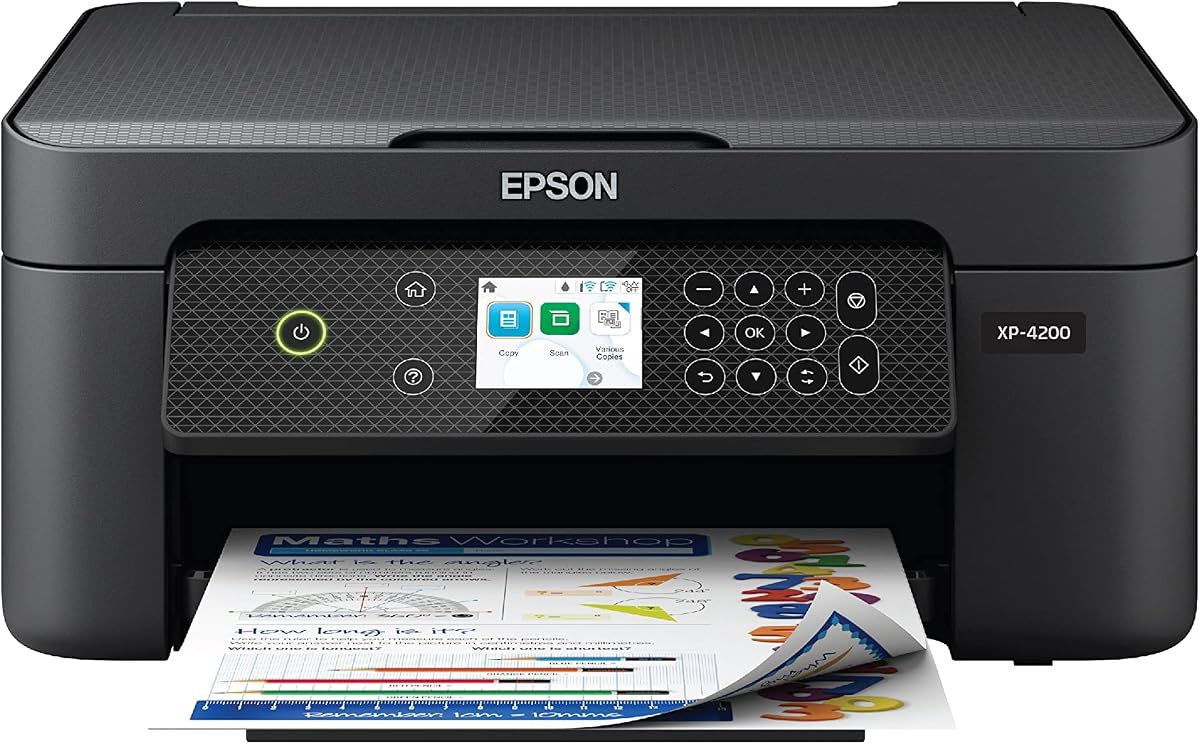
The Epson Expression Home XP-4200 is a 3.8-star wireless color all-in-one designed for home documents and photos. Its standout feature is the large 2.4-inch color display, which offers more visible navigation than the smaller LCD and OLED screens found on several competing models.
We may earn a commission when you buy through this link, at no additional cost to you.
Automatic two-sided printing helps conserve paper, while individual ink cartridges let users replace only the color they need. Epson describes its Micro Piezo Heat Free technology and permanent printhead as being designed for dependable, high-quality output over the life of the printer.
The Epson Smart Panel app supports setup, printing, and scanning from a smartphone or tablet. Mopria Print Service and Mopria Scan add further mobile compatibility, and the included Epson ScanSmart software can create searchable PDFs. Voice-activated printing through Alexa is also supported.
The XP-4200 does not include an automatic document feeder, so it is better for light copying and scanning than continuous multipage batches. Epson also specifies that the printing system is designed for genuine cartridges, with possible damage from non-genuine ink excluded from warranty coverage. It is a flexible choice for users who value display size, duplexing, and photo quality.
The 2.4-inch color display provides a clear, spacious way to navigate settings and manage common jobs. It is especially useful for users who prefer making selections directly on the printer.
Individual cartridges allow targeted replacement, and automatic duplexing reduces wasted paper. The included scanning tools also help turn physical documents into searchable digital files.
We may earn a commission when you buy through this link, at no additional cost to you.
The best budget all-in-one printer balances core functions, connection quality, paper handling, and operating convenience. Prioritizing the features you will use prevents a small but important limitation from undermining everyday productivity.
Start with the kinds of documents you print most often. A home user handling recipes, letters, schoolwork, and occasional photos may need little more than color printing, copying, scanning, and wireless access. Hybrid workers should also consider speed, automatic duplexing, and whether the printer will regularly process multipage reports. Models with listed black speeds near the middle of this group may feel more responsive for frequent text documents, while faster listed color speeds are useful for projects containing more images.
Automatic two-sided printing is one of the most valuable upgrades for a budget-conscious buyer because it reduces paper consumption and shortens the process of preparing multipage documents. The Canon PIXMA TS4320 and TS6520, Epson Expression Home XP-4200, Brother Work Smart 1360, Canon PIXMA TR4720, and Canon PIXMA TR7120 list automatic duplex capability. The HP DeskJet 2955, 4355, and 2855e do not list it, and the TS3720 is explicitly limited to single-sided printing.
An automatic document feeder reduces the effort involved in scanning or copying several pages because it accepts a stack without manual intervention. The HP DeskJet 4355 includes a 35-sheet feeder, the Brother Work Smart 1360 has a 20-sheet feeder, and the Canon PIXMA TR4720 and TR7120 also provide automatic document handling. If you mostly handle one page at a time, omitting a feeder can keep the printer smaller and more affordable, but it limits convenience as workloads grow.
Wireless printing is standard across the group, but network bands matter. Most models list dual-band support for both 2.4GHz and 5GHz, which offers more setup flexibility. The HP DeskJet 2855e is the notable exception because it is 2.4GHz only. Before buying, confirm that your router operates a compatible band and decide whether sharing the printer across a household or office is important. USB support adds another option on the Brother Work Smart 1360.
The display determines how easily you can review settings, monitor ink, and handle jobs without a computer. The Epson Expression Home XP-4200 has the largest listed screen at 2.4 inches, while the Brother Work Smart 1360 uses a 1.8-inch color display. Canon PIXMA models offer either a 1.42-inch monochrome OLED or a 1.5-inch segment LCD, and the HP models use an icon LCD for basic controls.
Paper capacity matters if you print in batches or frequently handle school projects. The Brother Work Smart 1360 has a listed 150-sheet tray, the Canon PIXMA TR4720 has 100-sheet capacity, and several HP and Canon models use 60-sheet trays. Media support also varies: the TS3720 handles envelopes, square media, and borderless photos, while multiple other models support letter-size documents and bordered or borderless photos.
Mobile support can make an all-in-one much easier to use from different parts of a home. HP models provide the HP app, Canon models support Canon PRINT, Apple AirPrint, and Mopria Print Service, Brother uses Mobile Connect, and Epson provides Smart Panel. The Brother Work Smart 1360 goes further with direct cloud connections to Google Drive, Dropbox, Box, and OneDrive through its color display.
Ink structure can affect long-term convenience. Canon PIXMA models in this group use a two-cartridge hybrid system, while the Epson Expression Home XP-4200 uses individual cartridges so users can replace only what is needed. HP models include an Instant Ink trial when activated, after which a monthly service fee applies unless canceled. Epson states that its system is designed for genuine cartridges and warns that damage from non-genuine ink may not be covered by the limited warranty.
Begin by unboxing the printer, removing any packing material, installing the correct ink cartridges, and loading a modest stack of paper. Connect it to the intended 2.4GHz or 5GHz wireless network using the manufacturer app or the printer's setup screen. Confirm the network band first, especially for the 2.4GHz-only HP DeskJet 2855e, and complete any alignment or test page before starting a large job.
Use the correct paper type in the corresponding tray or guided input area, and select the matching media setting in the app or on the printer. Automatic duplex models are best for long documents because they reduce paper handling and waste. When using the document feeder, check for jams, staples, and damaged sheets before placing a stack into the tray.
Keep the print path clean, use the scanner glass carefully, and avoid touching the scanner surface. Print periodic test pages when print quality changes, check ink status through the appropriate app, and store cartridges according to the manufacturer’s instructions. Review any subscription or enrollment terms before accepting them so ink delivery, reordering, or monthly-service conditions match your intended printing habits.
Yes, if its paper handling matches the volume and complexity of your work. A model with automatic duplex printing and a document feeder is best for recurring reports and multipage scans. For occasional color documents and shorter copies, a simpler model with scanning, copying, and wireless printing may be sufficient.
Choose one if you regularly scan or copy several pages at a time. A feeder reduces manual page placement and helps with routine records, forms, and multi-page documents. If you almost always handle a single sheet, the remaining functions and compact size may matter more.
Dual-band printers can connect to both 2.4GHz and 5GHz networks, giving you more setup flexibility. A 2.4GHz-only printer requires a compatible 2.4GHz network. Check your router configuration before purchasing the HP DeskJet 2855e, which is listed as 2.4GHz only.
Every model listed supports wireless mobile printing through its respective app or a compatible mobile service. Canon models also list Apple AirPrint and Mopria Print Service, HP uses the HP app, Brother offers Mobile Connect, and Epson provides Smart Panel alongside Mopria support.
An OLED can provide a sharper, clearer view of menus, status information, and ink levels, although the difference may not be crucial for every user. The Epson XP-4200 has the largest listed display, while the Brother 1360 offers a 1.8-inch color screen and several Canon models use compact OLED panels.
Automatic duplexing is especially useful for long reports, research papers, and documents that are printed regularly. It reduces paper consumption and makes finished pages easier to organize. If most of your printing is short and single-sided, it is less essential, though it remains a valuable feature in a compact home-office setup.
Review the service terms before enrolling because the included trials can lead to ongoing monthly fees unless canceled. Some users prefer the convenience of automatic deliveries, while others prefer to buy cartridges as needed. Individual cartridges or two-cartridge systems may be more suitable when you print only one color regularly.
Several models support borderless photo output, including the Canon PIXMA TS3720, TS4320, TS6520, and TR7120, as well as the Epson Expression Home XP-4200. Supported photo sizes can vary, so check the individual specifications before choosing media and printing at the largest available size.
The Canon PIXMA TS6520 is the strongest overall budget-focused choice because it combines a 4.2-star rating, automatic duplex printing, a clear OLED, and dual-band wireless connectivity. The Canon PIXMA TS4320 is a particularly compelling lower-cost option, while the Canon PIXMA TR7120 is the premium choice for users who need a document feeder and efficient multipage handling.
Prioritize the functions that will affect your daily routine. Choose automatic duplexing for recurring long documents, a feeder for batch scanning and copying, dual-band Wi-Fi for network flexibility, and a larger paper tray for higher-volume use. The HP DeskJet 2955 and TS3720 remain sensible choices for simpler home printing, while the TR4720 serves buyers who require built-in fax.
Finally, check the current product listing before making a purchase. Availability, included accessories, subscription terms, cartridges, and prices can change, and those details may affect the overall value of a model. Choose the printer that matches your workload, not simply the one with the longest feature list.