tomtoc 360 Protective Sleeve
4.8Editor score
Drop-tested protective design
Spill-resistant recycled fabric
Front accessory pocket
YKK zipper hardware
A laptop sleeve for a Dell XPS 13 should do more than keep the computer from rubbing against other items. It should fit the chosen model without forcing the lid, provide useful impact and scratch protection, and remain convenient to carry between a home desk, office, classroom, café, and airplane.
The ten sleeves in this guide were compared using their published dimensions, stated compatibility, protective materials, closure design, storage options, portability features, and customer ratings. The list covers slim fabric sleeves, a multifunctional case with a stand, a water-resistant briefcase, and several precision-sized protective models for different XPS 13 generations.
Each review explains who the sleeve is best suited for, where it offers an advantage, and where its trade-offs may matter. Fit is treated as a model-specific issue because Dell laptops with similar screen sizes can have different dimensions, while ratings and product availability can change over time.
4.8Editor score

4.8Editor score

4.7Editor score
As an Amazon Associate we earn from qualifying purchases.
The table below compares all ten sleeves by fit, materials, protection, and practical carry features. It highlights which options are model-specific, which are intended for broader 13-inch laptop use, and which add storage or multifunctional features.


The MOSISO 13.3-inch sleeve combines a slim profile, a padded interior, and a large front pocket, earning a 4.7 customer rating. Its internal dimensions of 13.58 by 10.04 inches are designed for many laptops in the 13-to-13.3-inch class. That makes it a practical option for buyers who want dependable daily protection without a rigid shell.
We may earn a commission when you buy through this link, at no additional cost to you.
Protection comes from polyester foam padding paired with a fluffy fleece lining. Together, these layers are intended to soften contact against bumps and accidental scratches. A smoothly gliding top zipper provides direct access, while the vertical front pocket can hold everyday items such as a mouse, earphones, pens, and notepads without separating them from the computer.
The main compromise is that this is a broadly compatible 13.3-inch case rather than one explicitly tailored to every XPS 13 configuration. Dell XPS laptops have appeared in several sizes, including 13.3-inch, 13.4-inch, and 13-inch 2-in-1 variants, so buyers should compare their exact measurements with the listed internal dimensions. The listing also describes Dell Latitude and Chromebook compatibility, not a guaranteed fit for every XPS 13.
This sleeve is best for students, commuters, and office workers who carry an XPS 13 inside a backpack and want a front pocket for small accessories. It is also a sensible choice for anyone prioritizing low weight and soft protection over a hard molded exterior. Confirm the laptop's width, length, and thickness first, then consider it an economical daily sleeve.
The foam and fleece combination provides cushioning without the rigid profile of a hard case. It is especially suitable for protecting the lid and finish from contact with pens, cables, and other objects commonly left in a bag.
The generous front pocket separates small accessories from the laptop while the overall low-profile shape allows the sleeve to slide into a briefcase, backpack, or another carry bag.
We may earn a commission when you buy through this link, at no additional cost to you.
The tomtoc 360 sleeve pairs broad 13-inch compatibility with a protection-focused design and a 4.8 rating. Its CornerArmor technology, resilient edges, and high-density soft padding are intended to protect against falls, shocks, and vibration. The product is positioned for 11.6-to-13.3-inch laptops, including 13-inch Dell systems.
We may earn a commission when you buy through this link, at no additional cost to you.
Its materials and hardware set it apart from simple cloth pouches. The listing specifies premium spill-resistant recycled fabrics, YKK zippers, and a soft interline-designed lining. A front pocket holds items such as a charger, cable, mouse, or external backup drive, while an additional small strap is intended for an AirTag or keys.
The important limitation is its relatively compact 11.97-by-8.46-inch internal space, with a listed depth of 0.61 inch. This may accommodate a smaller 13-inch Dell laptop more readily than a larger XPS 13 configuration. Buyers should measure both the laptop's display section and its full body, then compare those figures with the dimensions before ordering.
This is a strong budget pick for a compact XPS 13 owner who values drop protection, a recognizable zipper system, and a separate accessory pocket. It may also suit buyers who want one sleeve for several brands of 11.6-to-13.3-inch laptops. Its appeal is strongest when the computer's dimensions align closely with the specified interior.
CornerArmor technology and high-density padding focus protection on the areas most likely to encounter impact. The stated military-standard drop test adds confidence for frequent commuting, although a sleeve should still not be treated as impact-proof equipment.
The front pocket keeps frequently used accessories accessible, and the small strap adds a dedicated place for an AirTag or keys. This reduces loose-item movement when the case is placed inside a larger bag.
We may earn a commission when you buy through this link, at no additional cost to you.
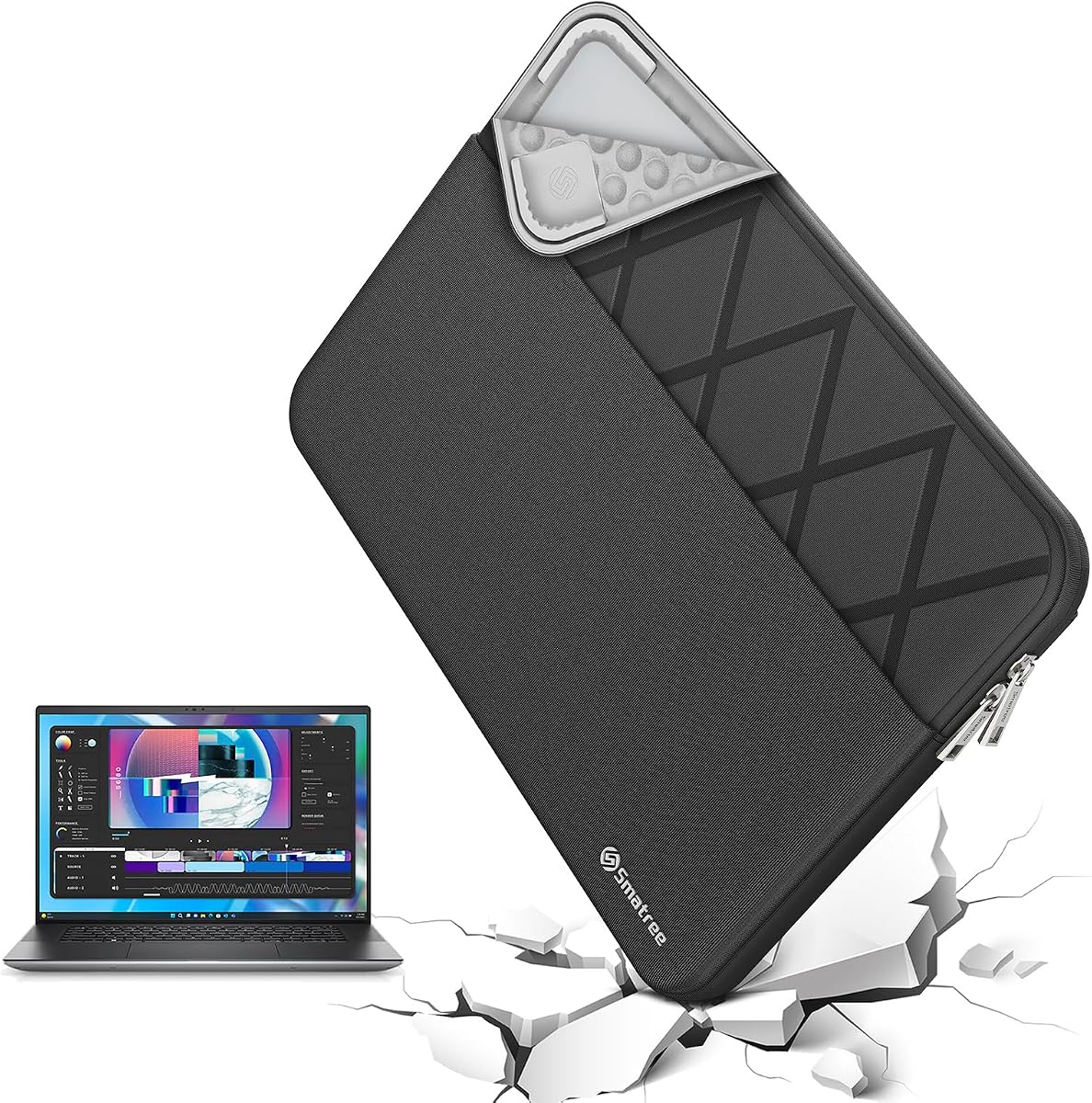
The Smatree custom sleeve is explicitly designed around several Dell XPS 13 configurations, giving it an advantage over generic 13-inch cases. It carries a 4.7 rating and uses model E402 with internal dimensions of 12.09 by 8.35 inches. The stated compatibility includes the XPS 13 2-in-1, XPS 13 Plus, XPS 13 9345, and XPS 13 DX13260.
We may earn a commission when you buy through this link, at no additional cost to you.
Its patented Super-Corner design is intended to absorb accidental drops and bumps without making the sleeve unnecessarily bulky. The 300D polyester exterior resists water, splashes, and light moisture, while the included accessory bag provides separate storage for a charger, cables, USB drives, and similar items. An integrated luggage strap adds another way to manage the case during travel.
Model-specific sizing is the central strength and the central limitation. The listing is more focused than a broad universal sleeve, but the XPS 13 family includes devices with different dimensions and configurations. Even when the screen size appears correct, the complete laptop must be compared against the internal measurements. Buyers should identify the exact model before selecting this option.
This sleeve is a strong premium recommendation for an XPS 13 owner who wants a tailored interior, corner-focused impact management, water resistance, and organized accessory storage. It is especially useful for people who carry the laptop through airports, train stations, or crowded work environments. Accurate model identification is essential before purchase.
Smatree's model-specific sizing avoids the loose fit associated with many universal sleeves. The close internal dimensions can limit excess movement when the laptop is carried, provided the selected configuration actually matches the computer.
The separate accessory bag keeps cables and a charger separate from the laptop, while the integrated luggage strap can keep the case connected to other travel gear.
We may earn a commission when you buy through this link, at no additional cost to you.
The Dell Professional Sleeve 13 is designed for business and everyday commuting, with a 4.6 rating. Its water-resistant Heather Gray exterior gives it a restrained, professional appearance, while handles make the sleeve easy to carry by itself. The listed maximum laptop size is 310 by 214.5 by 23 millimeters.
We may earn a commission when you buy through this link, at no additional cost to you.
A front organizer panel provides access to common essentials without opening the main laptop compartment. Easy-grip zipper pulls support repeated one-handed use, which is useful when the sleeve is being removed from a bag or the person carrying it has another task occupying one hand. The material is also designed to resist everyday water exposure.
The primary concern is size. The product is specified for laptops with screen sizes up to 13 inches, so it may not accommodate every 13.4-inch XPS 13 version. The precise dimensional limit of 310 by 214.5 by 23 millimeters should be checked against the laptop body rather than relying only on the nominal display size.
This sleeve suits business users who want a recognizable Dell accessory, a professional appearance, and a front section for daily items. It is also useful for short commutes or meetings where a laptop does not need a rigid protective shell. For a larger XPS generation, buyers should measure carefully before assuming compatibility.
The Heather Gray finish is designed to blend into a workplace setting without looking like a basic protective pouch. Its handles also make it a more self-contained option for carrying the computer and small essentials together.
The front organizer panel and easy-grip zipper pulls reduce the need to unpack the entire laptop compartment. This is particularly helpful for quickly removing a wallet, pen, or similar work item.
We may earn a commission when you buy through this link, at no additional cost to you.
The Dell Premier Sleeve 13, identified as PE-SV-13-20 or 460-BCRV, is explicitly presented as a premium 13-inch sleeve for Dell XPS laptops. It receives a 4.2 rating and emphasizes a sleek professional design, durable materials, and straightforward protection for routine notebook use.
We may earn a commission when you buy through this link, at no additional cost to you.
A soft interior lining cushions the laptop and is described as scratch-resistant. The slim profile allows the sleeve to fit inside a backpack, briefcase, or messenger bag without adding much weight or visual bulk. It is aimed at business, office, school, and travel use, with the emphasis on dependable everyday coverage.
Its rating is lower than those of the other choices, and the published description provides fewer technical details about exact dimensions, closure design, and water resistance. Some text refers broadly to 13-to-15-inch devices, but the product is presented specifically as the Dell Premier Sleeve 13 for XPS laptops. Buyers should review the current fit information and product dimensions before ordering.
This is a practical option for someone who values Dell branding, a restrained office aesthetic, and a very slim shape. It may be especially effective for a compatible XPS 13 that is normally carried inside another bag and is not exposed to severe conditions. It is less compelling for buyers seeking advanced corner engineering or extensive accessory organization.
The low-bulk construction is the defining benefit. It lets the laptop remain protected while preserving room for documents, chargers, and other belongings in a larger work bag.
The interior lining is intended to guard against scratches and minor contact. It offers a gentler solution than a rigid case when the laptop is carried in an organized environment.
We may earn a commission when you buy through this link, at no additional cost to you.
This blue canvas briefcase provides a larger, handle-equipped alternative for people who do not want to place their XPS 13 directly inside a backpack. It has a 4.6 rating and explicitly lists Dell XPS 13 models 9310, 9305, and 9300 among compatible systems.
We may earn a commission when you buy through this link, at no additional cost to you.
The exterior uses waterproof canvas intended to obstruct water and vapor, making it suitable for commutes exposed to rain or splashes. A soft, anti-static lining is intended to absorb impacts and reduce scratch damage. The front pocket provides room for a mouse, earphones, pens, a phone, and notepads, while the side handle supports hand carrying.
Fit needs careful attention. The internal dimensions are 13.58 by 9.45 by 0.79 inches, but the product also states a maximum laptop size of 13 by 8.9 by 0.78 inches and recommends measuring the computer at least 0.59 inches smaller than the sleeve in length and width. Those two descriptions should be reconciled before purchase, particularly for XPS models with unusual widths.
This briefcase-style sleeve is best for a commuter who prefers a visible, easy-to-grab case and appreciates water resistance. It offers more obvious carrying convenience than a plain pouch and more room for accessories than many minimalist sleeves. Accurate measurements are essential to ensure the zipper closes without compressing the laptop.
The canvas construction is intended to protect against splashes and light rain, providing useful reassurance during crowded commutes. It does not establish a waterproof rating for complete submersion.
The side handle makes the case convenient to carry by itself, while the option to slide it into a larger bag preserves flexibility for travel days and office storage.
We may earn a commission when you buy through this link, at no additional cost to you.
The Multifunctional Laptop Sleeve combines a carrying case, an adjustable laptop stand, and a mouse-pad surface. It earns a 4.3 rating and explicitly supports the Dell XPS 13 9340, making it distinctive among the more conventional protective sleeves in this guide.
We may earn a commission when you buy through this link, at no additional cost to you.
Synthetic leather covers a soft microfiber interior designed to resist scratches, stains, and dirt. The leather surface is also easy to clean. When the computer is removed, the folding section can serve as a stand with two adjustable viewing angles, while the flip pad can provide a portable surface for a mouse.
Its protection is softer than that of a rigid shell, and the listing notes that the sleeve may initially feel tight. The material is expected to loosen with use, improving insertion and removal. Buyers who require substantial crush or puncture resistance should consider one of the hard-shell options instead, while those who value versatility may find this arrangement more useful.
This sleeve is ideal for a mobile worker who wants a lightweight carry option and occasional stand capability without adding a separate accessory. It is also useful for travel, school, or work sessions in locations where a stable raised screen position is appreciated. Confirm the XPS configuration and allow for the initially snug fit.
The folding panel turns the sleeve into a compact workstation, offering two adjustable angles for viewing and a separate area for mouse movement. It reduces the need to carry a full desk setup.
The easy-clean exterior and microfiber interior provide a pleasant everyday surface and help shield the laptop from contact. The material also allows some give, which can ease a snug initial fit.
We may earn a commission when you buy through this link, at no additional cost to you.
The Smatree MS23T is the most structurally substantial option in this roundup, combining a hard sleeve with upgraded internal shock-resistant padding. Its 4.6 rating reflects a design focused on guarding against collisions and accidental scratches when the laptop is placed in a backpack or suitcase.
We may earn a commission when you buy through this link, at no additional cost to you.
The exterior uses 260G nylon Lycra, which the manufacturer describes as effectively obstructing water and splash exposure. It can also be washed when dirty, making it practical for frequent travel. Internal dimensions are listed at 12.2 by 8.39 by 0.79 inches, while the external dimensions are 12.91 by 9.45 by 1.06 inches.
This case weighs 428 grams, making it noticeably heavier than many soft sleeves. That extra mass comes with a rigid exterior and increased coverage, a trade-off that may be worthwhile for travelers or buyers who want stronger physical separation from the contents of a bag. It is not designed to be as compact as a thin fabric pouch.
The MS23T supports several XPS configurations, including the 13-inch XPS 13 2-in-1, 13.4-inch XPS 13, XPS 13 Plus, XPS 13 9345, and XPS 13 DX13260. It is best for users who prioritize protection over minimum weight, particularly when the computer will share space with chargers, keys, and travel equipment.
The hard outer shell helps isolate the laptop from crushing forces and direct impacts, while the internal padding softens contact. This layered approach is useful in backpacks and luggage with limited organization.
The nylon Lycra exterior is designed to resist water and can be washed when dirty. These qualities suit travel and everyday use where a soft sleeve may be exposed to spills.
We may earn a commission when you buy through this link, at no additional cost to you.
The Smatree Elite sleeve combines a tailored XPS fit with travel-oriented protection and organization. It has a 4.6 rating, uses the E402 model, and lists compatibility with XPS 13 2-in-1 systems, XPS 13 Plus, XPS 13 9345, standard XPS 13 models, and the XPS 13 DX13260.
We may earn a commission when you buy through this link, at no additional cost to you.
Super-Corner impact technology is intended to protect the laptop from drops and bumps while keeping the profile relatively streamlined. The 300D polyester exterior resists water and light moisture. An included accessory bag stores cables, a charger, mouse, USB drives, and other essentials, and an integrated luggage strap helps organize the case during travel.
Its internal dimensions are 12.09 by 8.35 by 0.79 inches, with an external size of 13.66 by 9.61 by 1.26 inches. It therefore occupies more space than a basic fabric sleeve. Although it supports multiple brands and models, the fit is still tailored, so buyers should match the exact device rather than select only by screen size.
This is a balanced recommendation for a traveler who wants more protection and accessory organization than a plain pouch but less rigidity than a hard shell. It works particularly well for owners of the explicitly supported XPS configurations. Model verification is the essential step before purchase.
The Super-Corner approach concentrates support around vulnerable areas while preserving a flexible sleeve format. It offers a middle ground between simple fabric protection and a bulky hard case.
The included accessory bag keeps smaller electronics organized, and the integrated luggage strap offers a practical attachment point. Both features suit frequent movement between work, home, and travel destinations.
We may earn a commission when you buy through this link, at no additional cost to you.
The Smatree XPS 13 Plus Sleeve stands out as a focused, highly rated option for Dell owners. Its 4.8 rating is among the highest in the group, and its compatibility information specifically includes the XPS 13 2-in-1, XPS 13 Plus, XPS 13 9345, XPS 13, XPS 13 DX13260, and Dell Latitude 7320 Detachable.
We may earn a commission when you buy through this link, at no additional cost to you.
The E402 design uses patented Super-Corner impact protection to guard against accidental drops and bumps without excessive bulk. A 300D polyester exterior provides water and moisture resistance, while the included accessory bag organizes cables, chargers, USB drives, and other essentials. An integrated luggage strap adds convenience during transit.
The internal measurements are 12.09 by 8.35 by 0.79 inches, compared with external measurements of 13.66 by 9.61 by 1.26 inches. The sleeve weighs 380 grams, making it more protective than a basic pouch but less bulky than the hard-shell MS23T. Exact configuration confirmation remains necessary because several Dell laptops share the XPS name.
This is the strongest all-around choice for a buyer who wants a dedicated XPS 13 sleeve, meaningful impact management, water resistance, and organized accessory storage. It is particularly appropriate for frequent commuters and travelers. Its tailored dimensions also make it less likely to leave excess space around a supported laptop than a broad universal case.
The sleeve's dimensions and listed compatibility are centered on several XPS 13 variants. That focused approach gives buyers a clearer path than choosing among many generic 13-inch sizes.
Water-resistant material, corner-focused cushioning, an accessory bag, and a luggage strap combine into a convenient setup for carrying the computer and its supporting gear together.
We may earn a commission when you buy through this link, at no additional cost to you.
Choosing a sleeve for a Dell XPS 13 requires balancing exact fit, impact protection, water resistance, storage, and portability. The most important first step is identifying the precise laptop model and comparing its full dimensions with the sleeve's internal measurements.
The Dell XPS 13 name covers several screen sizes and form factors, including traditional laptops, XPS 13 Plus systems, and 2-in-1 models. Similar display measurements do not guarantee that every chassis has the same width, height, thickness, ports, or lid profile. Use the exact model designation and then verify the laptop's physical dimensions, including any protruding features, against the sleeve specifications.
Check the exact computer model first; do not rely only on its screen size.
Internal dimensions show whether the laptop can slide in without forcing the zipper or pressing against the lining. External dimensions determine whether the sleeve will fit comfortably inside a backpack, briefcase, tote, or luggage compartment. Depth is also important because XPS 13 models with different bottom or port configurations can sit differently inside a sleeve, even when their visible width and height are similar.
Measure both the laptop and the destination bag before choosing a size.
A soft fleece or padded sleeve is generally suited to an organized commute where the laptop remains separated from hard objects. A hard shell or reinforced corner system provides greater coverage for backpacks, crowded luggage, and frequent travel. Neither category should be interpreted as making a laptop immune to damage, but the structure, padding, and closure can influence how daily bumps and pressure are managed.
Choose reinforced corners for rough travel and soft padding for light commuting.
A water-resistant exterior helps guard against rain, splashes, and light moisture during a commute. The protection is generally intended for everyday exposure rather than prolonged submersion, and it does not protect the laptop if liquid enters through an open zipper. Keeping the case closed and the laptop fully dry before packing offers a more reliable approach.
Treat water resistance as useful splash protection, not complete waterproofing.
A front pocket can separate a mouse, cables, earphones, pens, charger, or wallet from the laptop compartment. Larger accessory bags offer more separation for travel, but they add bulk and may include items that could move around. Choose storage based on what you regularly carry and whether quick access is more important than a completely minimalist profile.
Match pocket size to the accessories you actually carry each day.
Weight, handles, straps, and overall thickness affect how comfortably the sleeve can be carried. A slim padded case is convenient when it will remain inside a larger bag, while a handle-equipped briefcase or a sleeve with an integrated luggage strap is useful when it may be carried separately. Hard cases and accessory pouches naturally add weight and volume.
Prefer the lightest option that still provides your required protection.
A smoothly operating zipper or secure magnetic closure helps prevent accidental opening during transport. The interior should be soft enough to avoid abrading the laptop finish, while corner reinforcements can improve impact management. Check whether the manufacturer identifies the lining material, padding type, zipper brand, and closure behavior, since these details indicate how the sleeve is intended to be used.
Prioritize a reliable closure and a nonabrasive interior lining.
A listing that names several Dell models is more useful than one offering only a generic screen-size description, but named compatibility still benefits from a final measurement check. Some cases support XPS 13 systems in particular sizes, while others cover a wider family of 13-inch laptops. If a purchase requires a return, verify the retailer and category-specific return terms before ordering.
Use model listings as a guide, then confirm measurements before purchase.
Before placing the XPS 13 inside, shut it down, disconnect peripherals, and dry the exterior and ports. Compare the laptop's width, length, and thickness with the sleeve's internal dimensions, then open the sleeve fully and guide the computer in without pulling on the zipper. Keep the device centered rather than forcing it into a corner.
Use the front pocket for small, light accessories and separate the charger or other heavier items from the laptop whenever the design permits. For a hard case or a sleeve that may be placed in luggage, remove loose keys, pens, and tools that could press against the lid. Do not leave a powered-on computer in a closed sleeve during transport.
Inspect the zipper, closure, lining, and outer fabric periodically. Clean according to the product instructions, using a soft dry or lightly damp cloth for cases that are not explicitly washable. Remove loose debris from a front pocket, allow the sleeve to dry fully before storing the laptop, and replace the case if the closure, padding, or structural edges become damaged.
It may fit, but screen size alone is not enough to confirm compatibility. XPS 13 models have appeared with different chassis dimensions, including 13-inch 2-in-1, 13.4-inch, and XPS 13 Plus versions. Measure the laptop's full width, length, and thickness, then compare them with the sleeve's internal dimensions and supported model list before ordering.
Exact fit is the most important factor because even a sleeve with a similar stated size can restrict the zipper or leave the laptop poorly supported. Protection is the second priority, followed by water resistance, storage, carry style, and weight. A model-specific listing can simplify the search, but physical measurements should still confirm the choice.
A soft padded sleeve is usually lighter and more convenient for organized daily commuting. A hard-shell or reinforced case offers more structural coverage when the laptop shares a bag with keys, chargers, or other hard objects, or when it will be placed in luggage. The best option depends on the amount of impact protection you need versus your preference for low weight and compact packing.
Water-resistant materials can help protect against light rain, splashes, and accidental moisture, but they are not generally intended for submersion. Keep the zipper closed, keep the computer dry before packing it, and avoid leaving the sleeve in standing water. A water-resistant sleeve is most useful as one layer of protection during ordinary travel.
Frequent travelers may prefer a lightweight sleeve with water resistance, corner protection, an accessory pouch, and a luggage strap. The Smatree Elite and XPS 13 Plus models offer several of these features, while the MS23T is the more rigid option for those prioritizing physical separation from luggage contents. Whichever is selected, the laptop should be measured against the internal dimensions first.
A sleeve can protect against scratches, light bumps, and minor pressure, but it is generally not a substitute for a fully padded travel case in rough baggage handling. For air travel, place the sleeved laptop in a well-structured bag with suitable cushioning and keep fragile items away from the computer. Additional protection is especially sensible when the bag will be checked.
Measure the laptop's widest points, its length, and its thickness, then compare each measurement with the sleeve's stated internal dimensions. Also measure the backpack, briefcase, or luggage compartment where the sleeve will be carried. These checks are particularly important for XPS 13 variants with different port layouts or convertible hinges.
Follow the manufacturer's care instructions first, because materials and closures differ. If the case is not labeled washable, remove loose debris and wipe the exterior with a soft, lightly damp cloth, keeping moisture away from the zipper and lining. Cases explicitly described as washable can be cleaned according to their provided instructions and should be fully dry before use.
The Smatree XPS 13 Plus Sleeve is the strongest overall choice for buyers with a supported Dell configuration because it combines model-specific sizing, Super-Corner protection, water resistance, and accessory organization. The tomtoc 360 sleeve stands out as a budget-oriented option for a compact 13-inch laptop, while the Smatree Custom XPS Sleeve provides a premium, model-focused alternative.
For the lightest everyday carry, the MOSISO sleeve or Dell Premier Sleeve may be more appealing. The Dell Professional Sleeve 13 adds a professional organizer, the canvas briefcase offers a handle and water-resistant exterior, and the multifunctional sleeve adds a foldable stand. The hard-shell Smatree MS23T is the strongest choice when maximum structural coverage matters more than low weight.
Before buying, identify the exact XPS 13 model, measure the full computer, and compare it with the sleeve's internal dimensions. Review current ratings, product details, warranty terms, and return conditions as they can change over time. Product prices and availability also fluctuate, so compare the final value only after confirming that the selected sleeve fits correctly.