
80Gbps All-Metal NVMe Enclosure
3.6Editor score
JHL9480 80Gbps controller
Automatic 40°C cooling fan
Tool-free 2280 SSD installation
Explore 10 Thunderbolt 5 SSD Enclosure options, comparing speed, cooling, drive support, portability, power delivery, and host compatibility for demanding
A Thunderbolt 5 SSD enclosure turns an internal M.2 NVMe drive into a powerful external storage system, but the strongest results depend on more than the headline protocol. Chipset choice, cooling, SSD compatibility, cable requirements, and host support all influence real-world performance across demanding creative and professional workflows.
This guide compares ten enclosures using the supplied specifications, ratings, feature details, and compatibility notes. It examines claimed transfer speeds, thermal designs, supported M.2 formats, power delivery, host-device compatibility, portability, and setup considerations to separate broadly useful models from more specialized options.
Each review explains where a product stands out, which compromises buyers should consider, and who is most likely to benefit. Reader ratings are included as supplied, but no hands-on testing is claimed, and prices change frequently, so current listings should be checked before making a final purchasing decision.
3.6Editor score

4.6Editor score

4.7Editor score
The table below compares all ten enclosures by interface class, claimed throughput, cooling approach, and practical drive support, with the supplied ratings providing an additional snapshot of customer feedback.




This ACASIS enclosure carries a 4.3 rating and combines an 80Gbps Thunderbolt 5 and USB4 V2.0 interface with support for PCIe 5.0 M.2 NVMe SSDs. Its most notable qualities are the claimed transfer rate of up to 6000 MB/s, tool-free installation, and a cooling fan that can operate automatically or manually.
We may earn a commission when you buy through this link, at no additional cost to you.
The JHL9480 controller is designed for high-bandwidth external storage, while the included thermal pads help transfer heat away from the installed drive. To exceed 3000 MB/s, the supplied guidance calls for a PCIe 4.0 x4 NVMe 1.4 or newer SSD. The enclosure also works with 40Gbps, USB4 V1.0, and older USB 3.x connections, although the available interface will limit performance.
Thermal management deserves attention. The fan starts automatically at 55°C and stops at 40°C, and users can force it on by holding the switch for one second. ACASIS also cautions against prolonged continuous large-file transfers in poorly ventilated spaces, so the enclosure should be positioned where its aluminum housing and active cooling can dissipate heat effectively.
This is a sensible choice for creators, developers, and power users who want a straightforward 80Gbps enclosure without dock-style complexity. It is especially useful when a laptop already has suitable power and connectivity. Buyers should confirm that their host offers Thunderbolt 5 or USB4 V2.0 and use a cable capable of the required bandwidth.
The combination of automatic thresholds and manual override gives users useful control during demanding transfers. Manual activation can be helpful when working in a warm room or moving exceptionally large files, although the enclosure still needs unobstructed airflow.
Installation requires no screws and no additional drivers, making this enclosure approachable for users who move between computers. The package includes an 80Gbps cable, silicone stoppers, a size adapter, thermal pads, and a manual for installation and care.
We may earn a commission when you buy through this link, at no additional cost to you.
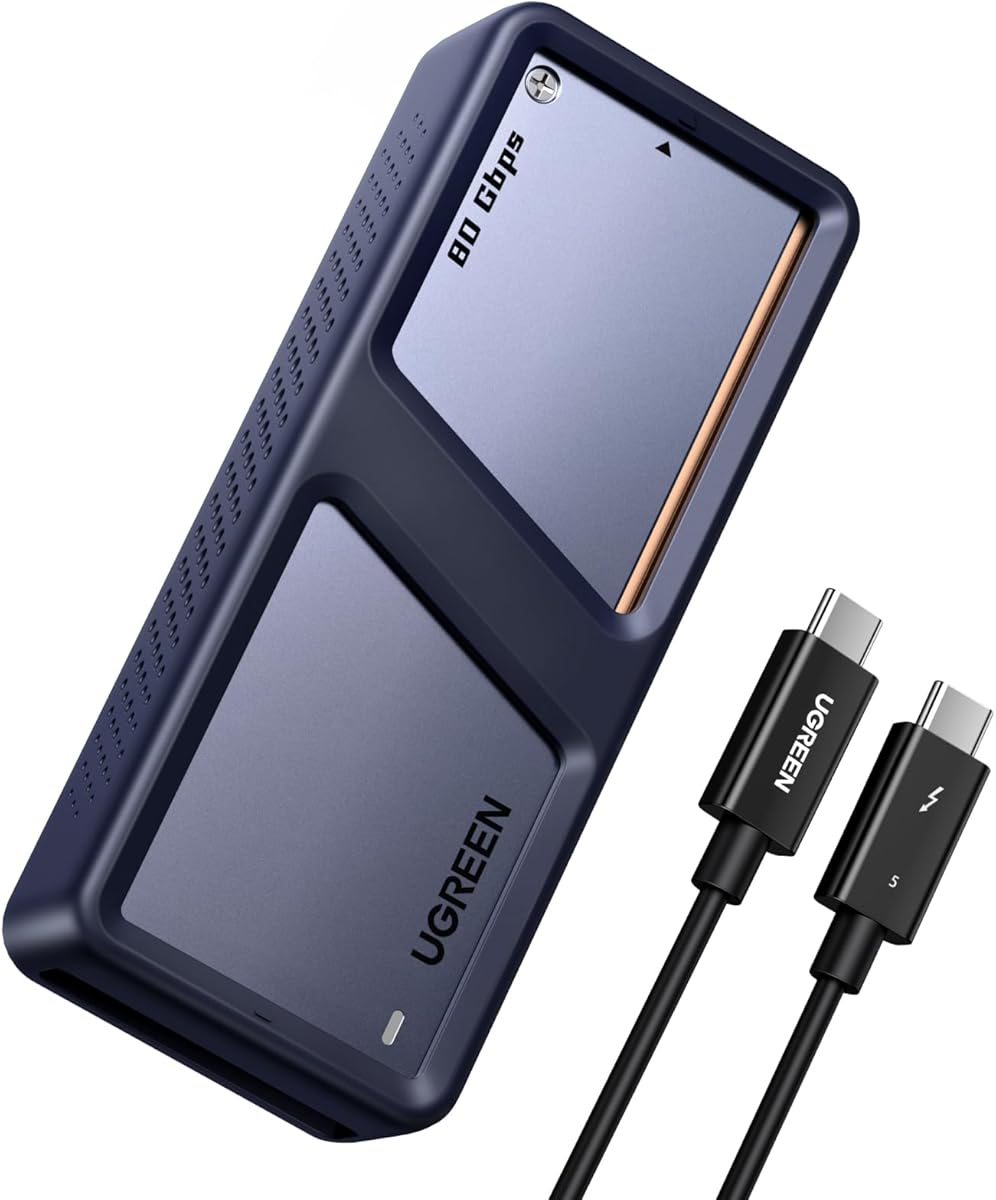
The UGREEN 80Gbps enclosure earns a 4.6 rating, making it one of the strongest-reviewed products in this group according to the supplied information. It distinguishes itself with a dual-chip design built around Intel's JHL9480 Thunderbolt controller and a JMicron JMS583 bridge controller.
We may earn a commission when you buy through this link, at no additional cost to you.
UGREEN claims transfer speeds of up to 7000 MB/s and describes moving a 6GB file in approximately one second under appropriate conditions. Its thermal approach is equally important: dual-sided aluminum alloy biomimetic fins reportedly increase heat dissipation by 91%, while the internal spatial structure is designed to improve airflow and reduce surface temperatures.
The enclosure supports 2230, 2242, 2260, and 2280 M.2 NVMe drives up to 8TB, along with Windows, macOS with M5 Pro, Linux, and Android. It does not support SATA NGFF or mSATA drives, and SSDs with factory-installed heatsinks are excluded. Some unusually thick modules may require a thinner thermal pad.
This is our Editor's Choice because it combines a high supplied rating, aggressive bandwidth claims, broad drive-size support, and a sophisticated cooling structure. It is best suited to owners of modern Thunderbolt 5 systems who need quick access to high-capacity NVMe storage and can accept restrictions involving SATA and pre-heatsink-equipped drives.
Using the JHL9480 for the Thunderbolt path and the JMicron bridge for its supporting role is intended to improve throughput and stability. That makes the enclosure attractive for users who regularly move projects, media libraries, or virtualized data between compatible systems.
The fin-based structure offers an alternative to fan-cooled designs, which can be welcome for travel and quiet workspaces. It does not eliminate the need for airflow, so positioning the enclosure so that heat can escape remains important during sustained transfers.
We may earn a commission when you buy through this link, at no additional cost to you.
The ACASIS TB501 Max holds the highest supplied rating at 4.7 and differentiates itself with up to 60W Power Delivery alongside high-speed storage expansion. It is built around the JHL9480 controller, supports PCIe 5.0 SSDs, and targets Thunderbolt 5 and USB4 V2.0 systems.
We may earn a commission when you buy through this link, at no additional cost to you.
Its defining feature is the ability to power a compatible laptop while maintaining access to external storage through a single connection. That can simplify mobile workstations by reducing the number of cables required for charging and data transfer. Claimed read and write speeds reach 6000 MB/s, although exceeding 3000 MB/s requires a PCIe 4.0 x4 NVMe 1.4 or newer drive.
An intelligent fan automatically adjusts cooling according to SSD temperature, offering a cleaner experience than manual operation. As with other high-bandwidth enclosures, warmth during long transfers is normal, and ACASIS recommends a well-ventilated location. Power Delivery also depends on the host, cable, and device negotiation, so a compatible host is essential.
The TB501 Max is our Best Premium pick for users who want more than a basic storage adapter. It is especially compelling for laptop-based creators and professionals who need high-capacity NVMe expansion while keeping a single Thunderbolt connection in use.
Combining 60W charging and 80Gbps data in one enclosure is particularly useful when a workstation has limited ports. It can reduce desk clutter and streamline a mobile setup, provided the computer and cable support the required protocols.
Temperature-responsive fan behavior simplifies sustained workloads without requiring constant user input. The system is intended to preserve stable drive performance as heat builds during demanding transfers, backups, and project workflows.
We may earn a commission when you buy through this link, at no additional cost to you.
This updated ACASIS 80Gbps model shares a 4.3 rating and a strong core specification with the first enclosure in the list. It uses the JHL9480 chip, supports PCIe 5.0 M.2 NVMe SSDs, and offers claimed read and write speeds of up to 6000 MB/s.
We may earn a commission when you buy through this link, at no additional cost to you.
Its smart fan starts at 55°C and stops at 40°C, while a one-second switch press can force the fan on. This level of control is helpful during large transfers, especially if a user wants to verify that cooling is operating rather than waiting for the automatic threshold.
Setup is straightforward because the enclosure uses a tool-free design and requires no additional drivers. The included 19.68-inch 80Gbps cable, silicone stoppers, SSD size adapter, and thermal pads cover the essentials. Compatibility extends to 40Gbps, USB4 V1.0, and USB 3.x interfaces, but Thunderbolt 3 systems are not supported.
Compared with the TB501 Max, this model prioritizes storage performance and cooling control without adding laptop power delivery. It is best for desktop workstations and compatible laptops that already receive power through another method, especially when the priority is fast, plug-and-play external NVMe access.
The ability to force cooling on provides extra assurance during thermally demanding jobs. It also gives experienced users more control than a model that permits only automatic operation, provided the enclosure remains in a ventilated location.
Although maximum speed requires an 80Gbps connection, backward compatibility lets the enclosure operate with several USB4 and USB 3.x systems. Actual throughput will be constrained by whichever port and cable the connected computer provides.
We may earn a commission when you buy through this link, at no additional cost to you.
This UGREEN enclosure combines an 80Gbps interface, a JHL9480 controller, and a built-in cooling fan. Its supplied rating is 4.0, while the claimed theoretical speed reaches 7000 MB/s when used with a compatible Thunderbolt 5 computer, port, and cable.
We may earn a commission when you buy through this link, at no additional cost to you.
The aluminum housing is intended to move heat away from the drive, and the internal fan activates once the enclosure reaches 40°C. That relatively early threshold can help prevent heat from building before sustained performance begins, particularly when a fast SSD is operating under continuous load.
Compatibility is broad across Windows, Linux, macOS systems listed as Mac Mini M5 Pro, and modern USB and Thunderbolt arrangements. The enclosure supports 2280 PCIe NVMe M-Key and M&B Key drives up to 8TB, but the supplied details exclude M.2 B-Key and SATA NGFF formats. Thunderbolt 5 bandwidth still depends on a complete Thunderbolt 5 connection.
This is a strong option for users who want active cooling in a slim, portable enclosure and can work within the listed 2280-oriented drive support. It is less suitable for users who need broader M.2 format acceptance, but it remains focused and practical for a modern high-speed portable workflow.
Starting the fan at 40°C gives the cooling system more opportunity to respond before temperatures climb further. This can be useful for sustained transfers, although it may also make the enclosure more noticeable in a quiet environment.
The slim aluminum body and included silicone case support portability. A protective shell is particularly useful when an enclosure travels with a laptop and frequently moves between desks, bags, studios, or client locations.
We may earn a commission when you buy through this link, at no additional cost to you.
The UGREEN 40Gbps model is a fanless alternative for users who do not need the full 80Gbps pipeline. It has a 4.3 rating, uses the ASM2464PD chip, and claims a maximum transfer rate of 3600 MB/s when paired with Thunderbolt 4 hardware and cables.
We may earn a commission when you buy through this link, at no additional cost to you.
Its double-sided fin design and three-dimensional cooling system are designed to dissipate heat without a fan. That makes it appealing for quiet offices, editing suites, and other spaces where fan noise would be distracting. The enclosure also remains relatively slim and portable.
It supports 2230, 2242, 2260, and 2280 NVMe SSDs up to 8TB, along with the listed Windows, macOS, Linux, and Android environments. SATA NGFF and mSATA drives are unsupported. Some thick SSDs may require a thinner thermal pad to fit correctly, so buyers should check the physical dimensions of their intended drive.
Although it is not the most advanced enclosure in this guide, it is a logical choice for Thunderbolt 4 workstations and portable Thunderbolt 3 or 4 systems. Choose it when quiet operation and a mature 40Gbps interface are more important than reaching 80Gbps.
Eliminating the fan removes both fan noise and moving-part concerns. The fin-based enclosure relies on passive heat spreading, so access to ambient airflow remains important during long, continuous transfers.
Thunderbolt 3 and Thunderbolt 4 support broadens the device base considerably. The 3600 MB/s ceiling specifically requires Thunderbolt 4 hardware and a suitable cable, while other connections will deliver lower throughput.
We may earn a commission when you buy through this link, at no additional cost to you.
The Satechi CubeDock is a complete desktop expansion solution with a built-in M.2 NVMe enclosure rather than a standalone adapter. It carries a 4.0 rating and uses one Thunderbolt 5 connection to provide up to 120Gbps dock bandwidth, 140W host charging, USB4 v2 compatibility, and direct NVMe storage access.
We may earn a commission when you buy through this link, at no additional cost to you.
Its storage section accepts up to an 8TB PCIe 4×4 M.2 NVMe SSD and claims transfer speeds of up to 6000 MB/s. The vented aluminum enclosure uses adaptive cooling, with the supplied information listing a 20–40 dB(A) fan range during intensive work.
The dock also supports single 8K 144Hz, dual 8K 120Hz, or triple 8K 60Hz display configurations on Windows, along with the listed macOS configurations. Additional ports include 30W USB-C Power Delivery, a UHS-II SD and microSD reader, USB-C and USB-A connections, and 2.5Gb Ethernet.
This product is ideal for a desk where a single cable should connect storage, displays, networking, card readers, and charging. It is less appropriate for a minimal portable setup because the included 180W power supply and broad feature set add complexity. The package includes a Thunderbolt 5 cable, power supply, C5 cable, screwdriver, screws, thermal pads, and a two-year limited warranty.
Integrating NVMe storage with display, charging, and network connections can create a more cohesive workstation. Creators can connect project media once and access it through the same dock that drives their displays and peripherals.
The enclosure's extensive port selection makes it particularly useful for professional workspaces that still rely on several external devices. Buyers should assess whether replacing multiple separate adapters with one powered dock fits their desk arrangement and workflow.
We may earn a commission when you buy through this link, at no additional cost to you.
SABRENT's EC-U4TN has a 4.5 rating and focuses on an approachable USB4 storage experience. It claims transfer speeds up to 3900 MB/s over USB4 and up to 2700 MB/s with Thunderbolt 3 or 4 connections.
We may earn a commission when you buy through this link, at no additional cost to you.
Installation is tool-free, and the enclosure accepts PCIe NVMe SSDs in 2230, 2242, 2260, and 2280 formats. SATA M.2 drives are not supported. The aluminum and ABS housing includes an integrated active fan intended to maintain stable performance during large transfers.
Host compatibility is one of its strongest practical features. It works with Thunderbolt 3, Thunderbolt 4, USB4, and USB-C ports on Windows and macOS systems, while the USB-C fallback supports 20Gbps, 10Gbps, and 5Gbps connections. Plug-and-play operation means no drivers or external power are required.
This enclosure is a good fit for creators and mobile professionals who want more speed than a conventional USB adapter without moving to a full 80Gbps enclosure. It is especially suited to existing Thunderbolt 4 workflows and compatible PCIe Gen4 x4 drives such as the Sabrent Rocket 4 Plus.
The tool-free design shortens the process of moving between a bare drive and an enclosure. Its bus-powered operation also removes the need to find a separate power source when working in temporary offices or on the move.
A USB4 enclosure remains faster than many conventional USB solutions, but it should not be confused with an 80Gbps model. Users should choose it for broad compatibility and convenience, particularly when their primary devices use Thunderbolt 4 rather than Thunderbolt 5.
We may earn a commission when you buy through this link, at no additional cost to you.
The OWC Express 1M2 80G has a 4.5 rating and offers over 6000 MB/s peak real-world speed according to the supplied information. Its USB4 80Gb/s design targets high-end storage workflows while retaining portability for professionals who work across multiple device types.
We may earn a commission when you buy through this link, at no additional cost to you.
Compatibility extends to Mac and PC systems, iPad Pros, Chromebooks, and Surface devices. The enclosure supports PCIe Gen 3.0, Gen 4.0, and Gen 5.0 NVMe M.2 SSDs, and its design accommodates 2280 and 2242 drives. Users can choose a DIY build-your-own setup or a ready-to-run solution.
Thermal performance comes from a patented heat-dissipating design intended to protect the SSD and sustain speed quietly. Bus power is supplied through the included USB4 cable. OWC warns that Gen 5 SSDs require careful selection because host computers, docks, and hubs can limit available power.
This enclosure is a compelling option for content professionals who need a fast portable drive and value broad device support. The power guidance is particularly important: selecting a power-efficient Gen 5 SSD can prevent compatibility or sustained-performance problems, while lower-wattage Gen 4 drives may be a safer match for some hosts.
Supporting both DIY and ready-to-run configurations gives buyers more control over capacity, interface format, and drive selection. The enclosure can therefore accommodate changing storage needs rather than locking the user into one fixed internal SSD.
The enclosure may support Gen 5 drives, but the host connection ultimately determines how much sustained power is available. OWC recommends a Gen 5 SSD consuming 11 watts or less during sustained reads or writes, making power limits part of the compatibility decision.
We may earn a commission when you buy through this link, at no additional cost to you.
This generic 80Gbps enclosure has the lowest supplied rating at 3.6, but it offers a focused set of high-speed features. It uses the JHL9480 chipset, claims a theoretical transfer rate of 7039 MB/s, and supports 2280 M-Key PCIe NVMe SSDs up to 8TB.
We may earn a commission when you buy through this link, at no additional cost to you.
Its cooling system combines an aluminum alloy shell, thermal pads, and an automatic fan that activates at 40°C. The tool-free design simplifies installation, while the included screw secures the drive. Despite the tool-free wording, the supplied description specifically notes that a screw is used to secure the SSD.
Full 80Gbps operation requires a Thunderbolt 5 host, port, and cable. Thunderbolt 3, Thunderbolt 4, and USB4 connections are limited to 40Gbps, and the product is not backward compatible with USB 3.2, 3.1, or 3.0. The drive restrictions are also narrower than those of many competitors: only 2280 M-Key modules are supported.
This is our Best Budget pick for buyers who understand its constraints and specifically want a high-bandwidth enclosure with active cooling. It is less suitable for users who need broad drive-format support, backward connection to older USB systems, or a broad range of computer platforms.
Restricting support to 2280 M-Key drives simplifies the enclosure's intended use and allows it to target a specific high-performance form factor. Buyers should verify that their existing SSD fits this format before choosing the model.
The fan begins operating at a relatively low temperature and works with the metal shell and thermal pads to dissipate heat. This focused cooling arrangement supports the product's emphasis on sustained high-speed access, provided the enclosure has sufficient surrounding airflow.
We may earn a commission when you buy through this link, at no additional cost to you.
The right enclosure depends on matching its controller, interface, cooling, and drive support to the host and workload. Consider the complete connection chain rather than focusing only on the largest advertised transfer rate.
An enclosure cannot deliver its maximum bandwidth unless the computer, port, and cable all support the same protocol. Thunderbolt 5 and USB4 V2.0 are required for a full 80Gbps connection, while Thunderbolt 3, Thunderbolt 4, and many USB4 systems are generally limited to 40Gbps. Some products also exclude Thunderbolt 3 entirely or lack backward support for USB 3.x.
Check the exact port on the intended computer rather than assuming every USB-C port supports the newest standard. For reliable high-speed operation, use the included cable or a certified alternative rated for the required Thunderbolt generation. A high-quality cable is not a minor accessory; it is part of the data path.
Headline figures often represent theoretical limits rather than guaranteed application throughput. Real results depend on the enclosure controller, installed SSD, thermal conditions, host storage stack, file sizes, and workload. For example, several ACASIS models state that exceeding 3000 MB/s requires a PCIe 4.0 x4 NVMe 1.4 or newer drive, even though the enclosure itself supports PCIe 5.0 media.
Treat the 6000 to 7000 MB/s claims as upper-end potential. Smaller files, fragmented data, sustained writes, and cooling limitations can produce lower results. A suitable Gen 4 or Gen 5 NVMe drive is just as important as the enclosure when the goal is genuinely fast external storage.
NVMe SSDs can become warm during sustained transfers, and excessive heat may affect both performance and drive longevity. Enclosures use aluminum housings, thermal pads, fin structures, or active fans to move heat away from the drive. ACASIS options provide automatic thresholds and manual fan control, while some UGREEN and OWC products emphasize passive thermal designs.
Choose based on workload and noise tolerance. Active cooling can be reassuring for prolonged transfers, while fanless designs may be better for quiet studios or travel. In either case, leave room around the enclosure, avoid blocking its vents or surfaces, and do not place it inside a tightly packed bag while it is operating.
Most modern NVMe M.2 drives use the 2280 form factor, but some systems use shorter 2230, 2242, or 2260 modules. Several enclosures support these smaller sizes, while the 80Gbps all-metal model listed in this guide is restricted to 2280 M-Key drives. Check the physical length, key configuration, and protocol of the SSD before purchasing.
Compatibility also involves protocol rather than shape alone. SATA NGFF and mSATA drives are excluded by most products in this guide. Factory-heatsink-equipped SSDs may not fit an enclosure designed around its own thermal pads, and unusually thick modules can require a thinner pad. The enclosure's supported capacity limit, commonly 8TB across this group, should also be checked.
A dedicated enclosure is usually simpler and easier to carry, while a dock can consolidate storage with displays, charging, networking, and card readers. The Satechi Thunderbolt 5 CubeDock is the clearest dock-style option, offering up to 140W host charging, multiple display configurations, 2.5Gb Ethernet, and UHS-II card access alongside its built-in NVMe slot.
Choose a dock when cable consolidation is central to your workspace. Choose a standalone enclosure when portability, lower complexity, or flexible drive swapping matters more. A dock may also require a larger power supply and occupy more desk space, so its convenience should be weighed against the user's actual daily setup.
The ACASIS TB501 Max stands apart by offering up to 60W Power Delivery, allowing a compatible laptop to charge while the enclosure handles data. This can simplify a mobile workstation, but charging speed and availability depend on the host, cable, device, and power negotiation. A host that does not support the required USB-C charging profile will not gain this benefit.
Most other enclosures operate over bus power and do not charge the connected computer. They also need to balance an SSD's power draw against the limits of the host or dock. This consideration is particularly relevant for high-power Gen 5 drives, which may require careful selection on bus-powered systems.
Compact aluminum construction appears throughout the category, but cooling, mounting, and bundled accessories affect portability. Fanless enclosures avoid moving-part noise and are often easier to use in quiet spaces. Fan-cooled models can provide stronger sustained cooling, while docks with power supplies naturally occupy more room.
Consider how often the enclosure will travel, whether a protective case is included, and how exposed the SSD might be during installation. Long cables can add flexibility at a desk, but compact deployments may benefit from a shorter certified cable. The best choice is one that suits the user's actual environment rather than a permanently installed workstation.
Begin by confirming that the enclosure supports the physical format, key, protocol, and capacity of your M.2 NVMe SSD. Before installation, shut down the computer and safely eject any existing drive. Open the enclosure, orient the module correctly, apply the supplied thermal pad if required, and secure the drive according to the product instructions. The tool-free ACASIS designs and the included screw on the all-metal model have different mounting methods.
Connect the enclosure with a cable appropriate for the interface. For full 80Gbps operation, use a Thunderbolt 5 or USB4 V2.0 host and a cable rated for that bandwidth. Let the computer recognize the new volume, select the desired file system if the drive is not already formatted, and copy data normally. No extra driver is required for the listed enclosures, but correct host and cable support remains essential.
During sustained transfers, keep the enclosure ventilated and monitor its temperature and fan behavior. Do not cover the housing with fabric, place it against another hot device, or ignore unusual heat. Safely eject the volume before unplugging it, and avoid repeated abrupt disconnections that can increase the risk of filesystem errors or data loss.
Several models in this guide claim transfer rates of 6000 to 7000 MB/s, while others are limited to the 40Gbps class. Actual performance depends on the installed SSD, host controller, file sizes, sustained workload, and thermal conditions. A PCIe 4.0 x4 or newer NVMe drive may be necessary to reach the upper end of the claimed range.
Many 80Gbps enclosures can operate on older Thunderbolt or USB4 connections, but at reduced bandwidth. Some products specifically do not support Thunderbolt 3, and the all-metal model in the guide excludes USB 3.x compatibility. Check the port, cable, enclosure, and drive requirements as one complete chain before purchasing.
No. The listed products are NVMe enclosures and the supplied specifications exclude SATA NGFF and mSATA drives. Drive support also varies by physical size: several support 2230 through 2280 modules, while the 80Gbps all-metal model is limited to 2280 M-Key SSDs. A SATA drive may physically fit in another enclosure but will not operate without SATA support.
An SSD is not included with any product in this guide, so buyers must supply a compatible M.2 NVMe drive. The enclosure itself is the adapter and thermal system, while the selected SSD determines available capacity, latency characteristics, and much of the potential speed. Check the enclosure's maximum supported capacity and physical fit before ordering a drive.
No. Thunderbolt 5 provides a high-bandwidth connection, but the SSD and host also determine the result. Several ACASIS models specify that speeds above 3000 MB/s require a PCIe 4.0 x4 NVMe 1.4 or newer drive. The all-metal enclosure recommends against PCIe 5.0 drives, and the OWC model warns that Gen 5 power consumption can be an issue on some hosts.
Fan-cooled models are attractive for prolonged, heavy transfers because they actively move heat away from the drive. Fanless designs are quieter, simpler, and useful in travel or recording environments, but their aluminum and fin structures still need surrounding airflow. Your workload, workspace noise level, and transfer duration should guide the decision.
The ACASIS TB501 Max specifically supports up to 60W Power Delivery and can charge a compatible laptop while transferring data. Charging depends on the computer, cable, and power negotiation, and not every Thunderbolt or USB-C host supports the required profile. The other enclosures primarily provide data and should not be treated as laptop chargers.
Always safely eject the mounted volume from the operating system before unplugging the enclosure. Wait for active transfers and background indexing to finish, particularly on Windows and macOS. If the system reports that the device is still in use, close applications accessing it and eject again rather than pulling the cable directly.
The UGREEN 80Gbps Dual-Chip stands out for its 4.6 rating, 7000 MB/s claim, broad M.2 size support, and three-dimensional cooling approach. The ACASIS TB501 Max is the premium choice for users who need up to 60W laptop charging in addition to high-speed storage, while the all-metal 80Gbps model provides a focused budget-oriented route to 80Gbps with active cooling.
Prioritize the complete connection chain rather than the largest number in a listing. A compatible computer, matching port, certified cable, suitable NVMe SSD, and adequate cooling all matter. Buyers with Thunderbolt 4 systems may prefer a USB4 enclosure, while users seeking a tidier desk may find a multiport dock more valuable than a standalone adapter.
Prices and product configurations can change, so check the current listing, warranty, included accessories, and compatibility notes before ordering. Also verify the SSD format and physical dimensions in advance. The right enclosure is the one that fits the host, drive, workflow, and thermal conditions you actually have.