
Mini Portable No Wifi Camera
4.2Editor score
Fully offline SD recording
1080P infrared night vision
Compact gravity-sensing design
Our guide compares the best Security Camera without WiFi Required options, covering local recording, cellular connectivity, image quality, storage, and setup.
Security cameras that work without WiFi can provide dependable monitoring in cabins, garages, rental properties, remote workspaces, and areas where internet service is unreliable. The strongest options combine local recording, clear day-and-night imagery, flexible power, and setup that does not depend on an account, router, or complex configuration.
This guide compares ten products based on their stated connectivity, recording methods, resolution, night vision, power options, storage support, detection features, and practical deployment needs. It covers completely offline cameras, cellular models, dual-mode devices, and several WiFi cameras that help clarify important differences in this category.
Each review identifies the feature that makes the camera most useful, while also explaining important limitations. The first three selections provide the strongest overall mix of convenience, value, and offline capability, with the cellular model earning the premium designation. Prices and availability can change, so confirm current details before purchasing.
4.2Editor score

5.0Editor score

3.4Editor score
The table below compares connectivity, image quality, power, and storage across all ten products. Some operate completely offline, while others use cellular service, hybrid WiFi modes, or require a router for their primary remote-viewing features.



The Mini Portable No Wifi Camera is a compact indoor surveillance camera built around straightforward local recording. It captures 1080P HD video, automatically activates infrared night vision in darkness, and saves footage to a microSD card without requiring a router, app, or internet connection. Its small body makes it especially useful for desks, shelves, nurseries, offices, and temporary monitoring locations.
We may earn a commission when you buy through this link, at no additional cost to you.
Motion detection helps reduce useless footage by triggering recording when people or objects move within the camera's direct field of view. The stated detection area extends to a lens diameter of three meters and a viewing angle of 110 degrees. Loop recording overwrites older files when the card becomes full, while support for cards from 16GB to 512GB provides considerable capacity for longer deployments.
There are no WiFi features, live streaming, or cloud access, which is a meaningful limitation for users who expect phone alerts. A microSD card must be purchased separately, and the camera is designed primarily for indoor use. Even so, its low-profile dimensions, USB-C connection, orientation-adjusting gravity sensor, and ability to record during charging make it a practical option for discreet local monitoring.
Choose this model when you need inexpensive, flexible indoor recording where internet access is absent or undesirable. It is particularly well suited to checking an elderly relative, monitoring a child or pet at home, or keeping an eye on an office during working hours. For users who require live remote access, the cellular and dual-mode alternatives offer a better fit.
The camera begins by accepting a compatible microSD card and using its physical controls. Because it does not depend on WiFi pairing or cloud authentication, setup remains predictable in cabins, basements, temporary offices, and other locations where networking is inconvenient.
Motion-triggered recording, loop recording, and operation while charging reduce common monitoring hassles. The gravity sensor also rotates the video orientation when the device is turned, helping keep portable recordings upright without requiring a fixed wall mount.
We may earn a commission when you buy through this link, at no additional cost to you.
The Mini 1080P HD Indoor Security Camera offers one of the cleanest approaches to monitoring without WiFi. It runs directly from an outlet, records locally to a TF card, and requires neither an internet connection nor an internal battery. The result is a compact camera that can remain available around the clock without dependence on a router, cellular coverage, or battery charging.
We may earn a commission when you buy through this link, at no additional cost to you.
Its charger-like form is designed to blend into bedrooms, offices, and other indoor spaces. Local storage supports cards up to 512GB, and users can remove the card and connect it to a computer for footage review and backup. Because recordings remain local rather than passing through a cloud service, this model offers a focused approach to privacy and predictable operation.
The main limitation is that the stated feature set does not include phone-based live viewing, cloud access, or two-way audio. A TF card is also sold separately. Users who want an unattended camera but do not need instant remote notifications will find that trade-off reasonable, especially since the camera avoids battery degradation and network interruptions.
This is the strongest overall pick for an indoor camera that must work without WiFi. It suits parents, caregivers, renters, and small-business owners who want dependable local evidence without managing another network or app. It is less appropriate for outdoor deployment, remote livestreaming, or locations that require immediate phone alerts.
Continuous plug-in power avoids the common weak points associated with battery-powered cameras. There is no charging interval, no battery-health concern, and no need to remove the unit before a recording can continue, making it a sensible fixed indoor choice.
Keeping recordings on a removable TF card means the footage does not have to be uploaded to a cloud service. The same design also makes footage review straightforward: remove the card, connect it to a computer, and organize the files through the computer's normal media workflow.
We may earn a commission when you buy through this link, at no additional cost to you.
The ZEEPORTE 2K Indoor Camera is a connected indoor security camera rather than a genuinely WiFi-free model. It uses a phone app and WiFi setup for remote functions, but it can also store footage locally on a microSD card without requiring a cloud subscription. That combination makes it worth comparing because local recording provides a useful alternative to network-dependent monitoring.
We may earn a commission when you buy through this link, at no additional cost to you.
Image quality is one of its strongest features. The camera records in 2K QHD resolution, offers night vision through six infrared LEDs up to 30 feet, and supports customizable activity zones for areas such as a crib, doorway, or window. Two-way audio allows parents or pet owners to speak through the camera, while the built-in siren provides a more active deterrent.
It is not the right recommendation for a site that has no router or internet access, because WiFi setup is central to its connected functionality. It also requires a microSD card, which is not included, and its strongest remote-monitoring features are not available as a truly offline alternative. Local storage avoids subscriptions but does not turn the primary WiFi experience into a standalone system.
Choose the ZEEPORTE model when WiFi is available but you prefer the option to retain recordings locally without paying for cloud storage. It is particularly suitable for nurseries, pet rooms, living spaces, and home offices where clear video, communication, and motion alerts are more important than completely router-independent operation.
The 2K QHD recording specification provides more visible detail than a standard 1080P camera, especially for distinguishing objects in a nursery, pet area, or office. Adjustable activity zones help focus detection and alerts on the parts of the room that matter.
Two-way audio makes the camera useful for checking in with family members or speaking to a pet. The integrated siren adds an audible response when suspicious movement is detected, complementing the phone notifications and local recording options.
We may earn a commission when you buy through this link, at no additional cost to you.
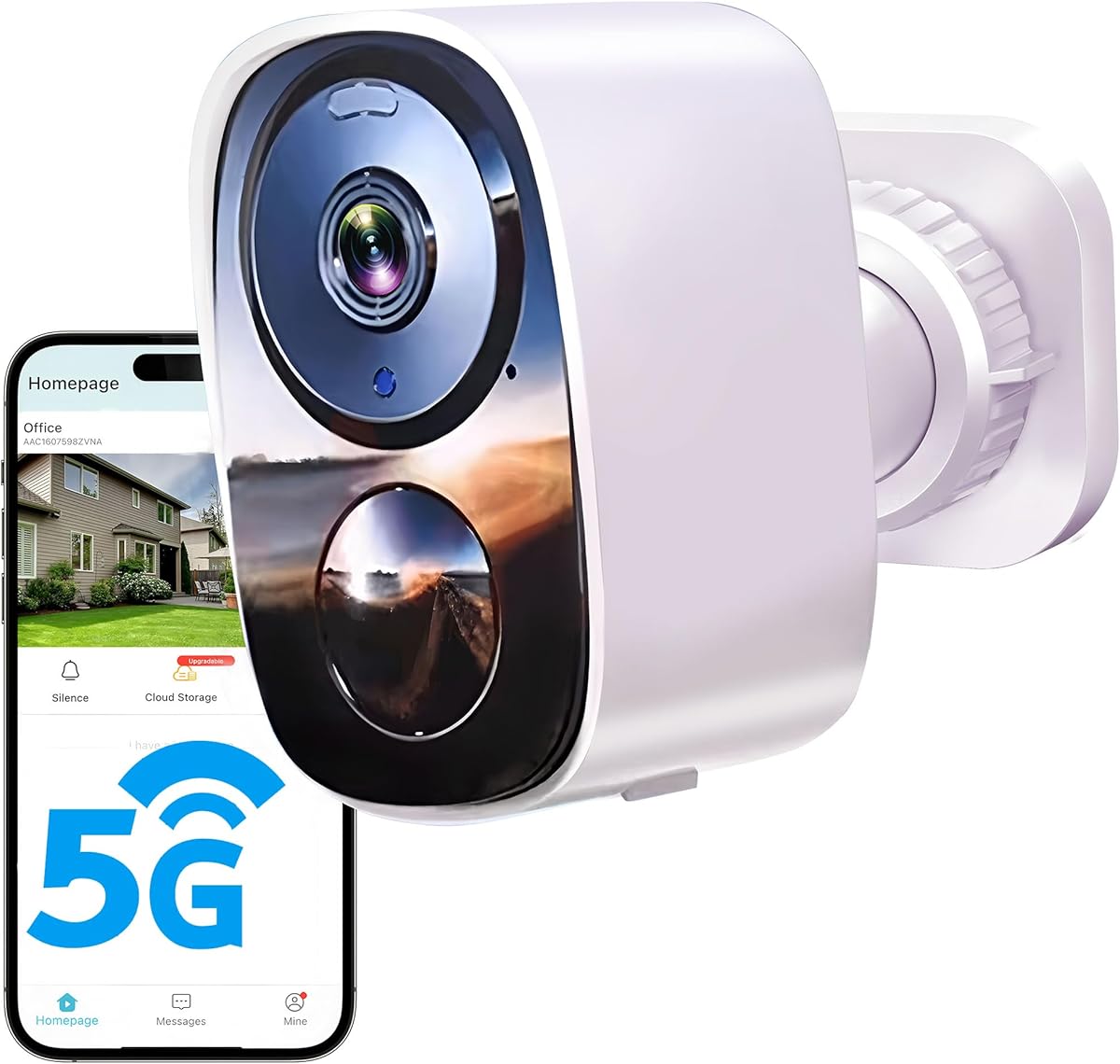
The 2026 Upgraded 2K Outdoor Camera is designed for connected outdoor protection and is not a true no-WiFi option. Its full feature set depends on a mobile app and a 2.4GHz or 5GHz WiFi connection, but it is included in this comparison to show the trade-off between a feature-rich wireless camera and a truly offline or cellular alternative.
We may earn a commission when you buy through this link, at no additional cost to you.
The camera combines 2K UHD recording with full-color night vision, a built-in spotlight, AI-based motion detection, instant alerts, and two-way talk. It supports SD cards up to 256GB and provides a free cloud tier, while paid plans are needed for higher-quality cloud access. Dual-band WiFi is intended to improve stability in congested household networks.
Its rechargeable battery can last for extended periods, with the manufacturer stating a range of up to six months under lower motion-trigger frequency. Actual runtime varies with activity, recording behavior, and temperature. The IP66 housing is appropriate for exposed outdoor locations, but WiFi availability, app configuration, and the need to recharge the camera make it less suitable for isolated properties.
This model is a good fit for a driveway, backyard, porch, or garage where a strong home network exists. It is not the correct choice for a remote cabin or a user searching for local-only recording without any router. Those needs are better met by the cellular or standalone offline cameras later in the guide.
The combination of 2K resolution, infrared or spotlight-assisted full-color night vision, and a wide outdoor feature set helps capture useful detail after dark. The built-in lights also improve the chance that people or vehicles can be identified rather than appearing only as a vague silhouette.
Users can retain important clips in the cloud or insert a compatible SD card for local control. The free cloud plan is limited compared with paid HD storage, so buyers who want the highest cloud quality should evaluate both retention requirements and recurring plan costs.
We may earn a commission when you buy through this link, at no additional cost to you.
The KKB 4G LTE Cellular Security Camera is built for locations where WiFi is absent but cellular service is available. Its integrated, non-removable SIM provides cellular connectivity without requiring a router, personal SIM card, or wired internet service. A magnetic mount, long-range color night vision, and battery operation make it especially relevant to farms, cabins, construction sites, storage units, and travel applications.
We may earn a commission when you buy through this link, at no additional cost to you.
The camera streams in 2K resolution and includes full-color night vision reaching up to 50 feet. Motion detection sends alerts through the iCam365 app, where users can also live-stream, review, and download recordings. Two-way audio and a remotely triggered siren add useful interaction and deterrence. MicroSD storage up to 128GB provides a local recording option alongside cellular service.
This is not a completely free, standalone camera. The manufacturer requires activation with one of its cellular data plans, and the built-in SIM is the only supported SIM. Users must therefore have a suitable cellular signal and accept a continuing service cost. Battery duration also varies with usage, and the camera is not as simple as a basic SD-card-only model.
Choose the KKB when remote, live access is important but conventional WiFi is impractical. It is the premium pick in this guide for off-grid monitoring because it combines cellular connectivity, local storage, strong night vision, and flexible installation. For someone who only needs unattended local recording and has no interest in remote viewing, a simpler offline camera will be more economical.
A 4G LTE connection separates the camera from the limitations of a local WiFi network. That makes it useful at remote cabins, farms, construction sites, and RVs, provided the location has compatible cellular coverage and the user activates the required plan.
The magnetic base allows rapid repositioning on suitable metal surfaces, while included mounting hardware supports walls, doors, and wood. That flexibility is valuable when the camera must move between properties, travel equipment, or temporary work locations.
We may earn a commission when you buy through this link, at no additional cost to you.
The Braload Mini Nanny Cam is a dual-mode camera that can operate through WiFi and also record locally without a network connection. In connected mode, it offers app-based live viewing, playback, motion alerts, and free cloud storage. In no-WiFi mode, it saves footage to a microSD card, making it a flexible option for users whose connectivity needs change over time.
We may earn a commission when you buy through this link, at no additional cost to you.
The camera records in 4K and automatically switches to night vision in low-light conditions, with a stated range of up to 15 feet. Its compact format suits nurseries, pet spaces, and indoor monitoring where a small unit can remain inconspicuous. The app provides the usual convenience of remote viewing when a WiFi network is available.
The offline mode does not provide live remote access, and the microSD card is not included. Cloud storage and app control also introduce an online component that some users may not want for private areas. As a result, buyers should decide whether having both connected and local modes justifies the broader feature set compared with a dedicated offline camera.
This Braload camera is a strong option for a home where WiFi monitoring is useful during normal times and local recording is desirable during outages or in private rooms. It is especially suitable for a nursery or pet camera because of the compact size, 4K capture, motion detection, and automatic night vision.
WiFi mode adds live viewing, playback, alerts, and cloud access, while no-WiFi mode keeps recording on a local card. This dual approach is useful when a household has reliable internet but still wants a fallback for temporary outages or a location without a router.
The 4K specification and automatic night vision make the camera practical for close-range monitoring. Its 15-foot night-vision range is more appropriate for bedrooms, nurseries, and pet rooms than for large outdoor areas or distant subjects.
We may earn a commission when you buy through this link, at no additional cost to you.
The UCOCARE No WiFi Camera is a small, portable camera designed to work without a router. It can record directly to a microSD card, operate completely offline, or be used through a hotspot when phone-based access is desired. That makes it a versatile choice for garages, gardens, cabins, travel, and temporary monitoring assignments.
We may earn a commission when you buy through this link, at no additional cost to you.
It captures 4K UHD video and uses infrared LEDs for night vision up to 33 feet without the visible red glow associated with some infrared systems. The magnetic base supports wall, ceiling, stand, or adhesive placement, so it can be moved quickly as the monitoring requirement changes. A rechargeable battery provides up to seven hours of operation depending on settings, and the camera can also be used while charging.
The feature set includes AI-assisted motion detection, push notifications, and customizable sensitivity zones. These connected functions are most useful through a hotspot, since the camera is designed to function without WiFi. Local storage supports cards up to 128GB, but a card is not included, and optional cloud backup adds another storage consideration.
Choose the UCOCARE for flexible, portable placement where a traditional security camera would be cumbersome. It is particularly useful for checking vacation cabins, monitoring a garage, or creating temporary coverage during travel. Buyers who need uninterrupted multi-week operation should account for the relatively short battery runtime and keep the charging cable accessible.
The camera is not dependent on a WiFi network for local recording. A hotspot provides an optional bridge for notifications and remote access, but it is not a prerequisite for capturing footage or reviewing it later from the memory card.
Wall, ceiling, stand, and adhesive mounting options make it easy to reposition the camera. The magnetic base is particularly useful for temporary monitoring in locations where permanent wiring or drilling would be inconvenient.
We may earn a commission when you buy through this link, at no additional cost to you.
The 2026 Enhanced 2K Outdoor Camera is a wireless outdoor model with local SD-card support, but it is not a true WiFi-free camera. The app, live view, alerts, and cloud functionality depend on a 2.4GHz or 5GHz network. It remains relevant to this guide because local storage can preserve important recordings even when a network interruption occurs.
We may earn a commission when you buy through this link, at no additional cost to you.
Its 2K UHD camera and built-in spotlight provide full-color night vision, while IP66 housing protects it from outdoor dust and weather. Motion detection sends phone notifications, and two-way audio enables communication with visitors or a person near the camera. A rechargeable battery is advertised for up to six months, with actual duration depending on motion frequency and other operating conditions.
Users can choose rolling cloud storage or a local microSD card up to 256GB. Dual storage provides useful redundancy, although it also creates two different retention systems to understand. The camera's emphasis on a strong network connection makes it less appropriate for a remote property without reliable WiFi or for a buyer who specifically wants no account and no internet setup.
This model suits a porch, driveway, yard, or garage with dependable WiFi coverage. It is a good connected option for people who value color night vision, flexible storage, and two-way communication. For genuinely remote monitoring, choose the cellular models; for simple unattended local evidence, choose a dedicated offline camera.
The SD-card option adds an important layer of continuity for a WiFi camera. Even though the connected experience still needs an internet service, local storage can retain footage independently and reduce dependence on cloud availability.
The integrated spotlight helps the camera preserve useful color information in darkness. That makes nighttime activity easier to interpret than in a purely infrared scene, particularly for driveways, gates, and entrances.
We may earn a commission when you buy through this link, at no additional cost to you.
The Charger Motion-Detect Mini Cam is a straightforward 1080P indoor camera that operates without WiFi and stores all recordings on an included 64GB SD card. It is among the most immediately usable offline options because the card and matching charger are supplied, eliminating the need to purchase core accessories before the camera can be put to work.
We may earn a commission when you buy through this link, at no additional cost to you.
Motion-sensitive recording helps preserve card capacity by limiting clips to periods in which movement appears within the monitored area. A visible status light indicates when recording is active, which is a responsible feature for use in nurseries, pet rooms, and other shared living spaces. The compact body fits comfortably on a dresser, desk, shelf, or nightstand.
The largest limitation is the absence of night vision. The camera is intended for well-lit indoor spaces, so it cannot provide dependable low-light monitoring after dark. It also has no phone app, remote live view, cloud access, or audio features. Those constraints make it a focused local recorder rather than a comprehensive smart-home camera.
Buy this model if you want a simple, private indoor camera that begins recording without network setup and want the included storage card. It is well suited to daytime monitoring of a pet, a home office, or a child sleeping in a consistently illuminated room. For nighttime coverage, choose a camera with infrared or color night vision instead.
The preinstalled 64GB memory card is a meaningful convenience. Users can begin organizing recordings without first selecting and formatting a separate card, while the absence of automatic cloud uploads keeps the footage stored locally.
The visible status light makes it clear when the camera is capturing. That transparency is useful in occupied rooms and supports a monitoring setup based on consent and awareness rather than concealed recording.
We may earn a commission when you buy through this link, at no additional cost to you.
The MISECU 4G LTE Camera is a two-camera cellular package designed for outdoor properties that do not have dependable internet or power. It operates on 4G LTE, expressly does not support WiFi, and combines a rechargeable 9000mAh battery with a 5W solar panel. It is a strong fit for backyards, gardens, farms, RVs, and construction sites.
We may earn a commission when you buy through this link, at no additional cost to you.
Each camera streams in 2.5K using a 4MP lens and provides full-color night vision up to 50 feet through high-brightness white LEDs. Pan, tilt, and digital zoom are controlled through the Yoosee app, making it possible to cover a broad area without positioning several fixed devices. AI detection distinguishes people from vehicles, while push notifications, two-way audio, lights, and an alarm add active deterrence.
A preinstalled SIM includes a limited trial, and continued operation requires a cellular plan. The included cloud arrangement retains short event clips in a rolling format, while local microSD storage can be expanded to 256GB. The IP66 housing is designed to withstand outdoor rain, snow, and dust, although actual solar performance depends on placement and sunlight.
Choose this two-pack when a user needs broad off-grid coverage and values a complete outdoor system. It stands out from the single-camera cellular alternatives because two units are included, and the solar panels reduce manual charging requirements. The continuing data cost and absence of WiFi support should be considered before installation.
The two-pack allows separate monitoring of two areas without purchasing another matched system. This is especially useful for a property with a front yard and rear garden, two gates, or separate outbuildings that are not visible from one camera position.
The included solar panels and large rechargeable batteries reduce dependence on wall outlets. Paired with pan, tilt, zoom, and cellular connectivity, they create a practical solution for off-grid areas where maintenance access may be limited.
We may earn a commission when you buy through this link, at no additional cost to you.
The most important distinction is whether a camera must operate without any network, without WiFi but with cellular service, or simply with local recording. Power, storage, image quality, and the intended location should then guide the final choice.
A standalone offline camera records to a local memory card and does not need WiFi, cellular service, an app, or a cloud account. This category is ideal when the priority is dependable evidence gathering in a basement, cabin, storage unit, or other isolated location. A cellular camera still avoids WiFi, but it depends on compatible network coverage and usually a recurring data plan in exchange for remote live viewing, alerts, and app control. Do not confuse cellular operation with complete offline operation.
Choose a fully standalone model for the simplest and most predictable setup. Choose cellular when remote access is worth the subscription and coverage requirements.
Check the maximum supported memory-card capacity, the card type, and whether the card is included. Offline cameras are only as useful as their storage, and a small card may overwrite valuable footage quickly under continuous recording. Cards up to 512GB appear in several compact models, while some outdoor systems top out at 128GB or 256GB. Recording behavior also matters: motion-triggered recording can extend capacity, while continuous capture may fill a card more quickly.
Match the card capacity to the recording mode and the importance of retaining specific events. Confirm that the card must be purchased separately unless the listing explicitly includes one.
Resolution is only one part of image quality. Consider the lens angle, infrared or full-color night vision, stated night range, spotlight behavior, and whether the camera is intended for indoor close-range viewing or outdoor long-range coverage. A 4K compact camera may still be less useful in a dark room if it has no night illumination, while a 1080P model with effective infrared LEDs may serve a bedroom better.
For indoor monitoring, confirm that the camera includes night vision. For outdoor use, look for a weather rating, usable night range, and controls for pan or tilt when covering a large area.
Plug-in power offers the most consistent operation because there is no battery to recharge or replace. Battery-powered models are necessary for remote locations, but their runtime varies with motion frequency, recording mode, night vision, temperature, and transmission activity. Some battery cameras also advertise multi-month life under limited activity, while portable mini cameras may run for only several hours. Continuous-use-while-charging support can turn a battery camera into a semi-permanent installation, provided its power source is dependable.
For fixed indoor use, favor continuous plug-in power. For off-grid use, evaluate the battery capacity, solar-panel support, and realistic runtime under the expected level of activity.
Motion detection can reduce unnecessary footage and preserve storage, but it can also miss activity if the sensitivity is set too high or too low. A well-designed system should record when a person or object enters the relevant viewing area and, where supported, allow zones to exclude frequently moving curtains, leaves, or shadows. Loop recording keeps operation continuous by overwriting older files, which means important footage should be transferred or backed up before the card fills.
Look for adjustable sensitivity or activity zones when available. Understand whether the camera records continuously, only after motion, or offers both modes.
Indoor cameras prioritize compactness, discreet placement, quiet operation, and night visibility. Outdoor cameras need a suitable ingress-protection rating, stable mounting, resistance to rain and dust, and sufficient battery or solar capability. An IP66 or IP65 rating indicates a higher level of protection than an unspecified housing, although no rating eliminates the need for sensible placement. Compact mini cameras that claim indoor and outdoor use may still lack the illumination, mounting hardware, or weather protection of a purpose-built outdoor model.
Use indoor-only cameras in protected, dry locations. For exposed entrances, yards, farms, or construction sites, select a model explicitly designed and rated for outdoor use.
Local-only recording provides predictable privacy and works without a network, but the footage must be viewed by removing the card or connecting the camera by cable. App-connected models offer much greater convenience through live viewing, alerts, and downloads, yet they rely on cloud services or cellular plans and may transmit data beyond the home. Some products offer both modes, allowing users to decide when connectivity is appropriate. Review retention policies, subscription features, and account requirements before choosing a connected model.
Prioritize local recording when privacy and network independence matter most. For convenience, ensure the camera supports the alerts, remote viewing, and backup methods you actually intend to use.
The best camera is one that can be placed where it is needed without complicated wiring or frequent maintenance. Magnetic bases, adhesive mounts, and included screws make placement easier, while plug-in models require only a nearby outlet. Battery and cellular cameras need periodic charging or dependable solar exposure, and offline users must remember to check card capacity and retrieve important files. Larger outdoor units also need a secure mounting point and a clear line of sight.
Account for installation distance, cable reach, signal coverage, and how often you will service the unit before making a final selection.
Begin by choosing a lawful monitoring location that you own or are authorized to observe, then position the camera to capture the useful field of view without pointing it into a private neighboring space. For an offline model, insert a compatible memory card and format it using the camera's required process before recording. For a cellular model, install the app, activate the included SIM and required data plan, and confirm that the location has adequate reception.
Test the setup by walking through the monitored area and checking motion response, recording quality, and the time required for footage to appear or save. Adjust the angle, sensitivity, or activity zones after testing rather than relying only on the default configuration. Keep a small charger or backup power source available for battery models, and use the included mounting hardware to prevent accidental movement or falls.
Check recorded footage regularly and transfer important clips to a separate computer or storage device before a loop-recording system overwrites them. Clean the lens gently, keep charging contacts and memory-card slots dry, and inspect seals or mounts on outdoor equipment. Replace the memory card if recording errors occur, update the app when connected models offer updates, and confirm that a cellular plan remains active before relying on remote alerts.
Yes, provided the camera is designed for fully local operation. These cameras record to a microSD, TF, or similar memory card and do not need a router, app, or internet service during normal recording. Cellular cameras are different because they avoid WiFi but still require cellular coverage and an active data plan. Always check whether the listing describes local-only recording or a cellular connection.
A fully offline camera can generally record without a subscription because the footage stays on a local memory card. Some connected products also offer subscription-free local storage, but their live viewing and cloud features may still require WiFi or an account. A cellular camera usually needs a continuing data plan for remote access, although it may also support local recording.
On most offline models, remove the memory card and connect it to a computer using a card reader, or connect the camera directly by USB if the device supports file access. The portable Mini Portable No Wifi Camera states that recordings can be played on a computer or laptop through a C-type cable without special software. Exact file access methods vary, so review the manual before removing the card.
Cellular is usually better when there is no reliable router but there is good mobile coverage and remote access is important. It allows live viewing, alerts, and downloads through an app without a local internet connection. Standalone local recording is simpler and has no recurring data charge, but you cannot normally view the camera live from another location.
The required capacity depends on resolution, continuous or motion-based recording, and how long you want to retain footage. A larger card reduces how often older files are overwritten, while motion-only recording can extend retention considerably. Check the maximum supported card size before purchasing, and transfer important clips regularly because many models use loop recording.
Only when the manufacturer rates it for the intended outdoor location. Indoor mini cameras may lack weather seals, adequate night illumination, and a secure outdoor mount. For a porch, yard, farm, or construction site, choose a model with a stated ingress-protection rating, suitable night vision, and weather-resistant power or solar equipment.
A fully offline camera normally will not, because it has no network connection through which to send notifications. A cellular model can send motion alerts through its app, and a dual-mode camera may send alerts when connected to WiFi or a hotspot. Offline models instead provide a visible recording indicator and local footage for later review.
First check power, charging connections, the memory-card lock, and remaining storage. A full or corrupted card is a common cause, so format or replace a card that the camera no longer recognizes. For cellular models, confirm that the data plan remains active and the service has coverage. Also verify that motion sensitivity has not been disabled or changed.
The Mini 1080P HD Indoor Security Camera is the strongest all-around option for straightforward, continuous indoor monitoring without WiFi, while the Mini Portable No Wifi Camera is a more compact and mobile alternative with gravity sensing and recording during charging. For remote live access, the KKB 4G LTE Cellular Security Camera provides the premium path through cellular connectivity and color night vision.
Prioritize the operating requirement before any other feature. Choose a dedicated local-recording model when privacy, simple setup, and avoiding ongoing costs matter most. Choose a cellular model when remote viewing and alerts are worth a subscription, and choose a dual-mode camera only when both connected convenience and offline recording are genuinely useful. Match night vision, weather resistance, and power to the location rather than relying on resolution alone.
Before purchasing, verify the included accessories, supported memory-card capacity, charging method, night-vision range, and whether remote access requires an app, cellular plan, or both. Prices, promotions, and availability can change over time, so checking the current listing helps confirm that the selected model still matches the intended installation.


