
Rsrteng IPC-9800ADHS Pro
4.5Editor score
7-inch IPS touchscreen
Up to 32MP IP cameras
Gigabit SFP module port
A CCTV Test Monitor gives installers and maintenance technicians a dedicated way to connect to security cameras, confirm image quality, identify network addresses, test cables, and provide temporary power. The best unit combines broad camera compatibility with a readable display, intuitive controls, and the network utilities needed across real installation work.
This guide compares ten CCTV Test Monitor options spanning compact 4.3-inch and 4-inch models, 5-inch units, and larger 7-inch or 8-inch touchscreens. We considered camera formats, maximum tested resolution, PoE capability, cable diagnostics, network tools, battery life, portability, recording features, and practical field functions.
The list includes the WANLUTECH E88 as a feature-rich 8-inch option, the WANLUTECH IPC-9800CADH Pro and Rsrteng IPC-9800ADHS Pro as high-resolution specialists, and several smaller alternatives for analog and coaxial systems. Each selection is designed for a distinct job, while availability and configurations may change.
4.5Editor score

4.4Editor score

5.0Editor score
As an Amazon Associate we earn from qualifying purchases.
The comparison below shows how the ten monitors differ in screen size, camera support, power delivery, and diagnostic depth, helping technicians narrow the field before choosing equipment for a specific installation workflow.


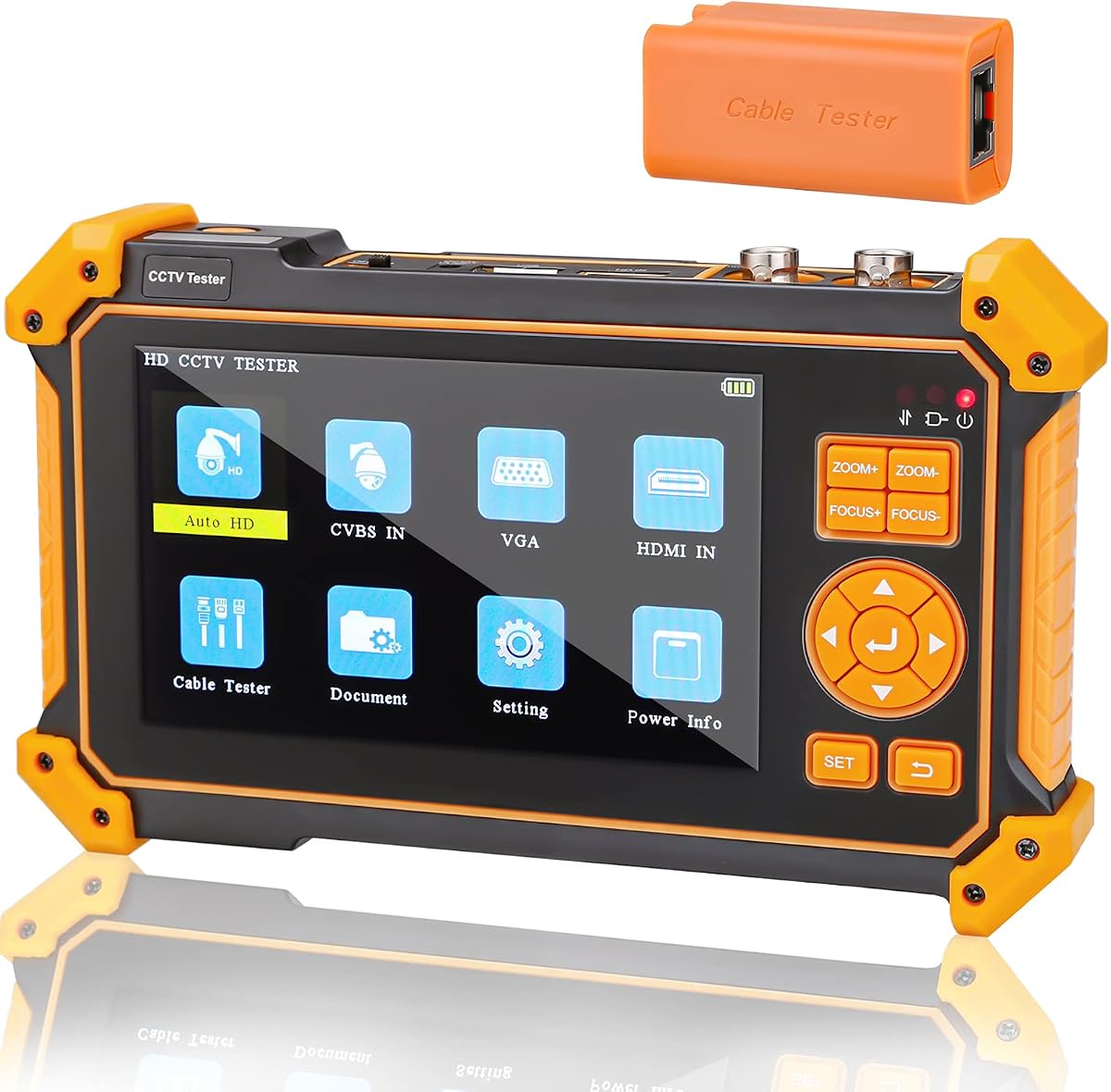
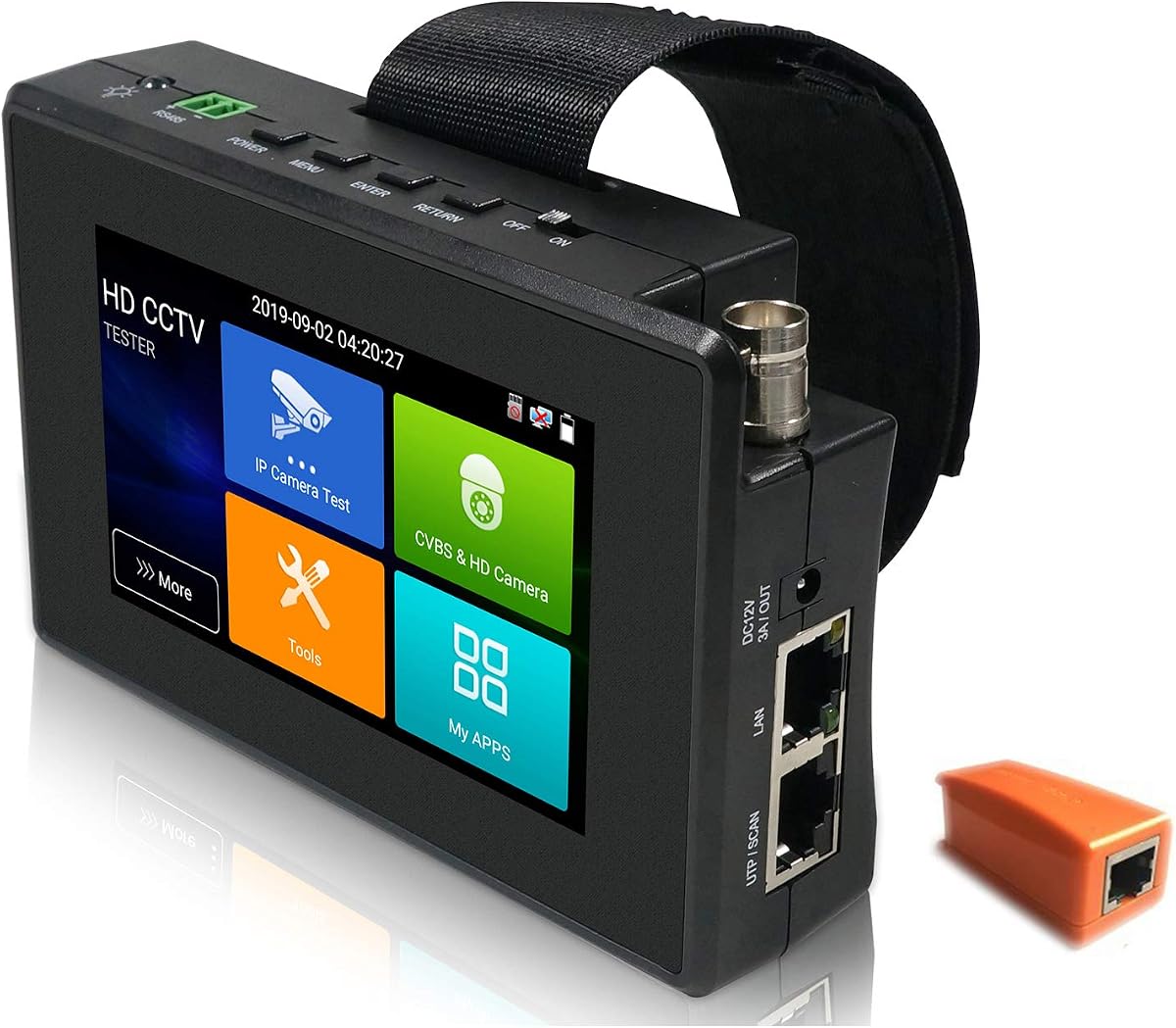
The WANLUTECH IPC-9800CADH Pro combines a 7-inch 1280×800 touchscreen with support for IP cameras up to 8K and 32MP as well as common analog and HD coaxial formats. Its 4.4 rating reflects a versatile package aimed at technicians who need more than basic camera identification. The display is large enough for detailed menus without making the unit excessively bulky.
We may earn a commission when you buy through this link, at no additional cost to you.
Its standout feature set includes 90W PoE output, a gigabit SFP optical-fiber interface, dual gigabit Ethernet ports, HDMI input and output, VGA input, audio connections, and RS485. Camera work includes IP discovery, IPC testing, rapid video, RTSP playback, Quick OVIF, and Hikvision and Dahua batch tools. The RJ45 TDR and cable-tracing functions add practical value when a failed installation involves both networking and cabling.
The trade-off is complexity. This is not a simple screen-and-probe device; its large touchscreen, Android-based interface, and broad tool selection require more learning than a compact coaxial tester. The supplied information also notes that a paper insulating sheet must be removed from the battery compartment before use. Buyers should confirm that the functions they need are present for their exact camera and network mix.
It is the strongest all-round recommendation for professional installers and service teams that handle mixed IP, analog, AHD, TVI, and CVI systems. The combination of high-resolution IP testing, 90W PoE, cable diagnostics, and an SFP port makes it particularly useful for commissioning complex commercial installations rather than routine single-camera troubleshooting.
The monitor supports IP, CVBS, AHD, TVI, and CVI testing, including automatic recognition of HD coaxial signals. That breadth lets one device handle legacy analog equipment and modern network cameras without changing toolsets between jobs.
Ping, IP scanning, DHCP server, trace route, port flash, LLDP, link monitoring, RJ45 TDR measurements, cable tracing, and SFP testing cover both logical network faults and physical cabling problems. The result is a more complete commissioning workflow.
We may earn a commission when you buy through this link, at no additional cost to you.
The Rsrteng IPC-9800ADHS Pro earns a 4.5 rating and targets high-end camera commissioning. It supports IP cameras up to 8K and 32MP, along with 8MP TVI, AHD, CVI, SDI, and CVBS cameras. A 7-inch IPS touchscreen at 1280×800 gives technicians a clear interface, while Android 11 provides a familiar platform with room for additional applications.
We may earn a commission when you buy through this link, at no additional cost to you.
The strongest feature is its 90W PoE++ output, designed to supply high-power PTZ speed-dome cameras temporarily. It also includes a gigabit SFP optical-fiber module interface, dual 10/100/1000Mbps Ethernet ports, Wi-Fi, RS485, audio input and output, HDMI input and output, and VGA input. These connections support installations that extend beyond a single camera and basic Ethernet link.
Professional network utilities include trace route, link monitor, DHCP server, port flashing, and Ping testing. The RJ45 TDR system reports cable-pair status, length, attenuation, reflectivity, impedance, and skew within a stated 180-meter measurement range. These functions are valuable when the image failure stems from a damaged run rather than camera configuration, although users still need the correct SFP module for optical testing.
This is a compelling premium choice for technicians who regularly work with high-resolution IP cameras, PTZ units, fiber-backed links, and complex recording environments. It may be excessive for basic analog maintenance, but its 4.5 rating, extensive connectivity, and high-power output make it one of the most complete options in this guide.
IEEE 802.3af, 802.3at, and 802.3bt support with output up to 90W allows the monitor to power compatible speed-dome cameras during setup. This can simplify a bench or mobile commissioning setup where a conventional low-power output is insufficient.
Support for 8K and 32MP IP feeds prepares the tester for modern high-resolution systems, while the Auto HD application identifies coaxial camera types and resolutions. It is designed to keep the technician within one general interface.
We may earn a commission when you buy through this link, at no additional cost to you.
The WANLUTECH E88 stands apart with its 8-inch touchscreen, the largest display in this comparison. It supports IP cameras up to 12MP and analog camera testing, while its 4.4 rating indicates generally positive reception. The large canvas makes detailed menus, camera images, cable results, and network information easier to inspect during extended service work.
We may earn a commission when you buy through this link, at no additional cost to you.
The E88 offers 90W PoE output and a gigabit SFP optical-fiber module port, which expands its relevance to high-power PTZ cameras and fiber installations. Its RJ45 TDR tool examines pair status, length, attenuation, reflectivity, impedance, and skew, while separate cable-length testing covers open circuits in BNC, RJ45, and RJ11 runs up to a stated 3000 meters.
Its weakness is that it falls short of the 32MP ceiling offered by the two IPC-9800 models, so buyers working with 8K or 32MP cameras may prefer a higher-resolution specialist. The 8-inch chassis also carries more weight and bulk than portable 4.3-inch units. Before use, the supplied battery-isolating paper must be removed from the compartment.
The E88 is best suited to service professionals who want a large, general-purpose monitor with strong power delivery, optical testing, and unusually broad cable-length measurements. It is a strong alternative for technicians who value screen space and diagnostic range more than maximum IP-camera resolution.
An 8-inch touchscreen gives camera feeds, network status, power measurements, and test reports more visual space than a 4-inch or 5-inch unit. It is particularly useful for navigating deeper settings and reviewing detailed cable results.
The combination of RJ45 TDR, UTP fault-location, and long-distance cable measurement helps distinguish a connector defect from a break farther along a run. This makes the E88 useful when ordinary connectivity tests pass but a camera remains offline.
We may earn a commission when you buy through this link, at no additional cost to you.
The WANLUTECH IPC-1800ADH Plus packs IP-camera and HD-coaxial testing into a 4-inch touchscreen format. Its 4.4 rating reflects a balanced feature set for technicians who need a portable unit rather than a desktop-style console. The compact body still supports IP discovery, IPC testing, RTSP playback, batch activation of Hikvision and Dahua cameras, and automatic HD signal recognition.
We may earn a commission when you buy through this link, at no additional cost to you.
For analog and coaxial work, the monitor handles CVBS, AHD, TVI, and CVI signals, with PTZ and RS485 control across baud rates from 600 to 115200bps. It includes network tools such as Ping, IP scanning, port flashing, and DHCP server operation, plus a Wi-Fi hotspot. RJ45 TDR and UTP testing can save results as reports for later reference.
The 30W PoE output is the main limitation for installers working with the highest-power PTZ models. Its 2400mAh battery also provides less capacity than larger units, and the 4-inch screen offers less room for menus and detailed review. It is still a capable middle ground for IP cameras, conventional AHD/TVI/CVI installations, and routine field troubleshooting.
Choose this model when portability, touch controls, and mixed IP-coaxial support matter more than maximum PoE output or very high camera resolution. It is particularly well suited to service technicians who regularly carry one monitor across customer sites and need the most common network and coaxial tools available.
The 4-inch IPS touchscreen gives the unit a practical balance of size and usability. It can test modern IP feeds alongside CVBS, AHD, TVI, and CVI cameras, reducing the need to carry separate monitors for each format.
RS485 control, automatic HD detection, IP discovery, and a Wi-Fi hotspot support common commissioning tasks. These functions let the installer confirm camera identity, adjust controls, and establish a local connection without relying entirely on a laptop.
We may earn a commission when you buy through this link, at no additional cost to you.
The Triplett 8150 CamView IP Pro 5 is a compact 5-inch tester aimed at practical field use. It supports IP, analog, TVI, CVI, and AHD cameras, including 4K H.264 and H.265 streams. Its 4.1 rating is the lowest among the listed products, but the supplied feature summary presents a straightforward, useful set of installation tools in a portable body.
We may earn a commission when you buy through this link, at no additional cost to you.
HDMI, BNC, and RJ45 ports cover common security-system connections. PoE output is rated at 24W, with a separate 12V/3A DC output for temporary camera power. The unit can connect to Wi-Fi cameras, create a Wi-Fi hotspot, run an Ookla speed test, and automatically identify the type and resolution of an HD coaxial camera.
The RJ45 TDR and UTP functions identify opens, shorts, and miswires, which adds physical-layer diagnostics beyond simple image testing. However, its PoE output is lower than the 90W options and may not support every high-draw PTZ camera. The 5-inch screen is also smaller than the 7-inch and 8-inch specialist monitors, limiting the workspace for detailed menus.
This is a sensible choice for technicians who want a relatively lightweight, conventional 5-inch unit supporting both network and legacy cameras. It works especially well for routine commissioning, Wi-Fi troubleshooting, coax identification, and cable checks, while specialists needing high-resolution displays or maximum temporary power should consider a larger model.
IP, analog, TVI, CVI, and AHD testing in one unit covers many common retrofit and repair scenarios. Automatic recognition of HD coax type and resolution speeds initial camera identification.
The ability to connect to Wi-Fi cameras, create a hotspot, and perform an Ookla speed test adds value beyond the wired camera connections. It can help determine whether a wireless link or local network is causing the problem.
We may earn a commission when you buy through this link, at no additional cost to you.
The Anpviz 5 Inch 4-in-1 is focused on legacy and HD coaxial camera systems rather than modern IP networks. It supports TVI resolutions up to 8MP and includes a 5-inch, 800×480 TFT-LCD display that is not a touchscreen. Its 4.3 rating makes it a credible option for technicians whose work centers on analog installations and DVR troubleshooting.
We may earn a commission when you buy through this link, at no additional cost to you.
The built-in PTZ tester and controller, UTP cable test, audio surveillance test, and power output reduce the number of separate tools required. HDMI 1.1 and VGA input also allow the unit to serve as a display while debugging a DVR or NVR. Its rechargeable 18650 battery is rated for up to 11 hours of working time after a stated three-to-four-hour charge.
The crucial limitation is explicit: this model does not support IP or PoE cameras. It should not be selected for modern network-camera commissioning even though it shares the broad CCTV tester category with several IP-capable alternatives. The non-touch interface also requires more physical button interaction, though that can be advantageous for users who prefer tactile controls or use the unit with gloves.
Choose the Anpviz for dedicated analog, TVI, PTZ, and recorder work. It is especially useful as a lightweight secondary monitor for technicians who already own separate IP-testing equipment. For mixed estates, one of the 4-inch, 7-inch, or 8-inch multi-format models will provide greater flexibility.
TVI image testing, automatic compatibility with common coax workflows, PTZ control, and UTP diagnostics focus on the physical video installation. It is a useful tool for maintaining older or entirely analog camera systems.
The stated battery runtime of up to 11 hours is attractive for full-day service work. A removable-battery format also gives technicians a practical way to manage power across consecutive installations.
We may earn a commission when you buy through this link, at no additional cost to you.
The EVERSECU 7 Inch Touch Screen is a broad diagnostic tool with a 7-inch, 1280×800 display. It supports IP cameras up to 8K, 8MP HD coaxial formats, and CVBS analog cameras, earning a 4.4 rating. Its defining additions are an optical power meter, digital multimeter, video level meter, visible fault locator, TDR cable testing, and 24W PoE output.
We may earn a commission when you buy through this link, at no additional cost to you.
Camera functions include PTZ control, snapshots, four-times zoom, video recording and playback, automatic login and viewing, and testing-report creation. The built-in camera tools are described as compatible with Hikvision, Dahua, and Axis models of almost all types. Network diagnostics include IP discovery, Ping, address scanning, port blinking, traffic display, and 10/100/1000M Ethernet testing.
Its Android platform can accept applications, although the supplied guidance advises installing apps only on cameras to preserve stability. The 24W PoE limit is the clearest disadvantage relative to 90W alternatives. Despite that limitation, the optical and electrical instruments make this model attractive to technicians who want more than camera identification in one enclosure.
It is best for field engineers who need a single unit to inspect network cameras, diagnose coax signals, check cable condition, and measure optical or electrical conditions. The 5400mAh battery and stated 10-hour runtime support extended mobile work, while the 7-inch touchscreen offers a good balance between detail and portability.
The integrated digital multimeter, optical power meter, video level meter, and visible fault locator extend the tester into broader service diagnostics. These tools can help narrow down fiber, signal-level, and general electrical issues.
Android applications expand the testing toolbox and support cameras from major brands. The manufacturer recommends limiting installations to camera-related apps, which protects system stability while retaining useful flexibility.
We may earn a commission when you buy through this link, at no additional cost to you.
The WSDCAM 4-in-1 HD is a compact coaxial camera monitor with a 4.3-inch, 480×272 TFT-LCD display. It supports TVI, CVI, AHD, and CVBS cameras up to 8MP and carries a 5.0 rating, the highest listed score among the ten products. It is best understood as a focused installation tool rather than a general network tester.
We may earn a commission when you buy through this link, at no additional cost to you.
The Auto HD application recognizes HD coaxial signals and displays the image, camera type, and frame information. PTZ control, RS485 control, OSD menu access, audio input, an LED flashlight, and DC12V/1A temporary output support common field tasks. Its cable tester checks UTP connection status, identifies RJ45 connector fault points, and measures network-cable length from 0.1 meters to 3 kilometers.
The key limitation is that IP cameras are not supported, so it cannot replace a modern network-camera tester. DC output is also modest at 12V and 1A. The display resolution is lower than on many competing screens, and the unit has no touchscreen, although the compact physical design and rechargeable 4000mAh battery make it easy to carry.
It is a strong budget selection for technicians specializing in analog and HD coax systems, particularly those who need cable-length measurement and PTZ access in a small enclosure. The listed rating is encouraging, although ratings should complement—not replace—verification of connector types, supported camera formats, and accessory needs.
The new UTP port, on-screen cable status, RJ45 fault-point detection, and measurements from 0.1 meters to 3 kilometers make this model more useful than a basic camera monitor. It helps identify both short cable faults and longer installation-run issues.
Automatic recognition of TVI, CVI, AHD, and CVBS signals reduces guesswork when connecting an unknown camera. Displaying the recognized camera type and frame information speeds initial assessment.
We may earn a commission when you buy through this link, at no additional cost to you.
The WSDCAM 3200-Plus provides a larger 5-inch, 800×480 non-touch display for legacy and HD coax testing. It supports 8MP TVI, CVI, AHD, EX-SDI, HD-SDI, 3G-SDI, and CVBS cameras with PAL and NTSC adaptation. Its 4.3 rating indicates a capable alternative for users who do not need modern IP-camera functions.
We may earn a commission when you buy through this link, at no additional cost to you.
HDMI input supports 4K at 30FPS, while VGA input supports 1920×1200 at 60FPS. That makes the unit useful for displaying or debugging DVR and NVR outputs in addition to direct camera testing. Built-in functions include a PTZ tester and controller, Auto HD recognition, UTP cable testing, audio surveillance testing, and DC12V power output.
Its 5200mAh rechargeable battery offers a substantial capacity, though the stated operating time is approximately six hours. The lack of IP support rules it out for most modern network installations, and the 24V or high-wattage PoE capabilities found in premium devices are absent. A non-touch display may also slow menu-heavy work compared with touchscreen models.
Choose this model when an installer needs a portable monitor dedicated to coax cameras, DVR troubleshooting, and PTZ work. The strap and tool bag add to its field convenience, while the larger screen and HDMI capability make it a versatile display for service teams maintaining mixed legacy equipment.
HDMI and VGA inputs let technicians inspect DVR or NVR video outputs through the same device used for cameras. HDMI 4K support and high-frame-rate VGA input are useful for checking modern recorder interfaces.
TVI, CVI, AHD, several SDI variants, and CVBS cover a wide range of legacy camera standards. Automatic recognition helps reduce the time required to identify an unknown installation.
We may earn a commission when you buy through this link, at no additional cost to you.
The EVERSECU 5-in-1 Tester combines a 4-inch IPS touchscreen with IP, analog, TVI, CVI, and AHD support. It can test mainstream 4K H.264 and 4K H.265 cameras while also handling common lower-resolution coax formats. Its 4.4 rating reflects a balanced entry-level package for technicians who need more than a basic analog monitor.
We may earn a commission when you buy through this link, at no additional cost to you.
Network tools include IP scanning, Ping testing, Ethernet bandwidth testing, DHCP server operation, trace route, and IP discovery. The IP discovery function can scan a network segment and align the tester with a detected camera's subnet. PoE output is rated at 25.5W, while DC12V/3A provides temporary power for cameras. ONVIF and analog PTZ control add further installation support.
RJ45 TDR measurements report pair status, length, attenuation, reflectivity, impedance, and skew, while UTP testing checks overall connection status. The screen can rotate 180 degrees, which helps when cables enter from the bottom. Limitations include 480×480 screen resolution, a lower IP-camera ceiling than 8K-focused competitors, and modest PoE output for power-hungry PTZ cameras.
It is a sensible choice for installers moving between mainstream 4K IP cameras and conventional coax equipment without carrying two devices. The rotating display, touchscreen, network utilities, and cable diagnostics give it greater flexibility than a basic coax-only unit, while its compact construction keeps it more manageable than the 7-inch and 8-inch models.
IP discovery, subnet alignment, Ping, address scanning, DHCP server, trace route, and bandwidth testing support initial configuration. These utilities help determine whether a camera is reachable and whether the local network path is functioning.
A 180-degree screen rotation reduces awkward cable routing when the tester rests on a surface. The interface themes and icon arrangement can also be customized, making repeated field workflows more familiar and efficient.
We may earn a commission when you buy through this link, at no additional cost to you.
The right CCTV Test Monitor depends on the camera technologies, network infrastructure, and physical cabling in your service environment. Start with the systems you actually maintain, then consider display quality, power output, diagnostics, battery endurance, and the physical demands of daily field work.
IP camera support should be evaluated beyond the word “IP.” Look for IP discovery, rapid video preview, RTSP playback, Quick OVIF or ONVIF utilities, and brand-specific tools for cameras such as Hikvision or Dahua. Higher-resolution compatibility matters when working with 4K, 8K, 12MP, or 32MP systems. The WANLUTECH IPC-9800CADH Pro and Rsrteng IPC-9800ADHS Pro support the highest stated IP resolutions, while the E88 supports up to 12MP. If your work centers on ordinary 4K H.264 or H.265 installations, the EVERSECU 5-in-1 Tester can cover those formats in a more compact body.
In summary, choose an IP tester that matches the cameras you service most often and includes the discovery and preview functions needed to diagnose them quickly.
Many legacy and mixed installations still rely on CVBS, AHD, TVI, CVI, or SDI. A useful analog monitor should automatically identify the signal and display its resolution or frame information when possible. The WSDCAM 4-in-1 HD, Anpviz, and WSDCAM 3200-Plus are focused coax solutions, while the larger WANLUTECH and Rsrteng models combine coax support with modern IP tools. SDI support may also matter in specialized systems, as seen on the Rsrteng IPC-9800ADHS Pro and WSDCAM 3200-Plus.
In summary, verify the exact legacy standard used on site and do not assume every analog-looking tester supports AHD, TVI, CVI, or IP.
Screen size affects image inspection, menu navigation, and field comfort. The 8-inch WANLUTECH E88 offers the most workspace, while 7-inch models strike a useful balance for detailed diagnostics. Four-inch and 4.3-inch units are easier to carry but provide less room for reports and cable measurements. Touchscreens speed up app-based workflows, whereas non-touch TFT displays can be more predictable with physical controls. Resolution also matters: a 480×272 screen is adequate for basic recognition, while 1280×800 provides a noticeably clearer workspace for network menus and camera details.
In summary, favor a larger high-resolution touchscreen for frequent camera commissioning, but consider a compact non-touch model when portability and simple coax testing dominate.
Temporary power lets the tester bring a camera online before the permanent supply is connected. Maximum PoE output ranges from 24W or 25.5W on several compact models to 90W on the WANLUTECH E88, WANLUTECH IPC-9800CADH Pro, and Rsrteng IPC-9800ADHS Pro. High-output models are more likely to support power-hungry PTZ speed-dome cameras. DC output remains useful for non-PoE cameras, with the EVERSECU 5-in-1 offering a particularly useful 12V/3A output. Always compare the monitor’s output with the camera’s requirements and supported IEEE standards.
In summary, standard cameras are usually manageable with lower output, while high-power PTZ models justify a tester specified for 90W PoE output.
A capable monitor should help separate network-address problems from physical cable faults. Ping, IP scan, DHCP server, PPPOE, trace route, port flash, LLDP, link monitor, and traffic displays address logical connectivity. RJ45 TDR, UTP fault location, cable tracing, and length measurement address wiring and connector defects. The E88 supports open-circuit measurements up to a stated 3000 meters, while the WSDCAM 4-in-1 HD also provides a 3-kilometer measurement range. For fiber installations, an SFP port is valuable, but a compatible optical module must be supplied separately.
In summary, prioritize both software network tools and physical cable diagnostics; a monitor that only displays camera video may leave the root cause unidentified.
Battery capacity and stated runtime determine how comfortably the tester can cover a full workday. The Anpviz lists up to 11 hours of operation, the EVERSECU 7 Inch lists 10 hours, and the WSDCAM 3200-Plus lists approximately six. Smaller monitors are easier to carry, while a 7-inch or 8-inch screen may require a dedicated bag. Weight, strap provision, port placement, and battery-removal design can matter as much as the headline capacity. A tester that is uncomfortable to hold or awkward to position may reduce productivity even when its specifications are strong.
In summary, balance runtime with physical size, and consider how frequently the unit will move between vehicles, ladders, desks, and customer sites.
Specialized instruments can make a general CCTV tester more valuable. The EVERSECU 7 Inch includes an optical power meter, digital multimeter, video level meter, and visible fault locator. Several models support PTZ and RS485 control, audio input testing, color-bar generation, screenshots, recording, and playback. The WANLUTECH IPC-1800ADH Plus can save cable-test reports, while the WANLUTECH E88 supports command-data monitoring and hexadecimal transmission. These functions should complement, rather than replace, any dedicated instruments already used by your team.
In summary, prioritize specialized tools only when they match recurring field problems; otherwise, prioritize compatibility, readability, and dependable power output.
Recording and playback can preserve a failing camera’s behavior for later review. Automatic video preview and test-report creation are valuable when documenting an installation or comparing results across multiple cameras. Android-based models may also accept applications, but added software introduces stability and support considerations. The EVERSECU guidance specifically recommends installing apps only on cameras. Before relying on optional applications, confirm that they are permitted for the intended system and compatible with the tester’s operating system.
In summary, value recording and reporting when documentation is part of your workflow, but avoid depending on optional apps for essential camera tests.
Before the first job, inspect the tester, cable adapters, power leads, and battery compartment. Several product descriptions specifically mention an insulating paper sheet that must be removed before use. Charge the unit fully, verify the display and touchscreen if applicable, and confirm that the intended camera format and required accessories are supported. Familiarize yourself with the device’s menu structure before traveling to a site.
Begin with the connection appropriate to the camera. For IP testing, connect the camera and tester to the same network, use IP discovery or scan to identify its address, then open the video preview or RTSP function. For coax testing, connect the BNC input and allow the automatic HD tool to recognize the signal. Use PTZ or OSD controls only after confirming that the camera type, protocol, and baud rate match.
Diagnose in layers. Confirm the camera receives appropriate temporary power, check its link status, inspect the image, and then test the network path or physical cable. Record the result and create a report if the device supports it. After use, remove temporary connections, clean the screen and ports, protect the unit from moisture and impact, and store it with the battery at an appropriate charge level for its battery type.
A CCTV Test Monitor is a portable diagnostic display used to connect directly to security cameras and recording equipment. It can identify camera formats, preview live video, control PTZ functions, provide temporary power, discover IP addresses, and test network or coaxial cables. It helps technicians verify a camera before final installation and diagnose faults without carrying a full laptop.
No. Camera standards and resolutions vary widely among products. Some support only legacy coaxial formats such as CVBS, AHD, TVI, or CVI, while others also support IP cameras and modern H.264 or H.265 streams. Check the supported formats, maximum resolution, connectors, and PTZ protocols against the cameras you regularly service.
Usually not. PoE and DC outputs are intended to power a camera temporarily during installation, testing, or demonstration. Higher-output models can supply up to 90W for compatible high-power PTZ cameras, while compact units may provide around 24W or less. Permanent power should come from the designed security-system supply and appropriate PoE switch or injector.
An IP tester connects to cameras over Ethernet or Wi-Fi and offers address discovery, network diagnostics, RTSP preview, and PoE. An analog tester primarily works with coax video signals and often includes BNC input, PTZ control, and coax cable functions. A mixed tester combines both approaches, making it more versatile for technicians who service modern and legacy systems.
No. A larger screen is easier to read and can provide more room for menus and test reports, but it also increases bulk and weight. A compact 4-inch or 4.3-inch model may be more practical for routine service calls, while a 7-inch or 8-inch unit is preferable for network commissioning, high-resolution cameras, and extensive diagnostics.
RJ45 TDR testing can reveal pair status, cable length, attenuation, reflectivity, impedance, skew, open circuits, shorts, or connector faults. This helps determine whether a network camera problem originates in the Ethernet cable rather than the camera or its configuration. Test limits and measurement accuracy vary by model, so the specified range should match the cable installation.
An SFP port is useful when testing a fiber-based network connection, but the tester generally requires a compatible SFP optical module for that task. The module and optical interface must match the fiber link, such as the appropriate connector and wavelength. Without the correct module, the port may not provide a meaningful fiber-level test.
Keep the unit in a padded case, protect the screen from impact, and avoid moisture, dust, and extreme heat. Inspect ports and connectors for debris, clean them carefully, and check the battery compartment for any insulating film before first use. Charging and storage practices should follow the battery guidance supplied with the specific model.
The WANLUTECH IPC-9800CADH Pro stands out as the most balanced overall choice, combining a 7-inch touchscreen, 8K and 32MP IP testing, 90W PoE, extensive cable diagnostics, and an SFP interface. The Rsrteng IPC-9800ADHS Pro is an equally capable premium alternative, while the WSDCAM 4-in-1 HD offers a focused, highly portable solution for analog and coaxial technicians.
Your priorities should follow your actual workload. Choose a high-resolution IP model for modern network cameras, high-power PTZs, or fiber installations. Select a compact coax tester for legacy systems and simpler field service. Consider screen readability, battery endurance, PTZ protocols, reporting, and physical cable tools before making a final decision.
Product configurations, included accessories, and availability can change, so verify the current listing and manufacturer specifications before purchasing. Confirm camera-format support, connector types, required modules, power requirements, and battery details to ensure the selected CCTV Test Monitor fits both your equipment and working environment.