
Asustor Drivestor 4 Gen 2
4.0Editor score
2.5GbE network performance
Four-bay RAID flexibility
Btrfs snapshot protection
4K media streaming support
Our 4 Bay NAS guide compares ten leading models for performance, capacity, data protection, media features, expandability, and ease of use for everyday use.
A 4 Bay NAS gives you a practical balance of storage capacity, expandability, and manageable size for a home or small office. The right enclosure can centralize files, protect important data, stream media, back up phones and computers, and support cameras without requiring constant external-drive maintenance. Performance, networking, software, and drive compatibility all influence the result.
This guide compares ten 4 Bay NAS enclosures across processor power, memory, network speed, supported storage, RAID options, backup features, surveillance capabilities, media tools, and ease of use. It covers models positioned for beginners, families, creators, developers, and professional teams, while clearly noting which products require separate hard drives, SSDs, cameras, or additional configuration.
Each entry highlights the reason the model remains relevant, along with its strongest features and practical limitations. The top selections cover budget-conscious, balanced, and premium use cases, but the right choice ultimately depends on your drives, router, software priorities, and desired level of expandability. Product pricing and availability can change, so verify current listings and compatibility before purchasing.
4.0Editor score

4.6Editor score

4.4Editor score
The table below compares all ten models by their core hardware, networking, expandability, and intended level of use, making it easier to identify the enclosure that matches your storage environment.






The TERRAMASTER F4-425 is a 4.0-rated home NAS that combines an Intel x86 quad-core processor, 4GB of RAM, and a 2.5GbE network connection in a four-bay enclosure. Its most appealing qualities are a quiet operating design, tool-free drive trays, hardware 4K H.265 decoding, and a broad selection of media, photo, synchronization, and RAID features.
We may earn a commission when you buy through this link, at no additional cost to you.
Its hardware-level media decoding can smooth Plex, Emby, and Jellyfin playback, while DLNA expands streaming options to compatible devices. The Photos app includes AI smart albums for organizing large collections, and the TNAS Mobile app handles setup, phone backups, and local or remote synchronization without requiring a PC for initial configuration. Storage can reach 120TB with four compatible 30TB drives, and TRAID or TRAID+ arrays offer flexible ways to balance usable space and redundancy.
The main compromises are the modest 4GB memory configuration and single 2.5GbE port. Those limitations make the enclosure less compelling for memory-heavy virtual machines, intensive simultaneous workloads, or networks designed around multi-gigabit aggregation. The SPC module, account controls, cloud synchronization options, and two-way TerraSync support help address security and convenience, but the broader feature set still depends on the installed drives and compatible software.
This is a sensible pick for a quiet bedroom, living room, or family media area where easy phone backups, organized photos, 4K streaming, and straightforward shared storage matter more than enterprise processing. Users should account for the lack of included drives and confirm that their chosen hard drives are compatible before ordering. It is a strong middle ground for people who want more capability than a basic file server without moving to a higher-powered enthusiast platform.
The 21dB(A) operating target and tool-free Push-Lock trays make the F4-425 convenient for living spaces where noise and frequent drive changes could be distracting. Hardware H.265 decoding also provides a useful foundation for direct 4K playback through supported media servers.
TRAID and TRAID+ options allow storage to be organized around capacity or redundancy goals. The mobile app, cloud synchronization compatibility, and TerraSync make it practical to move between local, remote, and cross-platform access.
We may earn a commission when you buy through this link, at no additional cost to you.
The UGREEN NAS DXP4800 GT is a 4.6-rated NAS aimed at creators, technical users, and office teams that need more than basic file storage. Its AMD Ryzen Embedded R2514 processor, 8GB of expandable DDR4 memory, dual 10GbE ports, SSD expansion, Docker support, and virtual-machine capability make it one of the most versatile enclosures in this guide.
We may earn a commission when you buy through this link, at no additional cost to you.
Networking is the standout feature. Each 10GbE port can operate at 10Gbps, and compatible network equipment can aggregate the two connections for up to 20Gbps of theoretical bandwidth. That helps smooth large media transfers, rapid backups, and multi-user access. The supplied USB-A and USB-C ports provide 10Gbps connections, while the built-in SD card slot provides a direct route for importing photos and video from compatible cards through the UGREEN NAS app.
The UGOS Pro interface supports Docker, virtual machines, SAN Manager, and a broad collection of self-hosted applications. Plex, Emby, Jellyfin, Home Assistant, and web hosting are possible, although Plex specifically requires manual Docker configuration. The surveillance center is another differentiator: compatible ONVIF or RTSP cameras can be viewed, recorded, and managed through a unified local platform with live multiview, PTZ control, event detection, and timeline playback.
This enclosure is best suited to users who routinely move large files, maintain multiple services, or want local storage for camera footage. Its memory ceiling, multi-gigabit networking, and application support offer room to grow. The trade-off is that it is a more advanced system than a beginner needs, and the enclosure, compatible drives, and any necessary camera or software setup must be considered separately before purchase.
Dual 10GbE connectivity is particularly valuable when editing media, moving multi-gigabyte project files, or serving several users at once. Link Aggregation can increase available bandwidth when the rest of the network supports it.
The integrated surveillance center keeps compatible camera viewing, recording, and event playback on local storage. Docker and virtual-machine support also broaden the enclosure beyond a conventional shared file server.
We may earn a commission when you buy through this link, at no additional cost to you.
The Synology DS425+ is a 4.6-rated private cloud and media server designed for teams that want a polished, centralized workspace. It supports file transfers of up to 278 MB/s, concurrent access from more than 10 users, granular access controls, audit logs, snapshots, and support for as many as 30 IP cameras.
We may earn a commission when you buy through this link, at no additional cost to you.
Its primary strength is an integrated approach to data management. Company documents, client files, and media assets can be stored in one repository rather than scattered across laptops and external drives. Layered protection combines RAID redundancy, automated backups, and snapshot technology, giving administrators several ways to recover from accidental changes or broader data loss. The surveillance features extend the same centralized model to homes and small businesses through motion detection and secure remote access.
The trade-offs center on ecosystem discipline and potential add-on requirements. The product supports drives on Synology's official compatibility list, and some advanced features may require additional licenses or compatible cameras. Compared with high-end x86 creator systems, its role is more focused on a refined private cloud, file sharing, backup, and surveillance environment than open-ended compute workloads.
The DS425+ is a strong recommendation for small offices and families that value usability, centralized control, and mature backup features more than maximum I/O flexibility. A three-year warranty and dedicated technical account management availability add confidence for business-critical use. Buyers should plan compatible storage, confirm camera and licensing requirements, and assess how their current devices will connect to the private cloud.
Shared folders, team permissions, and audit logs give administrators a clear way to organize company and client files. Concurrent access for more than 10 users suits active small teams that need a dependable central repository.
Snapshots, RAID redundancy, and automated backups address different kinds of risk. Using them together creates a more resilient recovery plan than relying on a single safeguard.
We may earn a commission when you buy through this link, at no additional cost to you.
The UGREEN DXP4800 Plus is a 4.6-rated enclosure for families, creators, and small teams that need fast storage with room for more advanced services. It combines a 10GbE network port, 10Gbps USB ports, RAID options, Docker and virtual-machine support, and capacity for up to 144TB when populated with compatible drives.
We may earn a commission when you buy through this link, at no additional cost to you.
The platform is designed to replace several disconnected storage tools at once. Users can centralize documents, photos, movies, and work assets while relying on automatic backups, remote access, and flexible permission management. Its AI photo album recognizes faces, scenes, objects, and locations, and it can identify duplicates to reclaim space. File sharing is available through Windows, macOS, Linux, iOS, Android, web browsers, and compatible smart TVs, which helps it fit into a mixed-device household or office.
Its practical limitation is that the headline transfer performance depends on the router, processor, installed drive, file size, and overall network. It also ships without hard drives, and advertised capacity assumes an appropriate RAID arrangement. As with the wider DXP series, Plex can be run through Docker rather than as a simple preinstalled media-server experience, so users comfortable with that setup will get more value from the platform.
The DXP4800 Plus suits buyers who want fast multi-gigabit performance and useful application support without moving to the highest processor tier. It is particularly attractive for collaborative creative files, photo libraries, and a private cloud used across many device types. Confirm third-party drive compatibility, decide on a RAID strategy, and verify that Docker-based media software fits your comfort level before committing.
A 10GbE connection and high-speed USB ports can greatly reduce waiting time during backups, project transfers, and media access. The actual benefit depends on matching storage and network hardware to the task.
Encryption, granular permissions, and remote access support a private-cloud approach. AI-based recognition and duplicate removal make large photo collections easier to search and maintain.
We may earn a commission when you buy through this link, at no additional cost to you.
The UGREEN NAS DH4300 Plus is a 4.2-rated entry-level NAS built for home users, beginners, and remote workers. It combines four storage bays with a 2.5GbE port, 8GB of LPDDR4X memory, Docker support, phone photo backup, AI-assisted photo organization, and 4K HDMI output.
We may earn a commission when you buy through this link, at no additional cost to you.
Its onboarding experience is designed to ease the transition from cloud storage and external drives. NFC-assisted connection, guided setup, a beginner-friendly manual, and video instructions simplify initial configuration. The mobile experience can automatically back up photos and videos, while semantic search and recognition of people, objects, and pets help users locate images. Duplicate removal is another useful tool for keeping an ever-growing family library organized.
Despite its approachable position, the hardware is more substantial than a minimal file server. The listed transfer performance of a 1GB file in approximately three seconds reflects a strong combination of 2.5GbE networking and 8GB memory, although real results depend on the client, drives, and file size. The enclosure supports Docker, which broadens its usefulness, but it does not support virtual machines. It also relies on wired Ethernet rather than Wi-Fi.
This model makes sense for families that want automatic phone backups, shared media, remote file access, and local ownership without a complicated setup. It is less appropriate for advanced virtualization users or anyone expecting multi-gigabit performance beyond the 2.5GbE tier. Compatible storage drives must be purchased separately, and the magnetic top cover offers a convenient way to access the interior without dealing with a complex latch.
Guided mobile setup, NFC connection, and device-specific access reduce the amount of technical configuration required. The design is particularly approachable for users moving beyond external drives.
Real-time mobile backups protect incoming images and videos, while semantic search and AI albums help users find or group important moments. Duplicate removal can reclaim storage without deleting valuable originals indiscriminately.
We may earn a commission when you buy through this link, at no additional cost to you.
The Synology DS925+ is a 4.2-rated 4-bay DiskStation focused on fast transfers, integrated data management, and a conventional desktop form factor. The listed performance reaches up to 522 MB/s sequential reads and 565 MB/s sequential writes, giving it considerable headroom for shared storage, media libraries, and professional file workflows.
We may earn a commission when you buy through this link, at no additional cost to you.
Dual 2.5GbE ports improve transfer speed and provide an additional layer of network redundancy. The enclosure also supports Synology's built-in file management, photo management, data protection, virtualization, and surveillance solutions, making it a practical one-device platform for families or small offices. A three-year limited hardware warranty provides a longer stated coverage period than many competing enclosures in this roundup.
The most important purchasing consideration is compatibility. Synology states that the DS925+ supports drives appearing on the model's official compatibility list, and the unit is sold without storage drives. Real-world throughput will depend on the chosen drive configuration, network clients, data type, and whether a cache or SSD tier is used, so the stated sequential figures should be treated as capability rather than a guarantee for every workflow.
The DS925+ is well suited to buyers already comfortable with the Synology ecosystem and seeking a faster four-bay desktop without moving to a rack platform. Its dual 2.5GbE design is particularly useful for quick backups and media transfers. Verify current drive compatibility, plan the desired storage layout, and compare the available application features against your existing infrastructure before ordering.
Dual 2.5GbE connections can speed up local workflows and provide a secondary path if one network connection fails. The two ports also offer more flexibility than a single-port enclosure.
File management, photo tools, data protection, virtualization, and surveillance are integrated into the platform. This makes the enclosure useful as a centralized system rather than a basic drive controller.
We may earn a commission when you buy through this link, at no additional cost to you.
The Yxk Zero1 Pro is a 4.4-rated NAS designed to give beginners a guided start while giving experienced users access to more advanced home-server tools. Its Intel N100 x86 processor, 8GB of DDR4 memory, dual 2.5GbE ports, 4K HDMI output, and two M.2 NVMe slots provide a capable platform for shared household storage.
We may earn a commission when you buy through this link, at no additional cost to you.
The mobile-guided setup process focuses on registration, sign-in, drive installation, and initial access. AI photo features recognize faces, scenes, and objects, while duplicate review helps users reclaim space. Storage can combine four SATA hard drives with two M.2 SSDs for a listed raw capacity of 144TB, although usable space varies with formatting and RAID choices. The dual 2.5GbE interfaces can also be aggregated with compatible network equipment.
Its distinguishing flexibility is support for compatible Docker applications and the ability to install third-party NAS operating systems such as TrueNAS, Unraid, or OMV. This opens routes into media libraries, download management, Home Assistant, and custom storage environments. However, software compatibility, features, and licensing vary, and users choosing an alternative operating system may need to handle configuration themselves rather than relying entirely on the guided mobile experience.
The Zero1 Pro appeals to buyers who want an approachable four-bay enclosure but may later grow into more sophisticated server use. It is also useful for a living-room media setup because of its 4K HDMI output. It is best for users who understand that a diskless NAS needs compatible drives and that advanced third-party software can introduce additional setup and compatibility work.
The guided mobile workflow makes the first stages approachable, while the x86 platform provides room for Docker and alternative operating systems. That combination suits both new and experienced home-server users.
Two M.2 NVMe slots can provide dedicated high-speed storage, while dual 2.5GbE ports improve network flexibility. These features are valuable for active media libraries and rapid local backups.
We may earn a commission when you buy through this link, at no additional cost to you.
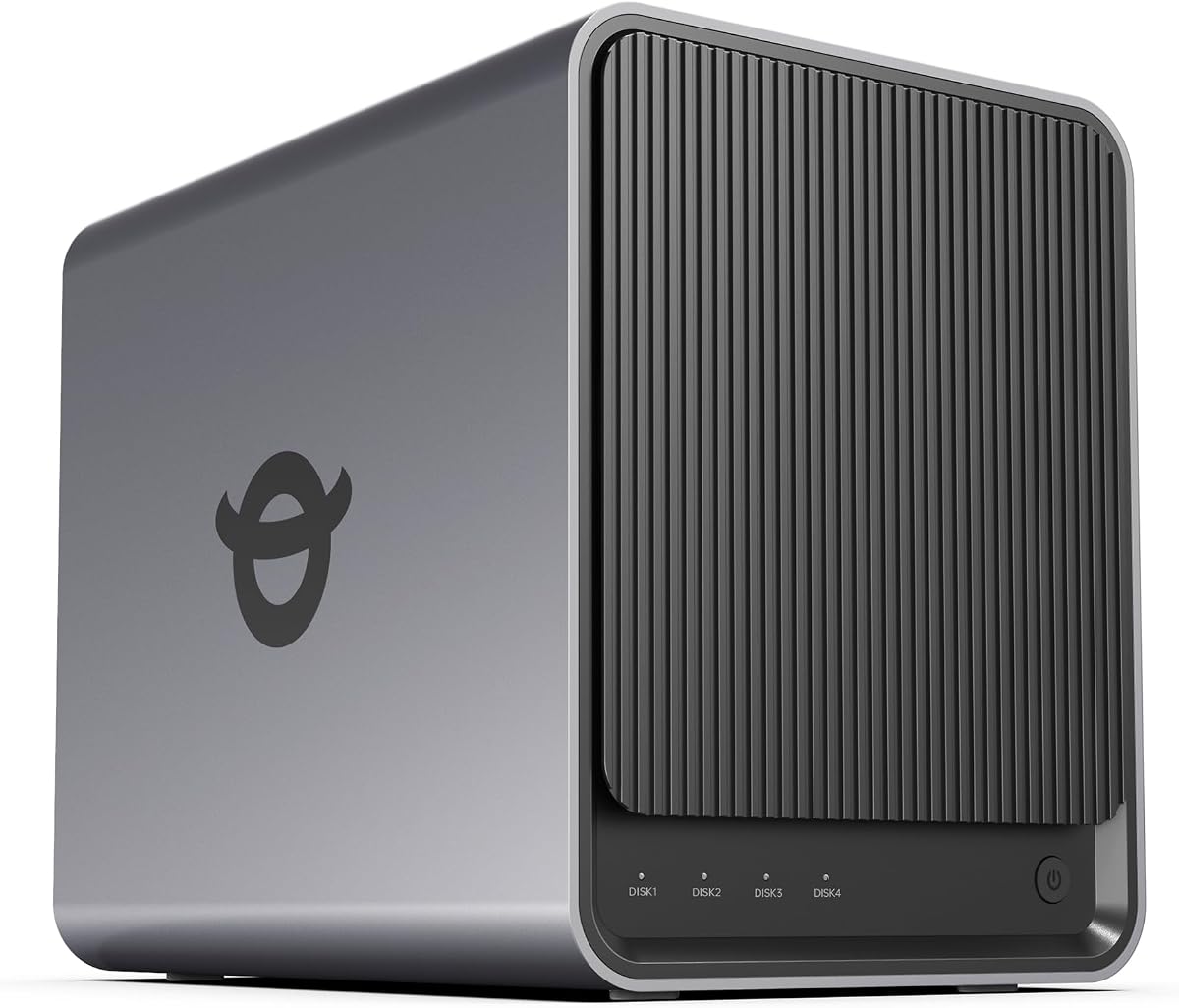
The Asustor Drivestor 4 Gen 2 is a 4.0-rated, budget-conscious 4-bay NAS designed for home cloud storage, small-office backup, and 4K media. It uses an upgraded Realtek RTD1619B 1.7GHz quad-core processor, 1GB of DDR4 memory, a 2.5GbE connection, and three USB 3.0 ports.
We may earn a commission when you buy through this link, at no additional cost to you.
For everyday storage duties, the quad-core processor and 2.5GbE interface are useful improvements over basic gigabit models. The enclosure supports four hard drives and RAID 0, 1, 5, 6, and 10 configurations, allowing users to choose between maximum capacity, redundancy, balanced performance, or multi-drive arrangements. Three USB 3.0 ports also leave room for an external backup drive, accessories, or additional transfer options.
Data protection is a meaningful strength for a value-oriented model. Btrfs snapshots make it possible to restore a previous state after accidental deletion or ransomware-related changes, while WORM technology supports write-once, read-many storage for critical documents. The same unit can provide personal-cloud access, remote file sharing, automatic backup, multi-device synchronization, and 4K media streaming.
The central limitation is hardware headroom. With 1GB of memory and a relatively modest processor, this NAS is best treated as a file, backup, and media server rather than a virtual-machine or heavy-application platform. It is a compelling budget option for households or small offices that want four bays, 2.5GbE networking, RAID choices, and snapshots without moving to a higher-powered enclosure. Compatible drives must be supplied separately.
The enclosure delivers the core features expected from a modern personal NAS, including 2.5GbE, multiple RAID layouts, and three high-speed USB ports. The processor and memory are intentionally modest.
Btrfs snapshots provide a practical recovery layer for accidental changes. WORM adds stronger protection for records that should not be altered after they are written.
We may earn a commission when you buy through this link, at no additional cost to you.
The Synology DS423 is a 4.4-rated four-bay NAS aimed at family and business backup needs. It centers on secure private-cloud access, file sharing, photo management, multi-destination backup, snapshots, and video surveillance, offering a clear route away from scattered consumer storage without demanding advanced server expertise.
We may earn a commission when you buy through this link, at no additional cost to you.
The DS423 supports team folders, permission controls, secure sharing, and remote access for friends, partners, or collaborators. Its protection strategy goes beyond RAID by using snapshots, versioned files, and backups to multiple destinations. Immutable snapshots are especially useful in ransomware-resistant workflows because changed files can be blocked from silently overwriting recovery points.
Video surveillance extends the system to as many as 30 IP cameras, with monitoring, archiving, and analysis tools. Camera licenses must be purchased separately, so buyers should include that requirement in their planning. The product is centered on storage and backup rather than compute-intensive applications, which makes its simpler design reasonable for families and small offices that want dependable file services.
This is a good recommendation for organizations wanting centralized collaboration and a well-structured backup strategy without paying for a high-performance desktop workstation. It is also suitable for home users who want photo storage and optional camera monitoring in one enclosure. The two-year warranty and ongoing software support provide added confidence, while the diskless format lets buyers choose drives appropriate to their capacity and redundancy needs.
Combining multi-destination backups with immutable snapshots and versioned files reduces dependence on a single recovery point. That layered approach is valuable for both family archives and business records.
Team folders and permission control make it easier to give collaborators access to the right files. The private-cloud model supports remote sharing without relying on a general-purpose public storage service.
We may earn a commission when you buy through this link, at no additional cost to you.
The UGREEN NAS DXP4800 Pro is a 4.4-rated premium NAS for IT professionals, developers, video editors, and power users. Its Intel Core i3-1315U processor provides six cores and eight threads with turbo performance up to 4.5GHz, while 8GB of DDR5 memory can be expanded to 96GB for demanding applications.
We may earn a commission when you buy through this link, at no additional cost to you.
The hardware is designed as a private workstation rather than a simple storage appliance. Docker containers and virtual machines support websites, smart-home hubs, development environments, and other self-hosted services. Dual 10GbE and 2.5GbE ports provide high-speed connectivity, and dual M.2 PCIe 4.0 SSD slots can be used for a high-speed cache or storage pool, helping reduce the performance limitations of hard-drive-based arrays.
UGOS Pro integrates media management, photo tools, cloud synchronization, downloads, and storage administration. The local AI photo album recognizes faces, scenes, and content on the device, which keeps the analysis process local. Security features include granular permissions for as many as 2,048 accounts, a Data Vault for hidden and encrypted files, and multiple RAID options, including 0, 1, 5, and 10.
This enclosure is best for users who need the flexibility of a small server while still wanting a polished NAS interface. It can serve a demanding office, support simultaneous storage and compute tasks, and provide a foundation for future services. The trade-off is complexity and a more advanced power and cooling profile compared with simpler home models. Users should verify application requirements, memory configuration, RAID strategy, and the total capacity needed before purchasing.
The six-core Intel processor and expandable DDR5 memory provide substantially more headroom than basic NAS hardware. That capacity allows storage services, containers, and virtualized tasks to coexist more comfortably.
Local AI processing avoids sending photo analysis to a third-party cloud. Fine-grained permissions, encrypted Data Vault storage, and support for many accounts suit professional collaboration and managed access.
We may earn a commission when you buy through this link, at no additional cost to you.
Choosing a 4 Bay NAS involves balancing drive capacity, processor performance, memory, network speed, data-protection features, software, and the level of technical control you want. The most important starting point is how you will use the storage after installation.
A four-bay enclosure gives you a flexible path for building storage over time. Depending on the model, you may use SATA hard drives for bulk archives, M.2 SSDs for fast applications or cache, or a combination of both. Raw capacity figures are useful for comparing enclosures, but they are not the same as the usable space you will have after formatting, operating-system overhead, and the selected RAID or array configuration. Drive size, workload, redundancy goals, and backup strategy all influence the final amount of room available.
Choose drive types according to the work they will perform. Hard drives generally provide the highest capacity for large libraries, while SSDs deliver much lower latency and better performance for databases, containers, active work folders, and frequently used applications. Confirm the maximum drive size and official compatibility list for the exact NAS model, and remember that the enclosure and storage drives are separate purchases.
The processor matters most when the NAS will run more than basic file sharing. Media transcoding, photo indexing, virtual machines, surveillance recording, and multiple Docker applications can all benefit from additional CPU and memory. An x86 platform offers broad application compatibility, while lower-power embedded processors are usually adequate for shared storage, backups, and light media use. Installed memory matters because it determines how comfortably several services can run at once.
Prioritize the workloads you actually expect to support. A family using the NAS for phone backups and shared documents may not need substantial memory, while a developer running containers and virtual machines should choose a processor and upgradeable RAM with more headroom. A larger memory ceiling also gives the system a longer useful life as applications and working sets grow.
A faster NAS network port cannot deliver its full theoretical speed if the router, switch, client device, and storage medium are slower. A 1GbE connection may be sufficient for basic document access, but 2.5GbE is a meaningful improvement for backups, photo libraries, and media files. Dual 2.5GbE or 10GbE links can serve demanding offices, although compatible network equipment and sufficiently fast clients are necessary to use them effectively.
Think about the realistic transfer path rather than the headline port. Cable quality, switch backplane performance, Wi-Fi client limitations, protocol overhead, and file size all influence results. Link Aggregation can improve throughput with compatible hardware, but it also requires careful network configuration. For a new installation, choose the fastest practical network tier that your clients and budget can support without creating a bottleneck elsewhere.
RAID is intended to improve availability and simplify recovery from certain drive failures, but it is not a backup. Snapshots, versioned files, and copies on separate systems or destinations protect against accidental deletion, ransomware, software errors, and hardware loss. A sound strategy can combine RAID with scheduled backups and immutable or off-site copies. The best enclosure is one whose protection features fit how technically confident you are and how critical the data is.
Choose an array according to your priorities for capacity, redundancy, performance, and recovery. RAID 1 mirrors paired drives, while RAID 5, 6, 10, and proprietary layouts offer different tolerance levels and capacity efficiency. Snapshot support is particularly valuable for active shared folders, and external or remote destinations add protection that an enclosure cannot provide on its own. Always test restore procedures rather than assuming a configured array equals a complete recovery plan.
The operating system and application ecosystem determine how easily a NAS becomes useful to family members or employees. Some systems emphasize simple mobile-first setup and automatic photo backups, while others provide deeper Docker, virtual-machine, surveillance, and server controls. Plugins can add media servers, download managers, smart-home tools, and collaboration features, but compatibility and licensing vary. Check whether important functions are built in, available through the app store, or require manual container setup.
The management interface should match your technical comfort. A beginner generally benefits from guided setup, automatic phone backup, simple sharing, and clear photo organization, while an experienced administrator may prioritize container support, command-line access, detailed permissions, and third-party operating-system flexibility. Review the required setup for your intended services before buying, because features advertised as compatible may still need manual installation and configuration.
A 4 Bay NAS can often handle both a media library and camera recording, but the demands are different. Media use benefits from hardware transcoding, HDMI output, smooth indexing, and a network fast enough for several simultaneous viewers. Surveillance use requires compatible ONVIF or RTSP cameras, reliable event recording, timeline playback, and possibly camera licenses. Some enclosures include a dedicated surveillance center, while others offer the feature only through an application or additional configuration.
Plan for the number of concurrent users and streams. Four bays provide a useful amount of recording capacity, but retention depends on camera count, resolution, bitrate, motion activity, and drive performance. For a home theater, verify codec support and whether the NAS will decode video locally or merely stream it. For cameras, inspect compatibility requirements, mobile viewing quality, and access permissions before installation.
Four bays are a good starting capacity, but future-proofing depends on more than the number of drive slots. Memory upgrades, NVMe slots, USB connectivity, high-speed networking, and support for virtual machines can extend the useful life of an enclosure. Look for a balance between immediate needs and likely growth. A modest system with sufficient memory and networking may serve a home better than a much more powerful model whose capabilities go unused.
Look beyond the headline specifications to see which upgrades are practical. Check maximum memory and whether it is soldered, the type and number of M.2 slots, USB port speeds, supported RAID layouts, and expansion options. Also consider enclosure size, heat, noise, and power requirements. A system that can grow without becoming difficult to cool, back up, or maintain is usually a smarter long-term choice.
Begin by confirming that the NAS is compatible with the hard drives and SSDs you plan to use. Install the drives according to the manufacturer's guide, connect the enclosure to the network, and complete the initial setup from a wired client whenever possible. Create the administrator account, apply firmware updates, configure the array, and decide on a backup destination before transferring the first important collection of files.
Organize shared folders around access needs rather than creating a complicated folder hierarchy immediately. Give each person or team only the permissions required for their work, enable automatic phone or computer backups where appropriate, and test access from the devices people will actually use. Create snapshots or versioned recovery points before large migrations, and confirm that important data is also protected by a separate backup rather than relying entirely on the NAS.
Routine care includes keeping the enclosure in a cool, ventilated, dust-free location and leaving clearance around its fans. Monitor drive health and storage warnings, review backup logs, and test restores periodically. Update the NAS software and applications on a sensible schedule, but read release notes first because some updates may change application behavior. If performance declines, check network congestion, thermal conditions, drive health, and storage configuration before assuming the enclosure needs replacing.
No. Most 4 Bay NAS enclosures can operate with fewer drives, although the usable capacity and some RAID options depend on how many disks are installed. A single drive can be useful for general storage, while multiple drives allow redundancy, larger arrays, or better performance. Check the model's manual and compatibility requirements before deciding how many drives to populate.
The NAS models in this guide are diskless, meaning storage drives are not included. You need to purchase compatible HDDs or SSDs separately. Consider capacity, workload, and redundancy when choosing drives, and consult the manufacturer's official compatibility list for the specific model. A mixed set of drives can work, but matching compatible capacities is generally easier to manage.
No. RAID helps maintain availability or recover from certain drive failures, but it does not protect against accidental deletion, ransomware, corruption, theft, or loss of the entire device. Important data should also be copied to another system or location. Snapshots, versioned files, and multi-destination backups can form an important part of that additional protection.
Potentially, yes. A direct 2.5GbE connection can handle large files substantially faster than a 1GbE link, provided the NAS, client, cable, and switch or router all support the faster speed. Wi-Fi clients, older equipment, small files, and drive limitations can reduce the difference. The network upgrade is especially useful for large backups and media libraries.
That depends on the model. Several UGREEN DXP models support Docker and virtual machines, while the DH4300 Plus supports Docker but not virtual machines. Other products provide their own app ecosystems rather than general-purpose container support. Verify memory, processor, and software requirements because some applications need manual setup or compatible resources.
Many 4 Bay NAS models can record from compatible IP cameras, often through ONVIF or RTSP support. Features may include live multiview, event detection, timeline playback, PTZ control, and remote viewing. Some camera functions require separate licenses or compatible cameras. Estimate storage needs from the number of cameras, resolution, bitrate, and retention period before relying on the NAS as a recording system.
It depends on the workload. Basic file sharing, modest backups, and light household use can work well with 1GbE or 2.5GbE. Sustained large-file transfers, video editing, multi-user access, and large surveillance streams benefit from 10GbE. Remember that the NAS port alone is insufficient; clients, switches, routers, and cabling must support the intended speed.
The ideal schedule depends on how quickly the data changes and how costly its loss would be. Automatic continuous snapshots can protect against frequent accidental changes, while scheduled backups can protect every drive in the enclosure. Regardless of frequency, include at least one copy away from the NAS and periodically test that files can actually be restored.
The UGREEN NAS DXP4800 GT stands out as the most balanced high-performance choice, combining dual 10GbE networking, expandable memory, Docker, virtual machines, and a built-in surveillance center. The Synology DS425+ offers a more polished private-cloud experience for teams that prioritize collaboration, snapshots, audit controls, and mature support, while the UGREEN NAS DXP4800 Pro is the premium option for demanding compute-oriented workloads.
For value-focused buyers, the Asustor Drivestor 4 Gen 2 provides four bays, 2.5GbE, flexible RAID, and Btrfs snapshots without moving to a premium processor. The Yxk Zero1 Pro also stands out for its combination of guided setup, dual 2.5GbE, NVMe expansion, and alternative operating-system flexibility. UGREEN's DH4300 Plus is especially approachable for family photo backup, while the DS423 is a straightforward option for shared business storage and surveillance.
Before buying, verify the current listing, drive compatibility, required cables, memory options, software setup, and camera licenses. Product pricing and retailer availability can change, so compare the complete configuration rather than focusing on the enclosure alone. The most satisfying 4 Bay NAS is the one that provides enough performance for current tasks, a clear path to expand storage, and protection that goes beyond a single copy of your data.