
Amazon Basics 3-Prong PC Power Cord
4.8Editor score
UL-listed three-prong replacement
NEMA 5-15P to IEC C13
Compatible with many PCs
Our Power Cord for Mini PC guide compares ten replacement cords and adapters, helping you match connector, voltage, wattage, length, and safety.
A power cord for a mini PC must do more than fit the wall outlet. The correct adapter must also match the device's voltage, current, wattage, connector dimensions, and polarity. A general three-prong cord may serve a desktop-style IEC inlet, but many compact computers require a proprietary power brick and barrel connector.
This guide compares ten replacement cords and power supplies covering common mini PC platforms, including HP EliteDesk and ProDesk, Beelink, GEEKOM, GMKtec, MINISFORUM, Intel NUC, Mac mini, Apple TV, monitors, and standard electronics. We evaluated the stated compatibility, electrical specifications, connector details, cable length, safety certifications, and customer ratings.
Each pick highlights a different use case, from budget desktop-style replacement cords to compact adapters for demanding mini PC systems. Ratings and specifications reflect the supplied product information, while compatibility should always be confirmed against the label on your original adapter. Prices and availability can change, so compare current listings before purchasing.
4.8Editor score

4.8Editor score

4.8Editor score
The table below compares connector type, supported power level, cable length or design, and typical device compatibility. These details make it easier to distinguish simple AC cords from complete mini PC power adapters.




This AC 2 Prong C8 Power Cord is a straightforward replacement cable for devices that use a two-pin figure-eight style connection. It carries a 4.7 customer rating and is positioned as an inexpensive option for replacing a missing or damaged cord. It does not include a power adapter, so it is intended for equipment with a built-in two-prong AC inlet.
We may earn a commission when you buy through this link, at no additional cost to you.
The five-foot length provides enough reach for a desk, entertainment center, or shelf without creating excessive cable clutter. Its compatibility list includes numerous televisions, monitors, speakers, printers, game consoles, Apple TV devices, and other consumer electronics with suitable two-pin power connectors. The included package contains one AC two-prong cord.
Its main limitation is obvious but important: it cannot serve a mini PC that requires a three-prong IEC inlet or a proprietary DC barrel connector. It also has no voltage conversion or regulation. Users should inspect the original cord and device inlet before purchasing, making sure the connector shape and pin arrangement match.
This is a sensible budget choice for a compatible two-prong mini PC or nearby electronics device. It offers a straightforward cable without unnecessary adapter hardware. It is not the most broadly applicable power cord for mini PCs, but it remains a useful replacement when its exact C8-style connection is confirmed.
The cable works best when the mini PC accepts a standard two-prong AC connection directly. Its short, manageable length reduces desk clutter while preserving enough placement flexibility for common home and office setups.
A visual match alone is not enough. Confirm that the original cable is unpolarized or otherwise compatible, and verify that the device does not require a ground pin, AC adapter, or regulated DC output.
We may earn a commission when you buy through this link, at no additional cost to you.
The Amazon Basics PC Power Cord is a well-rated replacement for desktop-style equipment that accepts an IEC C13 inlet. Its 4.8 customer rating, UL listing, and clearly specified NEMA 5-15P to IEC320C13 connection make it one of the strongest general-purpose choices in this guide. It is especially relevant to mini PCs built around a conventional PC power-supply inlet.
We may earn a commission when you buy through this link, at no additional cost to you.
The three-foot length is useful when the system sits close to a wall outlet or beneath a desk. The 18 AWG conductor and three-pin connector suit many PCs, monitors, and printers. Installation requires no tools: the female IEC end connects to the equipment, while the male NEMA end fits a standard North American wall receptacle.
This cable does not include a power supply, voltage converter, or DC adapter. It therefore will not fit mini PCs that use a round barrel connector, USB-C charging, or a proprietary Apple-style power inlet. The three-foot length may also be short when the mini PC is positioned at the back of a large desk.
It is a strong recommendation for owners of a compatible C13-equipped mini PC who need a dependable, recognizable replacement cable at a modest cost. The UL listing gives added confidence, while the broad device compatibility makes it useful beyond a single computer. Verify the shape of the device inlet and measure the required reach before buying.
A standard NEMA-to-IEC cord is one of the easiest replacements to identify. Matching the female C13 inlet on the equipment removes uncertainty about proprietary adapters and makes this option suitable for several household or office devices.
Three feet is enough for a compact workstation close to an outlet. If your installation requires more distance, the same Amazon Basics configuration is also available in a longer form included elsewhere in this guide.
We may earn a commission when you buy through this link, at no additional cost to you.
This 90W Power Supply targets HP EliteDesk, ProDesk, and related Mini Business Desktop systems. Its 4.6 rating reflects generally favorable customer feedback, while the detailed output and model list make it more useful than an unbranded generic adapter. The primary output is 19V at 4.74A, with a stated compatibility option for 18.5V 3.5A 65W configurations.
We may earn a commission when you buy through this link, at no additional cost to you.
The 7.4 by 5.0mm barrel connector is an important fitment detail. The listing explicitly advises checking connector size before purchase. Input is listed as 100-240V at 50-60Hz, making the power brick suitable for a broad range of locations when paired with the appropriate local mains cord.
Compatibility extends across numerous HP EliteDesk 800, 705, and 805 generations, along with HP ProDesk 260, 400, 405, and 600 Mini systems. However, the extensive model list does not eliminate the need to compare the original adapter's label, tip dimensions, output, and polarity. Systems requiring different tips or greater power should not rely on this unit.
This is a practical replacement for owners of the listed HP mini PCs, particularly 90W-equipped EliteDesk 800 and ProDesk 600 configurations. Its multiple safeguards are a notable strength, but connector measurement remains the decisive step. If your original brick matches the stated 7.4 by 5.0mm tip and required output, it is a solid choice.
The long model list covers many business mini PC generations that share the same power requirements. It is more targeted than a general barrel adapter and reduces the guesswork involved in matching a replacement brick.
The outer barrel diameter alone does not prove a fit. Compare both the outer and inner dimensions, confirm positive-tip polarity, and verify that the voltage and current match the original adapter before connecting the replacement.
We may earn a commission when you buy through this link, at no additional cost to you.
The 19V 3A 3.42A Mini PC Power Adapter offers a broad option for systems using a common 19V positive-tip barrel connection. Its 4.2 rating is the lowest among the mini PC-specific adapters in this guide, but the product targets a wide range of Intel NUC, Beelink, GMKtec, BOSGAME, and other compact computers.
We may earn a commission when you buy through this link, at no additional cost to you.
Its stated output is 19V at 3.42A, equivalent to 65 watts, and the package includes an AC power cable. The total cord length is listed as 10 feet, including the attached extension. A built-in LED indicator provides a quick visual indication that the adapter is receiving power, which is useful in dark or concealed installations.
The listing describes UL, FCC, CE, and RoHS certifications and protection against overvoltage, overcurrent, and short-circuit conditions. The 100-240V input is suitable for international use when the proper mains plug is used. Compatibility depends on a 19V 3.42A requirement and a matching positive barrel tip; devices with USB-C, Type-C, or different barrel dimensions need another option.
This adapter makes sense for a compatible 65W mini PC that uses the traditional round connector. Its extended cable and wide brand compatibility are useful, while the lower rating suggests buyers should pay particular attention to connector dimensions and the original power label. It is less suitable for newer high-power systems or machines designed for USB-C charging.
The combination of 19V output, 3.42A current, and a positive barrel tip covers a recognizable class of mini PCs. It can be particularly useful when replacing the brick supplied with several NUC-style systems.
A small status light can make troubleshooting easier when the adapter is behind a desk or inside a cabinet. It confirms that mains power is present, although it does not by itself prove that the system is charging or running normally.
We may earn a commission when you buy through this link, at no additional cost to you.
This Standard 5ft Three Prong AC Power Cord is a flexible replacement for electronics that use a three-pin device connection. It has a 4.7 rating and is marketed for computers, monitors, televisions, printers, radios, and other devices. Its fully molded design and 18 AWG construction are intended to withstand regular bending and handling.
We may earn a commission when you buy through this link, at no additional cost to you.
The cable is rated for 10 amps and 125 volts and measures five feet, or 1.5 meters. That length is useful for positioning a compact computer behind a monitor or connecting equipment to a nearby outlet. Because it is a cable rather than an AC-to-DC power brick, it is appropriate only when the device itself contains the appropriate internal power supply.
One potential complication is connector specificity. The title refers broadly to a three-prong connection, while many desktop-style devices use a C13 inlet. Users should compare the shape and pin layout of the original cord rather than assuming every three-prong cable is interchangeable.
For a compatible mini PC or peripheral, this is a durable and versatile option with a useful amount of reach. It is less appropriate for systems that require a regulated 19V output through a barrel plug or USB-C port. Confirming the device inlet is essential before choosing it over a model-specific or multi-voltage adapter.
A fully molded junction between the plug and cable resists the twisting and flexing that often damage replacement cords. That makes it a practical option for a frequently moved workstation or entertainment setup.
Five feet gives meaningful placement flexibility around a desk while remaining short enough to route behind equipment. It also provides a middle ground between compact three-foot cords and longer ten-foot alternatives.
We may earn a commission when you buy through this link, at no additional cost to you.
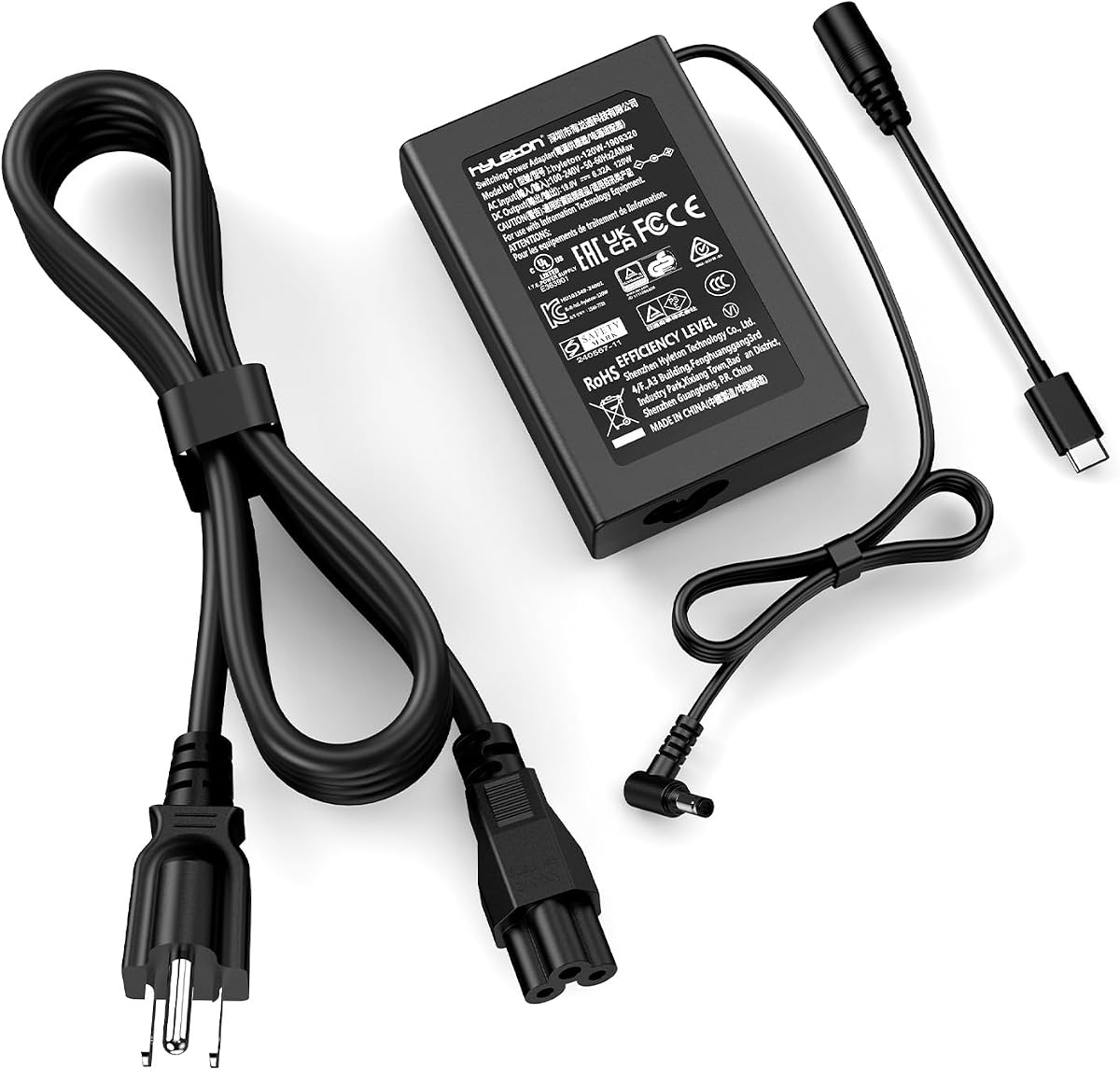
The GEEKOM 120W Multi-Wattage Adapter stands out for supporting power levels from 45W to 120W while offering both 5.5 by 2.5mm barrel and Type-C connector options. Its 4.8 customer rating and broad compatibility list make it one of the most versatile complete power supplies in this guide.
We may earn a commission when you buy through this link, at no additional cost to you.
The adapter is designed for GEEKOM, MINISFORUM, GMKtec, Beelink, and Intel NUC systems, including many listed models across the SER, UM, GT, A, and QS ranges. Its stated 19V output can accommodate 45W, 65W, 90W, and 120W configurations, which is valuable for owners comparing several generations of compact desktops.
Despite its power range, the brick is described as measuring 3.7 by 2.5 by 0.82 inches and weighing 0.88 pounds, making it more compact than many conventional laptop-style power supplies. A 10.8-foot extension cord offers generous placement flexibility, while its certification list includes UL, TUV, SGS, CE, CB, FCC, and RoHS. The protection system covers overvoltage, short circuits, overheating, overcurrent, and overcharging.
This is the strongest choice for a user who wants one adaptable adapter for multiple modern mini PCs or a high-power model. The extra connector and wattage flexibility justifies a more specialized alternative to a basic fixed-output brick. Still, the original adapter label and connector shape should determine whether a particular system is compatible.
Multi-wattage support is especially useful for compact desktops that have moved from 45W processors to more demanding 65W, 90W, and 120W configurations. It reduces the need to keep several nearly identical adapters on hand.
Including both a round barrel tip and Type-C covers two common modern charging approaches. The correct tip must still match the mini PC, and the device's required input should be consulted rather than relying on visual similarity.
The small adapter body and 10.8-foot extension provide a practical balance for travel, shelving, and under-desk placement. You can position the computer farther from the outlet without carrying a separate extension lead.
We may earn a commission when you buy through this link, at no additional cost to you.
The UL Listed Mini PC Adapter is designed specifically around the power needs of numerous Beelink systems. Its 4.8 rating, 19V 3.42A output, and explicit Beelink model coverage make it a strong option for owners of the SER3, SER4, SER5, SER5 Pro, SEi8, SEi10, SEi11, and listed GT-R models.
We may earn a commission when you buy through this link, at no additional cost to you.
The package includes a 19V 3.42A power adapter and a UL-listed AC power cable. Total length is stated as 10 feet, and a built-in LED indicates whether the adapter is powered. Input covers 100-240V at 50-60Hz, while the output uses a positive tip for the listed devices.
The listing explicitly warns that it does not fit the Beelink SER6 MAX with the Ryzen 9 6900HX 32GB plus 1TB configuration, or many other mini PCs that use a 19V 5.26A adapter. That limitation matters because wattage ratings must be compared carefully. A 3.42A adapter should not be used to substitute for a higher-current requirement.
This adapter is a good match for the specific 65W Beelink systems named in the listing. Its targeted model information, certification, and extended cord make it more reassuring than an entirely generic replacement. Confirm the original output label, tip size, and polarity, and avoid models listed as needing a higher current.
The model-specific compatibility list is particularly useful for owners who know their exact SER or SEi series. It narrows the search to a 19V, 3.42A positive-tip replacement rather than an open-ended assortment.
The stated exclusion of higher-current systems is a useful boundary. Check the amperage printed on the original adapter, because a connector may physically fit while still failing to supply the power expected by the computer.
We may earn a commission when you buy through this link, at no additional cost to you.
The ALYYDBG Mac mini and Apple TV Power Cord is a specialized replacement for many Apple compact devices. It has a 4.8 customer rating and supports a broad range of Mac mini models from 2010 through 2024, including M1, M2, M3, and M4 families, along with first- through fifth-generation Apple TV models.
We may earn a commission when you buy through this link, at no additional cost to you.
The cable is 6.6 feet long, finished in white, and constructed with bending-resistant material for regular use. Its North American two-pin plug is rated at 125V and 2.5A, with 18 AWG two-conductor construction. The plug is described as fitting tightly against a wall receptacle with almost no wasted gap, which is helpful in tight wall-outlet locations.
This option is intended for the specific Apple-style power connection and is not a universal mini PC solution. It does not convert voltage, regulate DC output, or provide a USB-C connector. The extensive model references should be checked against the device label and original cord, particularly for newer hardware families that may use different charging arrangements.
For a compatible Mac mini or Apple TV owner, this is a polished and highly targeted replacement. The long model coverage, tidy white finish, and tight-fitting plug are its main advantages. It is a strong recommendation within its category, but it should not be selected for a Windows mini PC, Intel NUC, or other system with a different inlet.
The white cable and compact plug profile suit the appearance of Apple equipment while reducing the gap often left by bulky wall plugs. It is a simple way to restore power to a compatible device without replacing the entire desktop.
Listing specific Mac mini and Apple TV model identifiers helps buyers narrow down fitment. Even so, the physical connector and original cord should be compared because model years can include changes in power hardware.
We may earn a commission when you buy through this link, at no additional cost to you.
The Amazon Basics Ten-Foot Replacement Power Cord is a longer alternative to the standard three-foot version in this guide. It has a 4.8 customer rating, a UL listing, and a clearly defined NEMA 5-15P to IEC320C13 configuration. The extra length is its most obvious practical distinction.
We may earn a commission when you buy through this link, at no additional cost to you.
A ten-foot cable gives a mini PC more freedom from the wall outlet and makes it easier to route the system behind a desk, under a table, or inside a cabinet. Its 18 AWG conductor and three-pin connection support many PCs, monitors, and printers. As with any standard AC cord, the device must contain the appropriate internal power supply.
The longer run is unnecessary for a compact workstation located near an outlet and may be inconvenient to manage in tight spaces. It also cannot replace a proprietary AC adapter, a barrel-tip power brick, or a USB-C charger. The power rating, connector shape, and device requirements still need to match.
This cord is an excellent choice for a compatible C13-equipped mini PC that needs more installation flexibility. Its familiar configuration, safety rating, and useful length make it more versatile than a short, device-specific cable. It is best for users who have confirmed the IEC inlet and want room to position the computer away from the receptacle.
Ten feet is especially helpful when outlets are positioned away from the desired computer location. It can reduce the need for an extension cord, although the excess length should be coiled loosely during installation.
The NEMA 5-15P plug and IEC C13 device end are widely recognized. This makes the cable useful for other compatible equipment and simplifies replacement when a mini PC sits beside a conventional monitor or printer.
We may earn a commission when you buy through this link, at no additional cost to you.
The BURFLO 90W and 65W Power Supply is another targeted replacement for HP EliteDesk, ProDesk, and related mini PC systems. Its 4.3 customer rating places it below the highest-rated options, but the detailed output coverage and extensive part-number references make it a credible alternative for a compatible HP machine.
We may earn a commission when you buy through this link, at no additional cost to you.
The main configuration provides 19V at 4.74A for 90W systems, while the listing also states compatibility with 18.5V 3.5A chargers through a 7.4 by 5.0mm tip. The product is aimed at numerous HP EliteDesk 800, 705, and 600 models and multiple ProDesk 400, 405, and 600 families. Numerous original HP part numbers are included for cross-reference.
Important boundaries remain. The unit is not compatible with 135W models, and the physical tip and electrical output must match the original adapter. Overvoltage and short-circuit protection are highlighted, but the lower rating encourages buyers to check fitment carefully rather than relying on the broad HP model list alone.
This power supply is most appropriate for an owner of a listed 90W or 65W HP mini PC who cannot find the correct original brick. It offers useful alternatives within those power classes and a familiar 7.4 by 5.0mm connection. For systems outside the supported range, choose a manufacturer-specified replacement instead.
Supporting both 90W and 65W configurations makes the adapter useful across several HP mini PC families. The correct output still needs to be selected by comparing the label on the power supply that originally came with the computer.
The list of HP part numbers can help owners locate a replacement for a brick whose physical label has faded. It also provides a useful way to cross-check seller claims against known replacement references.
We may earn a commission when you buy through this link, at no additional cost to you.
The right replacement depends on the connection method and electrical requirements of your mini PC. Start with the original adapter, then consider connector shape, voltage, current, wattage, polarity, cable length, and safety credentials before choosing a product.
Some mini PCs accept a standard AC cord directly, while others include an external power brick that converts AC to regulated DC. A standard three-prong IEC cable cannot replace a barrel-style adapter, and a barrel power supply cannot connect to a C13 inlet. Inspect the back or underside of the computer and determine whether the original attachment is a wall plug, an AC cable, or a power adapter.
Barrel connectors can appear identical while differing in outer diameter or internal hole size. Measure both dimensions and compare them with the original tip. Also verify whether the connector is centered, whether the center pin is positive, and whether the device uses a proprietary shape. The GEEKOM adapter offers both barrel and Type-C tips, but even that option requires identifying the correct attachment for the specific system.
Voltage must correspond to the device requirement, while the replacement should provide at least the current and wattage expected by the computer. A lower-rated adapter may fail to start the system, trip under load, or behave inconsistently. Conversely, a higher-current adapter can sometimes serve a lower-current device, but only when the voltage and connector match and the manufacturer permits it. A 19V 3.42A adapter, for example, is different from a 19V 6.32A adapter.
Model names can be confusing because manufacturers release many hardware revisions under similar series names. Look for the complete model number, generation, processor configuration, and original part number where available. This is particularly important for Beelink, GEEKOM, Intel NUC, and HP systems, where visually similar cases may use different power supplies. A strong compatibility list is helpful, but the original adapter's label remains the final reference.
A three-foot cord suits a computer near an outlet, while five or six feet offers more freedom around a desk. Ten-foot or longer options can be useful for cabinets, wall-mounted arrangements, and workstations with distant receptacles. Longer cords should be routed without tight bends, and excess length should be loosely coiled. A compact power brick paired with an extended AC lead can also make placement easier than a permanently attached short lead.
UL, TUV, SGS, CE, CB, FCC, and RoHS markings can provide useful evidence of testing or compliance, although the labels and standards differ by market. The presence of protection against overvoltage, overcurrent, short circuits, overheating, and overcharging adds another layer of confidence. Certification does not guarantee compatibility, so it should complement rather than replace matching the device requirements.
A lightweight 45W or 65W adapter is convenient for travel, while a 90W or 120W unit offers more headroom for demanding processors. Compact dimensions matter when the adapter is stored in a bag or placed behind a monitor. The 120W GEEKOM option combines a small brick with a long extension, but a user with a lower-power computer may gain little from carrying a larger adapter.
Customer ratings can help identify recurring concerns, but they should be interpreted alongside fitment and specification accuracy. A highly rated adapter with the wrong tip is not a suitable purchase. Look for comments that mention connector fit, stable operation, cable durability, and clear labeling. A lower-rated specialized product may still be appropriate for a specific model if its electrical details align precisely.
Before installation, disconnect the mini PC from power and compare the replacement with the original adapter or inlet. Check voltage, current, wattage, polarity, connector dimensions, and regional plug format. If using a power brick, connect the low-voltage barrel plug to the computer first, then plug the brick into the wall. If using a direct AC cord, connect the device end before inserting the cord into the outlet.
Place the cable so it is not compressed beneath furniture, pinched behind the computer, or tightly bent around a sharp edge. Keep connectors dry and avoid stacking equipment that places stress on the plug. For a mini PC positioned in a cabinet, allow ventilation around the power brick and use the adapter's status light, if present, as a quick indication that mains power is being received.
Unplug the cord by holding the plug rather than pulling on the cable. Inspect it periodically for discoloration, cracks, loose plugs, exposed conductors, or unusual heat. Replace the cord if damage appears, and do not attempt to alter the plug or splice the wiring. If the mini PC behaves erratically, test only with specifications confirmed to match the original power supply.
A mini PC may use a standard three-prong AC inlet, a two-prong figure-eight-style inlet, a round DC barrel connector, or USB-C. The safest method is to inspect the original power supply and its label, then match the connector, voltage, current, polarity, and wattage before ordering a replacement.
A higher-current adapter may work when the voltage, connector, and polarity match because it can supply more current than the computer draws. Nevertheless, the original manufacturer specifications should take priority, and a lower-rated or incompatible adapter should never be used. Compatibility should be confirmed before connecting any alternative.
A power cord is typically a molded AC cable that plugs directly into a device that contains its power supply. A power adapter includes a larger power brick that converts wall AC into regulated DC for the mini PC. If the original setup has a wall plug attached to a rectangular brick, search for a replacement adapter rather than a simple AC extension cord.
Measure the outside diameter of the outer metal barrel and the inside diameter of the hole around the center pin. A caliper or a careful ruler comparison can help, but the original adapter's model and part number are even more reliable. Also confirm whether the center pin is positive and whether the tip is truly cylindrical.
No. Three-prong cables can use different IEC inlet shapes, including C13 and other configurations. The female device-end connector must match the inlet on the computer, and the power requirements must also be suitable. Compare the original cord, labels, and connector shape before choosing a universal replacement.
A longer cord provides more placement flexibility, which is useful when the computer is behind a desk or near an awkwardly positioned outlet. It is unnecessary for a system already close to a receptacle and can create clutter. Route any excess length loosely and avoid sharp bends or strain at the plugs.
Physical fit does not guarantee electrical compatibility. The voltage, current, wattage, polarity, or connector type may still differ, and the system may require a proprietary communication or protection circuit. Remove the incompatible unit and verify every specification against the original power supply.
An original or manufacturer-specified replacement is generally the most straightforward choice when it is available. Compatible third-party adapters can work well when their specifications and connector match exactly. The deciding factors should be electrical requirements, connector design, safety credentials, warranty support, and the availability of a suitable alternative.
The Amazon Basics three-prong cord is a strong budget and general-purpose choice for a mini PC with an IEC C13 inlet. The GEEKOM 120W adapter leads the more specialized selections with multiple wattages, barrel and Type-C connectors, extensive modern-system compatibility, and a long extension, while the ALYYDBG cord is a focused premium pick for compatible Mac mini and Apple TV models.
For platform-specific replacements, the HP adapters suit the listed EliteDesk and ProDesk configurations, and the 19V 3.42A units target many Beelink and NUC-style systems. The most important buying priority is electrical and physical fit: verify voltage, current, wattage, polarity, connector dimensions, and the complete model number before considering cord length or appearance.
Ratings can help shortlist a product, but they cannot establish compatibility for your particular computer. Use the original adapter label as the source of truth, review the seller's current details, and check current prices and availability before making a final purchase.