
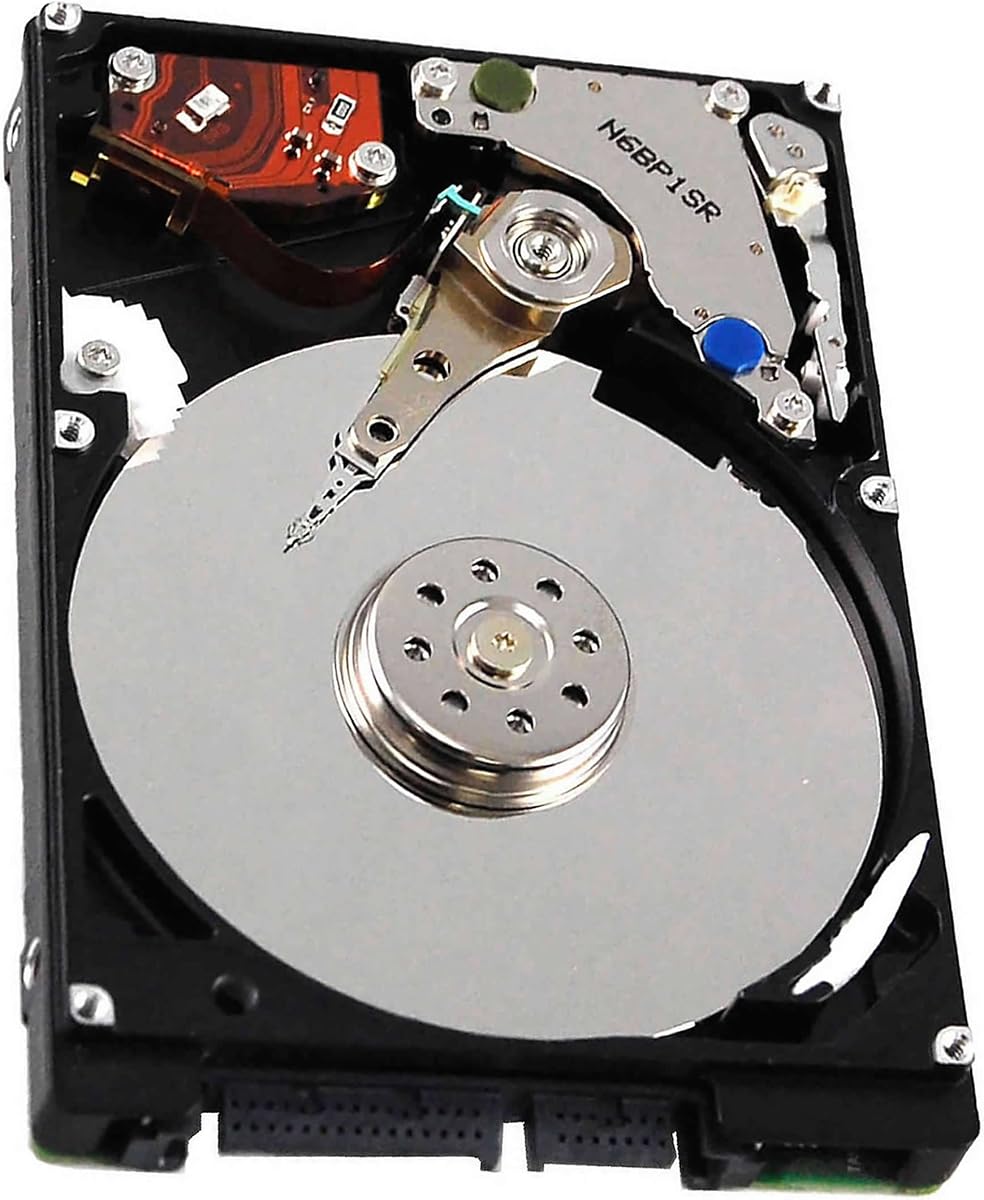
Toshiba HDWL120XZSTA L200 2TB
4.6Editor score
Slim 2.5-inch profile
Low-power laptop design
128 MB cache
Shock sensor protection
A 5400 Rpm HDD Hard Drive offers a practical combination of storage capacity, low power consumption, and broad device compatibility. These 2.5-inch and 3.5-inch SATA drives suit desktops, laptops, gaming systems, and NAS enclosures, but differences in capacity, cache, shock protection, and workload support make careful comparison essential.
This guide evaluates 10 5400 RPM hard drives across important criteria including storage capacity, physical size, interface, cache size, portability, NAS optimization, and intended computing environment. The list includes general-purpose desktop models, slim laptop drives, a mobile-oriented bare drive, and specialized NAS drives designed for continuous multi-user operation.
Each review explains where a particular drive fits best and where another option may be more appropriate. The top selections highlight the strongest combinations of rating, capacity, and design for their respective use cases. Product details and availability can change, so buyers should verify current specifications and prices against their computer or NAS enclosure before ordering.
4.6Editor score

4.7Editor score

4.5Editor score
As an Amazon Associate we earn from qualifying purchases.
The following comparison covers ten 5400 RPM SATA hard drives across desktop, laptop, mobile, and NAS applications. Capacity, physical format, cache size, workload focus, and supported environments are the primary differentiators.



The Seagate BarraCuda 4TB combines one of the highest ratings in this guide with a desktop-friendly balance of capacity and useful performance specifications. Its 4TB of storage gives room for large game libraries, media collections, project files, and conventional backups, while the 256 MB cache and stated maximum sustained transfer rate of 190 MB/s make it a versatile choice for everyday desktop storage.
We may earn a commission when you buy through this link, at no additional cost to you.
Its strongest advantage is the amount of usable organization space packed into a familiar 3.5-inch SATA form factor. The drive is presented for music, video, photo editing, and PC gaming, giving it relevance across several common storage scenarios. The included Seagate DiscWizard software also helps users migrate or clone data from an older drive, reducing the practical complexity of upgrading an existing system.
The trade-off is that this is a general-purpose desktop hard drive rather than a portable or NAS-specialized model. It needs a compatible 3.5-inch bay, suitable SATA data and power connections, and adequate airflow. Its 5400 RPM rating also means it will not match a modern solid-state drive for random responsiveness, so it is best viewed as high-capacity secondary or bulk storage rather than the only drive in a heavily used workstation.
Overall, this is the strongest all-purpose recommendation for a desktop owner who wants substantial capacity without moving to a NAS-specific product. Choose it when your priority is a generous storage pool, a well-reviewed drive, and useful cache headroom. Pairing it with an SSD for the operating system and frequently used applications can produce a particularly practical desktop configuration.
With 4TB of advertised capacity, the BarraCuda gives builders room for expansive game installs, media libraries, archived project files, and backups that would quickly overwhelm a smaller drive. Actual available space depends on formatting and operating-system overhead.
The 256 MB cache supports efficient handling of queued data, while the listed maximum sustained transfer rate of 190 MB/s reflects the drive's sequential-transfer capabilities. Cache benefits are most noticeable during sustained multi-file operations rather than everyday application launches.
We may earn a commission when you buy through this link, at no additional cost to you.
The Seagate Barracuda 6TB is the straightforward high-capacity choice in this lineup. Its headline attraction is 6TB of storage in a standard 3.5-inch SATA desktop drive, making it a natural fit for users who want to keep extensive media, archives, or backup data in one location. The 256 MB cache also places it among the better-equipped general-purpose drives featured here.
We may earn a commission when you buy through this link, at no additional cost to you.
The product information identifies music, video, photo editing, and PC gaming as common applications. That broad positioning makes sense for buyers creating a large secondary storage volume, whether they are building a home media library, preserving family photos, or maintaining a large collection of locally installed games. Its stated 5400 RPM speed emphasizes a practical capacity-first approach instead of maximum performance.
Potential drawbacks include its 4.3 rating, which trails several alternatives, and the basic need for a full-size desktop bay and suitable SATA connections. Capacity alone does not guarantee faster file access, and a 5400 RPM mechanical drive remains less responsive than an SSD for operating systems and random-access workloads. Buyers should also account for the time required to back up a very large archive.
This Barracuda is best for a desktop user whose defining requirement is maximum storage in the guide. It may be less compelling when a 4TB model already covers the user's needs or when a compact drive is required. If its current pricing is competitive and the enclosure supports 3.5-inch SATA drives, it remains a capable bulk-storage option.
At 6TB, this model offers the largest advertised capacity among the ten products. That makes it useful for expansive archives, completed media projects, and large local backups, provided the host system has appropriate space, connections, and backup discipline.
A two-year limited warranty provides stated coverage for the drive, and the product is designed around common desktop storage tasks. Warranty terms, support procedures, and regional conditions should be reviewed on the listing before purchase.
We may earn a commission when you buy through this link, at no additional cost to you.
The Seagate BarraCuda 5TB stands apart because it combines very high advertised capacity with a 2.5-inch form factor. It offers 5TB in a smaller physical package than the full-size desktop alternatives, potentially helping buyers expand storage without finding room for multiple 3.5-inch drives. Its 128 MB cache and SATA 6 Gb/s interface fit contemporary desktop usage.
We may earn a commission when you buy through this link, at no additional cost to you.
The stated applications include music, video, photo editing, and gaming, so it is aimed at users who have substantial archives but still want a relatively compact internal drive. The familiar BarraCuda positioning and 20 years of stated innovation provide brand context, while the capacity leaves ample room for large media collections, game installations, and secondary project storage.
The 4.2 rating is the lowest among the selections, and the 128 MB cache is smaller than the 256 MB configurations offered by several 3.5-inch drives. Buyers should not confuse compact size with laptop-specific design; although the form factor resembles a drive used in portable systems, the supplied title explicitly positions this product for computer desktops. Mechanical vibration and physical fit still require consideration in any compact chassis.
This model makes the most sense for a desktop builder who wants a high-capacity single volume in a 2.5-inch footprint. It can be especially useful when available drive bays are limited. If physical room is unrestricted and sustained multi-file performance matters more, one of the 3.5-inch BarraCuda models may be a better fit.
The 2.5-inch format reduces the space required for storage compared with a 3.5-inch desktop drive. This can simplify upgrades in compact cases or systems designed around smaller SATA devices.
Five terabytes provides substantial room for music, video, photographs, and game files. Using it as a secondary volume preserves large archives while an SSD handles the operating system and performance-sensitive applications.
We may earn a commission when you buy through this link, at no additional cost to you.
The Toshiba L200 2TB is a strong fit for laptops and other systems that require a thin 2.5-inch drive. Its 9.5mm height, low-power design, and laptop orientation distinguish it from general-purpose desktop models. With a 4.6 rating, it also stands well against several higher-capacity alternatives.
We may earn a commission when you buy through this link, at no additional cost to you.
Its low-power profile helps optimize battery life, an important consideration for portable systems. The drive also includes shock sensors and ramp-loading technology intended to protect data during changes in movement and rotational behavior. A 128 MB cache and Advanced Format technology support general efficiency, while Toshiba cache technology is listed as a way to improve real-time performance.
The main caveat is that it is a bare OEM drive rather than a consumer retail package. That distinction can matter because a laptop may require a proprietary SATA connector, adapter cable, mounting bracket, or enclosure, and the listing may not include those accessories. Buyers should also check whether their machine accepts a 9.5mm drive and supports the stated SATA interface.
This is a compelling laptop-oriented recommendation for users seeking more local capacity without choosing a bulkier drive. It is especially relevant to older or business notebooks that use standard SATA storage. Confirm the connector, thickness, operating-system support, and backup requirements before ordering, and use suitable cloning or migration software when transferring existing data.
The low-power operating profile is a meaningful benefit for notebooks because storage power requirements affect overall battery behavior. It does not guarantee a specific runtime improvement, but it indicates that the drive was designed with mobile power constraints in mind.
Built-in shock sensors and ramp-loading technology help the drive respond safely to movement and changes in its operating state. These features complement the L200's intended use in laptops and gaming systems.
We may earn a commission when you buy through this link, at no additional cost to you.
The Seagate BarraCuda Mobile 2TB is explicitly designed as an internal upgrade for portable computing. It combines a 2TB capacity, 2.5-inch format, 128 MB cache, and a 4.6 rating, making it one of the most balanced options in the roundup for laptop storage expansion.
We may earn a commission when you buy through this link, at no additional cost to you.
Specialized caching technology is intended to optimize data flow and improve loading behavior. The product information also highlights support for projects, applications, and multitasking, while the stated backing of 20 years of innovation gives the line established brand credibility. A two-year limited warranty adds coverage for buyers who want some reassurance beyond the core specifications.
As with the Toshiba L200, buyers must verify physical and connector compatibility before purchasing. Some notebooks require a proprietary SATA interface or a specific caddy, and the drive may also need to be secured in a suitable bay. The BarraCuda Mobile is intended for portable storage, so it should not be confused with the IronWolf and WD Red models designed for NAS workloads.
This drive is a good choice for a laptop owner who needs more room for projects, media, or offline files and values a recognized mobile-oriented model. It is also appropriate for compatible small-form-factor desktop cases. For users building a NAS or requiring specialized health monitoring, one of the NAS-oriented options is a better match.
The mobile BarraCuda combines 2TB of capacity with caching designed to optimize data movement. This makes it suitable for users who want to keep more working files and media locally without carrying a separate external drive.
A larger internal volume gives applications, project files, and media more room to coexist. The drive remains a mechanical secondary-storage option, so an SSD can be preferable for operating-system and application performance.
We may earn a commission when you buy through this link, at no additional cost to you.
The Western Digital WD Blue 2TB WD20EZAZ offers 2TB of desktop storage with a generous 256 MB cache. Its 4.5 rating is solid, and the renewed-and-recertified status is the defining feature. For buyers comfortable with refurbished computer components, it can be a practical way to obtain a recognizable desktop drive with substantial cache capacity.
We may earn a commission when you buy through this link, at no additional cost to you.
The 3.5-inch SATA form factor makes it relevant to standard desktop cases and external drive bays that accept 3.5-inch SATA devices. Its cache size matches the larger cache configurations found on several new 3.5-inch alternatives, while its 5400 RPM class maintains the power and workload profile of this roundup.
Renewed condition deserves careful consideration. Although the drive is described as factory renewed or recertified, buyers should review the seller's warranty terms, return policy, condition standards, and any differences in packaging or accessories. The sparse supplied specifications do not make detailed claims about workload features, noise levels, or sustained transfer performance, so the listing should be checked closely before purchase.
The WD Blue is best considered by a desktop user who values capacity, cache, and a possible cost advantage over a new equivalent while accepting renewed condition. It is less appropriate for buyers who prioritize new-drive assurance, a NAS workload, or a slim laptop profile. Checking the refurbishment warranty is an essential part of the purchase.
Western Digital Factory Renewed and Recertified status distinguishes this drive from new models. Buyers should interpret the renewal terms as part of the product itself and compare coverage carefully before selecting it.
The listed 256 MB cache provides a useful buffer for sustained data operations. Mechanical access times still limit random-response performance, so faster SSDs remain better suited to operating systems and frequently launched applications.
We may earn a commission when you buy through this link, at no additional cost to you.
The Seagate Momentus 5400 320GB is the smallest-capacity and most explicitly mobile-oriented product in the guide. Its 320GB capacity, 2.5-inch form factor, and notebook designation make it more suitable for lightweight storage expansion or replacement in compatible older systems than for modern media libraries.
We may earn a commission when you buy through this link, at no additional cost to you.
The drive spins at 5,400 RPM and includes an 8 MB cache buffer with SATA 3Gb/s and Native Command Queuing support. Its standout physical feature is G-Force Protection, which is available for added robustness in mobile environments. A stated nonoperating shock tolerance of 1,000 Gs further supports its suitability for notebook PCs and industrial applications where movement and rough handling may occur.
The principal drawback is capacity. Media files, modern games, and updated application data can consume 320GB quickly, while the 8 MB cache is small compared with the other models listed. A SATA 3Gb/s interface also reflects an older design generation. Its bare-drive format may require an adapter or cable for certain laptop installations.
Choose the Momentus when working with a compatible legacy notebook, replacing a failed drive of the same general format, or creating a small secondary volume. It can be useful in industrial or mobility-focused equipment because of its stated shock tolerance. For general-purpose upgrades today, a 2TB model offers far more room with a more contemporary feature set.
G-Force Protection and the listed nonoperating shock tolerance make this model a candidate for mobile or industrial environments. Protection features help manage risk during movement, although regular backups remain essential.
The compact SATA drive can serve as a straightforward secondary or replacement disk in compatible notebook systems. Its limited capacity is acceptable only when the device's storage needs remain modest.
We may earn a commission when you buy through this link, at no additional cost to you.
The Seagate IronWolf 4TB is the most specialized and feature-rich choice in the guide. Designed for NAS enclosures, RAID configurations, and multi-user environments, it targets buyers who need more than a generic desktop hard drive can provide. Its 4.5 rating is supported by a substantial package of workload-oriented features.
We may earn a commission when you buy through this link, at no additional cost to you.
CMR recording technology makes this drive appropriate for RAID-oriented storage, where consistent write behavior is important. It is intended for NAS systems with up to eight bays and is optimized to reduce wear, noise, and vibration while supporting file-sharing workloads. Integrated IronWolf Health Management allows drive health to be monitored, and the stated 1M-hour MTBF adds another indicator of workload confidence.
Protection extends beyond the drive itself. A three-year limited warranty is included, along with three years of Rescue Data Recovery Services. These are meaningful benefits for NAS owners because the hardware stores important shared and replicated data, although no drive can eliminate the need for backups.
The IronWolf is the premium pick for buyers constructing or expanding a multi-bay NAS. It is less attractive for a basic desktop because its specialized design and full-size enclosure do not translate into a better ordinary PC experience. Ensure the NAS supports the drive's SATA interface, CMR configuration, capacity, workload rating, and bay requirements before ordering.
IronWolf is engineered for continuous NAS use, including multi-user file sharing and RAID-oriented arrays. Its design targets lower wear and reduced vibration compared with treating a general-purpose desktop drive as a NAS component.
Integrated IronWolf Health Management helps administrators monitor drive condition, while the included Rescue Data Recovery Services provide an additional recovery option for eligible failures. Users should still maintain separate backups.
We may earn a commission when you buy through this link, at no additional cost to you.
This BarraCuda 4TB shares the top customer rating in the guide and delivers a convincing set of specifications for a general-purpose desktop. It provides 4TB of capacity, a 256 MB cache, SATA 6 Gb/s connectivity, and a listed maximum sustained transfer rate of 190 MB/s.
We may earn a commission when you buy through this link, at no additional cost to you.
Its broad compatibility with music, video, photo editing, and gaming allows it to serve several storage roles. It can house a large media collection, provide extra project space, or act as a secondary game drive while an SSD handles system responsiveness. The included Seagate DiscWizard utility simplifies migration and cloning from older drives, which is particularly useful during a desktop upgrade.
The physical requirements remain important. A compatible 3.5-inch bay, SATA power, and a data connection are necessary, and the enclosure should allow appropriate installation. As a desktop-oriented mechanical drive, it should not be chosen for a laptop or treated as a NAS-optimized model. Performance-sensitive tasks remain better suited to an SSD.
This is an excellent choice for a desktop buyer who prioritizes customer feedback, capacity, and a generous cache. It is one of the strongest recommendations in the guide for general use. The distinction from the NAS drives is deliberate: IronWolf and WD Red Plus target sustained shared-storage workloads, while this BarraCuda serves conventional PCs more directly.
A 4.7 rating places this model among the most well-regarded products in the comparison. Ratings should complement rather than replace compatibility checks, but they offer a useful signal when several drives otherwise appear similar.
The free Seagate DiscWizard tool is intended to make data migration and cloning easier. Users should still create a complete backup and confirm that the destination drive has enough space before beginning a transfer.
We may earn a commission when you buy through this link, at no additional cost to you.
The Western Digital WD Red Plus 4TB is a compelling alternative for buyers who want a 4TB CMR drive specifically configured for NAS use. It is designed for RAID-optimized systems with up to eight bays and is tuned for continuous operation, making it relevant to home offices, media servers, and shared-storage systems.
We may earn a commission when you buy through this link, at no additional cost to you.
Its CMR recording technology is an important qualification for RAID-oriented configurations because it avoids the complexities associated with drives using SMR. The drive also includes 128 MB of cache and NASware tuning, while Western Digital's support and warranty framework provides stated coverage for the product.
The rating of 4.2 is lower than those of the other NAS-focused IronWolf selection, and the drive's benefits are less relevant outside a NAS. Continuous operation does not remove the need for a backup strategy, nor does it guarantee that every enclosure supports every capacity or manufacturer-specific feature. Users should also verify RAID-level and bay-size requirements.
The WD Red Plus is a strong alternative to IronWolf for a buyer who prefers Western Digital's NAS ecosystem or wants a similarly classified 4TB CMR option. It is especially appropriate when the enclosure is designed around WD Red drives or when NAS-specific tuning is a priority. For a basic desktop, a general-purpose BarraCuda or WD Blue model is the more logical selection.
CMR provides a straightforward recording model for RAID-oriented NAS configurations. This makes the drive easier to reason about when several disks may be rebuilding or writing concurrently.
Designed for continuous operation and tuned with NASware, the drive is positioned for systems expected to remain accessible and share files regularly. It remains important to configure sensible backups and monitor drive health.
We may earn a commission when you buy through this link, at no additional cost to you.
The best 5400 Rpm HDD Hard Drive depends on where it will live, how much data it must hold, and whether it serves a personal computer, a mobile system, or a shared NAS. Capacity, form factor, recording method, cache, workload support, and warranty terms should be evaluated together.
Capacity is usually the first consideration because it determines how many games, media files, photographs, and archived projects a drive can hold. The selections range from 320GB to 6TB, with several clustered around 2TB, 4TB, and 5TB. Choose enough room for current files plus anticipated growth, while remembering that operating-system overhead and formatting reduce the space available to users.
Prioritize usable capacity rather than the largest headline number. A 4TB desktop drive may satisfy a media collection and backup strategy, while a 2TB laptop drive can offer useful expansion without requiring a full-size chassis. Larger capacities are especially relevant for NAS storage, where multiple users and shared files can quickly consume available space.
Form factor determines whether a drive can physically fit and how the system powers and cools it. The 2.5-inch options suit many laptops and compact desktops, while the 3.5-inch models belong in standard desktop bays and most NAS enclosures. The Toshiba L200 has a stated height of 9.5mm, making thickness another important dimension to verify.
Do not assume that every 2.5-inch laptop accepts every 2.5-inch drive. Some systems use proprietary connectors, while others require a specific caddy, adapter, or connector. Desktop cases also vary in their support for 3.5-inch drives, and NAS enclosures may impose their own size, cooling, and compatibility requirements.
A general-purpose desktop drive is designed for a mixture of personal files, applications, games, and media. Mobile-oriented drives add thickness, power, and shock considerations for portable systems. NAS drives are tuned for sustained operation, shared access, and RAID-oriented environments, often with monitoring and recovery support.
Match the product to the workload rather than treating NAS branding as a universal upgrade. IronWolf and WD Red Plus provide useful NAS-specific features, but they are unnecessary for a single offline backup disk. Conversely, a general-purpose desktop drive may not be the best foundation for a heavily used multi-user array.
Cache provides temporary storage for data moving between the drive and the host system. The selections range from 8 MB to 256 MB, with the larger desktop models generally offering more. Cache can help during sustained multi-file operations, although it does not change the fundamental mechanical access characteristics of a hard drive.
For large file transfers, compare stated sustained transfer specifications where available and account for the source device. Reading from a fast SSD or connected network storage can produce different results. For ordinary PC responsiveness, prioritize an SSD for the operating system and active applications, then use the hard drive for bulk files.
Recording technology is especially important when a drive will participate in a RAID array. Both NAS-focused selections in this guide use CMR, which provides a consistent approach to writing data across the disk. Some general-purpose drives may use other methods, and those alternatives can behave differently during rebuilds and sustained workloads.
Do not assume every hard drive can be added to every RAID configuration. Check the NAS support list, the enclosure's capacity limits, the minimum number of drives, and any restrictions concerning identical models. Mixing capacities can also affect usable array capacity, so plan the full storage layout before purchasing additional disks.
Portable systems require more than a drive that physically fits. Low power consumption can help preserve battery life, while shock sensors and ramp-loading technology help a drive manage movement safely. The Toshiba L200 emphasizes low power and shock protection, the Seagate BarraCuda Mobile emphasizes portable use and caching, and the Momentus highlights G-Force Protection and high nonoperating shock tolerance.
For laptops, verify power requirements, connector type, thickness, and whether the manufacturer supports the exact drive. For mobile use in professional equipment, review shock and operating specifications as well as warranty terms. A protective enclosure and regular backup remain sensible even for drives with mobile-oriented features.
Warranty and support features help determine how a drive is intended to be used. The Seagate BarraCuda Mobile and 6TB Barracuda include stated two-year limited warranties. IronWolf provides three-year limited warranty coverage, three years of Rescue Data Recovery Services, and integrated health monitoring, while the WD Red Plus emphasizes continuous operation and NASware tuning.
Review the warranty and recovery terms before ordering, especially for renewed products. A longer warranty does not replace backups, and data recovery services may have conditions, procedures, and eligibility requirements. NAS users should also select monitoring software that can read the drive's health information.
Condition is a meaningful distinction in this list because the Western Digital WD Blue 2TB is described as factory renewed or recertified. A renewed drive may provide a useful alternative to new inventory, but buyers should examine the seller's standards, return window, warranty, and included accessories. Cosmetic differences may also exist.
For a business-critical archive, prioritize the strongest warranty and support terms that meet the budget. For a secondary collection or an easily replaced data set, a renewed model can be considered after reviewing its coverage. Check the listing carefully because renewed terms can differ from those of a new drive.
Before installation, confirm that the drive's form factor, interface, thickness, and connector match the computer or NAS enclosure. Back up important data, power the system down, disconnect the power source, and follow the device manufacturer's installation instructions. For a first-time upgrade, clone or transfer the existing system rather than assuming a bare drive will be immediately recognized.
Give a newly installed mechanical drive time to acclimate when it has been transported, and keep the enclosure well ventilated. Avoid moving a running desktop or NAS unnecessarily. For portable systems, protect the drive from impact and use an appropriate caddy or connector rather than forcing an incompatible adapter.
Maintain at least one additional copy of irreplaceable files and schedule regular integrity checks. Monitor the drive's health status, respond to unusual noises or errors, and plan replacement before a failure becomes critical. Securely eject any drive used through an external adapter, and use safe shutdown procedures to reduce the risk of interrupted writes.
A 5400 RPM hard drive is usually better for inexpensive, high-capacity bulk storage because it provides more room for files at a lower-cost storage tier. A solid-state drive remains much better for operating systems, applications, and random-access tasks because of its dramatically lower response times. Many practical systems benefit from using both.
Usually, yes, provided the desktop case has a suitable mounting location and includes a SATA data connection and suitable power. Some cases require an adapter bracket for a 2.5-inch drive, while compact or unusual cases may not provide enough room. Confirm the case specification and connector layout before purchasing.
They can be suitable for storing and playing games after the files are installed. They are not ideal for the operating system, game launcher, or actively used applications because mechanical latency is much higher than on a solid-state drive. A common arrangement places the operating system and frequently launched games on an SSD while retaining completed games and media on a 5400 RPM hard drive.
A NAS-oriented drive is generally preferable when the enclosure will operate continuously or participate in a RAID configuration. The IronWolf and WD Red Plus selections include NAS-focused design, CMR technology, and workload support. Always check the NAS manufacturer's approved-drive list and compatibility requirements before installation.
Cache is temporary memory used to help manage data movement between the drive and the host. A larger cache can assist with sustained multi-file transfers, but it does not make the drive as responsive as an SSD. The operating system, file type, transfer source, and workload all influence the visible benefit.
Yes, with a compatible USB-to-SATA enclosure or adapter that supports the drive's size and SATA interface. The enclosure must provide both SATA data and sufficient power, and it should allow the drive to operate without overheating. Safely eject the volume before unplugging it to reduce the chance of data corruption.
CMR is generally easier to manage in RAID arrays because it writes tracks independently rather than using an overlapping method that can complicate rebuilds and sustained writes. The two NAS-focused products in this guide specify CMR. For ordinary single-drive desktop storage, the difference may matter less, but CMR is still the safer default in many multi-drive configurations.
Check the case or laptop service manual for supported storage sizes, interface types, thickness limits, and connector styles. Then confirm that the operating system supports the drive and review the motherboard or NAS documentation for any restrictions. For a laptop upgrade, verify that the replacement is an internal SATA drive rather than an external portable enclosure.
The Seagate BarraCuda 4TB stands out as the strongest general-purpose selection because it combines a 4.7 rating, 4TB of capacity, a 256 MB cache, and desktop-focused flexibility. The Toshiba L200 2TB is a compelling slim laptop choice, while the IronWolf 4TB provides the most specialized package for NAS builders who value CMR, health monitoring, recovery support, and continuous-operation features.
Prioritize compatibility and intended workload before comparing every specification. Laptop users should confirm thickness, connector type, power needs, and mobile-oriented features. NAS buyers should verify bay support, CMR requirements, RAID plans, and monitoring tools. Desktop users should balance capacity against cache and choose an SSD for operating-system responsiveness when possible.
Finally, compare current pricing, warranty coverage, renewed condition, and included accessories at the time of purchase. Hard drive listings and prices can change frequently, and compatibility information may be revised. A complete backup remains essential for every recommendation in this guide, regardless of capacity, rating, warranty, or workload feature.


